

What is Google Vids
Google Vids is an AI-driven video creation tool launched by Google for its Google Workspace collaboration platform, designed to help users easily create and share work-related video content. Users can generate storyboards and edit videos through simple prompts and material integration. The tool has a rich built-in media library and editing tools, supports voiceover and text-to-speech, and emphasizes collaboration, allowing sharing and comments. By simplifying the video production process, Google Vids enables non-professional users to easily create video content, thereby playing a role in various work scenarios and improving the effectiveness and interactivity of information delivery.
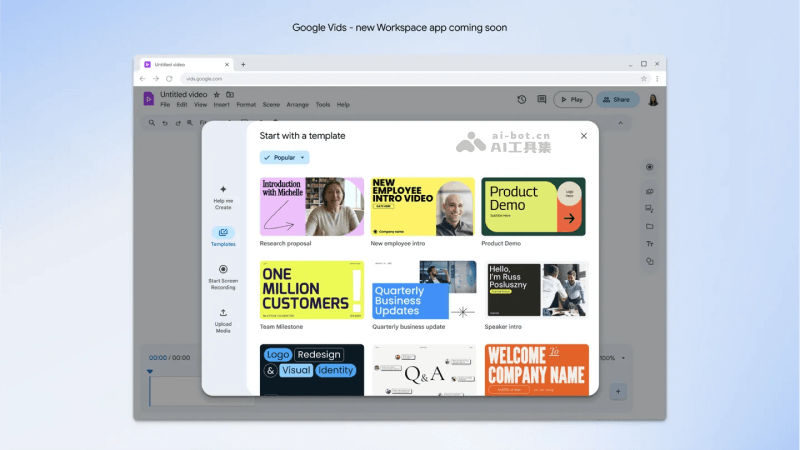
Google Vids is currently in limited internal testing and is expected to debut in Workspace Labs in June 2024, aiming to improve work communication efficiency and make video a new medium for daily work.
Main features of Google Vids
- Video creation assistance: Users start the video creation process by entering information such as the video's goal, audience, and length. Google Vids can generate an initial storyboard based on the user's description.
- Material integration: Users can associate documents and other resources in Google Drive with the video to provide content support for the video.
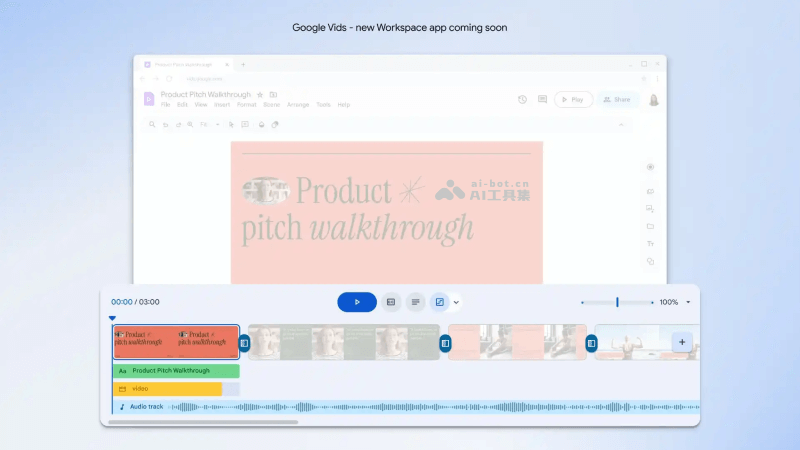
- Storyboard editing: The generated storyboard can be edited, and users can sort, delete, or add video clips to better tell the story.
- Video style selection: Users can choose different video styles, and Google Vids will automatically assemble the video, recommend scenes, images, and background music according to the selected style.
- AI video editing: Google Vids uses AI technology to help users edit videos, including automatically generating a first draft of the video and providing sound effects.
- Voiceover and text-to-speech: The app has a built-in studio feature, allowing users to record their own voice or use preset voices for voiceover. At the same time, Vids supports text-to-speech conversion, making it convenient for users to add narration.
- Collaboration and sharing: Users can share videos with team members, allowing them to comment, leave messages, and edit videos, enabling collaborative work. It also supports exporting videos in MP4 format for use on other platforms.
How to use Google Vids
Google Vids is currently in limited internal testing and is not yet open to all users. It will be launched for the first time through Workspace Labs in June 2024. If you are already a Google Workspace user, you can pay attention to Google's update notifications so you can try it immediately when the app is launched. If you are not yet a user, you may need to wait until Google Vids is more widely available before you can use it.
Application scenarios of Google Vids
Unlike other AI video generation tools used to generate movies/short videos, Google Vids' application scenarios are mainly concentrated in work and business environments, aiming to improve communication efficiency and the appeal of content expression.
- Team retrospectives and updates: Create videos to review team achievements, milestones, or update project progress, making information delivery more intuitive and vivid.
- Training and education: Create training videos for new employee onboarding, skill improvement courses, or product usage tutorials, improving learning efficiency and the appeal of materials.
- Internal communications: Instead of traditional text emails, use video formats for weekly reports, monthly reports, or other periodic updates to increase the readability of information and employee engagement.
- Product Demonstrations and Pitches: Create product introduction videos to show new features, product advantages, and use cases to customers or the team.
- Marketing and Promotion: Create promotional videos for market promotion, brand promotion, or social media sharing to attract potential customers and enhance brand image.
- Meeting Records: Record and edit meeting content into videos, making it convenient for team members who could not attend the meeting to review and understand the key points.
- Celebrations and Recognition: Create videos to celebrate the company's successes, commemorate special events, or recognize outstanding employees, enhancing team cohesion and sense of belonging.
- Client Proposals: Use video proposals to present solutions, service processes, or cooperation advantages to potential clients, improving the professionalism and persuasiveness of the proposal.


