

What is Plandex
Plandex is a terminal-based open-source AI programmingengine that helps programmers complete complex software programming and development tasks, resolve poor output, and maximize productivity. This AI programming assistant completes tasks that span multiple files and require multiple steps by using long-running agents, breaking large tasks into smaller subtasks and then implementing them one by one until the entire software development work is completed. Plandex is designed to improve development efficiency, help users handle backlogs, master unfamiliar technologies, and reduce time spent on repetitive work.
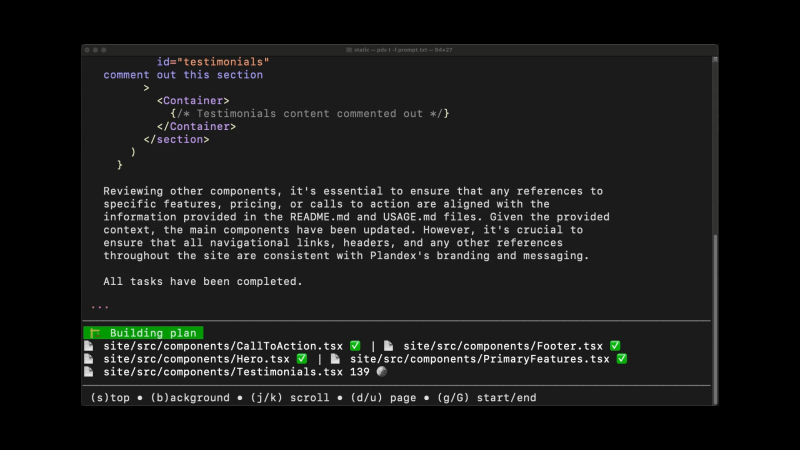
Main features of Plandex
- Task decomposition and execution: Plandex can break complex development task projects into smaller subtasks (such as task planning, code completion, code writing, code review, etc.) and complete them one by one until the entire task is successfully finished.
- Sandbox protection and version control: Plandex accumulates changes in a protected sandbox environment, allowing users to review changes before applying them to project files. At the same time, the built-in version control feature makes it easy for users to roll back and try different solutions.
- Context management: Plandex allows users to efficiently manage context in the terminal, easily add files or entire directories, and automatically keep them updated, ensuring that the model always has the latest state of the project.
- Multi-platform support: Plandex supports multiple operating systems, including Mac, Linux, FreeBSD, and Windows, and can run from a single binary file without depending on other software.
- Depends on OpenAI API: Plandex relies on the OpenAI API to perform tasks and requires setting the environment variable OPENAI_API_KEY to use it. There are subsequent plans to support open-source models, Google Gemini, and Anthropic Claude.
- Branching feature: Users can use the branching feature to try multiple approaches and compare results, which helps explore different solutions during development.
How to use Plandex
1. Download the Plandex source code
Open the terminal, enter the following commands in order, and run them
git clone https://github.com/plandex-ai/plandex.git
git clone https://github.com/plandex-ai/survey.git
cd plandex/app/cli
go build -ldflags "-X plandex/version.Version=$(cat version.txt)"
mv plandex /usr/local/bin #根据系统路径自行修改
2. Set the OpenAI API key
cd plandex
export OPENAI_API_KEY=YOUR_KEY #输入你自己的Key
3. Run Plandex
plandex new
Plandex product pricing
Users can choose to self-host Plandex, deploying and running it on their own servers, which is a good choice for users with special requirements for data privacy and security.
Plandex also provides a cloud-based service called Plandex Cloud, making it easy for users to get started with Plandex. When creating the first project, users will be prompted to start an anonymous trial, which does not require providing an email address. Trial accounts have certain limits, such as a limit of 10 tasks and 10 AI model replies per plan.
Currently, Plandex Cloud accounts are free, and charges may be introduced in the future. The estimated cost range is between $10 and $20 per month, and the specific price will be adjusted according to the development of the service and market conditions.

