
What is SenseNova-Skills
SenseNova-Skills is a modular AI office skills library open-sourced by the OpenSenseNova (SenseTime) team, designed for Agent runtimes. The tool breaks down four major office capabilities—infographic generation, PPT creation, Excel data analysis, and deep research—into independent skills that can be directly integrated into Agent frameworks such as OpenClaw and hermes-agent, giving AI assistants end-to-end professional office execution capabilities.
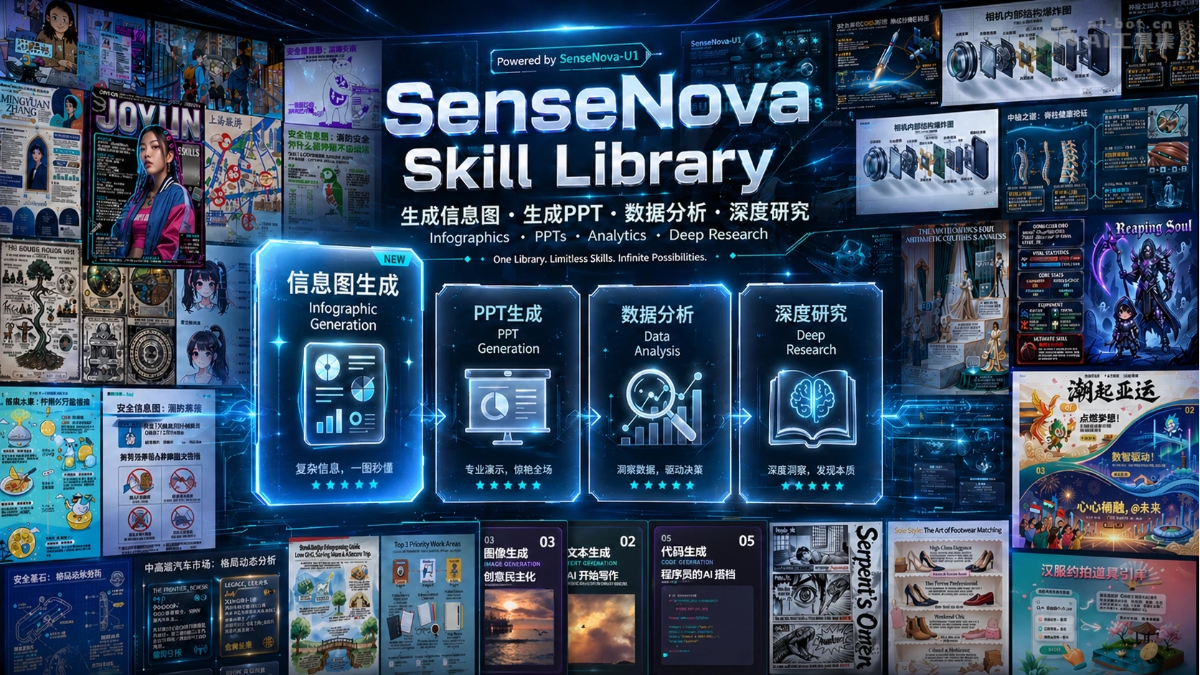
Main features of SenseNova-Skills
-
Infographic generation:
sn-infographicSupports 87 layouts and 66 styles, and through VLM quality checks and multiple rounds of iteration, transforms complex data and long reports into high-density visual infographics;sn-image-imitateCan generate new images in the style of a reference image;sn-image-resumeAutomatically generates beautiful resume images. -
PPT generation:
sn-ppt-entryAs a unified entry point, parses PDF/DOCX/MD/TXT and then dispatches to creative mode (each page is a 16:9 PNG) or standard mode (style specification → outline → material planning → VLM quality check → HTML → review → export PPTX). -
Data analysis:
sn-da-excel-workflowSupports multi-table reading, automatic conversion of large files (≥10,000 rows) to Parquet, cleaning, filtering, and cross-table aggregation;sn-da-image-captionImplements table OCR and chart understanding;sn-da-large-file-analysisHandles large files with streaming reads. -
Deep research:
sn-deep-researchUnified orchestration of planning → multi-dimensional evidence collection → comprehensive judgment → final report, with support for resuming from breakpoints;sn-research-planningAutomatically generates a research plan;sn-dimension-researchExecutes searches and cross-validation by dimension;sn-research-synthesisIntegrates multi-dimensional reports. -
Vertical search: Covers academic (ArXiv, PubMed), developer (GitHub, HuggingFace), Chinese social (Bilibili, Zhihu, Douyin), and English social (Reddit, X, YouTube).
Technical principles of SenseNova-Skills
-
Layered skill architecture: Adopts a layered design of Tier 0 (foundation layer, such as
sn-image-baseproviding text-to-image/image recognition) + Tier 1 (application layer, such assn-infographic), where lower-level capabilities can be reused and combined by upper-level skills. -
Agent Skills specification: Each skill has an independent directory and declares triggers, capabilities, and execution flow through
SKILL.md, and is compatible with the OpenClaw and hermes-agent runtimes. -
VLM quality loop: Introduces a vision-language model in infographic and PPT generation for multiple rounds of quality checks and scoring, ensuring the output meets publication standards.
-
Streaming processing of large files: For Excel files at the tens-of-thousands-of-rows level, uses
openpyxlread-only mode +iter_rowsstreaming reads, combined with Parquet conversion and chunked processing, to reduce memory usage. -
Breakpoint resumption mechanism: The deep research process persists intermediate outputs (
plan.json、sub_reports、synthesis.md) toreport_dir, supporting recovery after interruption at any stage.
How to use SenseNova-Skills
- Automatic Agent installation (recommended): Send an instruction to the Agent (such as OpenClaw): "Please install SenseNova-Skills from https://github.com/OpenSenseNova/SenseNova-Skills into the skills directory." After installation is complete, restart the Agent service for it to take effect.
- Manual installation:
- Clone the repository:
git clone https://github.com/OpenSenseNova/SenseNova-Skills.git --depth=1 - Copy the skill to the corresponding directory: OpenClaw users copy to
~/.openclaw/skills/, hermes-agent users copy to~/.hermes/skills/ - Configure API keys and environment variables (in each skill directory, follow the
SKILL.mdguidance to fill in.env) - Restart the Agent service and trigger the corresponding skill via natural language
- Clone the repository:
- Direct use: Visit Office Raccoon, experience the full set of skills directly in the Raccoon Pro plan, with no need to configure the environment and keys yourself.
Core advantages of SenseNova-Skills
-
End-to-end workflow orchestration: Covers the complete chain from data analysis → deep research → PPT reporting, supporting one-stop closed-loop execution of complex office tasks.
-
Agent-native integration: The skill library is directly embedded in the Agent runtime and can be invoked via natural language instructions, with no need to switch between multiple SaaS platforms.
-
Layered and composable: Underlying capabilities are decoupled from upper-layer applications, allowing developers to invoke a single skill as needed or combine multiple skills to complete customized workflows.
-
Controllable output quality: Built-in VLM quality inspection, automatic prompt scoring, and multi-round iteration mechanisms significantly improve the professionalism and consistency of infographics and PPTs.
-
Ready to use out of the box: Already integrated into Raccoon Pro, allowing individual and enterprise users to experience it directly with zero configuration; it is also open source for developers to freely extend.
Project address of SenseNova-Skills
- GitHub repository:https://github.com/OpenSenseNova/SenseNova-Skills
Comparison of SenseNova-Skills with similar competitors
| Dimension | SenseNova-Skills | OpenClaw office skills ecosystem | Microsoft Copilot Cowork |
|---|---|---|---|
| Product form | Open-source end-to-end office skill library | Open-source Agent framework + community skill marketplace | Closed-source enterprise-grade office Agent execution layer |
| Core capabilities | Infographic generation, PPT creation, Excel data analysis, deep research, vertical search | 80+ productivity skills including email/calendar/documents/project management/browser automation | Email drafting, document creation, PPT generation, calendar management, Teams posting, cross-application research |
| Skill scale | 20+ core skills, covering 4 major office domains | ClawHub registry has over 13,000 community skills, with productivity-related ones accounting for about 12% | 13 built-in skills + up to 20 custom SKILL.md files |
| Workflow orchestration | End-to-end closed loop (data analysis → deep research → PPT reporting), skills are composable | Mainly single-point integrations; complex workflows require manually stitching together multiple skills | Automatically decomposes and executes tasks across Microsoft 365 applications, with preset process templates |
| Quality assurance | Built-in VLM visual language model quality inspection, automatic prompt scoring, multi-round iterative optimization | Quality depends on community maintenance, with no unified quality inspection mechanism; about 10–15 production-grade skills | Enterprise-grade security and compliance governance, with no explicit generation quality check step |
| Runtime integration | OpenClaw, hermes-agent, Raccoon (Little Raccoon) Pro | Native OpenClaw runtime, compatible with hermes-agent, Claude Code, etc. | Limited to the Microsoft 365 ecosystem, with no external runtime extensions |
| Custom extension | Fully open source, with the freedom to modify SKILL.md and the layered skill logic | Fully open source, the community can contribute any skills, but it lacks a unified standard in the office domain | Supports 20 custom SKILL.md files with a fixed upper limit, and the built-in logic cannot be modified |
| Chinese-language scenarios | Native support, with built-in Chinese social search for Bilibili/Zhihu/Douyin and Chinese infographic generation | Partial support (Lark integration is relatively good); most skills target international toolchains | Supports Chinese input, but search and content sources are deeply tied to the international version of Office |
| Deployment method | Can be deployed locally/privately, with self-managed API keys | Can be self-hosted locally, with fully controllable data | Pure cloud processing, relying on the enterprise Microsoft 365 compliance system |
| Usage threshold | Requires configuring an Agent runtime and API keys, aimed at technical users | Requires a technical background to install and filter skills; the ecosystem is complex and the onboarding cost is high | Zero configuration, can be triggered with natural language, aimed at all knowledge workers |
Application scenarios of SenseNova-Skills
-
Operations reporting: Clean and analyze monthly operations data in Excel through
sn-da-excel-workflow, supplement industry insights viasn-deep-research, and finally generate a consistently styled reporting PPT withsn-ppt-standard. -
Industry research: Enter an industry name to automatically execute research planning → multi-dimensional evidence collection → cross-validation of conflicting data → comprehensive report writing, outputting a Markdown + offline HTML report with charts.
-
Infographic marketing: Use
sn-infographicto convert product selling points or technical white papers into high-density infographics with 87 layouts in one click, suitable for multi-platform distribution such as WeChat Official Accounts, Xiaohongshu, and Bilibili. -
Resume and brand visuals: Use
sn-image-resumeandsn-image-imitateto quickly generate personalized resume graphics and visual assets consistent with brand style. -
Large-file data analysis: For sales or financial spreadsheets with tens of thousands of rows, complete aggregate analysis through streaming reads and Parquet conversion to avoid memory overflow.