
What is SeaArt AI
SeaArt AI is the international edition of SeaArt AI, a one-stop AI creation platform for images, video, and audio, offeringimage generation、video generation, audio production, and chat features. Users can generate images, videos, and other content based on text prompts, uploaded images, or pre-built models, and can fine-tune and edit the generated results. SeaArt AI supports online training of custom models without the need for high-end hardware. SeaArt AI has a low barrier to entry and rich features, making it suitable for both beginners and experts. Content created by users can be used for commercial purposes, and the platform focuses on privacy protection, allowing users to control the public scope of their content.
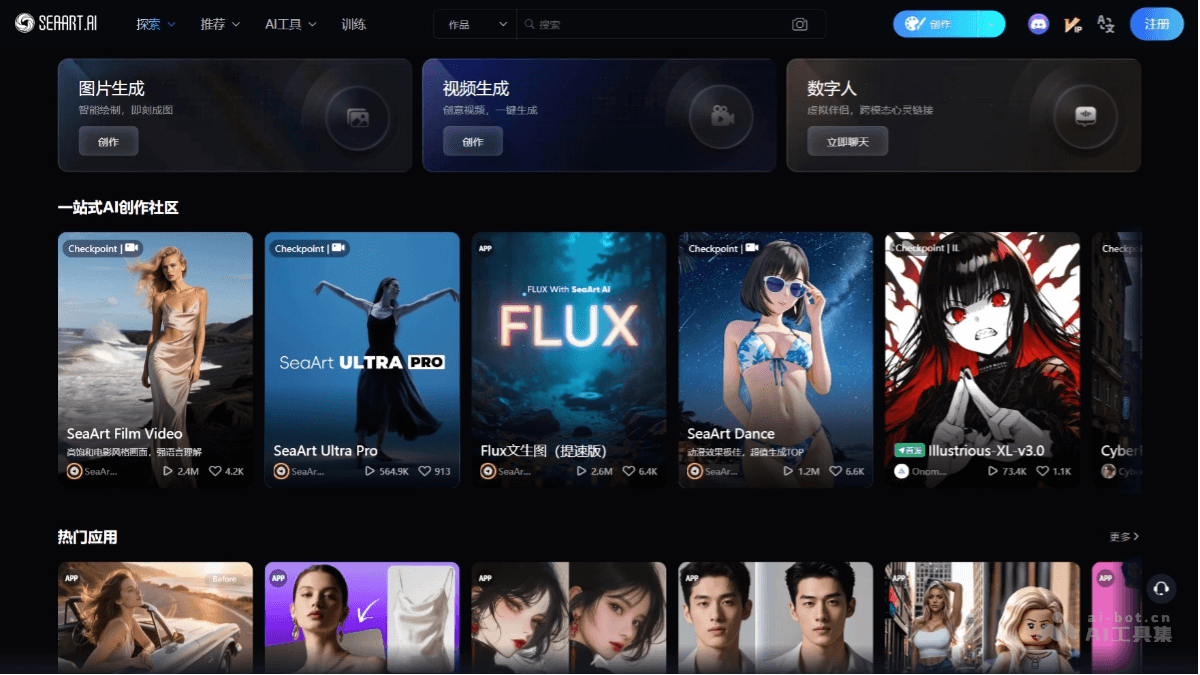
Main features of SeaArt AI
- AI image generation: Generate high-quality artwork, design drawings, illustrations, etc., based on text prompts or uploaded images.
- Video generation: Create video content based on AI technology, supporting the generation of animations, special effects, etc.
- Audio generation: Generate music, sound effects, or other audio content.
- Photo to art: Transform uploaded photos into images in artistic styles, supporting multiple styles.
- Model training: Supports users in training their own AI models online without the need for local hardware support.
- ComfyUI: Provides a visual interface for fine-tuning generation parameters such as composition, color, and style.
- Digital human feature: Interact with AI characters on the platform based on AI chat functionality.
- Face swap feature(Face Swapping): Replace one face with another in an image.
- AI filters: Provide multiple filter effects for adjusting image style.
- Sketch-to-Image: Convert simple sketches into detailed images.
- Background Removal: Remove the background of an image for further editing.
- Content sharing and community interaction: Users share their works with the community and communicate with other creators.
How to use SeaArt AI
- Register and log in: Visit the SeaArt AI official website:https://www.seaart.ai/。完成注册和登录。
- Choose a creation mode: Choose a creation mode according to your needs.
- Image generation: On the homepage, select the "Image Generation" mode. Enter a detailed description in the text box, for example: "A white unicorn walking in a forest, sunlight filtering through the leaves, oil painting style". Adjust the generation parameters (such as resolution, style, level of detail, etc.). Click the "Generate" button and wait for the AI to generate the image.
- Template generation: Select a template provided by the system, click "Same Style", and SeaArt AI will automatically analyze the image content and generate related artwork.
- Use ComfyUI: If you need more precise control, use ComfyUI. In the ComfyUI interface, build the generation workflow by dragging and connecting nodes. Adjust the parameters of each node, such as color, composition, style, etc. Click the "Run" button to generate the desired image.
- Model training (advanced feature): If you have more professional needs, choose the "Model Training" feature. Upload a dataset (such as images, text, etc.). Set training parameters, such as learning rate, number of training epochs, etc. Click "Start Training", and after training is complete, use your own model to generate content.
- Interaction and Sharing: The generated works will be saved in your personal portfolio. Share the works with the community, interact with other users, or save the works locally for commercial or personal use.
- Using the Digital Human Feature: Enter questions or instructions to interact with the AI character. The AI generates answers or related content based on your input.
SeaArt AI Product Pricing
- Free Plan: 4,500 stamina per month, can create 4,500 images, free creation, private generation, speed-limited generation, supports advanced digital human models and generating 2 tasks simultaneously.
- Basic Plan: €2.59/month, 9,000 stamina per month, can create 9,000 images, 300 stamina bonus on first purchase, includes free creation, private generation, fast generation, high-resolution video generation, and watermark-free video downloads.
- Standard Plan: €7.69/month, 21,000 stamina per month, can create 21,000 images, 700 stamina bonus on first purchase, provides fast generation, high-resolution video generation, watermark-free video downloads, and supports generating 5 tasks simultaneously.
- Premium Plan: €22.39/month, 63,000 stamina per month, can create 63,000 images, 2,100 stamina bonus on first purchase, includes fast generation, high-resolution video generation, watermark-free video downloads, and supports generating 10 tasks simultaneously and 3 LoRA tasks.
- Super Plan: €38.49/month, 105,000 stamina per month, can create 105,000 images, 3,500 stamina bonus on first purchase, provides fast generation, high-resolution video generation, watermark-free video downloads, supports generating 10 tasks simultaneously and 3 LoRA tasks, and enjoys the LORA training supreme channel.
SeaArt AI Application Scenarios
- Artistic Creation and Design: Artists and designers can quickly generate creative sketches, illustrations, oil paintings, and other artworks, or apply style transfer to photos, improving creative efficiency and inspiring inspiration.
- Advertising and Marketing: Enterprises can quickly generate advertising posters, promotional images, product display images, etc., meeting the needs of different marketing scenarios and improving the appeal and design efficiency of visual content.
- Video and Multimedia Production: Creators use it to generate content in videos, such as animations, special effects, background images, or create audio materials, enriching the material library for multimedia production.
- Education Scenarios: Teachers generate teaching materials, such as historical scenes, scientific illustrations, etc., to assist teaching.
- Personal Creativity: Users generate personalized avatars, wallpapers, social media images, etc., to express their personal style.