
What Is ReadFrog
ReadFrog is an open-source AI immersive translationbrowser extension tool. The tool can translate and interpret any content on the browser, supporting Chrome, Edge, and Firefox. Through features such as context-aware translation, text-selection analysis, and TTS reading, it helps users learn while reading on real web pages. ReadFrog supports 20+ AI models, stores data locally, and has open-source, customizable code.
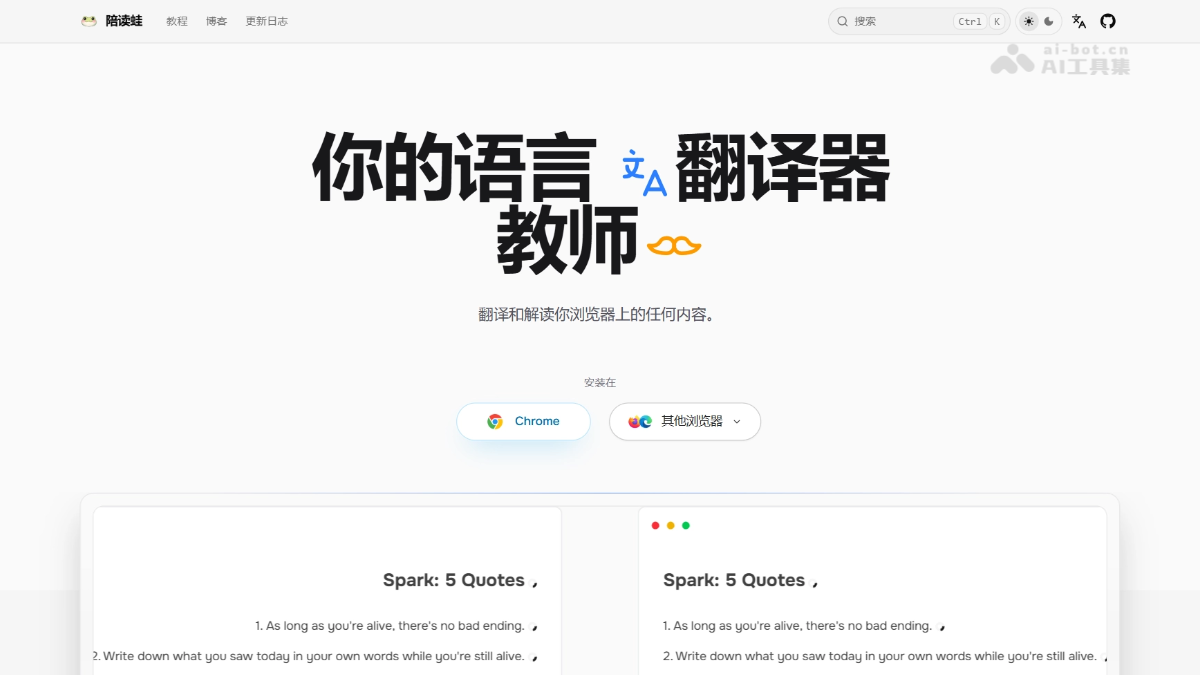
ReadFrog's Main Features
-
Immersive Bilingual Translation: Displays the translation directly beside the original paragraph, preserving the original layout, and supports free switching between bilingual comparison and translation-only modes.
-
Context-Aware Translation: The AI first reads and summarizes the entire article, then performs precise translation based on the article's topic and domain background, avoiding terminology mistranslation.
-
Smart Text-Selection Interaction: Select any word or sentence to view its translation, get detailed explanations matching your language level, or use TTS voice reading.
-
Custom AI Instructions: Supports creating exclusive translation prompts through dynamic tags such as
{{selection}}、{{paragraphs}}to meet specific domain needs. -
Batch Request Merging: Intelligently merges multiple translation requests into a single API call, saving up to 70% on API costs.
-
20+ AI Provider Integrations: Uniformly integrates 20+ models such as OpenAI, DeepSeek, Claude, Gemini, and Grok through the Vercel AI SDK, while also supporting free translation from Google, Microsoft, and DeepLX.
-
YouTube Subtitle Translation (Beta): Translates subtitles directly in the video player, enabling language learning from video content.
-
Edge TTS Voice Reading: Provides free support for 150+ voices and 80+ languages, with speed adjustable between 0.25x and 4x.
-
Smart Content Extraction: Automatically identifies the main text of a web page, filters out ads and distracting information, and creates a clean reading environment.
How to Use ReadFrog
- Install the Extension: Visit the ReadFrog official website https://www.readfrog.app/,下载浏览器插件,点击添加到浏览器。
- Initial Setup: After installation, select your native language and complete the basic configuration. It is recommended to pin the icon to the browser extension bar.
- Configure AI Providers: Go to Settings → API Providers, enable the required AI services (such as OpenAI or DeepSeek) and enter the API Key, then click Test Connection to verify availability.
- Enable Translation: Open a foreign-language web page, click the extension icon to enable "Immersive Translation," and view the translation beside the original text.
- Learn by Selecting Text: While reading, select words or sentences you do not understand to view instant translations, detailed explanations, or use TTS reading.
- Adjust Parameters: Adjust the explanation granularity according to your personal language level, and switch between bilingual/translation-only modes to optimize the reading experience.
ReadFrog's Core Advantages
-
Open Source, Free, and Customizable: The code is fully open source, with no ads and no registration required. Users can self-deploy or further develop it, and local data storage ensures privacy.
-
Deep Language Learning Positioning: Unlike pure translation tools, it helps users truly "understand" rather than merely "finish reading" through grammar breakdown, complex sentence analysis, and contextual definitions.
-
Context-Aware Translation Made Free: Contextual translation that usually requires payment is fully available for free. The AI first understands the article and then translates, greatly improving the translation quality of professional content.
-
Extreme API Cost Optimization: Batch request merging technology saves up to 70% of API costs, lowering the economic barrier for users to use AI translation.
-
Flexible Access to Multiple Models: Supports free switching among 20+ mainstream AI models. Users can choose the optimal translation engine as needed, avoiding the limitations of a single model.
Comparison with Similar Competitors of ReadFrog
| Comparison Dimension | ReadFrog | Immersive Translate |
|---|---|---|
| Use Case | In-depth reading explanation | Simple translation |
| Translation Quality | AI translation + context awareness | AI translation |
| Translation Engine | 20+ AI models + free options | 20+ engines |
| Deep Learning | ✅ Grammar breakdown, long and difficult sentence analysis | ❌ None |
| Price | ✅ Completely free | 🟡 Some features paid |
| Open Source | ✅ Open source and customizable | ❌ Closed source |
| Privacy Protection | ✅ Local data storage | 🟡 Risk of data leakage |
| TTS Voice | ✅ Edge TTS free 150+ voices | 🟡 Limited support |
| Subtitle Translation | ✅ YouTube subtitle translation | ✅ Supported |
| Batch Requests | ✅ Save 70% of API costs | ❌ None |
Application Scenarios of ReadFrog
-
Language Learners: Immersively improve language proficiency through real web content, learning while reading. The AI analyzes grammar and vocabulary like a foreign teacher.
-
Academic Researchers: When reading foreign-language papers and technical documents, use context-aware translation to accurately understand professional terminology and avoid mistranslations like "Shell → seashell".
-
Cross-Border Professionals: Handle foreign-language emails, industry reports, and overseas information, quickly obtaining accurate translations and understanding the deeper meaning.
-
Developers/Technical Users: Read English technical blogs, GitHub documentation, and API manuals, maintaining layout coordination through mixed translation of code blocks and text.
-
Casual Readers: Get instant assistance when reading foreign-language novels, blogs, and forums, and practice listening and pronunciation through TTS reading.