
What is QBot
QBot is a brand newAI browserlaunched by Tencent QQ Browser, integratingAI search, browsing, office work, learning, andwritingand other functions, providing users with a more intelligent and convenient experience. QBot supports multiple search methods, including text, voice, and images, and can quickly and accurately obtain information, providing comprehensive and reliable answers through deep thinking. It can summarize long content,generate mind maps, and supports multilingual translation, helping users efficiently process complex information. QBot provides functions such as file format conversion, document editing, and table extraction to improve work efficiency.
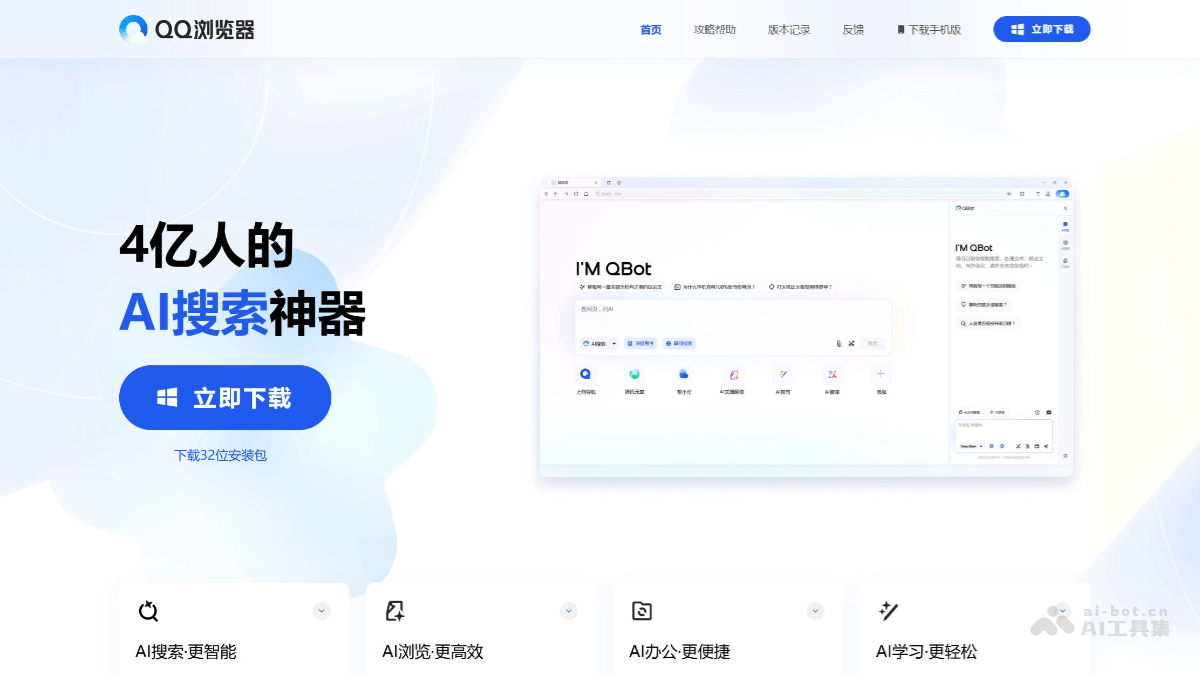
Main features of QBot
- AI search: Supports text, voice, or image search, can accurately understand questions and quickly provide comprehensive and reliable answers.
- AI browsing: Can quickly interpret web page content, summarize the full text, and generate mind maps, helping users quickly understand complex information.
- AI office: Provides functions such as file format conversion, document editing, and table extraction to improve office efficiency.
- AI learning: Supports photo-based question search, multilingual translation, and knowledge point explanations, helping users solve learning problems.
- AI writing: Can quickly record inspiration and polish text, meeting various writing needs.
- Agent integration: Launched multiple Agents in the first batch, such as "AI Gaokao Tong", download assistant, update assistant, stock assistant, etc., providing users with personalized services.
- AI web page summary: Users can enter a web page link or click a button to let QBot generate an accurate web page summary.
QBot's official website address
- Download and install: Visit QBot'sofficial websiteto download and install.
- Computer: Update QQ Browser to the latest version. After launching, find the AI assistant icon in the upper right corner or toolbar of the browser, and click to use it.
- Mobile: Update QQ Browser to the latest version in the app store. After launching, find the AI assistant entry in the bottom menu bar or top toolbar.
- Use the AI web page summary function: Open any web page, click the QBot icon, select the "Web Page Summary" function, and QBot will automatically summarize the current web page.
- Use the AI office function: Enter the corresponding function through the "AI Toolbox" in the QBot sidebar or by entering instructions, such as "Universal Format Conversion" or "AI Document Interpretation".
- Use the AI translation function: When browsing foreign-language web pages, click the QBot icon, select "AI Translation", and click "Translate Current Web Page".
QBot application scenarios
- Individual investors: QBot can help individual investors conduct quantitative strategy research and automated trading. It provides a full closed-loop process from data acquisition, trading strategy development, strategy backtesting, simulated trading to live trading.
- Office scenarios: QBot's toolbox covers various practical functions such as document editing, format conversion, and table extraction, significantly improving work efficiency.
- Learning scenarios:QBot can tutor children to complete their homework, solve learning problems, and help improve writing and idea-generation skills through intelligent analysis of questions.
- Intelligent Search:QBot can accurately capture the user's query intent and present answers in multiple forms such as text, voice, or images.
- Writing Assistant:QBot can quickly generate high-quality content, inspire users' creativity, and improve writing efficiency.