
What is PixVerse V5.5
PixVerse V5.5 is avideo generationlarge model launched by AiShi Technology. Through self-developed multimodal understanding and generation technology, the model supports synchronized audio-visual generation, simplifies the complex workflow from idea to finished film, and improves creative efficiency. Users can choose video clips of different lengths, achieve natural multi-shot transitions, and generate micro-narrative units with a director's mindset. The model's intelligent camera movement function makes long shots, medium shots, and close-ups switch smoothly, and can directly generate an initial finished film that tells a story, suitable for a variety of video styles.
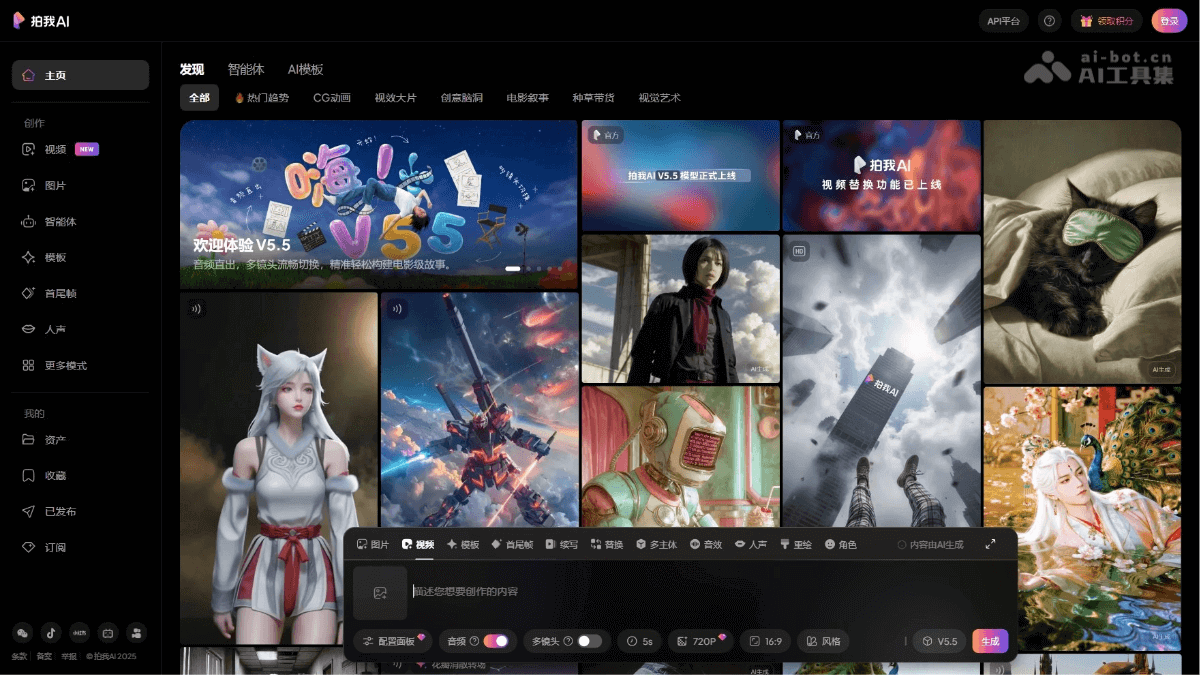
Main features of PixVerse V5.5
- Native audio generation: Generate matching audio based on user descriptions, including voice-over, narration, ambient sound, various sound effects, and atmospheric sound.
- Multi-shot narrative: Generate coherent shots based on prompts, ensure character consistency, and is suitable for over-the-shoulder dialogue shots, emotional turning point close-ups, seamless scene transitions, dynamic action scene switching, and plot twist shots.
- Synchronized audio-visual generation: Based on self-developed multimodal understanding and generation technology, it supports synchronized audio and video generation, improving the coherence and naturalness of the narrative.
- Intelligent camera movement and cinematic storytelling: The model integrates multi-shot understanding capabilities, intelligently generates matching storyboards and multiple shots, and achieves natural switching between long shots, medium shots, and close-ups with smooth camera movement.
- Creativity one step ahead: Simplifies complex workflows, from idea to finished film, improving efficiency by up to 80% and accelerating creative speed.
- One-click generation of multiple storyboards: Supports one-click generation of multiple storyboards, and users can choose video clips of different lengths to quickly build a video story.
- Multi-style support: Suitable for a variety of video styles, such as comic drama, meme, MV, Vlog, retro, animated feel, anime, etc., meeting the creative needs of different users.
Technical principles of PixVerse V5.5
-
Multimodal understanding and generation technology: Combines visual and audio data to understand and generate corresponding video content.
-
Deep learning models: Uses deep learning algorithms, such as convolutional neural networks (CNN) and recurrent neural networks (RNN), to process and generate video data.
-
Natural language processing (NLP): Understands and generates text related to video content, such as subtitles or narration.
-
Computer vision: Recognizes and understands objects, scenes, and actions in videos, enabling intelligent camera movement and multi-shot switching.
-
Audio processing technology: Analyzes and generates audio that matches video content, including human voice, environmental sound, and emotional dubbing.
-
Automated workflow: Simplifies the video production process through automation technology and improves production efficiency.
How to use PixVerse V5.5
-
Enter creative ideas: Describe the video creative ideas in detail in the input box, including elements such as scenes, characters, and dialogue.
-
Select parameters: Select appropriate production parameters such as length, style, and shot type according to the video requirements.
-
Generate audio: Use the platform's audio generation feature to automatically create matching audio content from an input description.
-
Multi-shot storytelling: Enter a prompt to let the platform automatically generate a coherent sequence of shots with consistent characters.
-
Preview and adjust: After generating the video, make adjustments as needed to optimize the video effect.
-
Export video: Once you are satisfied with the video content, select the export function to save the video locally.
-
Share or use: Share the exported video to social media or use it for other purposes.
Application scenarios of PixVerse V5.5
-
Film and video production: Used to quickly generate initial cuts of movie trailers, short films, or full films.
-
Advertising and marketing: Create engaging advertising videos for social media, television, or online platforms.
-
Social media content: Produce viral videos, vlogs, or live stream content for social media platforms.
-
Personal entertainment: Individual users can create personalized videos, such as home movies, travel logs, or commemorative videos.
-
News and reporting: The model quickly generates news report videos, including live reports and feature reports.