

What is PixVerse
PixVerse is a free, high-qualityAI video generation tool. Users can easily create high-definition, realistic video works simply through concise text descriptions. Whether it is a 2D anime style, a realistic and delicate realism style, or a three-dimensional and vivid 3D visual effect, PixVerse can accurately capture and realize the creative ideas provided by users.
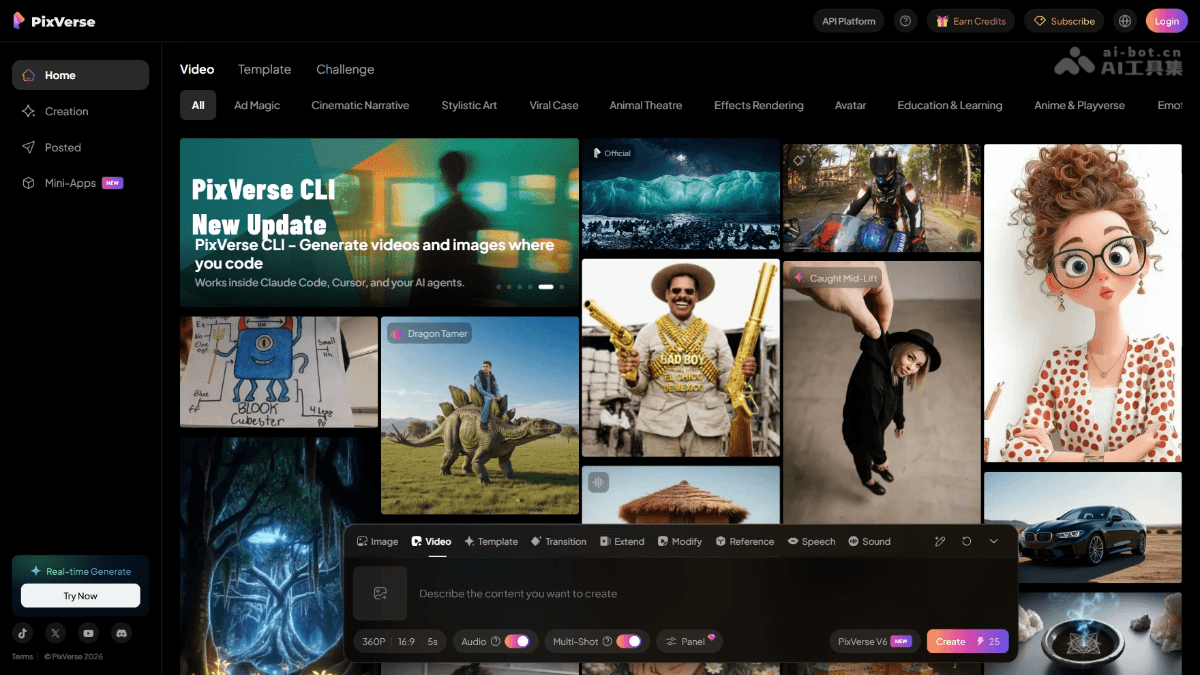
Main features of PixVerse
- Text prompt to generate video: Just enter a creative description, and PixVerse can turn text into dynamic images
- Convert images to dynamic videos: Convert static images provided by users into coherent and smooth video content
- Video quality upgrade: Built-in Upscale function, which can easily upgrade videos to 4K ultra-high-definition resolution (3840×2160), making details richer and image quality more delicate.
- Flexible video generation settings: Supports settings for video style (realistic, cartoon, 3D anime), video ratio (16:9, 9:16, 1:1, 4:3, 3:4), etc.
- Supports generating videos with specified characters: Allows users to specify characters from miHoYo's game "Genshin Impact" (such as Eula, Ganyu, Hu Tao, Kamisato Ayaka, etc.) to generate related character animation videos
-
Mini Apps: Lightweight multimodal creation tools. Upload materials to automatically complete the entire process from image generation to video editing and subtitle addition. Ad Master (generating advertising videos from product images) has been launched, and mixed-cut finished videos (automatic mixed cutting of multiple materials) will be launched soon.
-
Team Plan: A collaboration solution for teams of 2-100 people. It supports shared credit pools and four-level permission management, and provides mutually independent personal spaces and team spaces to ensure the secure ownership of content assets.
-
PixVerse CLI + Skills: A command-line tool for developers, which can directly call video/image/audio generation capabilities in the terminal and connect to automated workflows such as OpenClaw, while also supporting custom Skills extension functions.
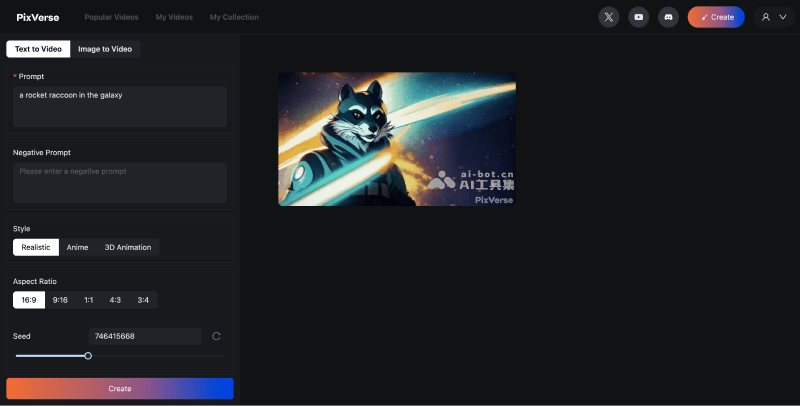
How to use PixVerse to generate videos
Method 1: Use the PixVerse online version
- Visit the PixVerse official website (pixverse.ai), click Get Started in Web, then log in and register
- After successful login, you will be redirected to the backend interface. Click Create, select Text to Video, and then enter the prompt description
- Select video style, video aspect ratio, and set the seed value
- Finally click Create to create, and wait for the video to be generated
Method 2: Use the PixVerse Discord server
- Join the PixVerse Discord community:https://discord.gg/MXHErdJHMg
- Select and enter any
#generate-roomvideo generation channel starting with - Enter and select the /create command, then enter the video prompt, style, and aspect ratio
- Then click send and wait for the video to be generated
Suitable users for PixVerse
- Content creators and video production personnel: Provides a simple and efficient solution for individuals or teams that quickly produce high-quality video content
- Advertising and marketing professionals: Create attractive advertising and marketing videos, convey brand information more effectively, and attract potential customers
- Educators and students: Used to create instructional videos or academic presentations, presenting complex concepts in a more understandable and engaging way.
- Animation and game designers: Inspire creative ideas and create animation or game visual effects with unique styles
Frequently Asked Questions
Is PixVerse free?
PixVerse supports a free trial, and paid information is subject to the official website.
Can videos generated by PixVerse be used commercially?
Videos generated by PixVerse can be used for commercial purposes for free.
What is the maximum resolution of videos generated by PixVerse?
With PixVerse's Upscale feature, videos can be generated at up to 4K resolution.
What is the duration of videos generated by PixVerse?
PixVerse currently generates a single video with a default duration of 4 seconds.


