
What Is Pika Twists
Pika Twists is an AI video editingfeature launched by Pika Labs that allows users to easily modify the subject's actions and scenes in videos, creating fantastical effects. Simply upload a video and describe your requirements, and the AI can precisely control characters or objects, such as making animals perform human actions or changing the state of objects, while keeping the visuals natural and coordinated.
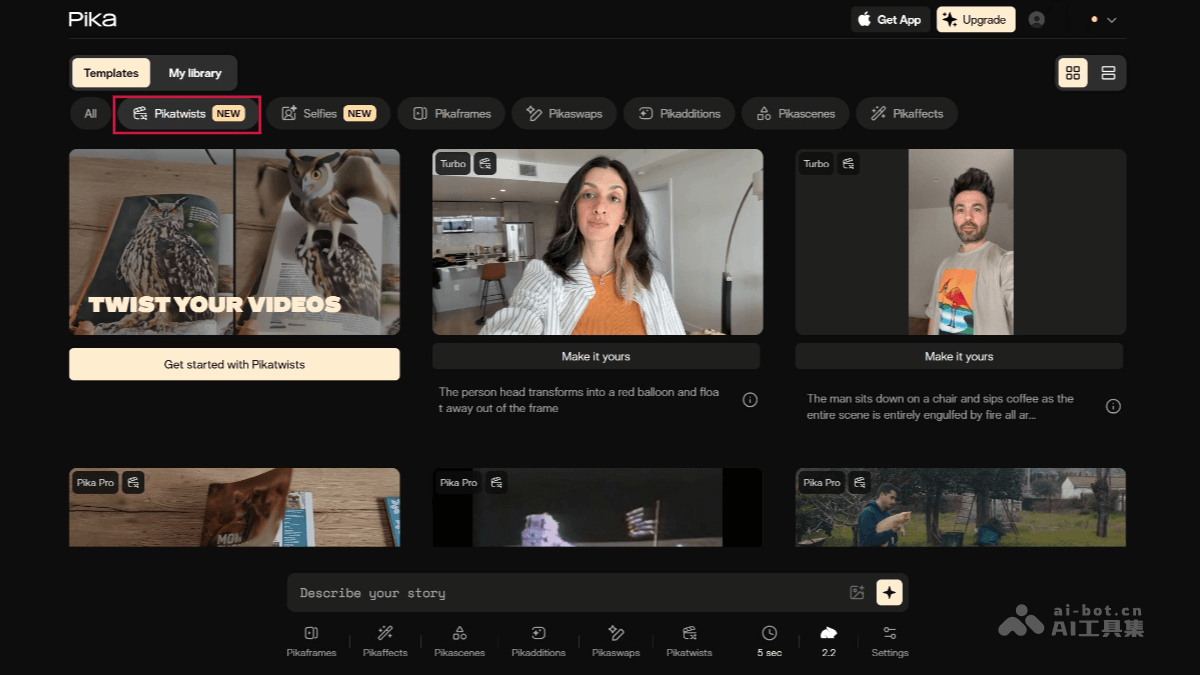
Main Features of Pika Twists
- Subject Manipulation: Users can specify the actions of any character or object in a video. For example, making a cat stand up and drink coffee, or making a car hover while driving. Pika Twists can precisely identify the subject and modify its actions while keeping the background and other elements unchanged. Users can preview and adjust the effects in real time until satisfied.
- Add or Remove Elements: Users can add new elements (such as special effects, objects) or remove existing elements while ensuring perfect integration with the original footage's lighting, angles, and more.
- Stylization Effects: Supports stylization processing of videos, such as converting scenes in videos into different artistic styles.
- Realistic Rendering: Pika Twists uses advanced AI technology to ensure that modified elements perfectly match the original footage's lighting, angles, motion trajectories, and more, presenting very realistic effects.
- Seamless Transitions: The modified video is visually natural and smooth, with no obvious splicing traces.
- Fast Generation: Pika Twists can quickly generate effects and supports real-time modifications, greatly improving creative efficiency.
How to Use Pika Twists
- Visit the Platform: Visit the Pika official website, register or log in.
- Upload Video: Select Pika Twists, click the "Upload Video" button. Select the video file you want to edit. Supports multiple video formats, such as MP4, MOV, etc.
- Describe Requirements: Enter the effect you want to achieve in the text box. For example: "Make the cat in the video stand up and drink coffee." "Make the car hover while driving." "Change the background to a forest scene." The more specific the description, the more precise the generated effect.
- Real-Time Preview and Adjustment: Pika Twists will generate a preliminary effect based on your description. Users can view the generated video effect in real time and optimize the result by adjusting the description or parameters.
- Download or Share: After generating a satisfactory effect, you can choose to download the video.
Application Scenarios of Pika Twists
- Short Video Production: Social media bloggers can use Pika Twists to quickly generate creative short videos to attract followers' attention and interaction. For example, exaggerating animal actions in pet videos, or adding fantastical elements to landscape videos.
- Advertising and Marketing: Advertising creators can use Pika Twists to produce more attractive advertising videos, highlighting product features by adding special effects or modifying scenes, enhancing the appeal and传播 effect of advertisements.
- Special Effects Production: Film and television special effects teams can use Pika Twists to quickly generate preliminary special effects versions, saving time and cost, while providing references for final special effects production.
- Teaching Video Production: Educators can use Pika Twists to create lively and interesting instructional videos, for example, by using animated effects to demonstrate the process of scientific experiments, or by making historical figures "come back to life" to explain historical events, thereby increasing students' interest in learning and improving learning outcomes.
- Online Courses: Online education platforms can use Pika Twists to add creative elements to course content, enhancing the course's appeal and interactivity.