
ChatGPT can write code, but you have to describe the requirements clearly, wait for it to generate, and then manually copy it into the editor to run. Claude can read emails, but you have to paste the email content in first and ask it how to reply.But,OpenClaw is different.
A real scenario: when you wake up in the morning, the AI has already finished replying to emails, organized your schedule, and sent the daily report. This article will introduce the most complete OpenClaw user guide, from beginner to mastery, to fully understand OpenClaw and also have a 24-hour errand-running digital employee.
What Is OpenClaw
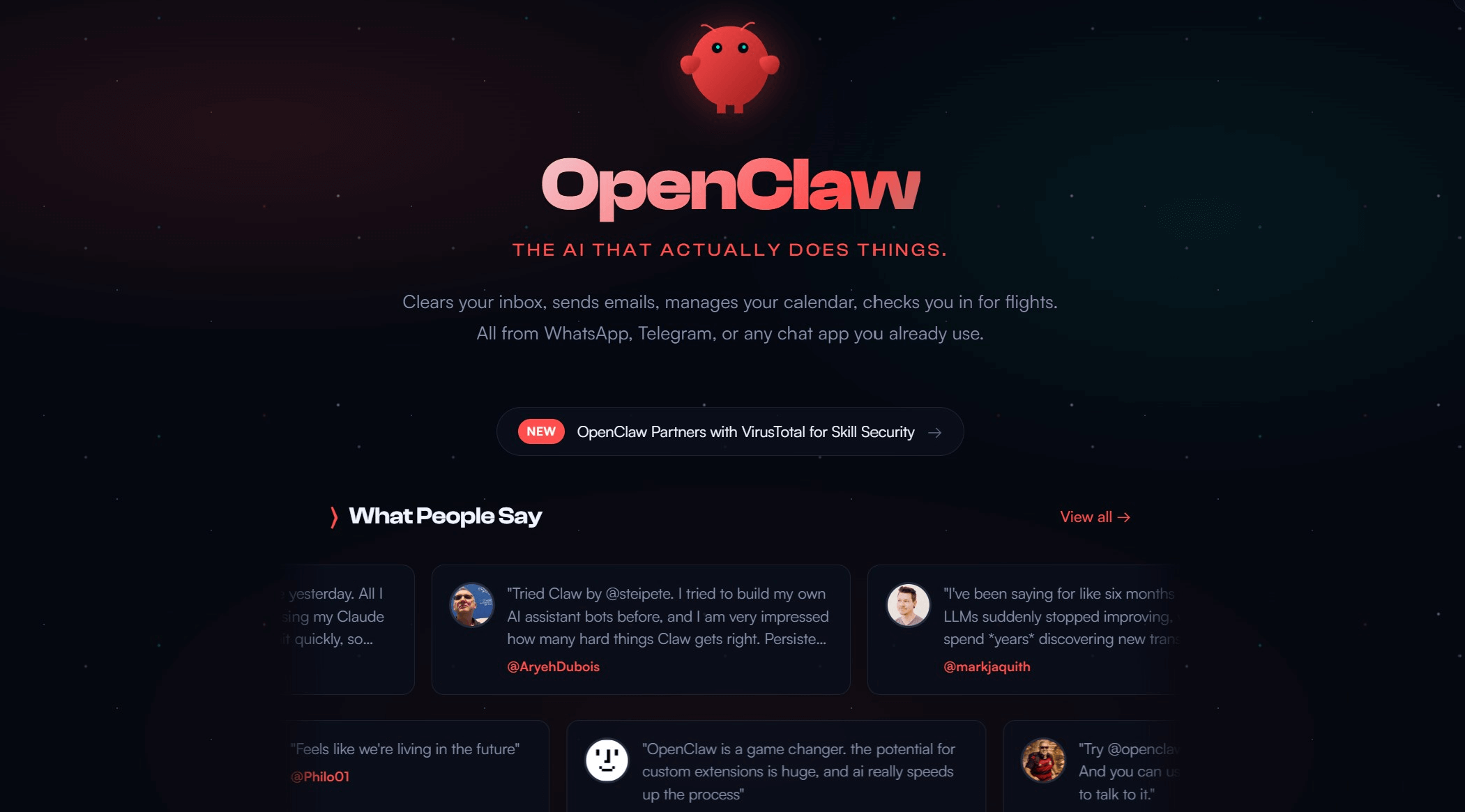
OpenClaw is an open-source AI agent platform, and its core philosophy is to transform AI from "passively answering questions" into "actively executing tasks." Traditional AI tools such as ChatGPT and Claude mainly obtain passive responses by inputting prompts, while OpenClaw's goal is to create a digital employee that can actively execute tasks. It can receive instructions through chat applications (such as WhatsApp, Telegram, Discord, etc.) and automatically complete daily tasks such as email management, scheduling, and data scraping.
The History of the Name's Evolution
- November 2025: Peter Steinberger releases Clawdbot, based on his personal AI assistant Clawd (later renamed Molty).
- January 25, 2026: The project begins to spread virally, with Google search volume surpassing Claude Code, GitHub Stars.
- January 27, 2026:Anthropic files a trademark complaint, demanding that "Clawdbot" be discontinued, and that same day it is urgently renamed Moltbot.
- January 28-29, 2026: Scams appear during the renaming window, with scammers using the old name "Clawdbot" to issue a fake token on Solana, whose market value once reached tens of millions of dollars before collapsing.
- January 30, 2026:Finally renamed OpenClaw, the founder admits that Moltbot "doesn't roll off the tongue," and the new name underwent trademark search and domain protection.
- February 14, 2026: Founder Steinberger announces joining OpenAI, and the project will be transferred to an open-source foundation for management.
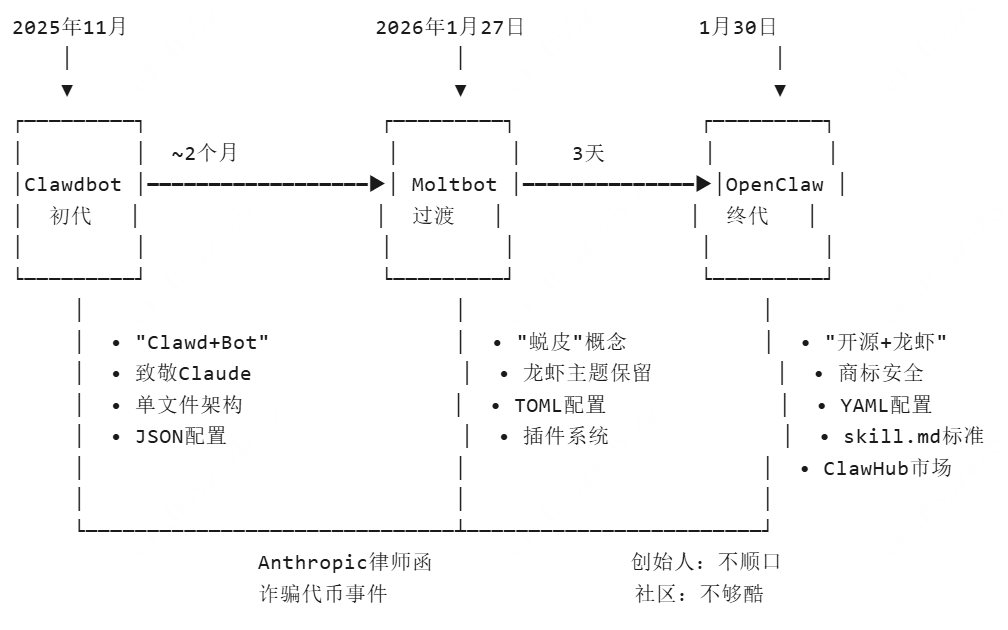
This journey confirms therapid iterationdouble-edged sword effect in open-source projects: it can respond quickly to crises, but may also leave security risks due to going too fast.
Key Metrics
The hottest AI agent platform of 2026, GitHub Starsthe latest data has surpassed 250,000, making it the fastest-growing project in GitHub history.
| Metric Category | Specific Data | Description |
|---|---|---|
| GitHub Stars | 253,000+ | The latest data has surpassed 250,000 |
| GitHub Stars | 250,000+ | Surpassed React and Linux on March 3, 2026 |
| GitHub Forks | 48,800+ | March 2026 |
| Lines of Code | 5,658,536 lines | Cumulative additions/modifications |
| Top 1 Contributor's Code Volume | 4,475,379 lines | AI-assisted development averages 52,039 lines per day |
| NPM Weekly Downloads | 1,536,625 | – |
| Number of ClawHub Skills | 2,857+ | Statistics as of February 2026 official skill marketplace |
OpenClaw isthe first AI agent framework to reach the top, and also the first foundational software project to surpass React and Linux within 4 months.
| Project | Number of Stars | Time Achieved | Features |
|---|---|---|---|
| OpenClaw | 250,000+ | 4 months | AI agent framework, local-first |
| React | 243,000 | 13 years | Frontend frameworks, adopted by enterprises |
| Linux | 220,000 | Years of accumulation | Operating system kernels, infrastructure |
| build-your-own-x | 470,000 | Many years | Resource aggregation type (tutorial lists) |
Usage cost
| Metric | Data | Description |
|---|---|---|
| Light usage cost | $5-30/month | Simple automation tasks |
| Heavy usage cost | $100-200/month | Complex workflows, high-frequency API calls |
Differences between OpenClaw and other AI tools
Working style
- OpenClaw:A digital employee that proactively executes tasks,supports rich feature extensions, and can add and manage various tasks through the Skills platform. Supports third-party integration with 50+ third-party applications, including productivity suites, smart home devices, streaming platforms, etc., breaking the boundary between the digital and physical worlds.
- ChatGPT:A passive question-answering conversational AI tool, relying on user input prompts to generate responses. It cannot proactively execute tasks the user has not explicitly requested, focusing on generating coherent and informative text.
- Claude:Similar to ChatGPT, mainly used to generate natural language text and answer questions. Claude can also handle complex language tasks, but does not have OpenClaw's task automation capabilities.Focus on safety and ethics, Claude emphasizes the safety and ethics of artificial intelligence, reducing bias and potential risks in AI systems.
Interaction style
- OpenClaw: Supports interaction with users in multiple chat applications, such as WhatsApp, Telegram, Discord, Slack, etc. OpenClaw can remember context and maintain memory in continuous conversations, improving efficiency across multiple interactions and avoiding starting from scratch each time.
- ChatGPT and Claude:are limited to dialogue input: They can handle continuous conversations within a short period, but do not have persistence across multiple sessions or the ability to automatically execute tasks.API integration capability is weak,and they cannot integrate multiple external services and tools for task automation
Deployment and usage methods
- OpenClaw: Supports local deployment,users can deploy OpenClaw on their own local computer. Supports cloud deployment, OpenClaw can be deployed to cloud servers, suitable for scenarios requiring 24/7 operation. Supports custom skill development, OpenClaw provides a skill marketplace (ClawHub), allowing users to customize and install new skills according to their needs.
- ChatGPT and Claude:online services, usage mainly depends on cloud services, users need to access through websites or third-party platforms, and local deployment is not supported.No skill marketplace,cannot provide deep customization for different tasks.
Security and privacy
- OpenClaw: OpenClaw's security requires special attention because it allows third-party integrations and can access users' personal data and applications. The official documentation mentions some security risks, such as malicious skills, exposed instances, and zero-click attacks. To reduce risks, users should follow security best practices, such as isolated environment deployment, using a Docker sandbox, and enabling authentication.
- ChatGPT and Claude:security controls are more centralized, and the security of ChatGPT and Claude is more controlled by the service providers (OpenAI and Anthropic). Users do not need to directly manage security issues in the deployment; the limitation is that security policies cannot be customized or fully controlled.
Through comparison, choose the most suitable tool according to actual needs. If what is needed is an AI agent with powerful automation and integration capabilities, OpenClaw is the more suitable choice; if it is only for text generation and conversation, then ChatGPT or Claude is more suitable.
| Dimension | ChatGPT/Claude | OpenClaw |
|---|---|---|
| Interaction mode | Passively waits for input | Runs actively and persistently |
| Memory capability | Session-level | Long-term memory + context |
| Execution capability | Only gives suggestions | Directly operates tools |
| Accessibility | Needs to open the app | Can be awakened at any time from the chat app |
OpenClaw installation system requirements
OpenClaw'sbiggest advantageisan extremely low hardware threshold. Individuals who want to try it out can absolutely use a Raspberry Pi 4 or an old laptop.
Basic installation configuration requirements
Special note: OpenClaw uses newer JavaScript features (such as top-level await and the new module system). The AI SDK and toolchain it depends on require Node 22+ API support. If a lower version is used, module resolution errors or performance issues will occur.
| Component | Minimum configuration | Recommended configuration | Description |
|---|---|---|---|
| Node.js | ≥ 22 | ≥ 22 | Required version; lower versions cannot run |
| CPU | 2 cores | 4 cores | The number of cores affects concurrent task processing capability |
| RAM | 4 GB | 8 GB | The more memory, the more Skills can be loaded |
| Operating system | macOS / Linux / Windows WSL2 | macOS / Linux | On Windows, using the WSL2 subsystem is recommended |
| Storage space | 10 GB available space | 50 GB+ | Includes dependency, log, and memory file accumulation |
Configuration recommendations for different deployment scenarios
| Deployment method | Hardware/environment | Applicable scenario | Remarks |
|---|---|---|---|
| Local machine | An existing computer is sufficient | Personal testing, development | Needs to stay powered on, with power consumption and noise |
| VPS cloud server | Starting from 2 cores 4GB | Production environment, 24/7 operation | Monthly fee $5-50; 4 cores 8GB recommended |
| Mac Mini | M1/M2 chip | Heavy personal use | $600+ upfront investment, stable and secure |
| Raspberry Pi 4 | 4GB version | Geek trying it out, lightweight tasks | Can run Gateway, but struggles with complex tasks |
| NEAR AI Cloud | Managed service | Enterprise security requirements | TEE encryption protection, no operations and maintenance required |
Scan the WeChat QR code to follow, reply with the keyword “OpenClaw” to join thecommunication groupfor deployment, installation, and usage discussions!
OpenClaw installation and deployment tutorial
Includes operation instructions for local deployment, cloud deployment, Feishu integration, and DingTalk integration.
Local deployment + Windows version + Feishu integration
Preparation
Step 1. Check whether the computer meets the requirements: confirm that the operating system is macOS / Linux / Windows 10/11; memory size must be ≥ 4GB (8GB is smoother); remaining hard disk space ≥ 10GB available space.
Step 2. Install Node.js
You need to install Node.js first. The version is best if it is the latest, or it must be ≥ 22.
Download address:https://nodejs.org/en/download/,根据电脑系统,选择下载并安装。
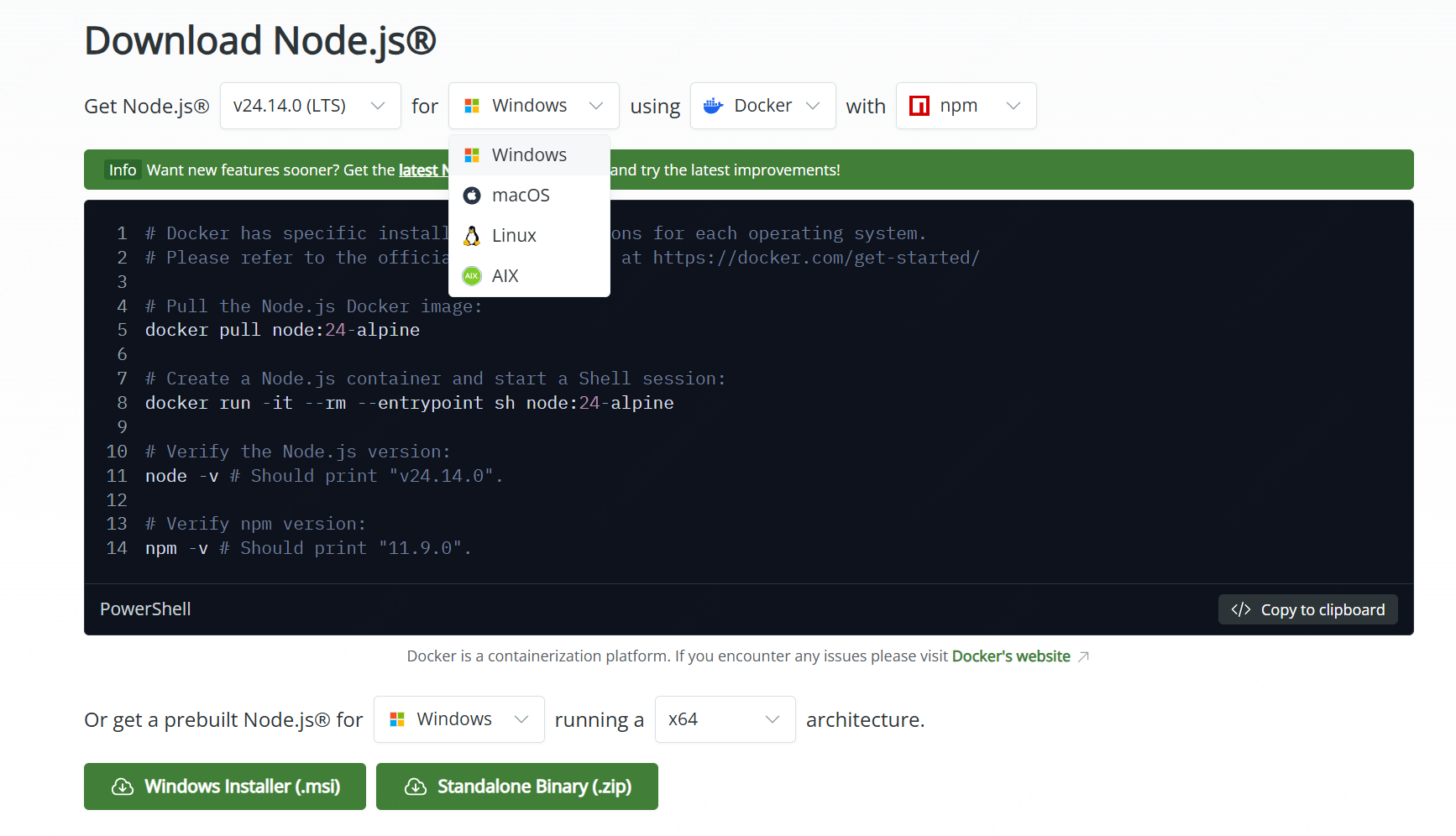
If it is already installed, check the Node.js version
Open the terminal command window and enter the following command:
node -v
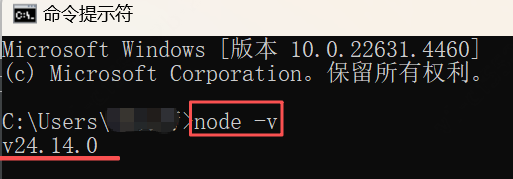
Here you can see the specific version number.
Step 3. Get the model API key
openclaw supports connecting to a variety of third-party large models. If you have APIs for large models such as Kimi, MiniMax, Claude, ChatGPT, orGemini, you can use them directly.
Let's take Zhipu as an example. Visit the Zhipu AI open platform official website:https://bigmodel.cn/
Select API Key, click to add a new API Key, and copy the API Key for later use.
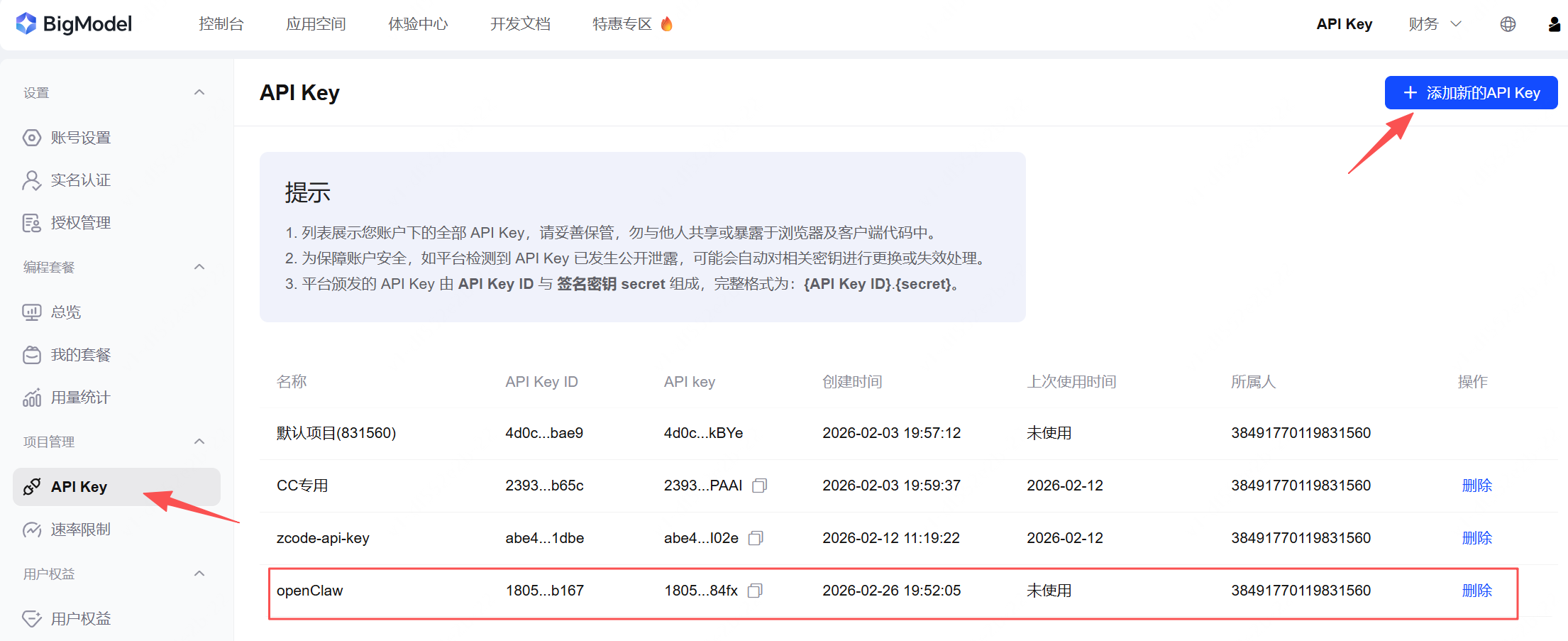
Step 4. Create a Feishu bot
If you are just playing around on your local computer, you can skip this step and directly go to the followingInstall OpenClaw.
This step is mainly to make it convenient for you to use openclaw on your phone, and to receive or send commands to openclaw at any time.
Open the Feishu application configuration page:https://open.feishu.cn/app
Click Developer Console, and choose to create a custom enterprise app
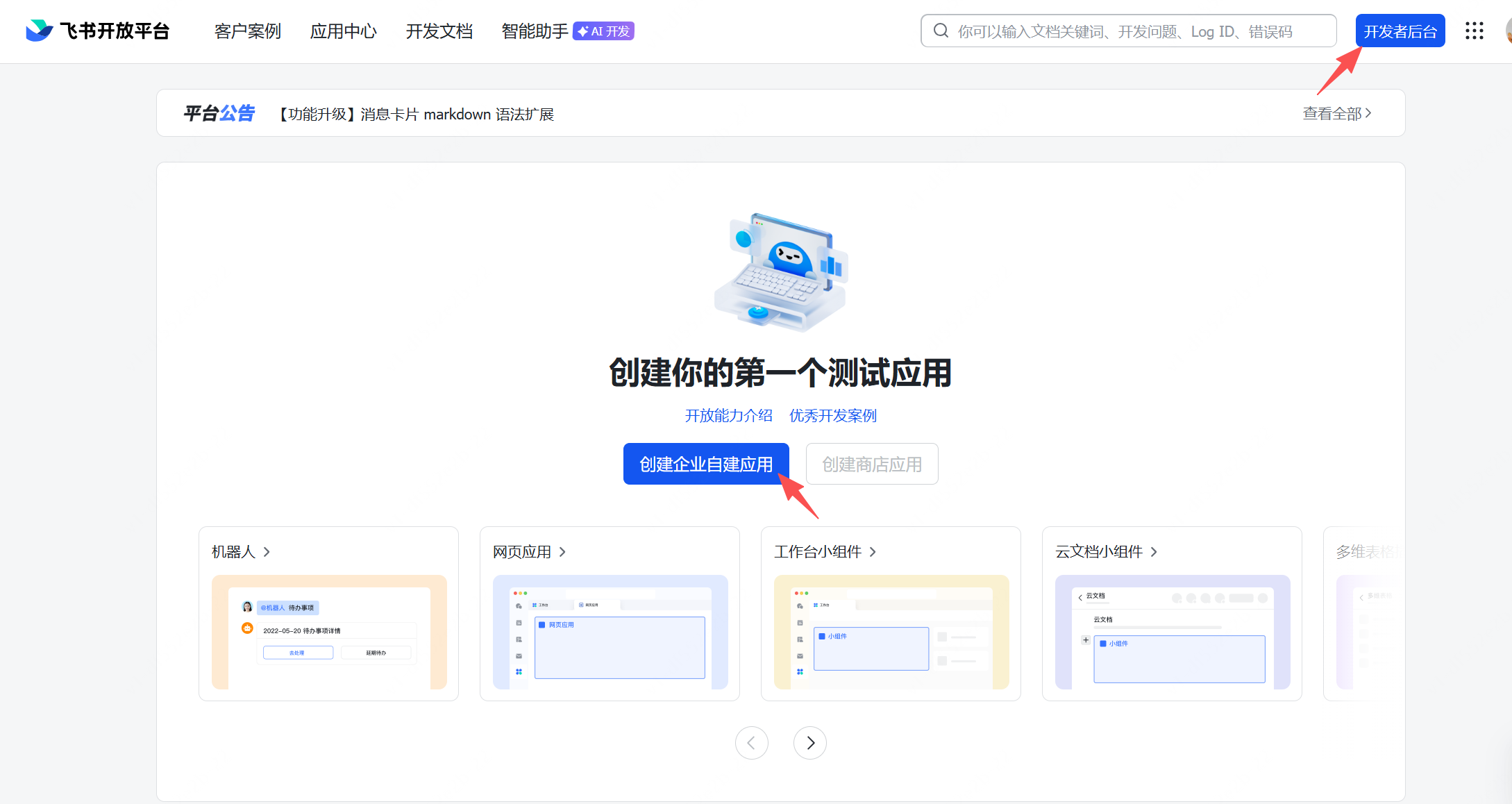
Enter the app name and app description, choose an avatar, and click create.
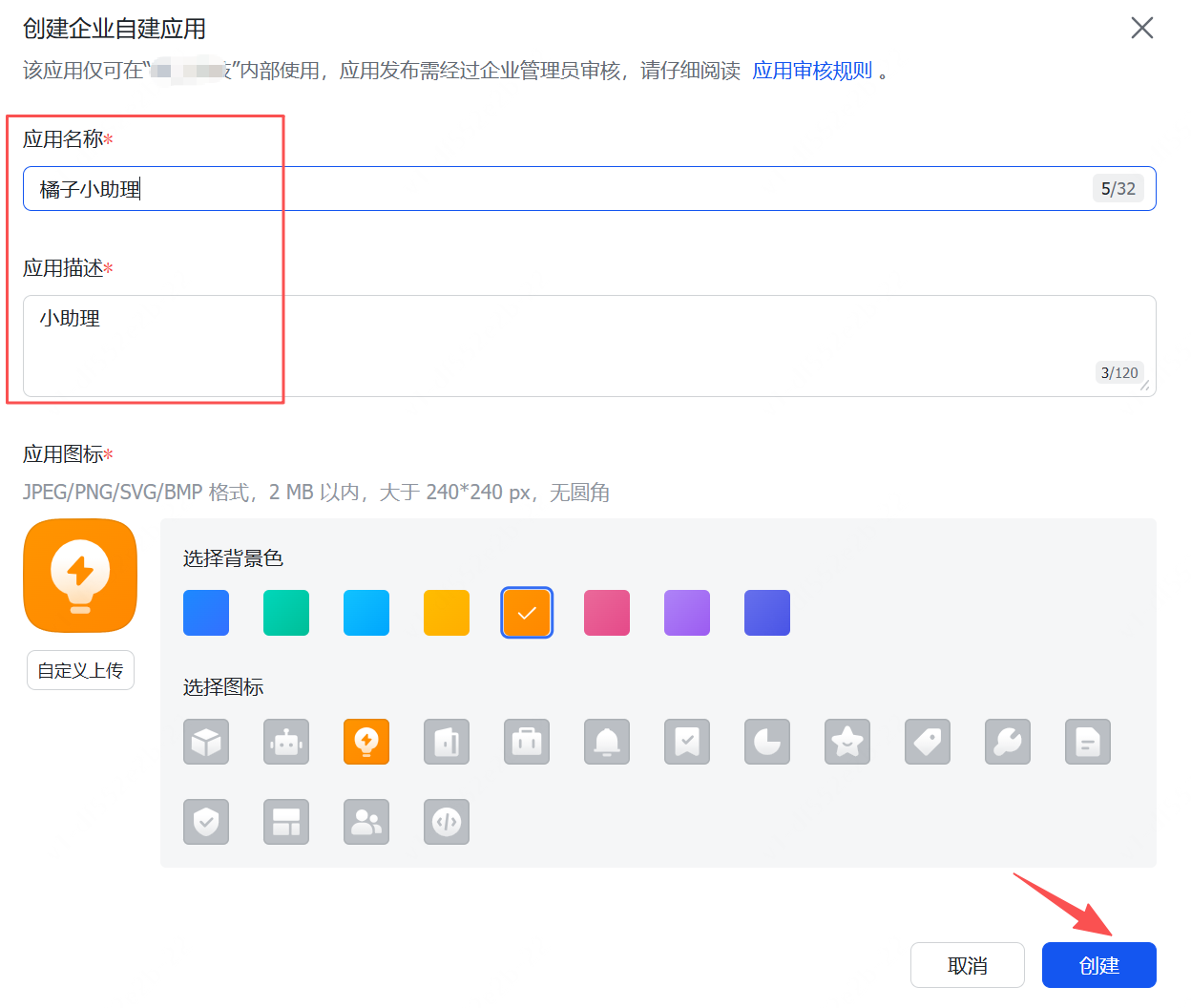
Select Credentials & Basic Info. Here you can see the bot's App ID and App Secret (these two must be kept confidential), which will be needed for configuring openclaw below.

Install OpenClaw
1. Open the terminal, open PowerShell (Administrator). Right-click the Start menu, search for "Terminal", and select "Run as administrator"
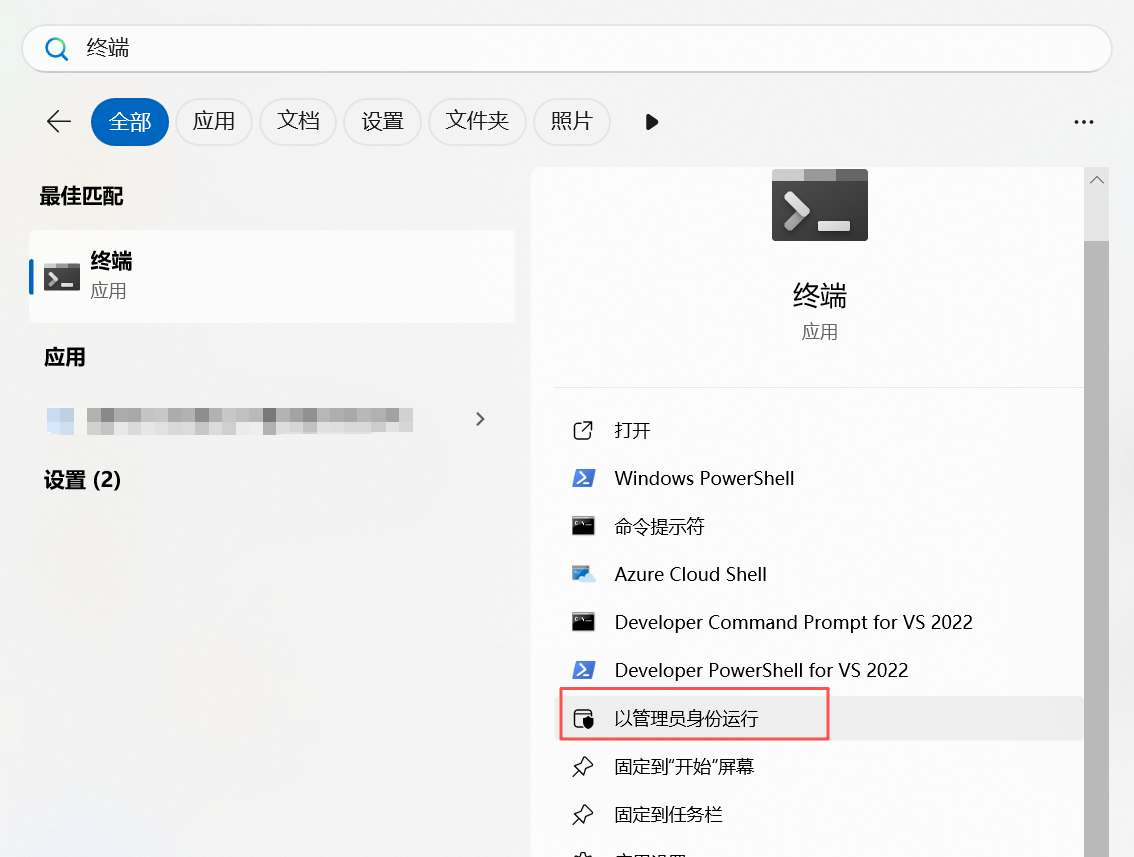
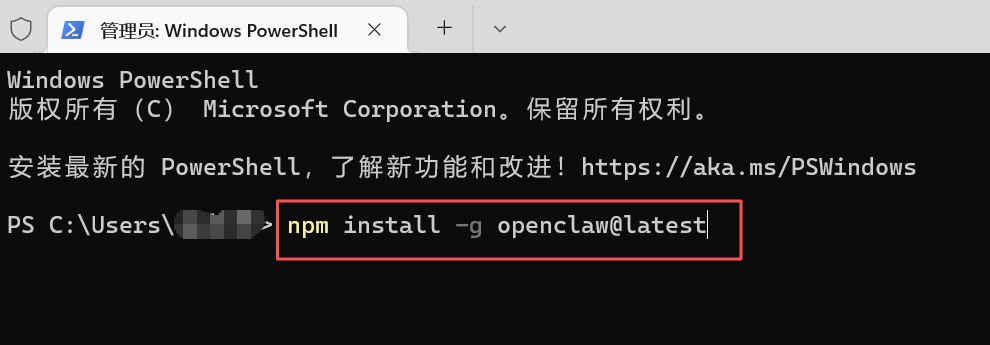
Enter the following command and wait for the installation to complete
npm install -g openclaw@latest
Check whether the installation is complete, and enter the command below
openclaw –version
If you can see the specific version number, the installation was successful.

2. Configure the installation wizard and gateway
This step is very important. Configure some openclaw configuration content and the gateway. Enter the command in the terminal
openclaw onboard –install-daemon
If this page is displayed, it is correct
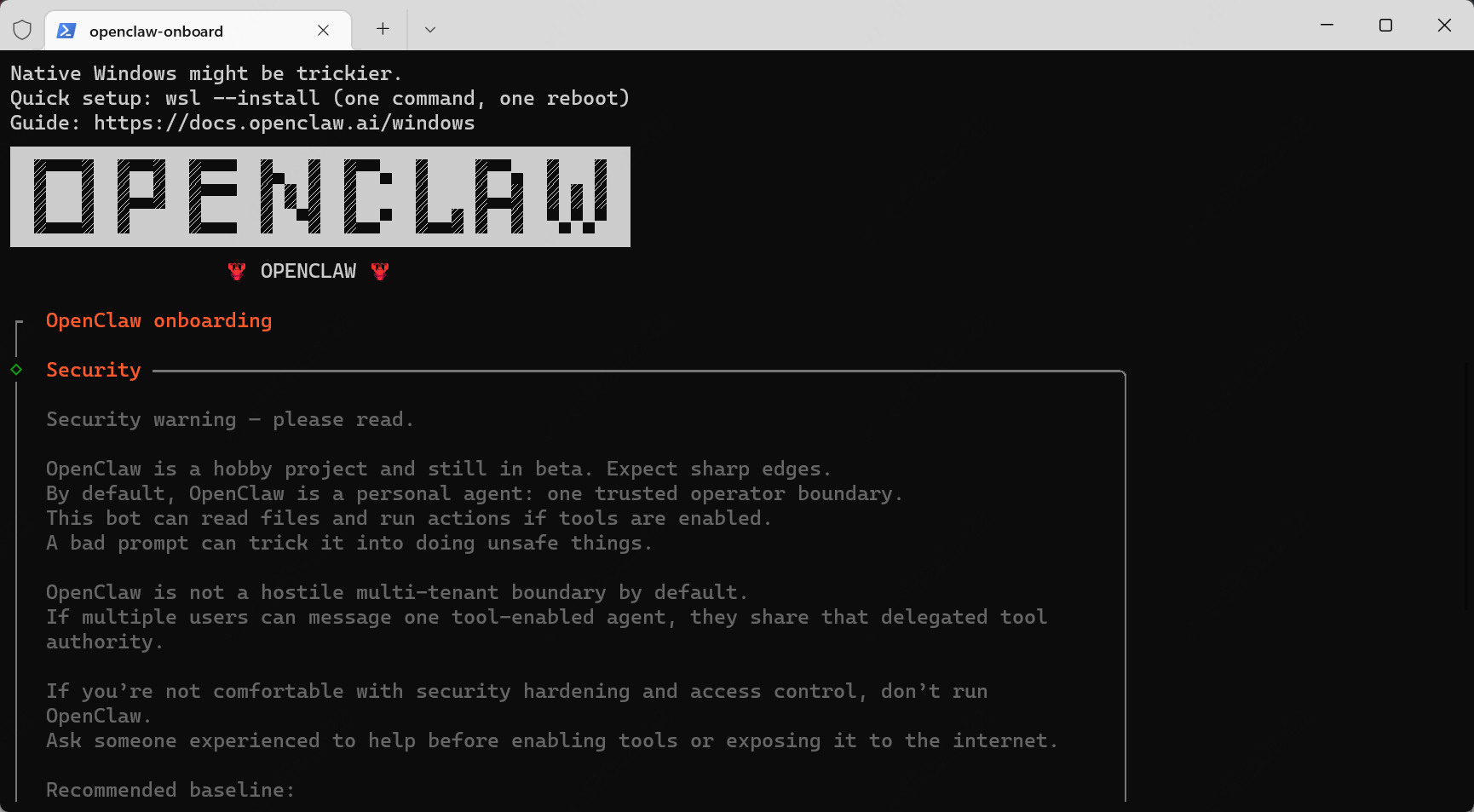
The installation guide will proceed below. Here, use the left ←→ arrow keys on the keyboard to select. For the first choice,Yes
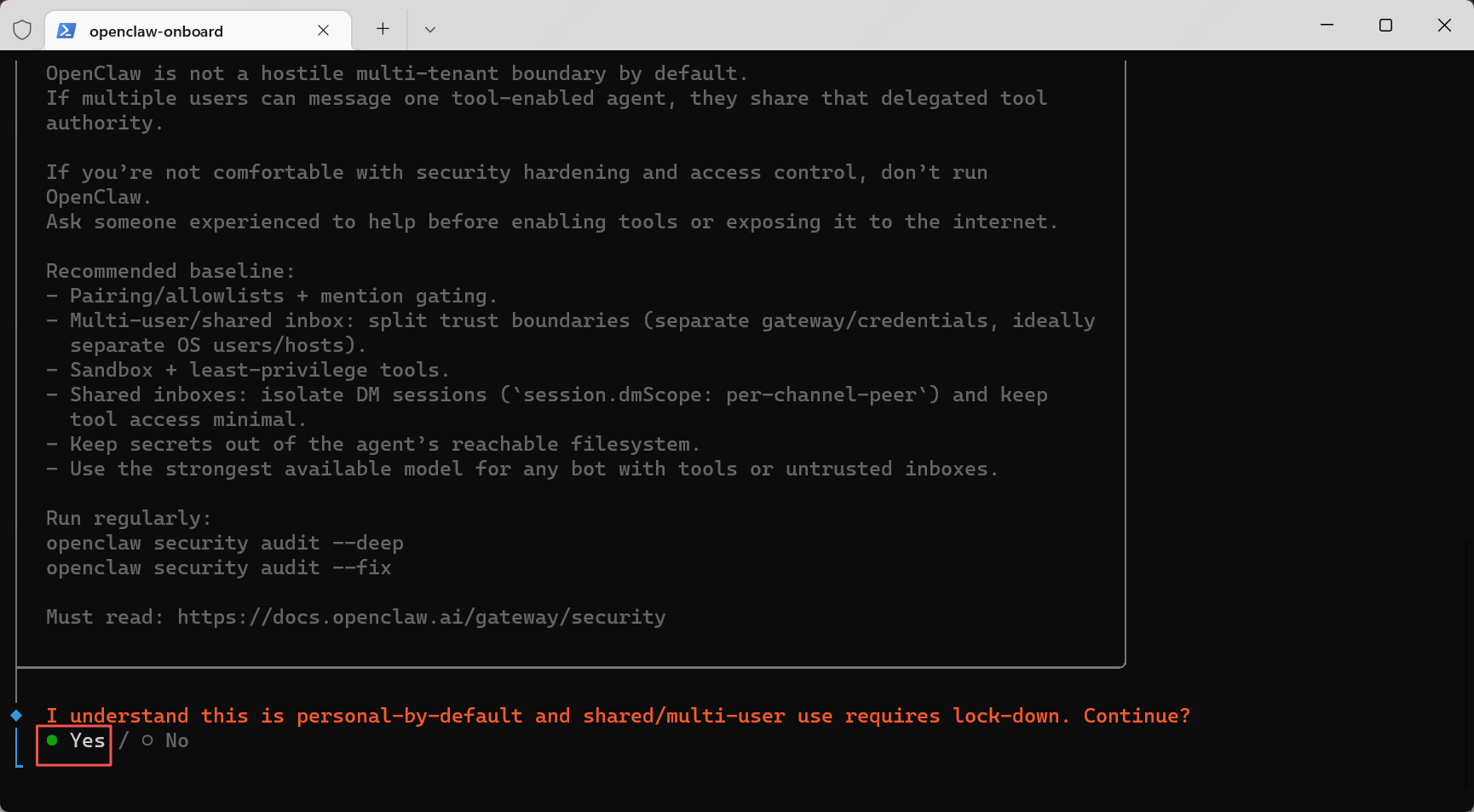
For the second configuration method, choose the default hereQuickStart

When configuring the large model API, select Z.AI
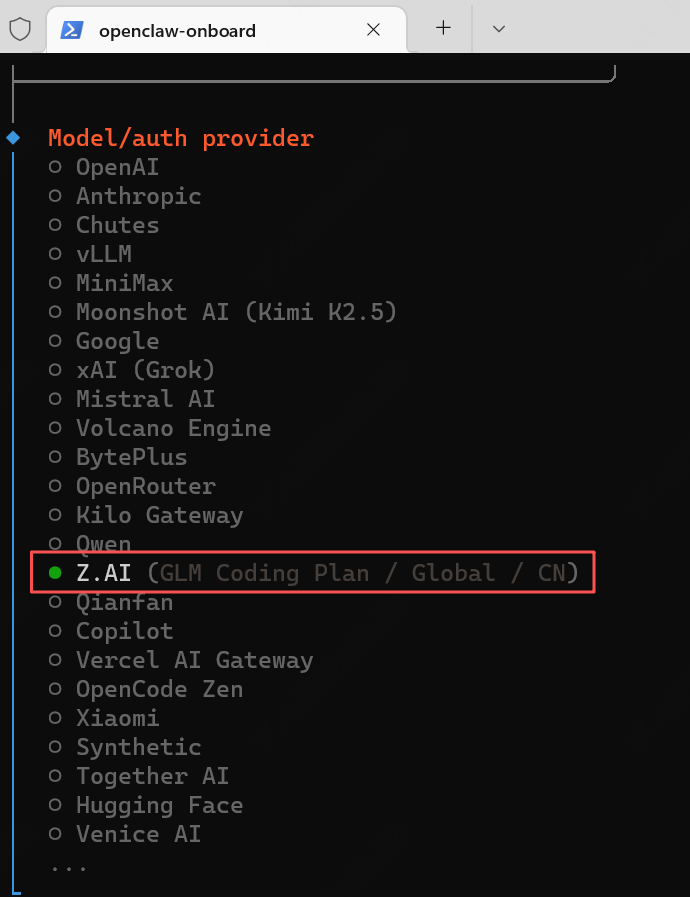
Select the second one for domestic use
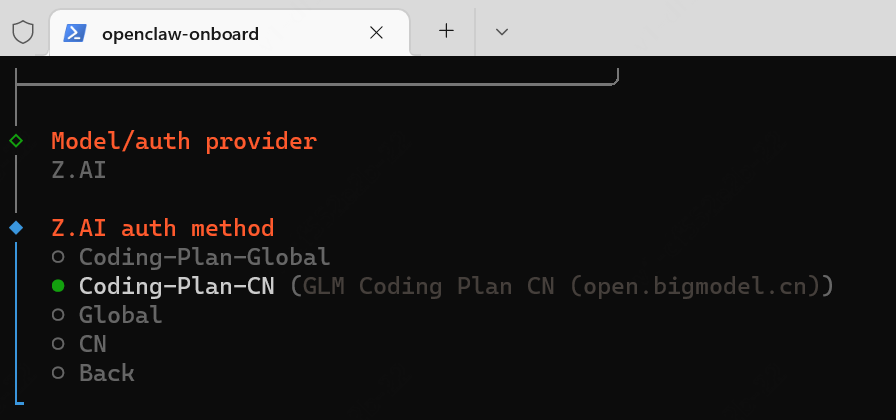
After entering, paste yourAPI Key。
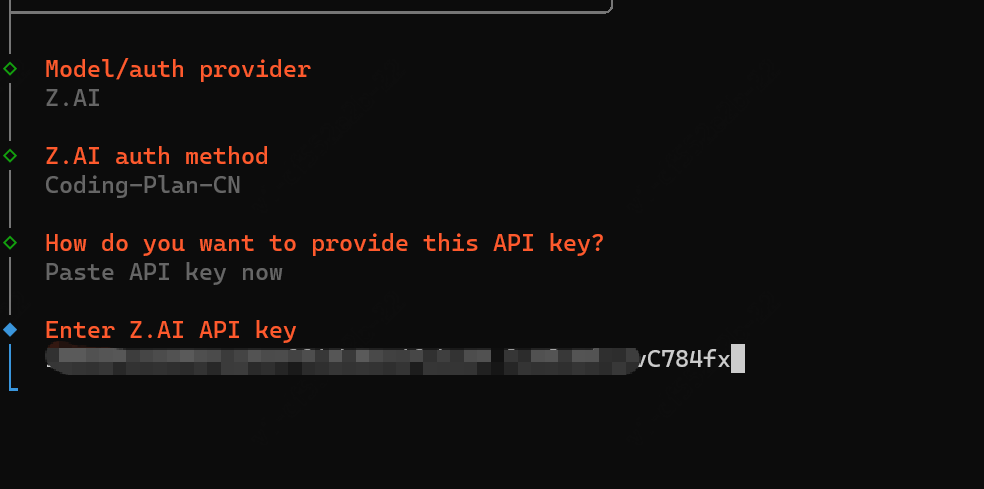
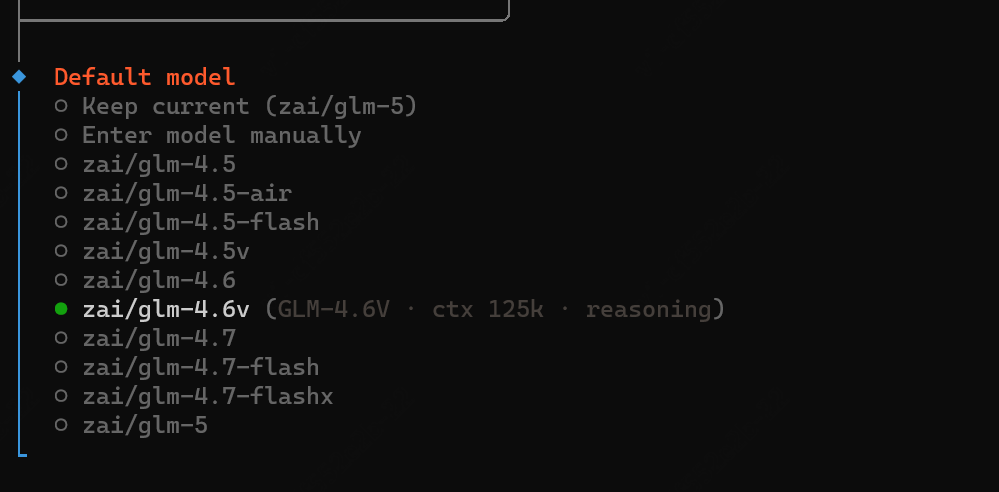
Choose which Zhipu large model to use yourself.
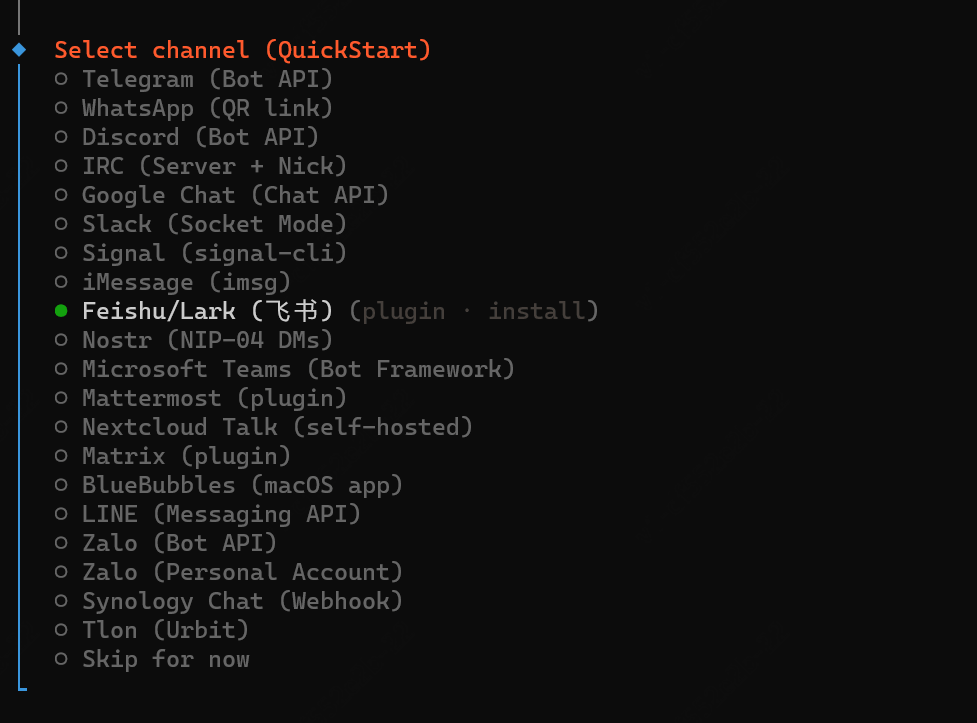
To configure the chat tool, select Feishu. If you are only experiencing it on the web page, you can choose to skip it. If you need it later, you can also ask OpenClaw to help configure it.
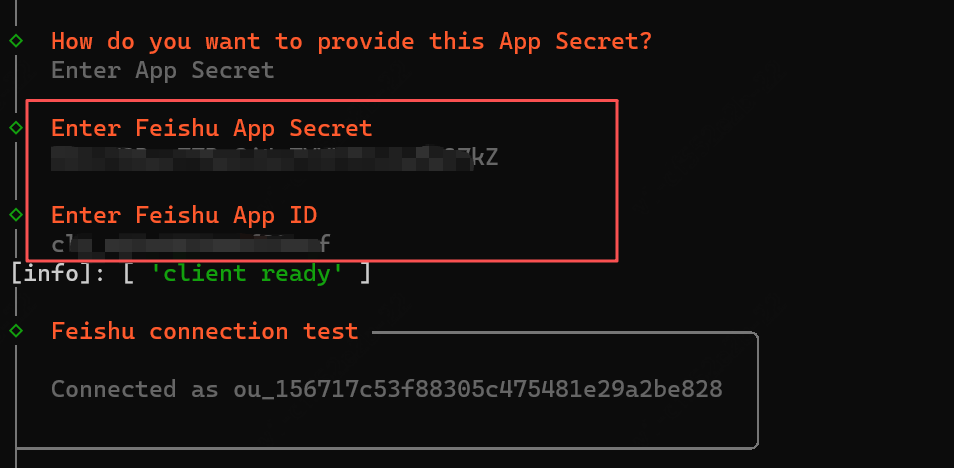
Install the Feishu configuration file with the default options first, and then you will be prompted to enter the Feishu bot secret.
Simply paste the secret key and appid you prepared in advance here.
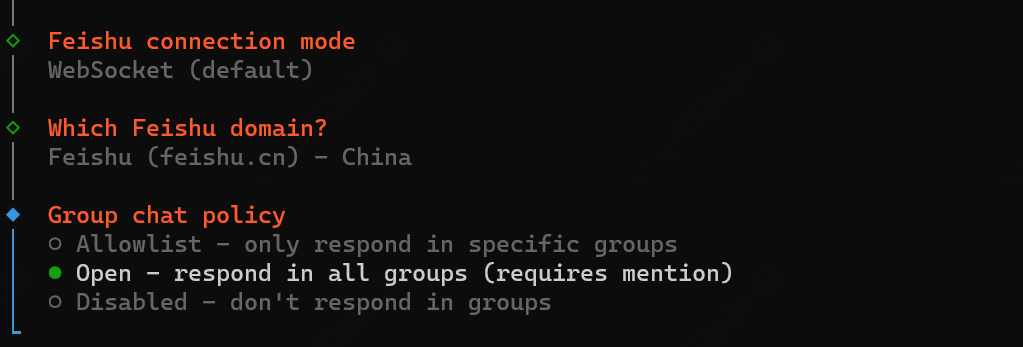
Then select the group chat policy; here we choose to enable group chat.
Install SKills
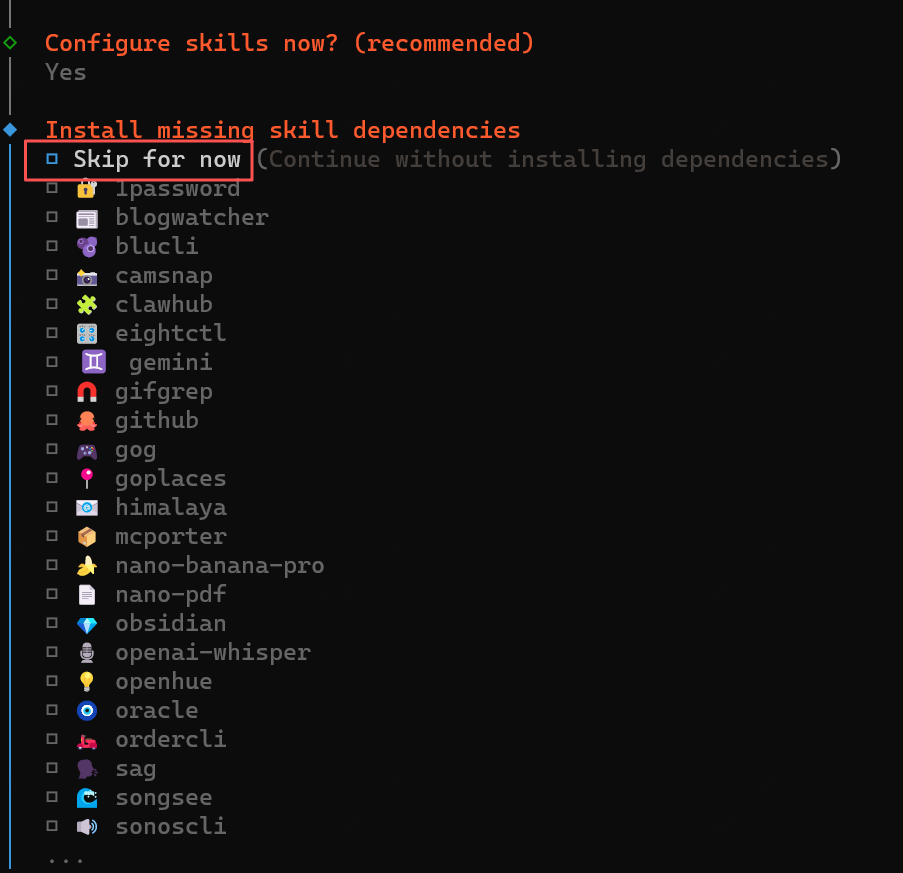
Select Yes, then select Skip for now (use the spacebar to select here). After a successful installation, you can also directly have openclaw install these Skills.
Install hooks
Finally, install hooks, which can be understood as installing a few configuration files. It is recommended to select all of them; use the spacebar to select here.
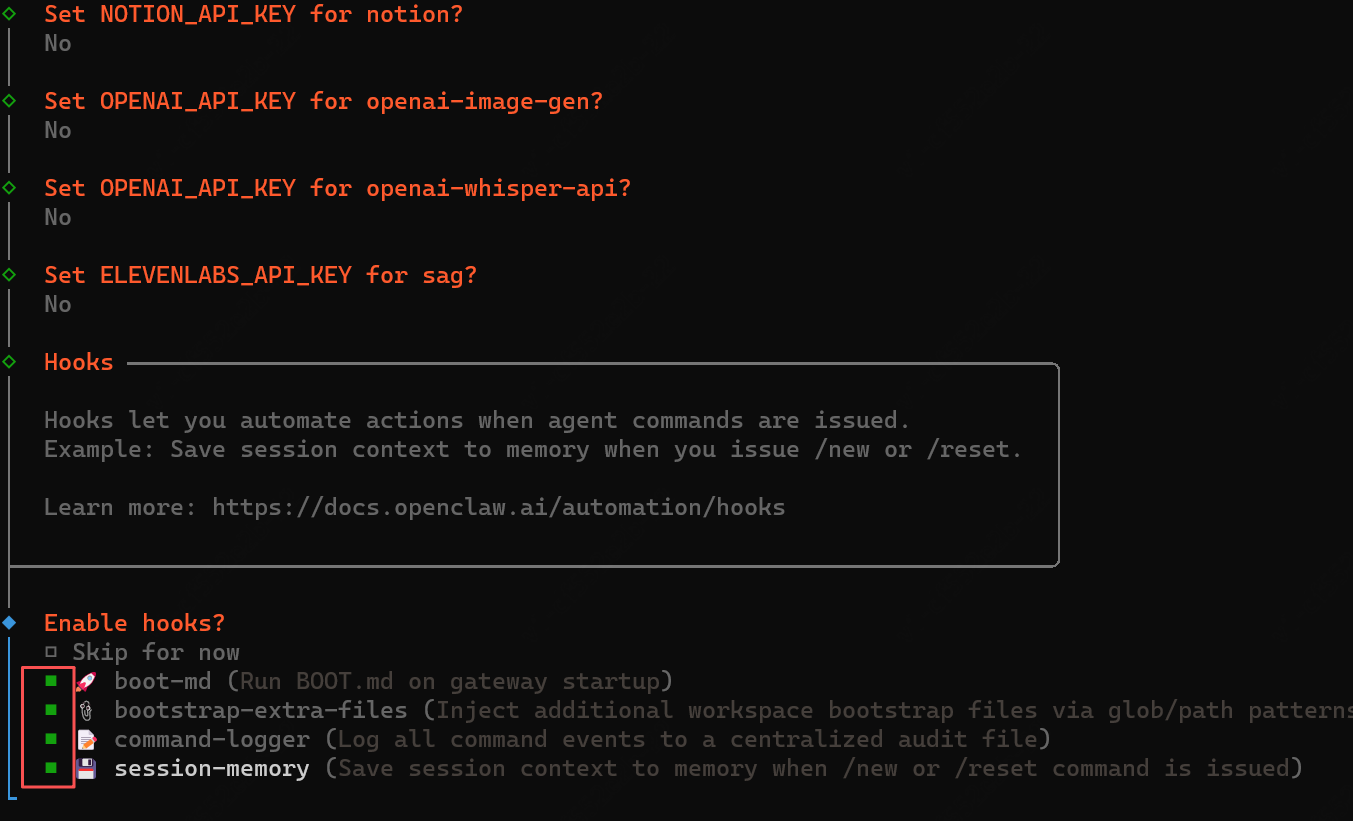
Configuration is done at this point. Wait for openclaw to automatically install the gateway and generate a web page link, and it will automatically open the web page.
3. Match the Feishu pairing code
Open Feishu, find the development assistant, open the application, and send a message to the bot, such as "Hello". A pairing code will pop up.
Enter the following command in the terminal
openclaw pairing approve feishu [your pairing code]
Complete the pairing with Feishu.
4. Set Feishu permissions and configuration
After entering the Feishu application, select Permission Management, select Batch Import Permissions, enter the following content in the input box, and then click [Confirm Permission Request] - [Confirm Activation] in the lower right corner.
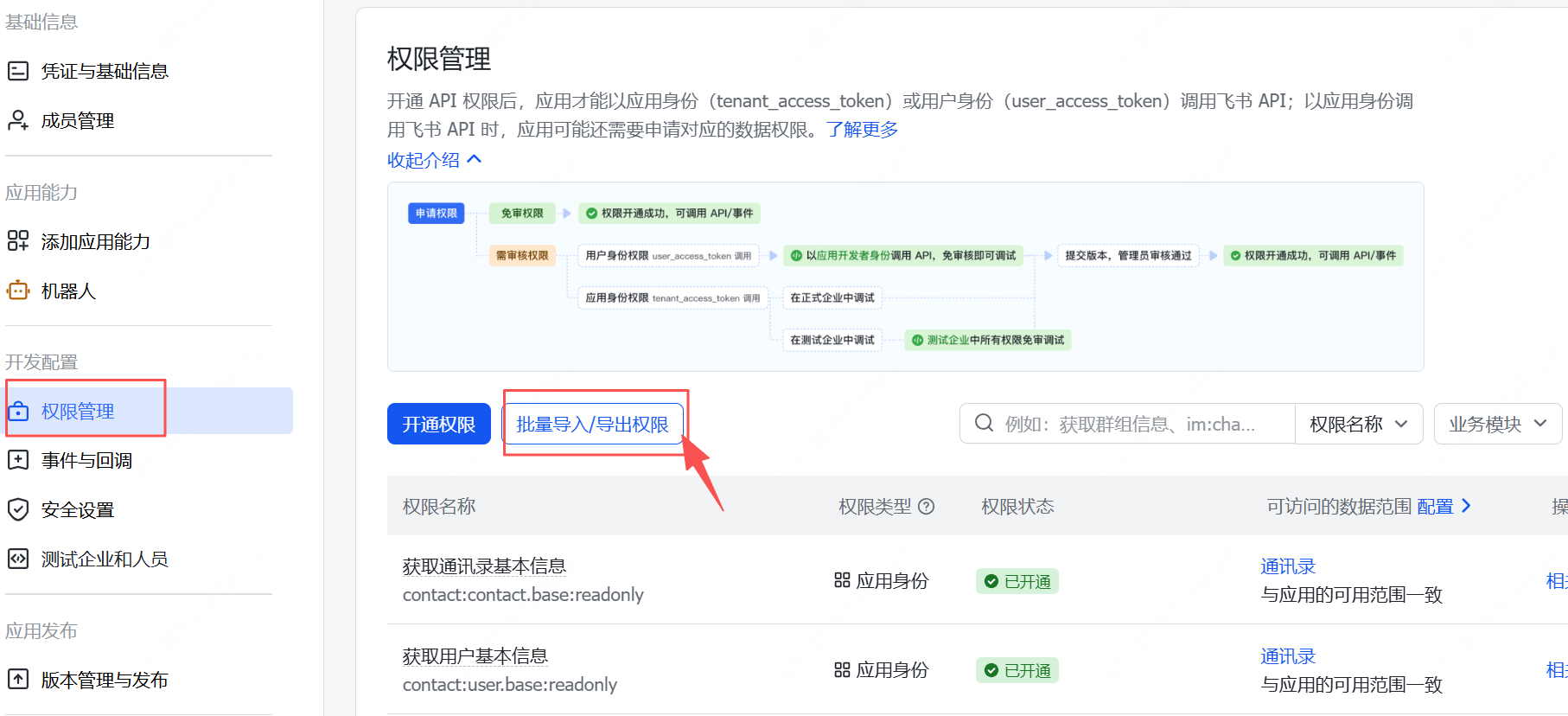
{
“scopes”: {
“tenant”: [
“contact:contact.base:readonly”,
“contact:user.base:readonly”,
“im:message”,
“im:message.group_at_msg:readonly”,
“im:message.group_msg”,
“im:message.p2p_msg:readonly”,
“im:message.reactions:read”,
“im:message:readonly”,
“im:message:recall”,
“im:message:send_as_bot”,
“im:message:update”,
“im:resource”
],
“user”: [
“docx:document:readonly”
]
}
}
5. Event subscription and callback
Select Event Configuration, click Subscription Method, and choose the recommended long connection method. Then click Add Event, search for im.message.receive_v1, check the feature, and confirm the addition.
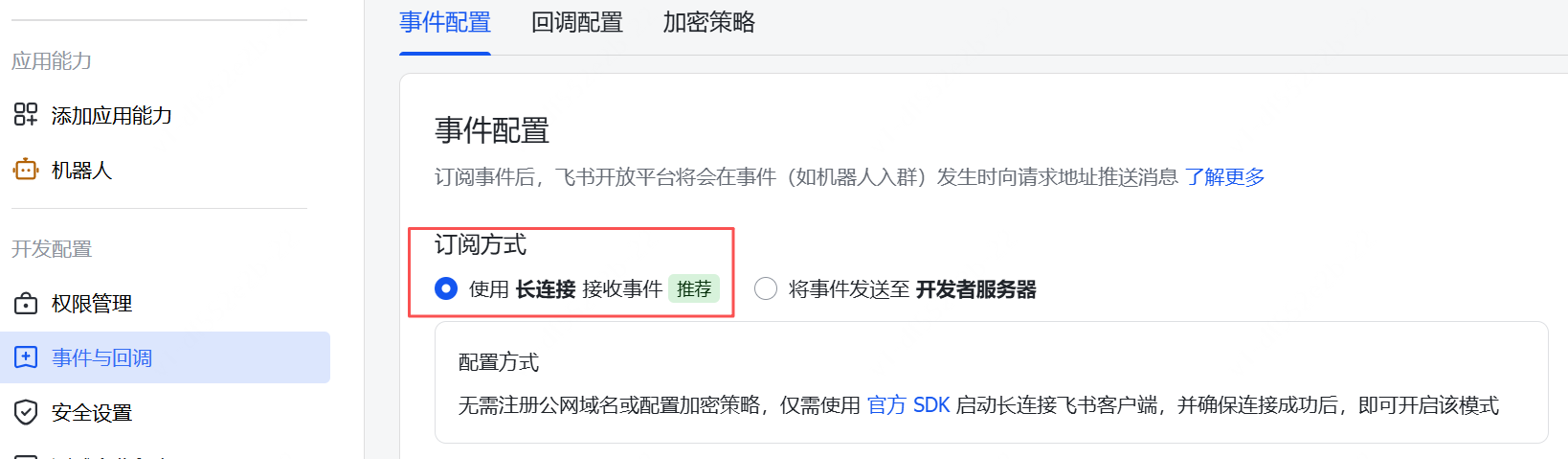
6. Create a version
Click Create Version, enter the version number, describe the update notes, and click Save. It will automatically be reviewed and published. Open the application again, and you can converse with the bot and arrange tasks for your bot to execute.
Cloud deployment + Maxclaw + DingTalk integration
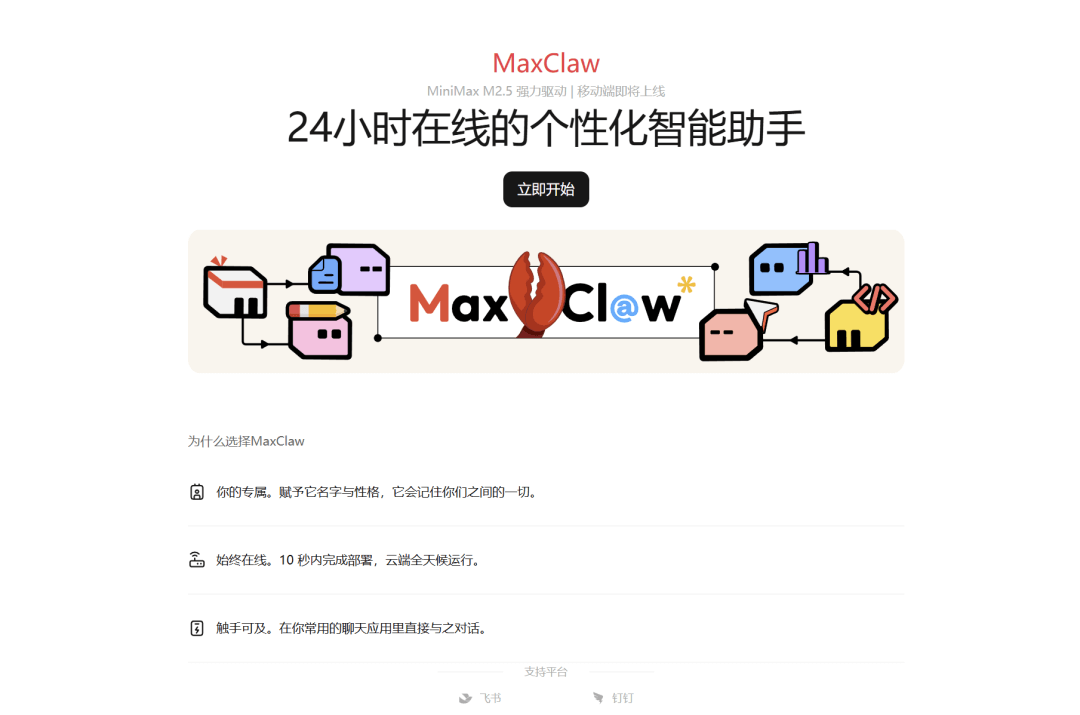
MaxClaw is an AI agent creation platform launched by Minimax, helping users quickly build and deploy personalized AI assistants. You can quickly create AI agents with specific skills by describing requirements in natural language,It supports integration with instant messaging tools such as Feishu, WeChat, and Telegram. AI assistants can run in the cloud 24/7, proactively execute scheduled tasks, and push results.Data is stored in the Minimax cloud, providing a certain amount of cloud storage and long-term memory functions.
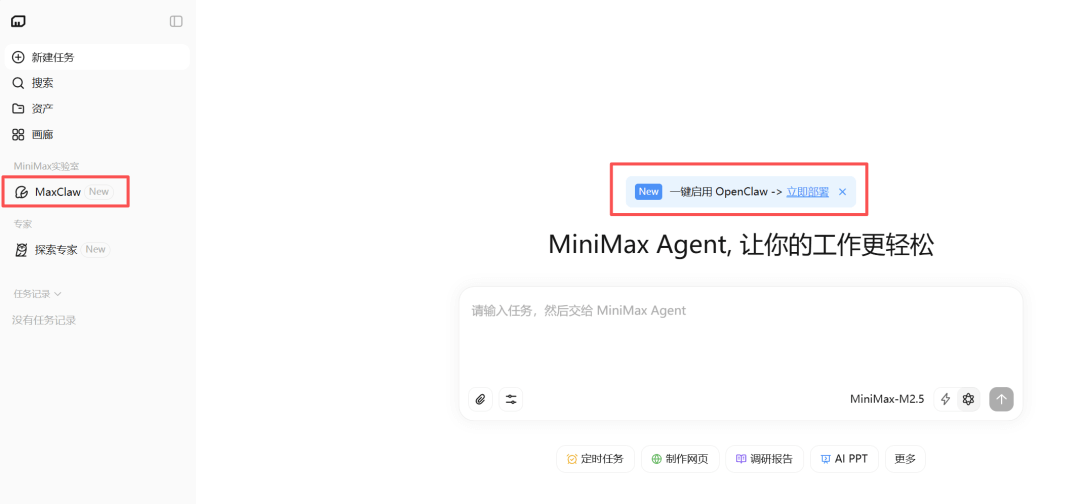
Go to the MiniMax Agent official website:https://agent.minimaxi.com
Select MaxClaw in the left navigation bar or above the input box on the homepage.
Click Start Now, and MaxClaw will automatically begin deployment.
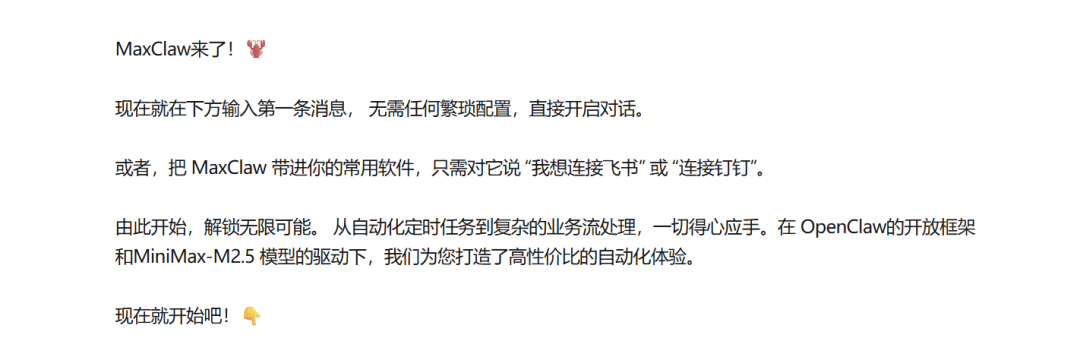
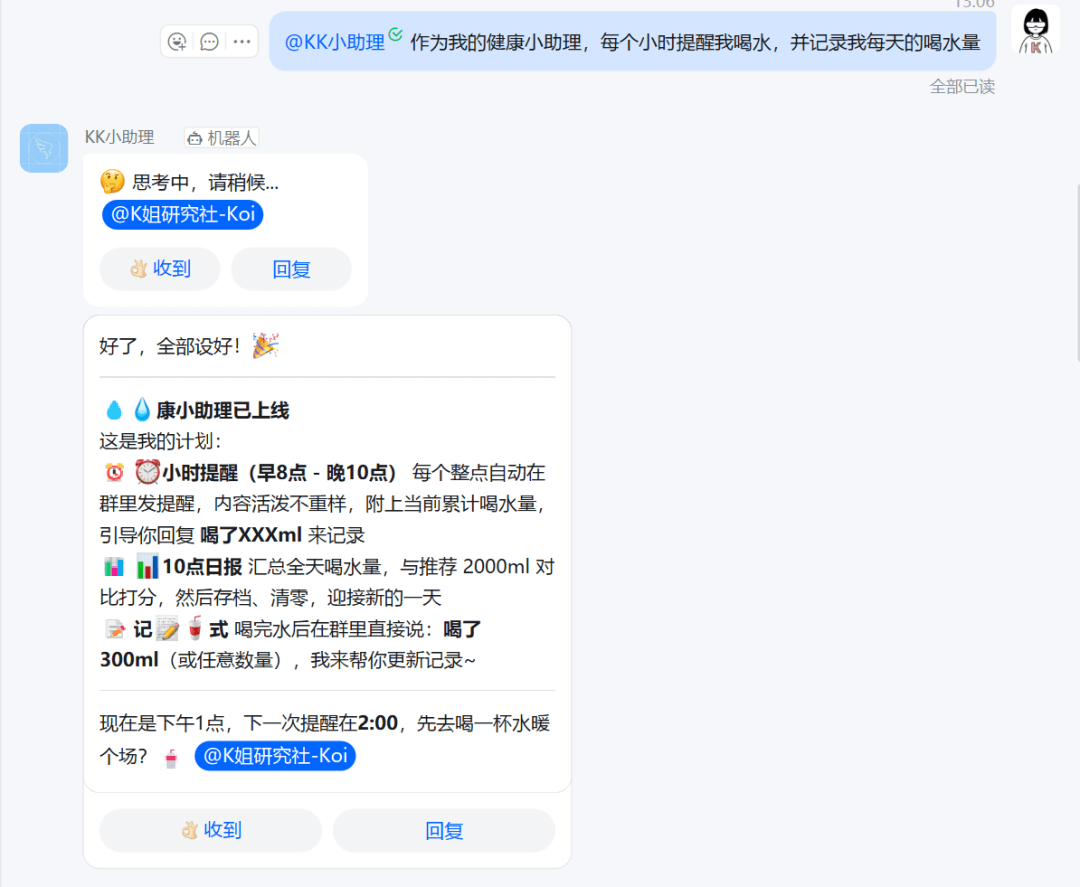
After deployment is complete, have MaxClaw help us integrate DingTalk.
First create an application in the DingTalk developer console, add a bot, and obtain the AppKey and AppSecret. Send them to MaxClaw, and it will configure them automatically.
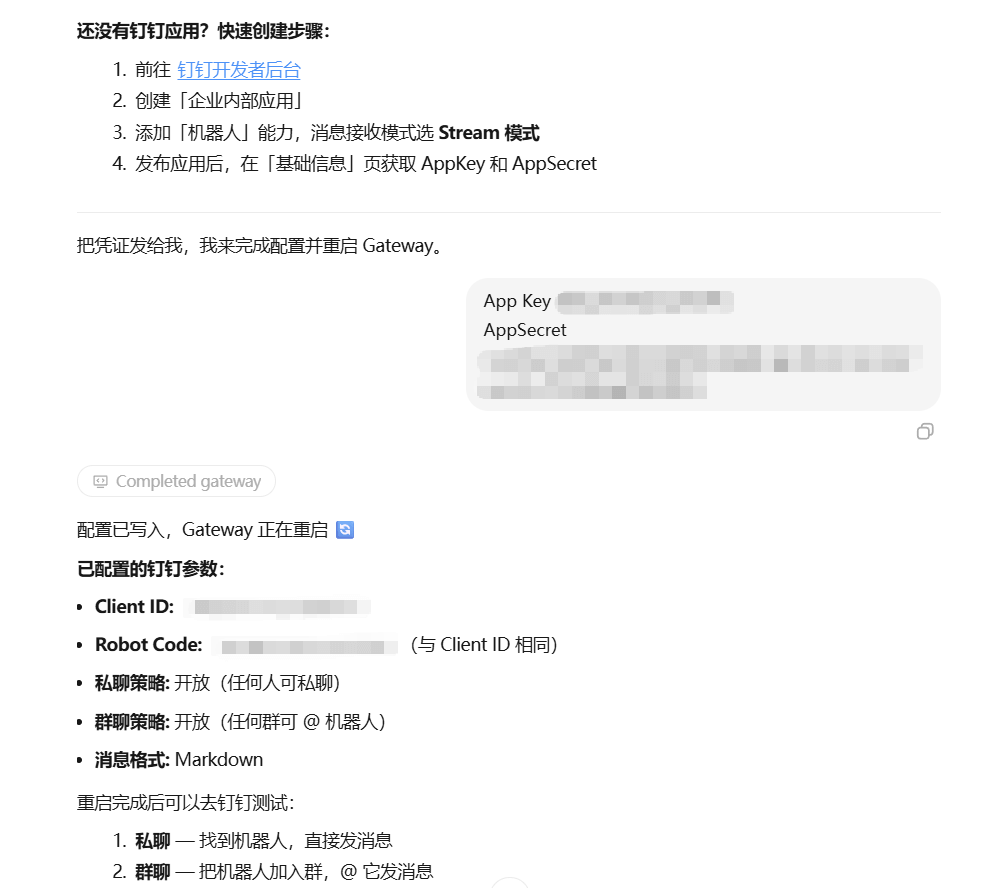
After deployment is complete, add the bot in the chat, and you can interact and execute tasks by @-mentioning the bot.
Other one-click deployment solutions for OpenClaw
KimiClaw
The official OpenClaw hosting service launched by Kimi, deeply integrated with the Kimi K2.5 model, requires no additional API Key configuration, provides 40GB of free storage space, and supports one-click invocation of ClawHub community plugins.
-
Visit the Kimi official website and find the Kimi Claw Beta entry (currently only open to Allegretto members and above).
-
Click "One-Click Deployment", and the system will automatically complete the environment configuration.
-
Choose to link an existing OpenClaw or create a new instance.
-
After configuration is complete, you can use it through the Web UI or by integrating communication software (WhatsApp/Telegram).
-
To integrate Feishu/DingTalk, select the corresponding platform in "Channel Configuration" and follow the guide to complete authorization.
Coze Claw
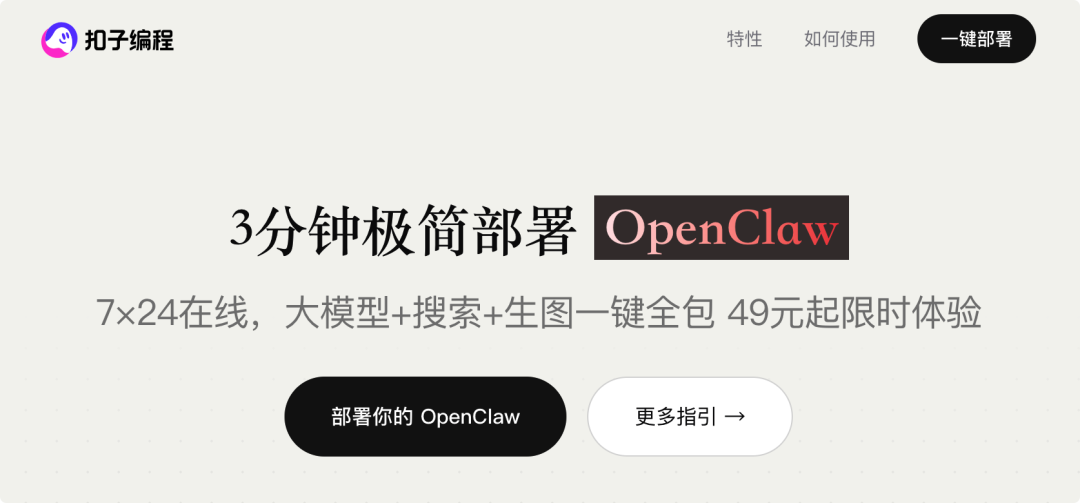
A no-code deployment solution launched by ByteDance's Coze, requiring no server setup or backend code writing. OpenClaw deployment and Feishu bot integration can be completed through a visual interface.
-
Log in to the Coze programming platform (code.coze.cn) and ensure the account is Advanced or Flagship edition.
-
On the homepage, click "Limited-time Experience: One-click Deploy OpenClaw" or find the OpenClaw project in the "Outstanding Cases" section.
-
Click "Create Copy" and fill in the application name and description.
-
The system automatically completes deployment. Send "Hello" in the left dialog box to test whether it was successful.
-
Integrate Feishu: Log in to the Feishu Open Platform → create an enterprise self-built application → add the "Bot" capability → configure the App ID and Secret of the Feishu Bot on the Coze platform → complete event subscription and permission configuration.
Baidu Cloud Claw
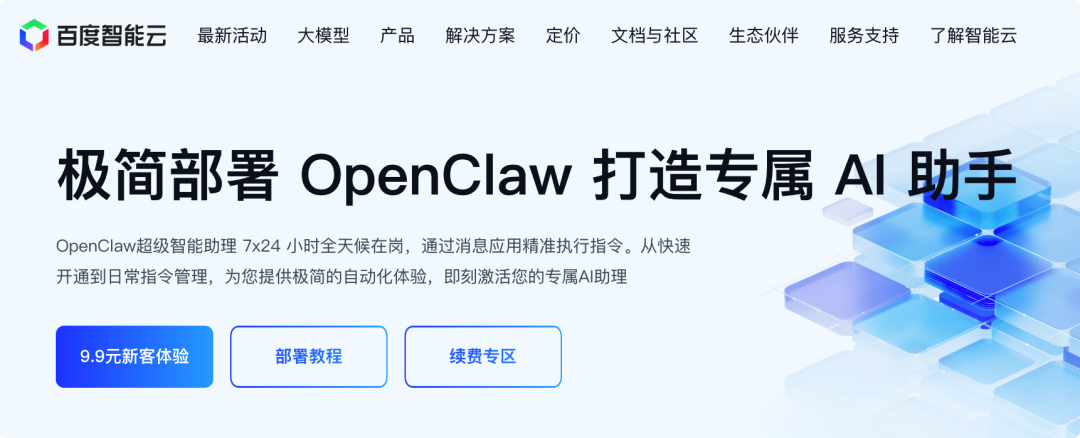
A quick OpenClaw experience feature launched by Baidu AI Cloud's Qianfan large model platform. It integrates official Skills such as Baidu Search, Baike, academic retrieval, and PPT generation, and offers a 200 yuan voucher for the first deployment.
-
Log in to the Baidu AI Cloud Qianfan platform (qianfan.cloud.baidu.com).
-
Go to the "OpenClaw One-click Experience" special page.
-
Click "Deploy Now" and select a preset model configuration (built-in Wenxin large model).
-
The system automatically allocates free computing resources and completes deployment (about 3-5 minutes).
-
After successful deployment, click "Start Conversation" in the console to test basic functions.
-
In "Skills Management", enable official plugins such as Baidu Search and PPT generation with one click.
-
To integrate Feishu/DingTalk, follow the guide in "Channel Configuration" to complete webhook configuration.
Derivative Projects Based on OpenClaw
NanoClaw
NanoClaw isa lightweight AI agent framework, with core code of only about 4,000 lines. It uses Linux container isolation for operation and provides auditable, secure personal AI assistant functions. Functionality is extended through skills; for example, entering /add-telegram automatically modifies the code to integrate Telegram, without the need for traditional configuration files.
Compared with OpenClaw, NanoClaw focuses more on minimalist design and is suitable for users who value security and ease of use. It has been recommended by AI expert Karpathy. Features include AI-driven code self-modification capability and new functionality supporting agent cluster collaboration.
Nanobot
Nanobot is an ultra-lightweight personal AI assistant framework open-sourced by the Hong Kong University Data Science Laboratory (HKUDS), providing a concise, efficient, and easily extensible AI agent solution. The core code is only about 4,000 lines, a 99% reduction compared with similar projects (such as OpenClaw's 430,000 lines of code). It has extremely low resource usage and fast startup speed, making it suitable for running on resource-constrained devices.
It supports multi-platform integration (Telegram, Discord, WhatsApp, Feishu, etc.) and multi-model adaptation (OpenAI, Claude, DeepSeek, etc.), and has core functions such as memory management, tool calling, and scheduled tasks, which can meet the needs of daily office work, development assistance, knowledge management, and other scenarios.
It uses the MIT license and is suitable for individual developers, researchers, and enterprises for learning, experimentation, or building personalized AI assistants.

PicoClaw
PicoClaw is an ultra-lightweight, high-efficiency personal AI assistant designed for low-resource environments. It uses less than 10MB of memory and starts in about 1 second. It can run on low-cost hardware such as RISC-V development boards costing around $10, making it suitable for embedded devices such as routers, IP cameras, and Raspberry Pi. Developed in Go, it supports architectures including RISC-V, ARM, and x86, and provides single-file executables for systems such as Linux and Windows, requiring no complex dependencies and enabling rapid deployment.
Supports multi-channel chat (such as Telegram, Discord, Feishu, etc.), with capabilities including web search, code generation, file operations, and scheduled tasks, enabling scenarios such as automated office work and smart home control.
Open source under the MIT license, supports offline deployment, supports multiple AI models, and is suitable for smart home control, IoT sensor monitoring, offline edge computing, and embedded AI use.

ZeroClaw
ZeroClaw is an ultra-lightweight AI assistant framework developed in Rust, a "security-first" AI Agent built for production environments, using architectural design to address the security risks of OpenClaw. It provides a high-performance, low-resource, safe, and reliable AI assistant solution. It can run smoothly on resource-constrained devices such as Raspberry Pi and low-spec cloud hosts.It adopts a modular design, with core components (such as model providers, communication channels, memory systems, etc.) implemented as plugins through Trait interfaces. Users can flexibly replace or extend functionality as needed, and it supports more than 22 model providers (such as OpenAI, Anthropic, DeepSeek, etc.).
Built-in security features such as pairing mechanisms, sandbox isolation, and file system permission control. It binds to local addresses by default and rejects direct public network access, effectively preventing data leaks and unauthorized operations.A fully self-developed memory system that requires no external databases (such as Pinecone, Elasticsearch), implementing vector search and keyword retrieval through SQLite to ensure data autonomy and privacy.
ZeroClaw is suitable for scenarios with strict requirements for performance, resource usage, and security, such as edge device deployment, low-cost cloud services, or AI assistant development requiring a high degree of customization.
An alternative product to OpenClaw
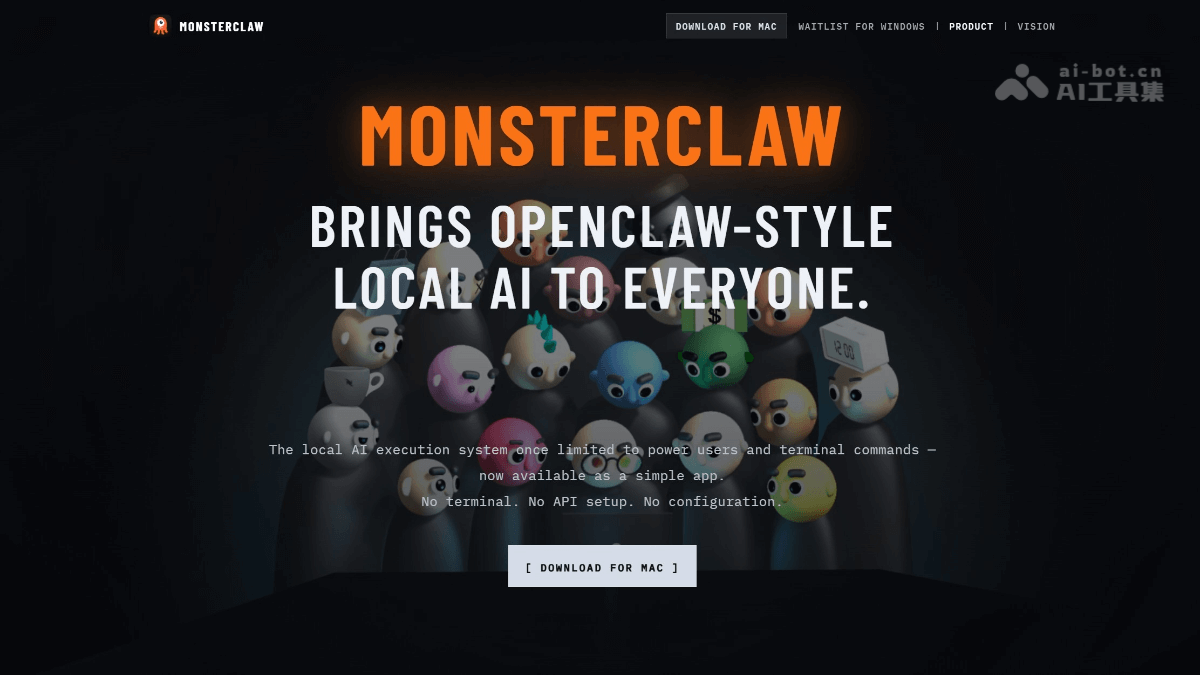
MonsterClaw
Product positioning: A local AI execution system based on the OpenClaw kernel, a desktop-level AI assistant with fully localized deployment.
-
Fully local operation: No need to upload data to the cloud, fundamentally ensuring privacy and security.
-
System-level control: Can directly control the local environment, including file management, browser operations, email processing, etc.
-
Remote command support: Supports remotely sending commands through instant messaging tools such as WhatsApp, Telegram, Discord, or the Web console.
-
Autonomous task loop: Can autonomously complete the full process of requirement analysis, task planning, tool invocation, and result feedback.
-
Skill expansion: Supports extending functionality through Skills plugins, such as enabling web queries, API calls, professional software operations, etc., by downloading specific skill files.
Recommended for individual users with extremely high data privacy requirements; enterprise environments requiring fully local deployment; users who want to remotely control computers through instant messaging tools; and professionals who need automated handling of local files and system operations.
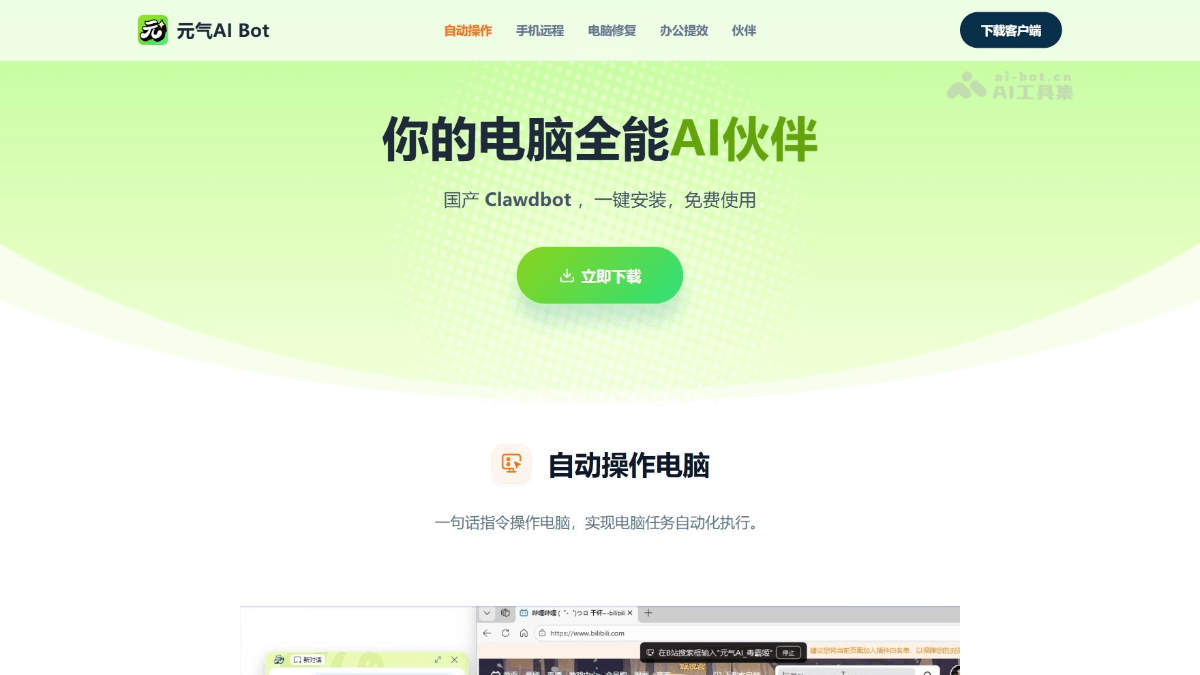
Yuanqi AI Bot
Product positioning: A domestic Windows-side AI assistant launched by Cheetah Mobile, known as a "domestic OpenClaw alternative," designed specifically for domestic users.
-
Deep optimization for Chinese scenarios: The interaction logic fits Chinese office habits, and is compatible with domestic software and local path recognition.
-
Keyboard and mouse automation: A complete "perception-decision-execution" loop is built, capable of operating the mouse and keyboard like a real person.
-
Remote cross-device collaboration: Supports remotely controlling the computer via mobile phone (Feishu or DingTalk), issuing commands in natural language.
-
Computer repair features: Provides maintenance functions such as system cleanup and one-click repair of basic faults, and can repair game DLL/DirectX faults.
-
AI office suite: Integrates tools such as AI PPT, AI writing, and meeting audio/video summarization.
-
Personalized companion system: An original companion system, providing personalized AI characters such as Yuanqi Ji, Duba Ji, Xiaoyuan Miao, and Nuomi Miao.
Recommended for daily office automation (opening software, browsing web pages, checking emails); remote office and mobile office scenarios; system maintenance and fault repair; AI-assisted content creation and meeting summarization. Suitable for ordinary white-collar workers, office workers, students, and small and micro business owners using Windows computers; users who value data privacy and want data processed locally; and tech novices who are interested in AI but do not want to learn complex tools.
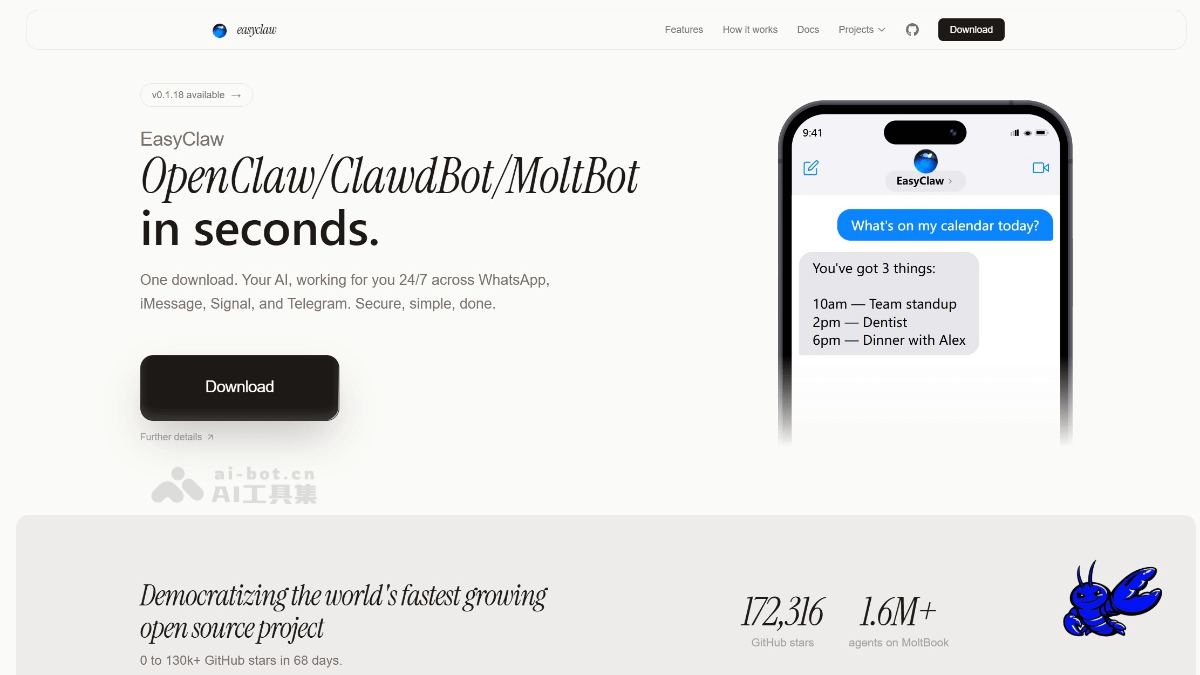
EasyClaw
Product positioning:EasyClaw is a desktop application designed specifically for macOS, and is a one-click installer for OpenClaw/ClawdBot/MoltBot. It packages the OpenClaw ecosystem, which originally required command-line deployment, into a graphical Mac application, so users do not need to write code or configure a terminal. After downloading and installing, they can have a 24/7 AI assistant on mainstream communication platforms such as WhatsApp, iMessage, Signal, and Telegram.
- One-click installation, zero configuration and ready to use out of the box: No terminal commands, no configuration files, no Docker or Python environment required. After downloading, the installation and connection of OpenClaw, ClawdBot, and MoltBot are completed automatically, with deployment finished within 3 minutes, saying goodbye to the cumbersome traditional deployment process.
- All-platform communication access: Native support for WhatsApp, iMessage, Signal, Telegram, Discord, and Slack. All communication channels are managed through a unified interface, and the AI assistant can respond simultaneously on multiple platforms.
- 3000+ Skills ecosystem: Built in with more than 3000 skills and integrations, covering multiple scenarios such as office work, development, and daily life, with no manual configuration required and ready to use upon installation.
- Dual-mode operation: local + cloud
-
Desktop mode: Configure and manage at any time through the Mac application.
-
Cloud Mode: The AI is online 7×24 hours, and can respond to messages even when the computer is turned off (a feature of the latest version 0.2.0).
-
- Support for multiple model providers: Supports mainstream AI providers such as Anthropic, OpenAI, Google, and OpenRouter, allowing users to flexibly choose the underlying model according to their needs and budget.
- Security and privacy first: Data is retained on the local machine by default, with end-to-end encryption supported (on platforms that support it).
- Cross-device access: Can be accessed at any time via mobile phone, Mac application, or Web. Cloud mode ensures that the AI is always online and unaffected by the status of local devices.
Recommended for scenarios such as sending instructions to AI anytime via familiar messaging apps (e.g., WhatsApp, Telegram) to manage schedules and look up information; connecting AI to Slack or Discord workspaces so team members can share AI capabilities; deploying unified AI customer service responses across multiple social platforms; and when the computer is powered off, cloud AI can still process messages and tasks.
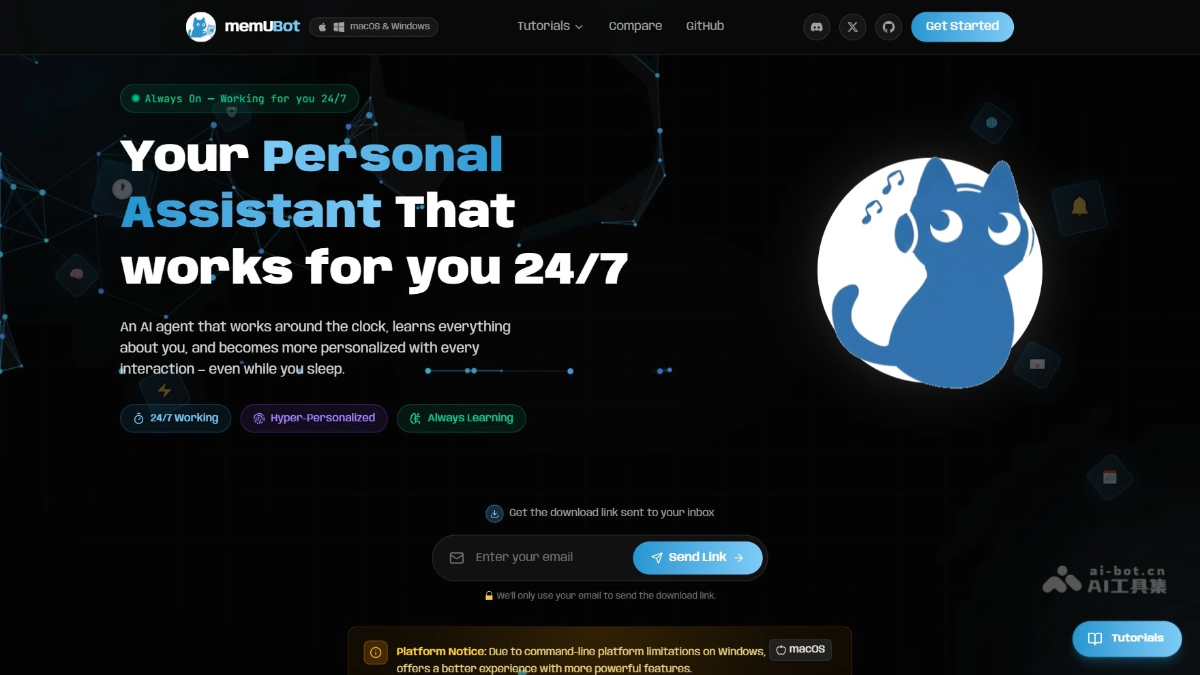
MemU Bot
Product Positioning: A 24/7 all-weather AI personal assistant built on the memU memory framework, focused on proactive service and long-term memory.
-
24/7 All-Weather Autonomous Operation: No manual supervision required, always active in the background, and can continuously monitor tasks even while you sleep.
-
Ultra-Personalized Deep Learning: Understands the user's tone, preferences, and decision-making patterns based on deep learning models, and continuously builds an accurate user profile.
-
Proactive Service: Instead of passively waiting for instructions, it anticipates needs and acts proactively, achieving "it's already doing it before you say it."
-
Memory Framework Optimization: Based on the memU open-source memory framework, significantly reducing the LLM token cost required for an agent to stay online continuously.
-
Zero-Code Automation: No programming background required; over 50 tool integrations can be invoked through natural language instructions.
-
Professional Task Capabilities: Can independently complete the entire video creation process (from script to rendering), website deployment, automated quantitative trading, and other complex tasks.
-
Emotion Recognition: Can recognize the user's emotions, workload, and priorities, and dynamically adjust response tone and suggestions.
Recommended for scenarios such as automatic email classification, schedule coordination, and task process automation; 24/7 monitoring of market dynamics to execute automated quantitative trading; automatically tracking specified topics, competitors, and industry trends to generate daily reports with actionable recommendations; AI fully automatically completing the entire video creation process; and no-code rapid building and deployment of websites.
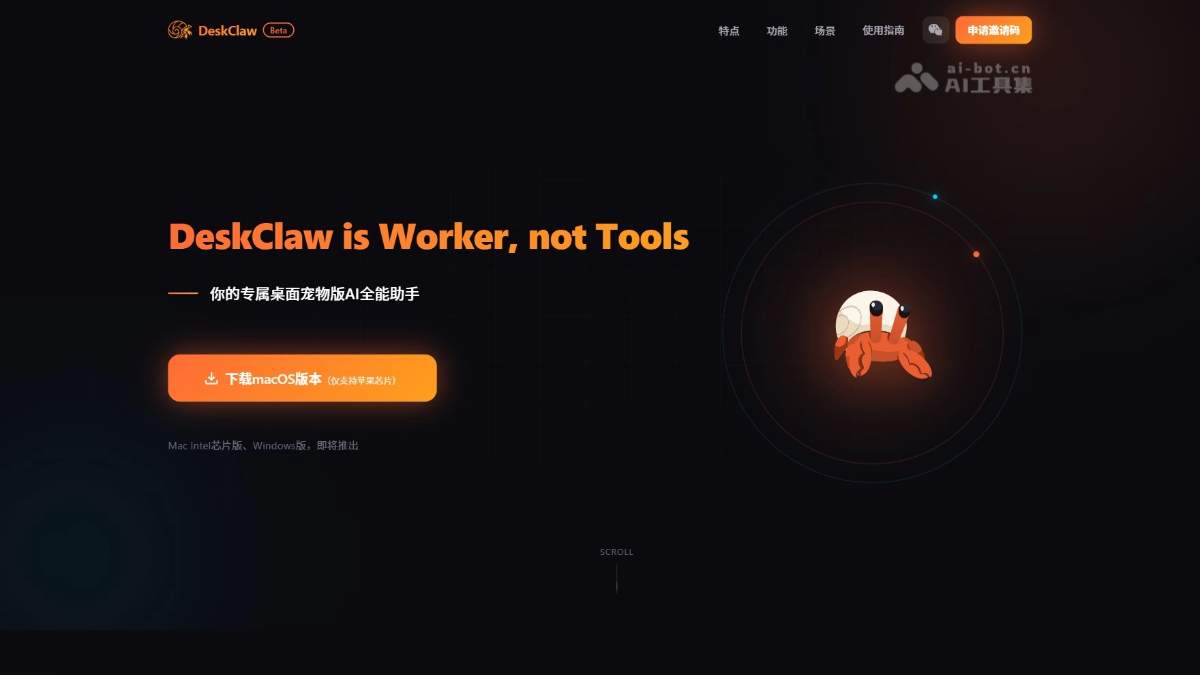
DeskClaw
Product Positioning: A desktop-resident AI pet assistant positioned as a "digital employee," running locally based on the OpenClaw kernel.
-
Desktop Pet Form: An AI companion in the form of a hermit crab resides on the desktop, ready to be summoned at any time, not a chat window that is closed after use.
-
Ultra-Fast Local Response: Runs locally based on the OpenClaw kernel, starts working immediately when instructions are given, with extremely fast response.
-
Full System Access: Has full system access permissions, can deeply control the computer and automate browser operations.
-
Out-of-the-Box Skills: Built-in rich Skills packages; information organization, market research, and process automation require no configuration.
-
Team Collaboration Integration: Connects with Feishu, DingTalk, and WeCom; pull it into a group and @ it to collaborate, allowing the team to share AI capabilities.
-
Built-In Browser Control: Operates web pages, reads and writes files, and invokes local applications, directly connected at the system level (the step most likely to get stuck when setting up OpenClaw yourself).
Recommended for scenarios such as batch scraping user comments from comment sections on platforms like YouTube and automatically categorizing high-frequency pain points; daily targeted screening of important industry news, automatically aggregating, ranking, and generating summaries; vertical scenario work such as information organization and market research; shared AI assistants in team collaboration; and personal AI workmates that need to reside on the desktop and be woken up at any time.
Common Recommendations for OpenClaw Skills
I. Essential Basic Skills
-
Agent Browser
Function: Web automation operations, such as opening web pages, scraping information, filling out forms, taking screenshots, etc.
Use cases: Almost all tasks that require interaction with web pages, such as comparing product prices, collecting web data, etc.
Installation command:clawhub install agent-browser -
Brave Search
Function: Online search, providing real-time information retrieval capabilities.
Use cases: Querying news, materials, answers, etc., free from the limitations of AI knowledge cutoff dates.
Installation command:clawhub install brave-search
Configuration: Requires applying for a Brave Search API Key (free quota available). -
Summarize
Function: One-click summarization of PDFs, long articles, videos, audio, and other content, extracting key points.
Use cases: Quickly processing academic papers, work reports, study materials, etc.
Installation command:clawhub install summarize -
Shell
Function: Execute terminal commands to accomplish system-level tasks such as file operations and script execution.
Use cases: Batch file processing, automated system management tasks.
Installation command:clawhub install shell
Note: Use with caution to avoid misoperations. -
Cron/Wake
Function: Scheduled tasks and reminders, capable of setting tasks to execute periodically or sending reminders.
Use cases: Daily weather broadcasts, weekly report reminders, regular email checks, etc.
Installation command:clawhub install cron
II. Productivity and Knowledge Management
-
Notion
Function: Integrates with the Notion API to operate pages and databases, and automatically organize notes and project data.
Use cases: Knowledge management, project tracking, team collaboration.
Installation command:clawhub install notion -
Obsidian
Function: Read and write local Markdown notes, supporting tag management and knowledge linking.
Use cases: Personal knowledge base construction, note organization.
Installation command:clawhub install obsidian -
Gmail
Function: Automatically process emails, such as reading, replying, archiving, searching, etc.
Use cases: Email management, automatic replies to common questions.
Installation command:clawhub install gmail
Configuration: Requires OAuth authorization. -
Google Calendar
Function: Schedule management, setting reminders, arranging meetings, and pushing notifications.
Use cases: Meeting scheduling, schedule tracking.
Installation command:clawhub install google-calendar
III. Development and Code Management
-
GitHub
Function: Manage GitHub repositories, create Issues, view PRs, and analyze code.
Use cases: Developers' daily collaboration, project maintenance.
Installation command:clawhub install github
Configuration: Requires a Personal Access Token. -
Frontend Design
Function: Generate production-grade front-end interface code.
Use cases: Front-end development assistance, prototype design.
Installation command:clawhub install frontend-design
IV. Security and Risk Control
-
Skill Vetter
Function: Scan skills before installation to detect potential security risks.
Use cases: Must be used before installing all skills to ensure security.
Installation command:clawhub install skill-vetter -
Link Checker
Function: Detect URL security and phishing links.
Use cases: Prevent security threats when handling external links.
Installation command:clawhub install link-checker
Installation Recommendations:
- Install security-related skills first (such as Skill Vetter), then install basic skills, and finally add other skills as needed.
- When sensitive operations are involved (such as file deletion or account authorization), enable OpenClaw confirmation mode to avoid accidental operations.
- Regularly update skills:
clawhub update --all, to ensure security patches and feature updates.
Scan the WeChat QR code to follow, and reply with the keyword "OpenClaw" to join thecommunication groupfor deployment, installation, and usage discussions!