
What is OmniParser
OmniParser is a screen parsing tool launched by Microsoft Research that converts screenshots of user interfaces into structured data. The tool is specifically designed to improve the performance of UI agent systems based on large language models (such as GPT-4V), enhancing the agent's ability to perform tasks by accurately identifying interactive icons and understanding the semantics of screenshot elements. OmniParser uses fine-tuned models to extract interactive regions and element functional semantics from the screen, improving the precision of operations and agent performance in multiple benchmark tests without relying on additional information such as HTML or view hierarchies. OmniParser can be used with various state-of-the-art LLMs: OpenAI (4o/o1/o3-mini)、DeepSeek R1、Qwen 2.5-VLand Anthropic (Sonnet).
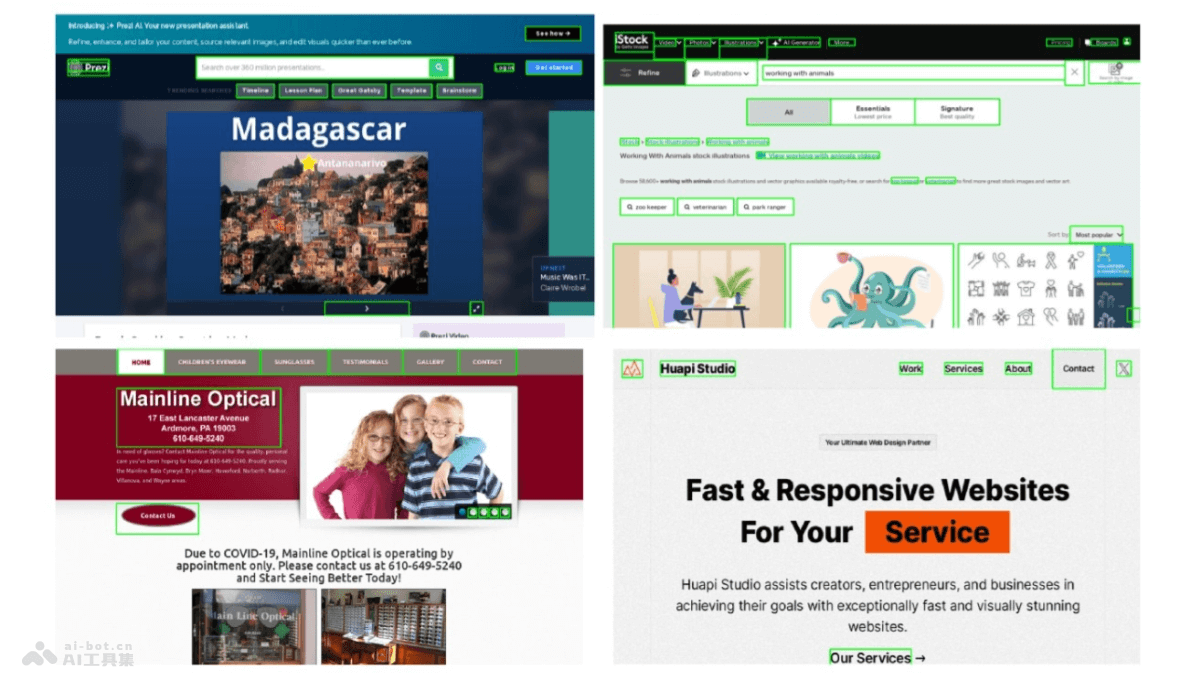
Main features of OmniParser
- Parse UI screenshots: OmniParser parses screenshots of user interfaces into structured elements, including interactive icons and text.
- Identify interactive regions: Uses specialized detection models to identify and mark interactive regions in the UI, such as buttons and icons.
- Extract functional semantics: Uses description models to extract the functional semantics of detected elements, generating descriptions relevant to user tasks.
- Enhance agent performance: Combines parsing results to improve the performance and accuracy of UI agents based on large language models (such as GPT-4V) when performing tasks.
- Cross-platform application: Supports multiple operating systems and applications, such as Windows, MacOS, iOS, Android, and various web browsers and desktop applications.
- No additional information required: Independently extracts necessary data from visual screenshots without relying on additional information such as HTML or view hierarchies.
Technical principles of OmniParser
- Dataset construction: Extracts data from popular web pages and applications to construct an interactive icon detection dataset and an icon description dataset.
- Model fine-tuning:
- Detection model: Fine-tunes the YOLOv8 model on the interactive icon detection dataset to identify and locate interactive regions in the UI.
- Description model: Fine-tunes the BLIP-v2 model on the icon description dataset to generate functional descriptions of icons.
- OCR module: Integrates an optical character recognition (OCR) module to extract text on the screen, merges it with icon detection results, and removes highly overlapping bounding boxes.
- Structured representation: Integrates detected elements and generated descriptions to form a structured DOM (Document Object Model) representation, overlaying bounding boxes on potentially interactive elements in the screenshot.
- Action prediction: Combines structured elements and functional semantics to reduce the burden on large language models during action prediction and more accurately translate predicted actions into actual actions on the screen.
OmniParser project address
- Project official website:https://www.microsoft.com/en-us/research/articles/omniparser
- GitHub repository:https://github.com/microsoft/OmniParser/
- HuggingFace model library:
- arXiv technical paper:https://arxiv.org/pdf/2408.00203
Application scenarios of OmniParser
- Automated software testing: During software development, automatically identifies and operates UI elements, executes test scripts, and improves testing efficiency and coverage.
- Virtual assistant: As part of a virtual assistant, help understand screen content and perform tasks such as booking, querying, and data entry.
- Assistive technology: For people with visual impairments, OmniParser can parse screen content, convert it into speech output, and provide screen reading functionality.
- User interface design validation: Designers verify whether the interactive elements in a UI design match the expected functionality and semantics.
- Cross-platform application development: Developers test and optimize an app's UI on different operating systems and devices to ensure a consistent user experience.