
What is NewMax
NewMax is a local-first AI Agent workspace that supports macOS, Windows, and Linux. The platform manages local files and conversations on a workspace basis, can call more than ten mainstream models such as OpenAI, Claude, DeepSeek, and Kimi, and supports file reading and writing, terminal commands, browser automation, and Skill workflow orchestration, keeping sensitive data local while handing repetitive execution to AI.
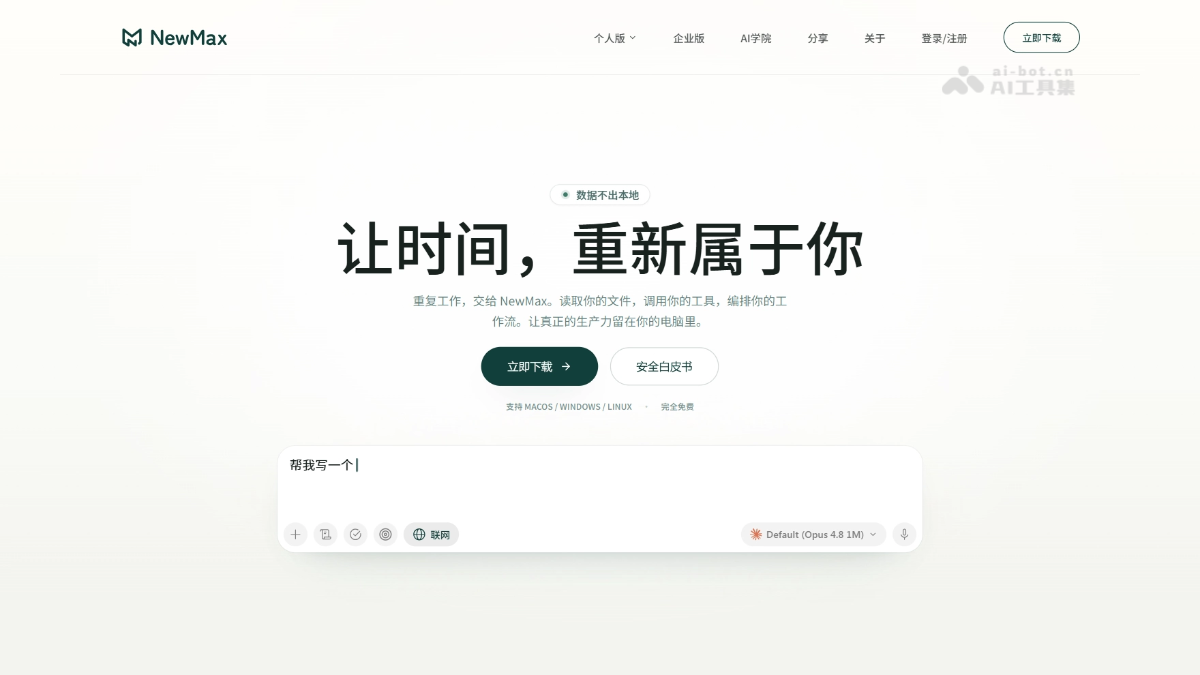
NewMax's Main Features
-
Local-First AI Workspace: Each workspace is bound to a local folder and independently stores conversations, projects, and Skill configurations.
-
Directly Read and Edit Files: Supports reading and rewriting formats such as PDF, Office, Markdown, code, SQLite, images, and audio/video.
-
Generate Multimedia Files: Automatically completes image slicing, compression, format conversion, voiceover, subtitles, BGM, and video compositing.
-
Agentic Executable Tasks: AI can call file tools, terminal commands, web search, web page reading, and sub-agents to break down complex requirements and advance step by step.
-
Browser Automation: Controls the local Chrome to complete web tasks such as clicking, filling in forms, querying, and publishing, and saves them as Workflows for one-click reuse.
-
Long-Term Projects and Automatic Memory: Maintains planning documents, task boards, schedules, and dependencies, and automatically extracts preferences and progress for continuing advancement next time.
-
Skill Extension Workflows: Processes such as writing, research, data analysis, PPT, and video can be consolidated into Skills and quickly invoked through slash commands.
-
Multi-Model Routing and Failover: Connects to more than ten mainstream models and local models, isolates by conversation, and supports intelligent routing and seamless switching.
How to Use NewMax
-
Download and Install: Visit the NewMax official website https://newmax.cc/ to download the version for the corresponding system and complete installation.
-
Configure Models: Add an API Key in settings or connect to local model services such as Ollama and LM Studio.
-
Create a Workspace: Bind a local folder to establish an independent project and conversation space.
-
Upload Files: Drag and drop, paste, or @ reference PDF, Office, Markdown, and other files into the conversation.
-
Invoke Skills: Enable professional Skills through the button on the left side of the input box or the "/" slash command.
-
Execute Tasks: Send natural language instructions to let AI read and write files, execute terminal commands, or control the browser.
-
Manage Projects: Create long-term projects, set up planning boards and scheduled tasks, and let AI automatically advance them and push notifications.
NewMax's Core Advantages
-
Local-First Architecture: Conversations, files, and workspace data remain local by default, support offline use, and reduce leakage risk at the physical level.
-
Free Switching Among Multiple Models: Compatible with OpenAI, Claude, Grok, Kimi, DeepSeek, Qwen, Zhipu, Ollama, etc., allowing selection of the optimal model by task.
-
Deep File Integration: Supports directly rewriting files and generating reviewable diffs, covering office, code, and multimedia scenarios.
-
Agentic Execution Capabilities: AI can invoke the terminal, browser, and sub-agents to complete complex workflows, with permission modes and command whitelists ensuring controllability.
-
Skill and MCP Extensions: Distill professional processes into reusable Skills, connect MCP tools, and continuously expand the boundaries of AI capabilities.
Comparison of NewMax with Similar Competitors
| Dimension | NewMax | Cherry Studio |
|---|---|---|
| Core Positioning | Local-first AI Agent workbench | Local desktop AI assistant |
| Data Privacy | Local workspace + local storage, not uploaded by default | Local conversation storage, knowledge base configurable |
| File Processing | Directly reads and writes local files, supports diff preview and editing | Mainly used as context reference, weaker editing capabilities |
| Tool Invocation | Supports terminal, browser, web search, sub-agents | Basic tool invocation, no browser automation |
| Skill / MCP | Built-in Skill system, supports MCP extensions | Supports MCP, but no native Skill orchestration or scheduled tasks |
| Long-term Projects | Supports project kanban, scheduling, automatic memory, and insight notifications | No long-term project management capabilities |
NewMax Application Scenarios
-
Legal and Medical Compliance Document Processing: Lawyers and doctors process sensitive contracts and medical records locally, avoiding data leaks and passing security reviews.
-
Scientific Literature Review: Batch-parses papers, extracts citations, and organizes viewpoints, compressing work that originally took days into several hours.
-
Enterprise Security Audit and Financial Month-End Closing: Locally reconciles reports, organizes exception items, and generates audit working papers, reducing repetitive work at month-end.
-
Self-Media Content Creation: Uncovers topics, breaks down viral material, recreates and rewrites copy, and links multimedia generation with multi-platform publishing.
-
Independent Developers and Consulting Advisors: Code generation, multi-model switching, terminal command execution, offline report organization, and meeting minutes processing.