
With AI, people seem increasingly unable to do without a computer.
When having AI run a project, once the request is sent, you have to stay in front of the computer, glancing at the task progress from time to time, wondering whether it will stop at some step and need you to manually confirm. Is there an error or interruption?
Although you can also chat with AI on your phone, the project you are working on, the files being used, and the configured environment are all on the computer. If the task is halfway done and you need to add a requirement or confirm an operation, starting another conversation on the phone cannot connect to it.
Sitting in front of the computer staring at it all the time is really tiring.
Sometimes you have to go out, and you feel a little uneasy.
Many friends have a high-spec desktop at home and carry a laptop with them for work when going out, but a two-machine setup is not only expensive, syncing the environment between both ends is even more of a torment.
Recently I started using UU Remote, and I finally no longer have to carry a computer when going out. I can use my phone anytime to control my home computer and work.
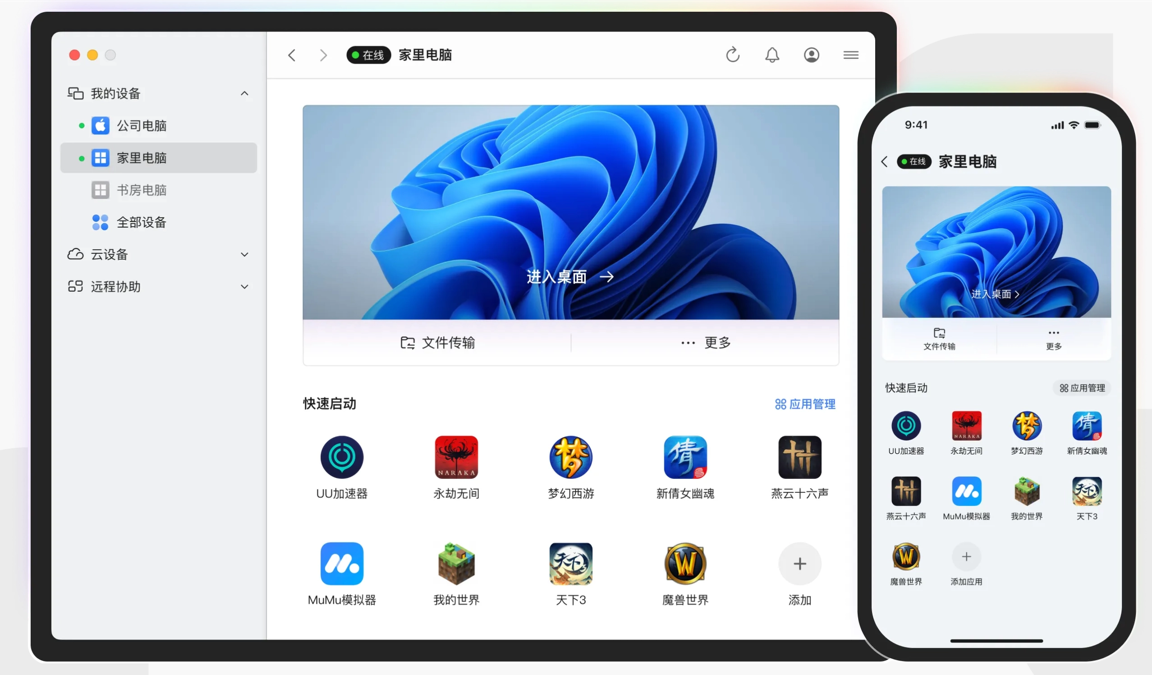
01. When out and about, you can still control your home computer anytime
We install UU Remote on both the computer and the phone.
In the settings on the computer side, turn on Allow control of this device by the same account.
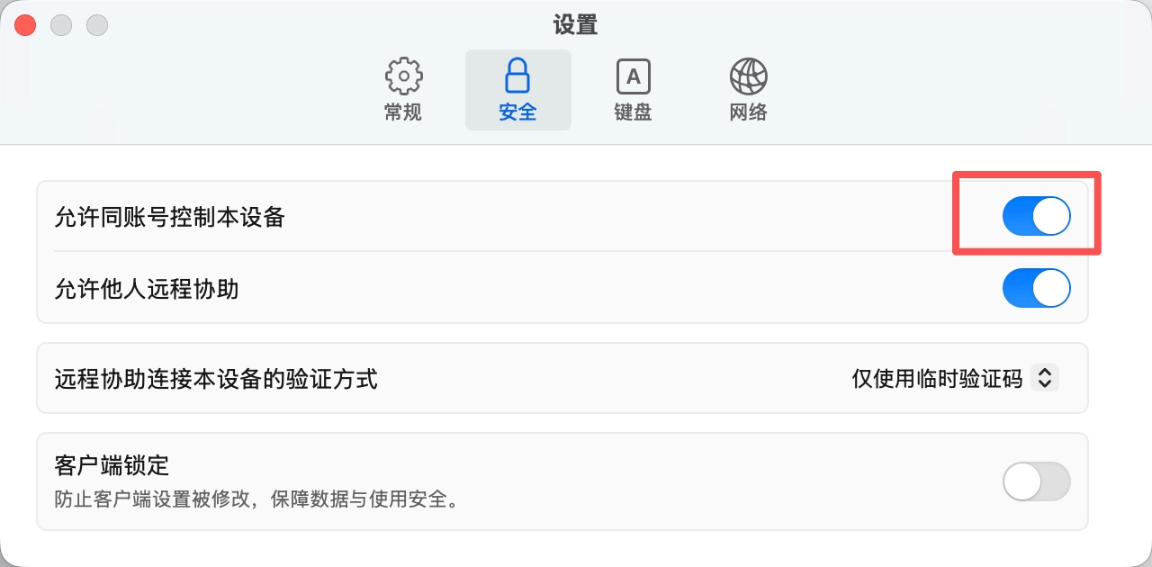
Now, when we log in on the phone side, iPad, or computer side with the same account, we can view all our devices.
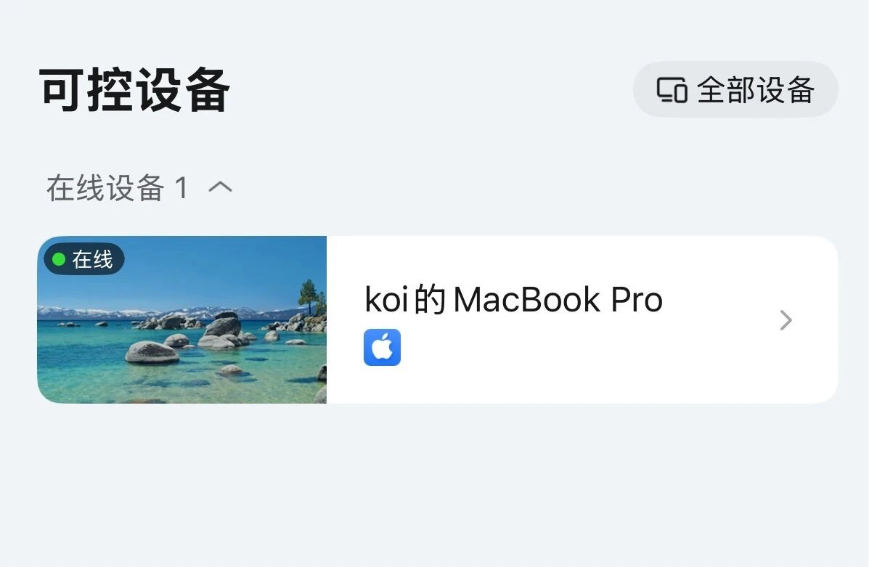
We open UU Remote on the device we carry and find the computer we need to remotely control.
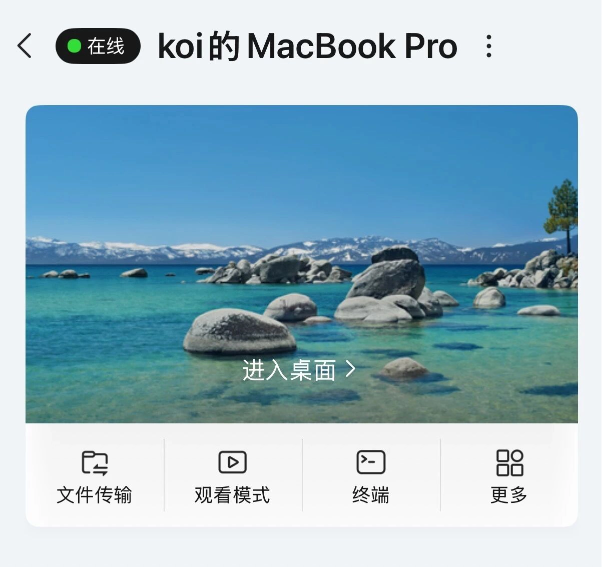
Tap to enter the desktop, and you can directly remotely control the computer. Recently the Mac version also updated the one-click computer unlock feature. Friends who need it can turn this feature on in security settings.
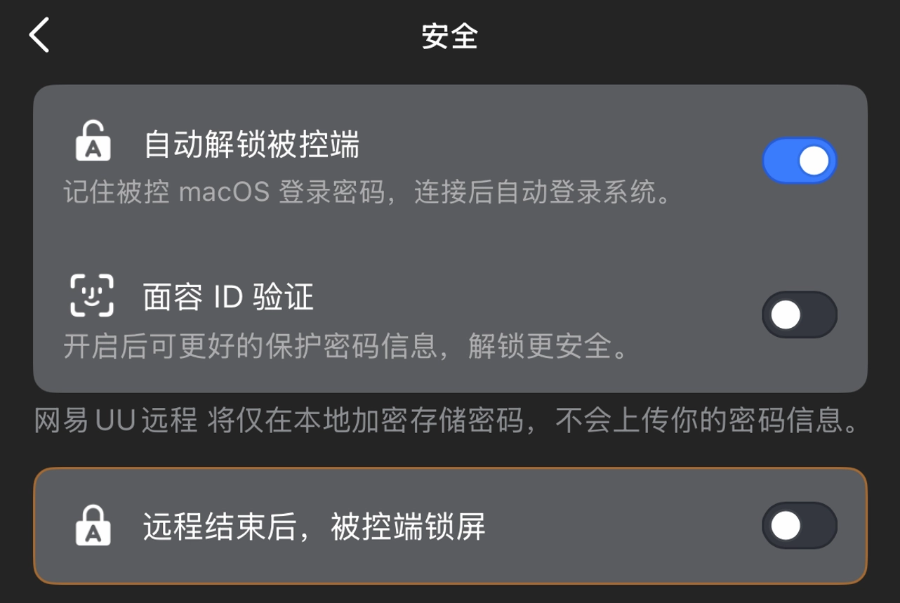
Afterward, when we enter the desktop through UU Remote, the computer unlocks automatically, and there is no need to manually enter a password.
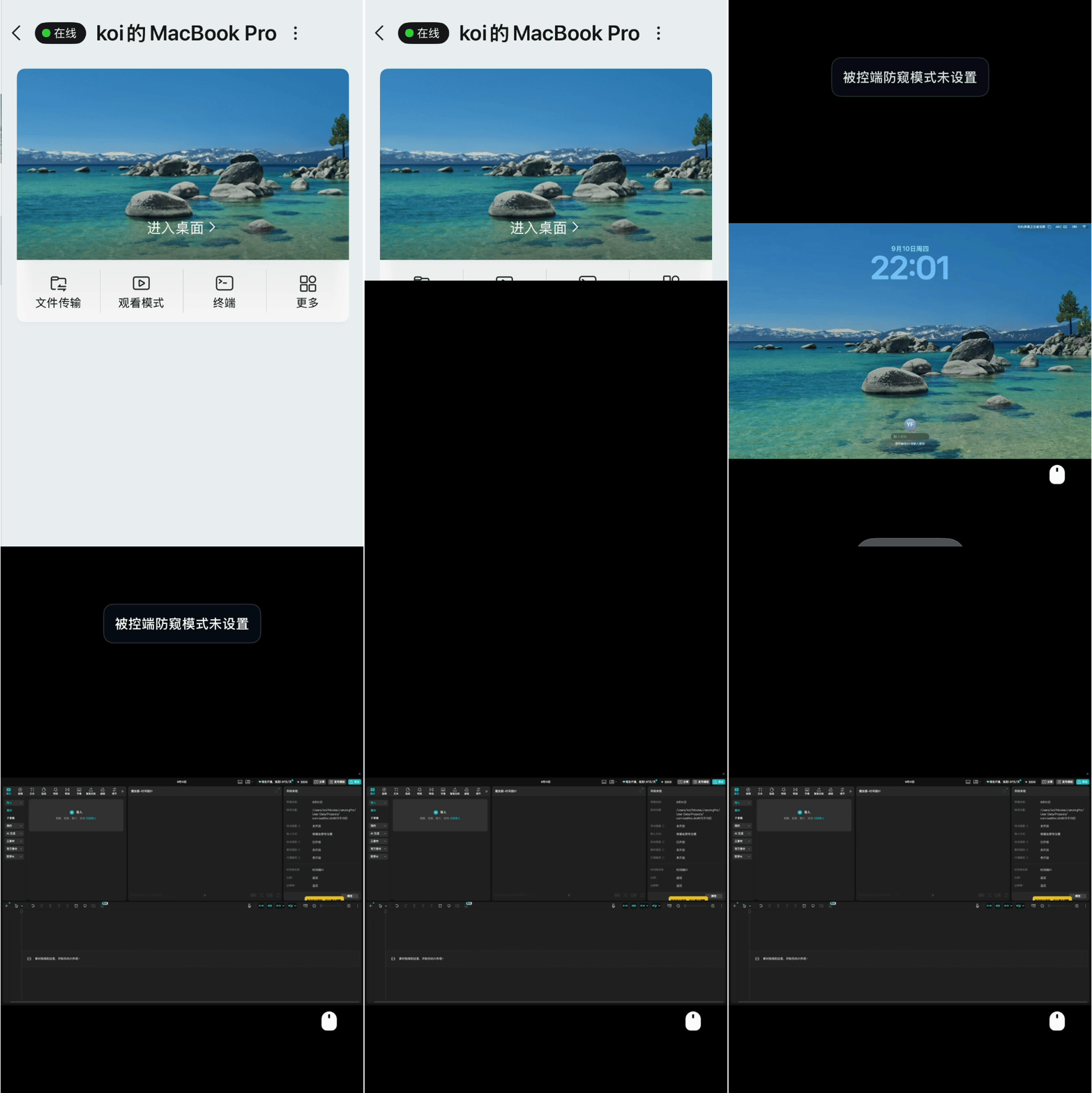
Entering from the phone side defaults to touchscreen control, and page zooming and sliding are all very simple to operate.
NetEase itself started out doing game network acceleration and streaming, so applying this underlying architecture to remote control is a dimensional strike. When remotely controlling a computer from a phone, zooming pages and dragging windows are very responsive, with no sense of lag.
We can also switch to virtual mouse control in settings. We can complete left-click, right-click, and middle scroll wheel operations through the virtual mouse on the screen.
For example, if I want to use the scroll wheel to scroll up and down to view a webpage, the virtual scroll wheel will be displayed enlarged, making it very easy to operate.
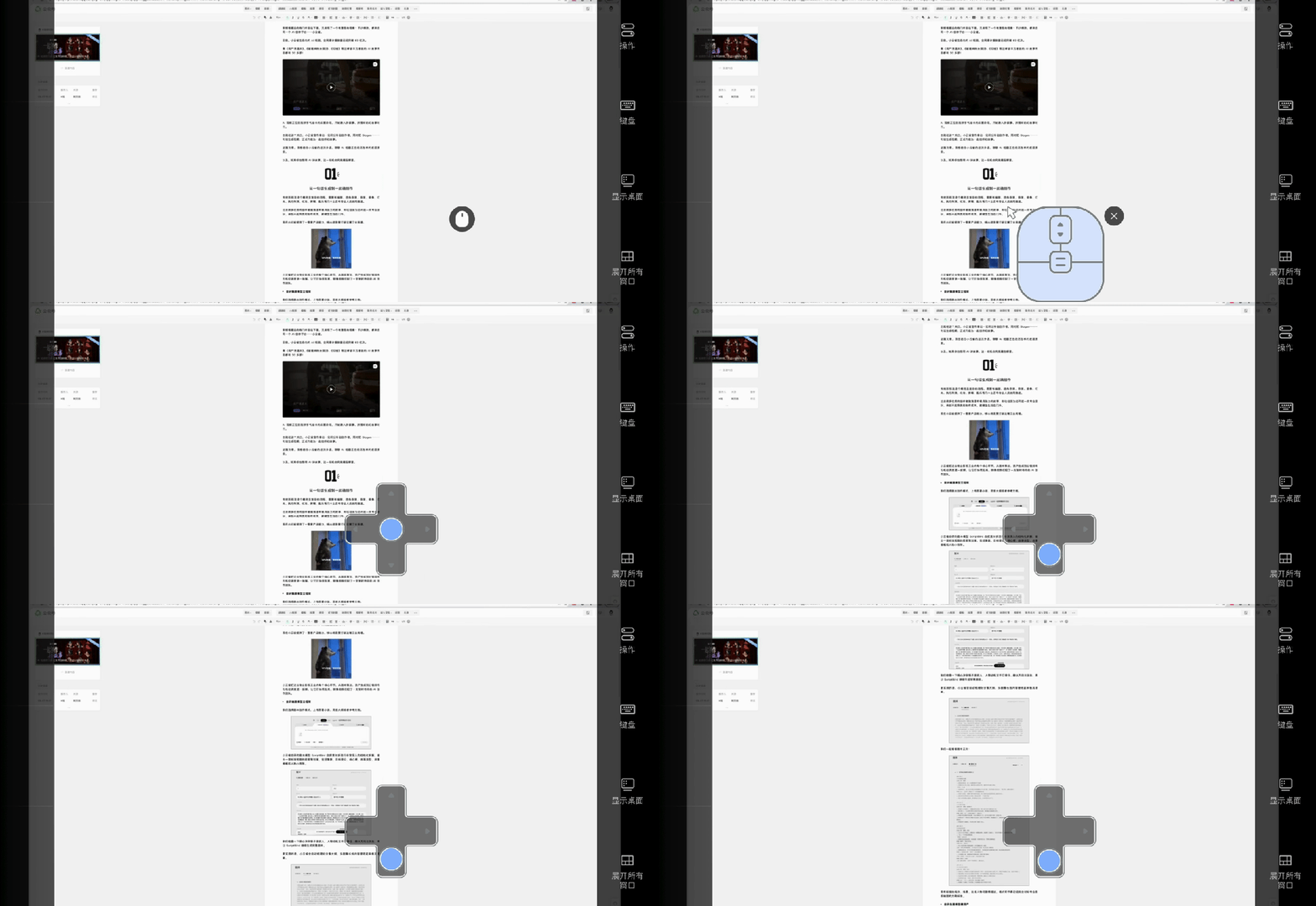
Normally, when using a phone to control a computer, function keys such as ctrl and command cannot be used.
UU Remote can adjust the input method to a computer keyboard and also supports using key combinations.
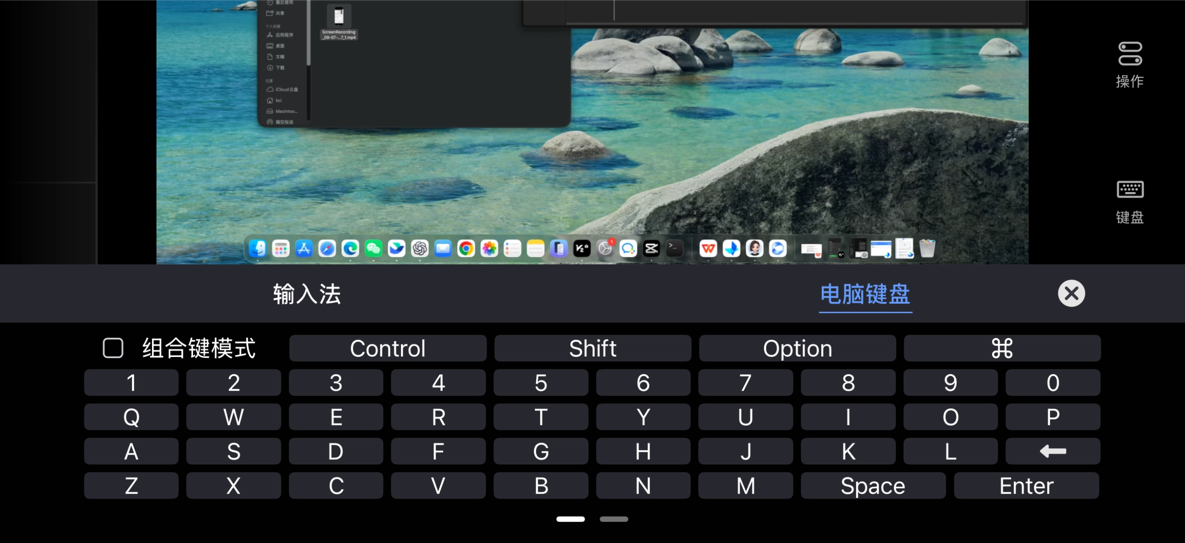
For example, when we remotely control a computer to paste text, we can directly use the Command+V key combination. The actual operation is very close to the usage habits on the computer side.
While the computer is executing, we can remotely check the task status at any time, and temporarily tap a confirmation or change a requirement on the phone, which is very convenient.
If you carry an iPad with you, pair it with a mouse and keyboard, and it can be used as a computer~
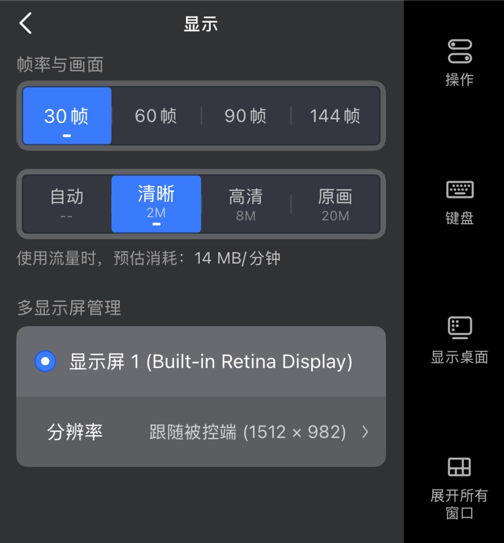
We can adjust the frame rate and image clarity.
The free version of UU Remote supports high-definition output. Even when zooming in on dense small text on a phone, it will not become a blurry mess.
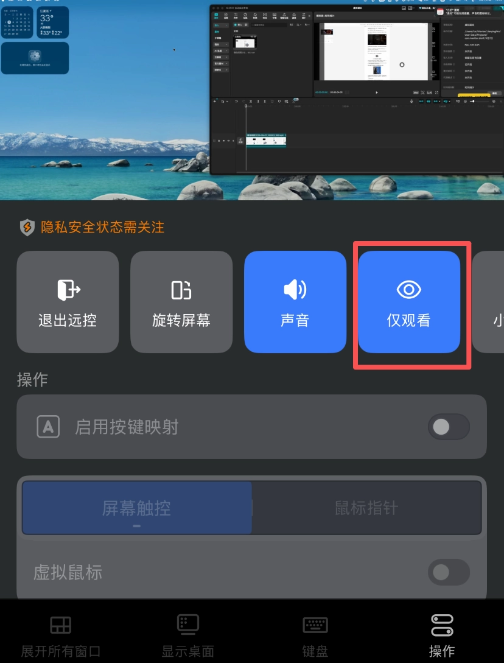
If you just want to take a look at whether the task is still running, you can switch to viewing mode. In this mode, tapping the screen will not operate the computer, so you do not need to worry about accidental touches when checking with your phone.
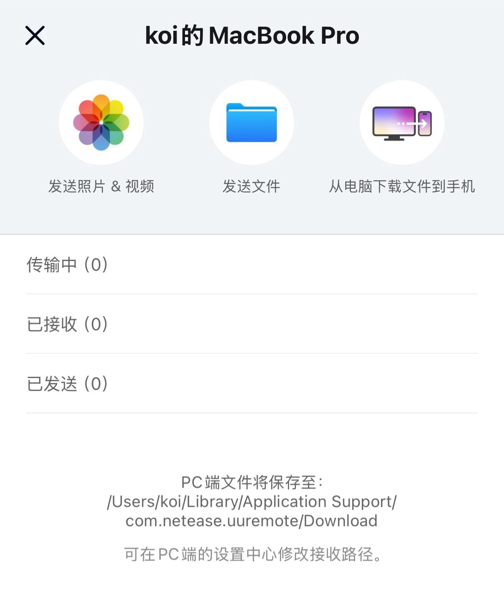
Once the task is done, how do you get the files?
We open file transfer mode, and then we can transfer files bidirectionally between the phone and the computer.
Files processed on the computer can be downloaded to your phone at any time and then sent to whoever needs them.
When remotely operating your office computer, you can enable privacy screen and mute mode. The controlled host's screen will go black or display a screensaver, and it won't make any sound, so it won't disturb people around you.
If the network or connection drops, the computer will automatically lock the screen to keep data safe, and it also supports remote power on/off.
02. You can also use the terminal on your phone
Sometimes when working remotely you just want to run a script or start/stop a WebUI process. There's no need to stream the entire computer desktop. The new version of UU Remote supports remotely controlling the computer terminal.
On your phone or another controlling device, open UU Remote, find the target device, tap More, and select Terminal to create an independent command-line session and operate in the controlled computer's command-line environment.
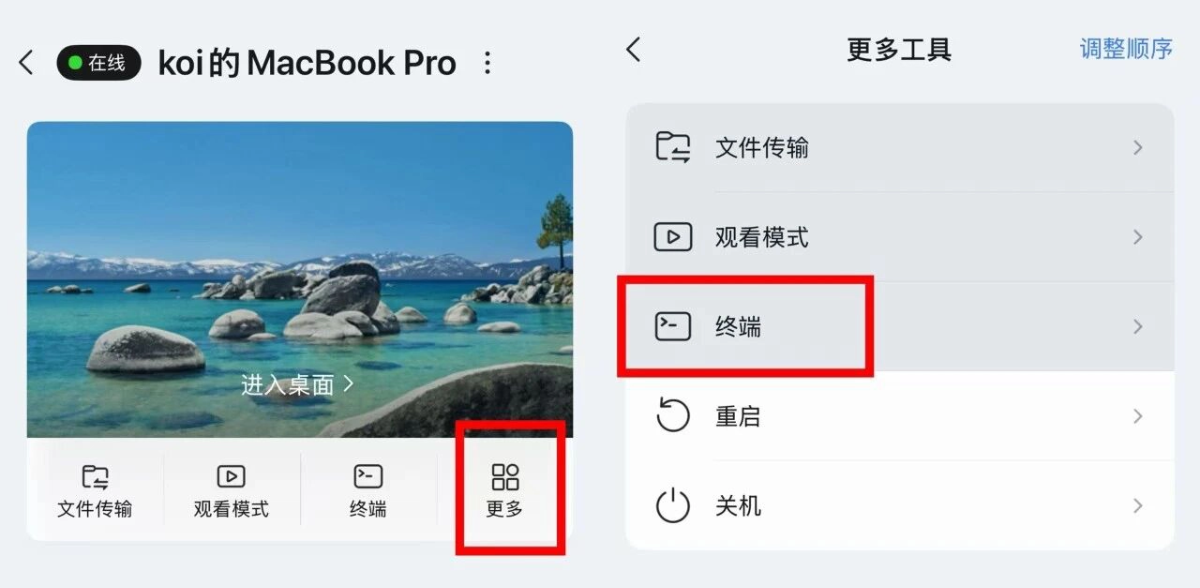
When creating a session on a Windows controlled端, the corresponding terminal window will open by default. On a macOS controlled端, the window won't pop up automatically; you can just operate directly from the controlling端.
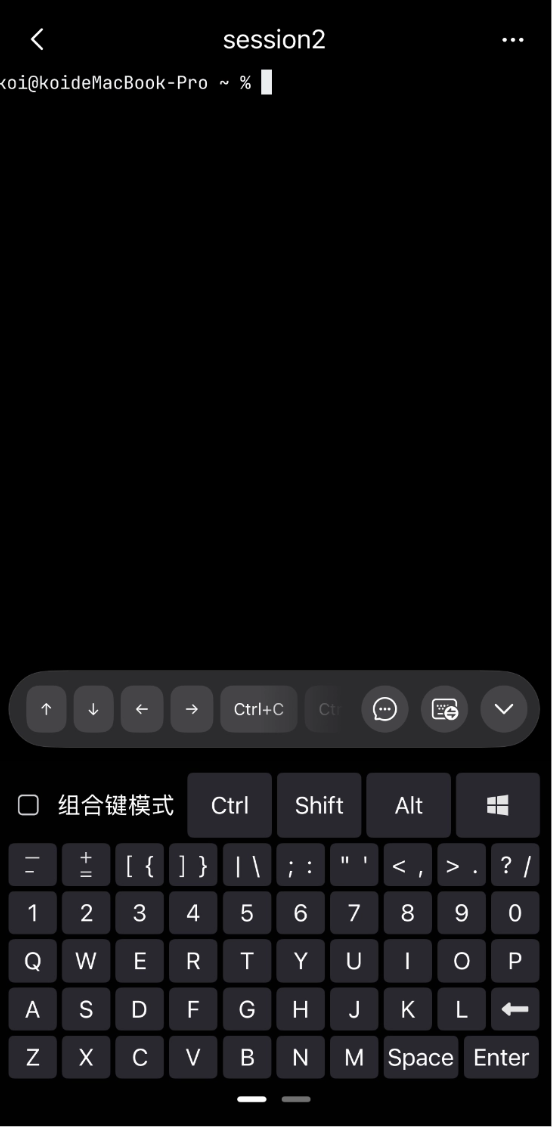
Open Claude Code and other Agents are all very convenient.
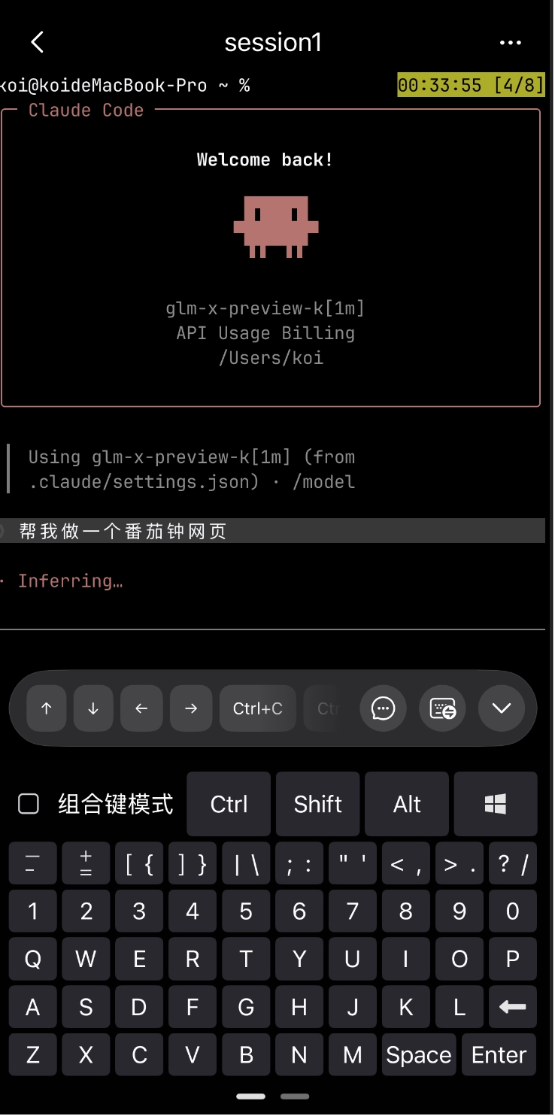
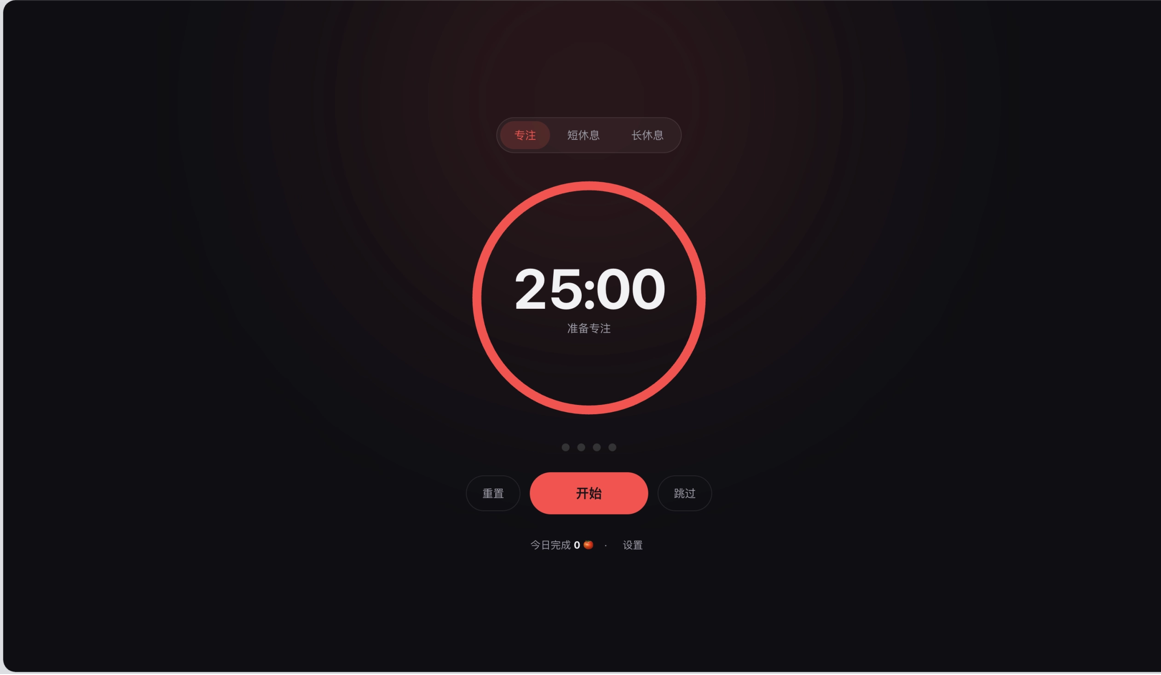
When out and about, you can also use your phone for Vibe Coding anytime, add requirements, and handle confirmations. After the webpage is generated, open the Mac browser via UU Remote Desktop to check the actual result.
The mobile端 can bring up the system input method, and also provides arrow keys, Ctrl, and other keys and key combination modes. During Vibe Coding, if you don't want to type out a long requirement by hand, you can also use the input method's voice input, which is very convenient.
Normally, we can either enter a single Agent on its own, or open Herdr to manage the workspaces of multiple Coding Agents in one terminal.
If you have several AI tasks at the same time, you can also pair it with Herdr.
Herdr can manage multiple Coding Agents in one terminal, switching tasks via workspaces, tabs, and split screens.
For example, I split the interface into left and right columns: on the left, let Kimi call the baoyu-design Skill to design a webpage for NetEase UU Remote; on the right, let Claude Code build a Pomodoro timer.
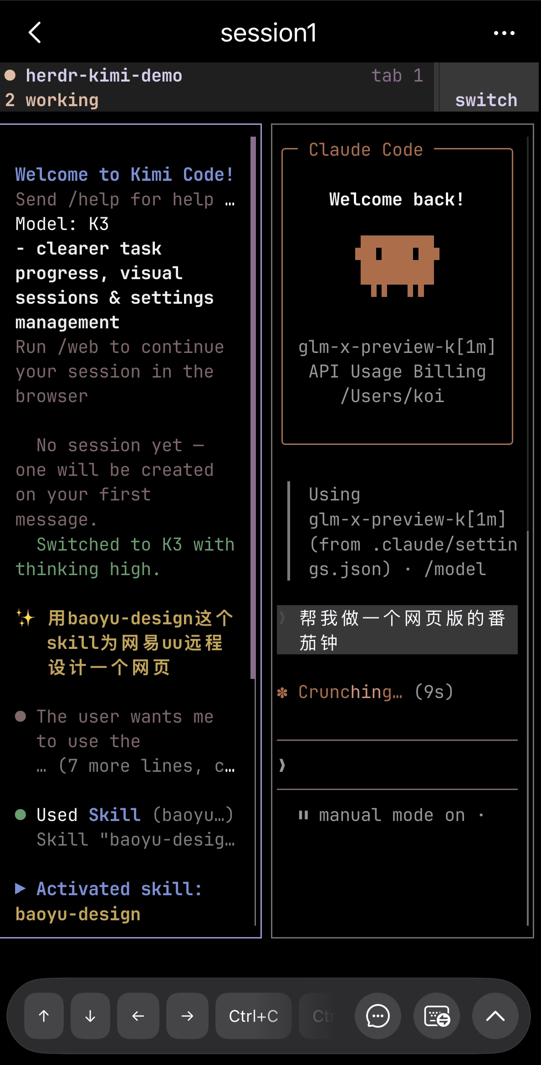
There's no need to wait for one task to finish before starting another. Both sides execute separately, and I can check progress in a centralized way: whichever side needs confirmation, I switch over to handle it.
Previously, operating this kind of TUI on a phone made input and shortcuts rather troublesome. After opening Herdr through the UU Remote terminal, menus, status bars, and selectors can all be displayed directly, and some options can also be operated by touch.
We can tap Create Session in the upper right corner to create multiple terminals.
After exiting the terminal interface, the session remains in the background, and can be reconnected and restored when you enter again.
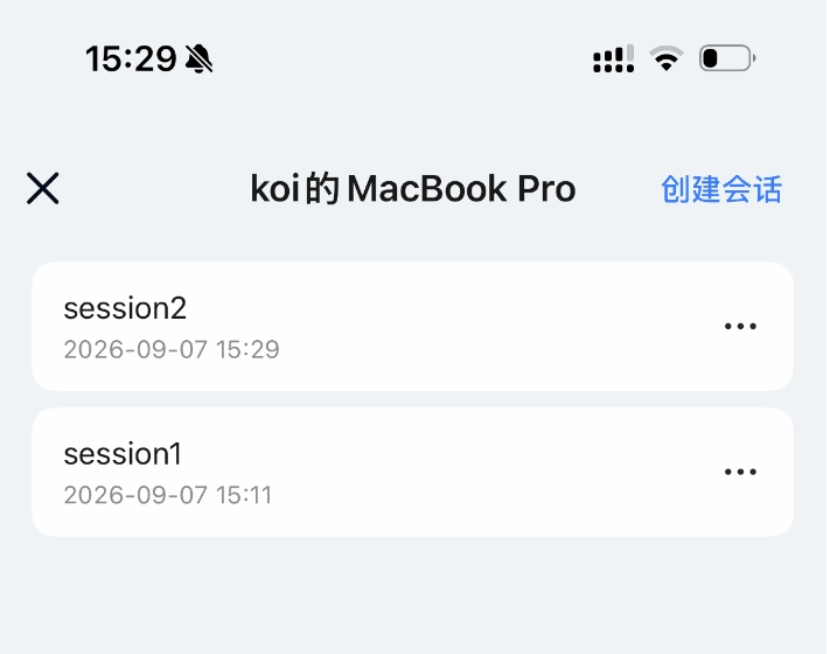
Terminal transmission is mainly text, which saves more data than transmitting the entire desktop screen. When the network isn't great and you only need to handle command-line tasks, you can try this method first.
03. Some sharing
When using AI to run tasks, the most annoying thing is having to watch the computer, afraid it will get stuck at some step and waste half a day waiting for nothing.
Also, if you already have a high-spec computer at home, having to carry a laptop when going out, sync files, and reconfigure the environment is tiring just to think about.
UU Remote lets us use the device at hand to take over and handle things on the computer at any time.
You don't have to rush back to the computer just to add a requirement or grab a file, which saves a lot of worry.
Of course, the phone screen is small, so it's suitable for temporary takeovers; for long sessions of code editing and handling complex interfaces, a large screen with keyboard and mouse is more handy.
High image quality, low latency, plus terminal control—UU Remote can meet almost most of our daily remote work needs. It is not only a lever for efficiency, but also a modern way of working that frees people from being tied to a workstation.
If you are also being troubled by a heavy local workflow, you might as well test it yourself and loosen the reins on your life.
Original link:No longer having to babysit AI while it works—I use UU Remote to take over projects on my computer at any time