
What is Mureka V7
Mureka V7 is an advanced AI music model launched by Kunlun Wanwei, with powerful music creation capabilities. The model is based on MusiCoT (Music Chain of Thought) technology, planning the overall music structure first and then filling in the details, resulting in more coherent and artistic music. Mureka V7 supports 10 languages and can create songs and instrumental music in multiple styles such as pop, rock, and electronic, and supports generating exclusive timbres with text descriptions. Users can quickly create in simple mode, or upload reference songs in advanced mode to achieve style customization. Mureka V7 is suitable for ordinary users to create personal original music, and can provide content creators and musicians with an efficient creation tool.
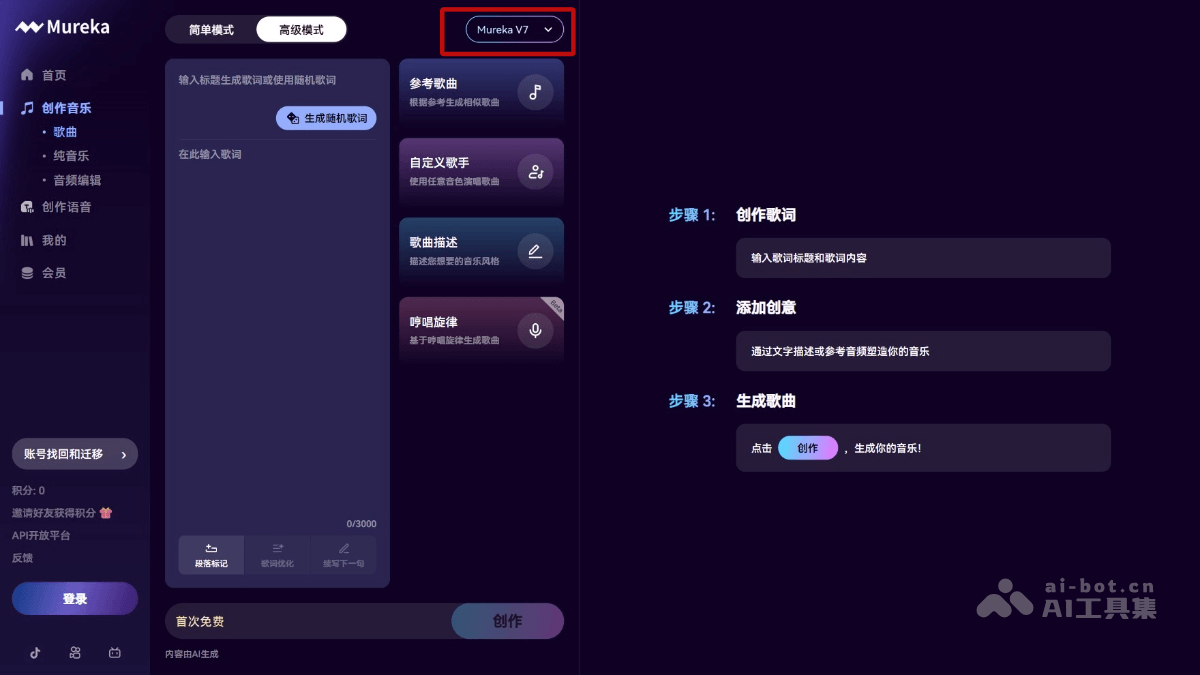
Main features of Mureka V7
- High-quality music generation: Supports multiple styles (such as pop, rock, electronic, classical, hip-hop, etc.) and 10 languages (English, Spanish, Chinese, Japanese, Korean, Portuguese, German, Italian, French, Russian), providing realistic vocals and instrument timbres.
- Multiple creation modes: Simple mode quickly generates music, and advanced mode supports custom lyrics, timbres, and styles.
- Instrumental music generation feature: Generate royalty-free instrumental music with text prompts or reference music, suitable for various creation scenarios.
- Audio editing feature: Supports partial editing, extension, stem separation, and trimming, facilitating secondary creation.
- Custom timbres: Create brand-new timbres based on text descriptions, free from the limitations of existing timbre libraries.
- Proof of creation: Generated music has proof of creation and can be legally used and sold.
How to use Mureka V7
- Visit the official website: VisitMureka's official website.
- Select the model: Select the Mureka V7 model in the model selection drop-down box
- Choose a creation mode:
- Simple mode: Enter a text prompt (such as "a pop song") and click "Generate".
- Advanced mode: Enter the song title and lyrics, upload a reference song (optional), select a timbre, adjust the description, and click "Generate".
- Instrumental music creation: Select "Instrumental" mode, enter a text prompt, upload reference music (optional), and click "Generate".
- Audio editing: After generating music, click "Edit" to perform partial modifications, extension, trimming, or stem separation.
- Custom timbres: Select "Speech Synthesis", enter a text description (such as "warm grandma voice"), and click "Generate".
- Download and share: Download the generated music (MP3, accompaniment, separated audio tracks), or share dynamic videos.
Application scenarios of Mureka V7
- Personal music creation: Users can quickly generate original songs, learn creation techniques, and easily realize their music dreams.
- Content creation: Generate background music for vlogs, short videos, advertisements, film and television, etc., meeting diverse soundtrack needs.
- Music production: Provide musicians with inspiration, explore new styles, and help break through creative bottlenecks.
- Education field: Teachers generate sample music to assist teaching, and students improve their creative abilities through practice.
- Commercial use: Generate music that meets the needs of brand advertising, product promotion, events, etc., to enhance commercial expressiveness.