
What is Mirawork
Mirawork is a security-first desktop AI office agent that supports macOS/Windows/Linux. Users issue tasks in natural language, and Mirawork can automatically break down requirements and invoke built-in skill chains to complete execution, covering full scenarios such as document processing, PPT generation, Excel reports, programming and development, and image creation. The product focuses on zero barriers, ready to use upon download with no environment configuration required, supports parallel multi-workspace and cross-file correlation analysis, and is local-first throughout with a controllable data closed loop, safeguarding security boundaries while improving efficiency.
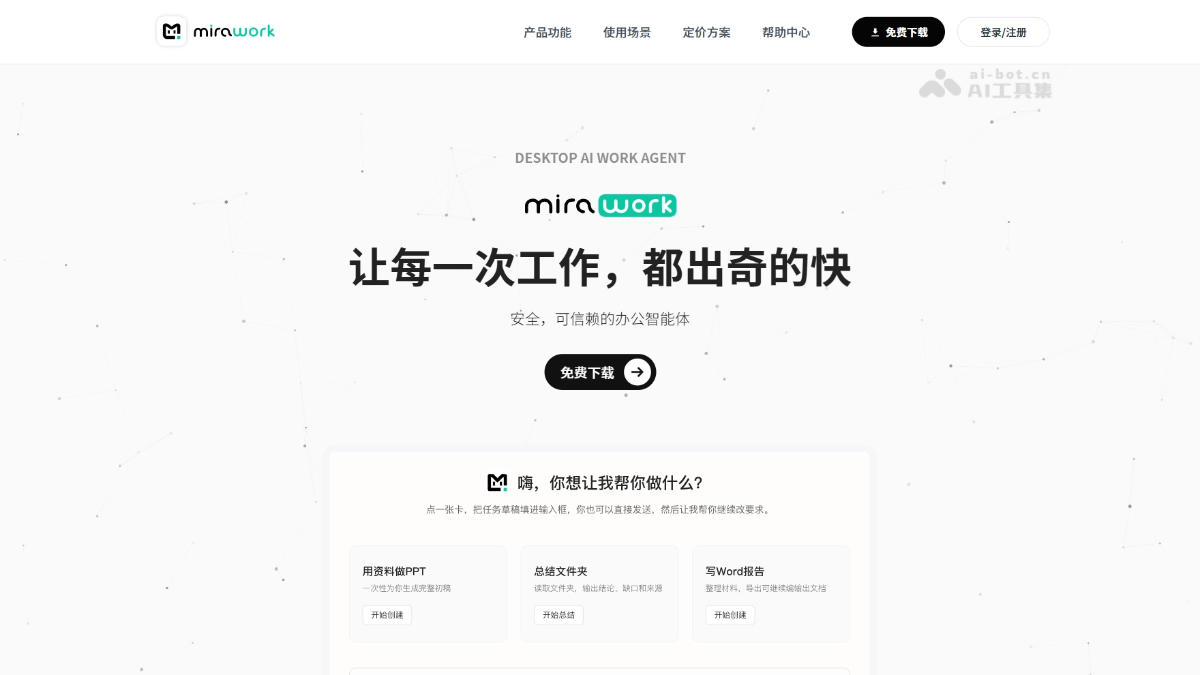
Main Features of Mirawork
-
Document Processing: Supports creating and editing Word, Excel, PowerPoint, and PDF, can generate from templates, modify existing files, or convert Markdown into office documents.
-
Intelligent PPT Generation: Automatically and independently lays out based on materials, with coordinated colors and a unified style, not template filling, and can be used directly for presentations.
-
Programming and Development: Understands project structure and code, supports editing source code, running build and test commands, locating and fixing program errors, and supplementing code explanations and documentation.
-
Image Creation: Generate illustrations, posters, or long marketing images in one sentence, supports batch image generation while maintaining a unified style.
-
Search and Research: Built-in multi-source cross-search capability, automatically integrates competitor data and web information, and generates structured analysis.
-
No-Code Automation: Build workflows through visual nodes, turning cross-platform tasks and data organization into stable, reusable processes.
-
Parallel Multi-Workspace: Can create multiple independent workspaces, each with independent folders, conversations, and file permissions, supporting multiple sessions running simultaneously without interference.
-
Cross-File Correlation Analysis: Simultaneously reads multiple heterogeneous files such as PDF, Word, and Excel, automatically understands file relationships, and generates comprehensive reports.
How to Use Mirawork
-
Download and Install: Visit Mirawork official website https://mirawork.com/ , free download, supports macOS/Windows/Linux, no need to configure environment or install plugins.
-
Create a Task: After opening, directly enter natural language instructions (such as "help me make a Q3 report PPT"), no need to learn Prompt templates.
-
Upload Materials: Drag and drop files such as PDF/Word/Excel/PPT, and the system automatically understands file relationships and context.
-
Continuous Collaboration: Continue discussing around the same task, add information or adjust direction at any time, no need to explain from scratch.
-
Get Results: The system automatically executes, checks, and refines, and finally delivers files or reports that can be used directly.
Core Advantages of Mirawork
-
Zero-Barrier Onboarding: Ready to use upon download and installation, no need to configure environment, install plugins, learn Prompt templates, or study skill configuration, extremely friendly to non-technical users.
-
Intelligent Skill Scheduling: Built-in skills and tools automatically match the optimal execution chain, users do not need to manually select; they can also directly specify a particular skill, and the system will comply.
-
Local-First Security: Runs entirely locally, with clear and controllable data flow, forming a secure closed loop from file reading to deliverable output, so there is no need to worry about data leaks.
-
Cross-file correlation understanding: Supports uploading multiple heterogeneous files such as PDF, Word, and Excel at the same time, automatically identifies file relationships and generates a comprehensive report, eliminating manual comparison and shuffling.
-
Parallel multi-workspace: Multiple independent workspaces can be created, and sessions in each workspace can proceed simultaneously without interfering with each other, greatly improving multitasking efficiency.
Comparison of Mirawork with similar competitors
| Comparison dimension | Mirawork | Mobile Cloud MobileClaw |
|---|---|---|
| Vendor background | Independent product team | China Mobile (central state-owned enterprise), China's first self-developed desktop-level AI office agent |
| Product positioning | Desktop AI office agent, focused on deliverable output | Desktop-level AI office agent / digital employee, deeply compatible with the OpenClaw ecosystem |
| Operating architecture | Local-first, with the entire data loop kept local and not uploaded to the cloud | Local-first storage, with core data and conversations not uploaded to the cloud, and secondary confirmation for high-risk commands |
| Platform support | macOS / Windows / Linux | Windows / macOS (Intel and M series) |
| Usage threshold | Extremely low, ready to use after download, no invitation code or environment configuration required | Extremely low, one-click installation and ready to use out of the box, login with mobile phone number + verification code, no command-line configuration required |
| Interaction method | Natural language conversation, automatically matching skill chains; skills can also be specified manually | Natural language conversation, white-screen zero-code operation; supports WeChat/Feishu integration, online 24/7 |
Mirawork application scenarios
-
Urgent report preparation: Quickly integrates scattered Excel data, PPT drafts, and customer feedback into a 10-page professional report PPT, completed within 45 minutes and highlighting ROI highlights.
-
Cross-department contract revision: Automatically compares 86 pages of old and new contracts, accurately modifies clauses and preserves revision traces, compressing 3 hours of work into 15 minutes.
-
Technical troubleshooting: Quickly locates online 500 errors when logs are limited, fixes the code, and generates a fault explanation readable by non-technical personnel.
-
Batch content production: Generates 8 uniformly styled illustrations with one click for the 8 paragraphs of an article, meeting the needs of WeChat official accounts or marketing materials.
-
Multi-source data integration: Simultaneously reads PDF reports, Excel data tables, and Word flowcharts, automatically performs correlation analysis, and generates a clearly structured comprehensive decision report.