
What is Ming-Image-0.1-Design
Ming-Image-0.1-Design is a 6B open-source model from Ant Group's InclusionAI,image generationmodel focused on design scenarios. It supports 8K long structured prompts and can generate complete visual designs such as UIs, infographics, and posters end to end. Together with the simultaneously open-sourced Design-Layer model, it can decompose a design into 2-9 independently editable transparent layers, enabling the full workflow of generation-layering-editing-delivery. Ming-Image-0.1-Design tops the Artificial Analysis UI/UX open-source leaderboard and has been integrated into real businesses such as Lingguang Flash App and Huamei.
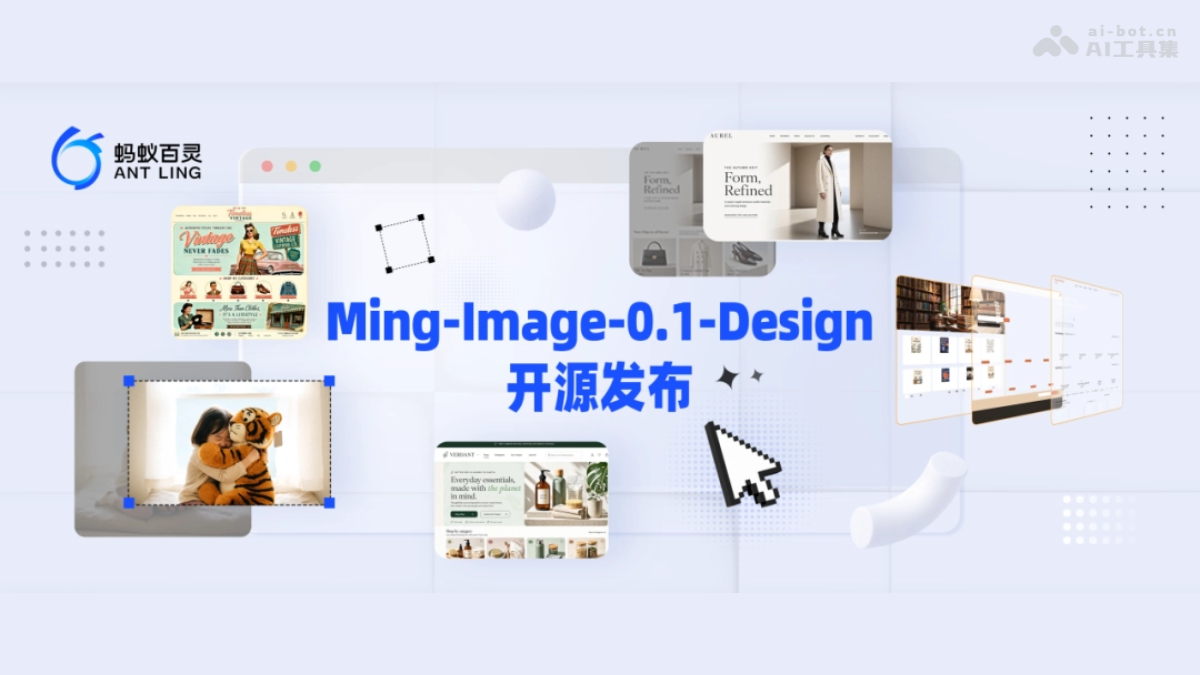
Main features of Ming-Image-0.1-Design
-
Text-to-Design: Supports 8K long structured prompts to generate complete visual designs such as UIs, Dashboards, infographics, and posters end to end from textual requirements.
-
Text and layout rendering: Optimizes the presentation of titles, buttons, cards, and multi-region information to ensure stable layout and accurate information arrangement.
-
Global style consistency: Completes the overall design in one pass, unifying color scheme, composition, and asset style, avoiding style fragmentation caused by multiple generations.
-
Transparent asset generation: Native RGBA VAE directly generates transparent-background assets such as people, products, icons, and decorations.
-
Design layering (Layer): Splits a design into 2-9 semantically independent RGBA layers, supporting separate modification, movement, and replacement of text, subject, and background.
-
Front-end delivery (Design Skill): Text-to-Page produces a design proposal first and then writes code; Visual Coding supports restoring a runnable page from a design screenshot.
-
PPT delivery (PPT Skill): Restores text, color blocks, and layout in images into editable PowerPoint elements, and directly extracts and reuses icon illustrations.
Technical principles of Ming-Image-0.1-Design
- 8K long structured prompt enhancement: The model automatically organizes user requirements into structured input across four dimensions: copy, modules, layout, and visual style, so that information in ultra-long prompts (up to 8K) is fully understood and executed, supporting accurate presentation of multiple modules and elements in complex pages.
- End-to-end holistic design generation: Unlike the approach of generating backgrounds, illustrations, and decorations separately and then assembling them, the model coordinates global layout, color scheme, and asset style in a single generation process. Through specialized training, it strengthens text, layout, and multi-element composition capabilities, fundamentally reducing color clashes and style inconsistencies among assets.
- Native RGBA VAE: The model's self-developed variational autoencoder supports the Alpha channel, allowing the generation space to directly cover transparent-background assets. People, products, icons, and decorations can be output with transparent channels and enter the design workflow without post-processing cutouts.
- Type Token layer role constraint: The Layer model uses Type Token to explicitly tell each layer the design role it assumes, guiding the model to split by semantics and ensuring that the decomposed layer content is clear and its responsibilities are independent.
- Alpha-Aware Layer Optimization: Specialized optimization is applied to transparent areas and edges, focusing on the accuracy of the Alpha channel in RGBA layers, making layer transparent edges clean and residue-free, and solving the problem of blurred edges or background color bleed under complex occlusion.
- Composite-Layer Stack Consistency: During training, all split layers are enforced to be re-stacked and restore the original design, constraining the spatial relationships between layers and the consistency of occlusion completion.

Follow WeChat and reply "Open Source" to join theAI Open Source Project Exchange Group
How to use Ming-Image-0.1-Design
-
Choose an access method: You can use the OpenRouter online free API, or https://openrouter.ai/inclusionai/ming-image-0.1-design快速体验,或从 download the model weights from Hugging Face / ModelScope for local deployment.
-
Write a prompt: Describe your needs in natural language. It is recommended to organize the content according to the structure of "copy, modules, layout, visual style" to make the most of the 8K long prompt capability.
-
Generate the design: Call the Design model to generate a complete visual design such as a UI, infographic, or poster in one pass.
-
Split layers: Input the generated or existing design into the Design-Layer model and split it into 2-9 independently editable transparent layers.
-
Front-end delivery: Get the Design Skill (ling-cookbook) on GitHub. After inputting the requirements, a page plan is produced in about 15 seconds. Once confirmed, it is handed over to Coding to generate a runnable page.
-
PPT delivery: Use the PPT Skill (ling-cookbook) to restore the design into editable PowerPoint pages in one click, and continue to modify the copy, color scheme, and layout.
Core advantages of Ming-Image-0.1-Design
-
Small parameters, high performance: With 6B parameters, it surpasses large models such as Nano Banana 2 and FLUX.2, winning 12/12 and 10/10 in complex UI task battles.
-
End-to-end style consistency: Layout, color scheme, and assets are coordinated in a single generation, avoiding the style fragmentation and template feel caused by stitching together multiple generations.
-
Editable design: The Layer model splits a design into semantically independent RGBA layers and ranks first in all 12 Crello-Test metrics, making generated results continue to be editable.
-
Fast and low-cost: 4.3 times faster than the 20B Qwen open-source version. After engineering optimization, it produces an image in about 20 seconds, and the cost of changing text is only 1/7 that of GPT-image2.
-
Complete delivery pipeline: Together with Design Skill and PPT Skill, it can go directly from text/reference images to front-end pages and editable PPT, reducing the time to see the first result from 5 minutes to 15 seconds.
-
Low deployment threshold: The 6B parameter count lowers deployment and secondary development costs. The weights and Skills are all open source, supporting the free building of design tools.
Project address of Ming-Image-0.1-Design
- HuggingFace model repository:
- https://huggingface.co/inclusionAI/Ming-Image-0.1-Design
- https://huggingface.co/inclusionAI/Ming-Image-0.1-Design-Layer
Comparison of Ming-Image-0.1-Design with similar competitors
| Comparison dimension | Ming-Image-0.1-Design-Layer | Qwen-Image-Layered |
|---|---|---|
| Parameter count | 6B | 20B |
| Evaluation performance | Ranks first in all 12 Crello-Test metrics | Comprehensively behind |
| Single inference time | 183 seconds | 795 seconds |
| Speed comparison | About 4.3 times faster | Baseline |
| After engineering optimization | Returns complete results in about 20 seconds | — |
| Training data | Did not use the Crello training set for fine-tuning | Not used (the comparison version still lags behind even after Crello fine-tuning) |
| Layering capability | 2–9 semantically independent RGBA layers, organized by design role | Decoupled layers, with weaker semantic role constraints |
| Edge quality | Alpha-Aware optimization, clean transparent edges | More edge residue under complex occlusion |
| Recomposition consistency | Composite-Layer constraints, highly faithful to the original image after overlay | Relatively lower fidelity |
Application scenarios of Ming-Image-0.1-Design
-
AI application generation preview: Before the Agent writes code, Design first generates a visual preview of the application, allowing users to confirm the direction in advance and achieve "what you see is what you get."
-
Professional design layer editing: Split posters and e-commerce key visuals into editable layers with one click. Designers can modify text, move subjects, and replace backgrounds separately in about 40 seconds, and export PSD.
-
Front-end page reproduction (Visual Coding): Input a design draft or screenshot, automatically generate a runnable front-end page after Layer decomposition of assets, and automatically verify and correct it through screenshot comparison.
-
Rapid PPT recreation: Recreate a design image as an editable PowerPoint page. Text, color schemes, and images can all continue to be modified, and icon illustrations can be directly extracted and reused.