
What Is Marble 1.1
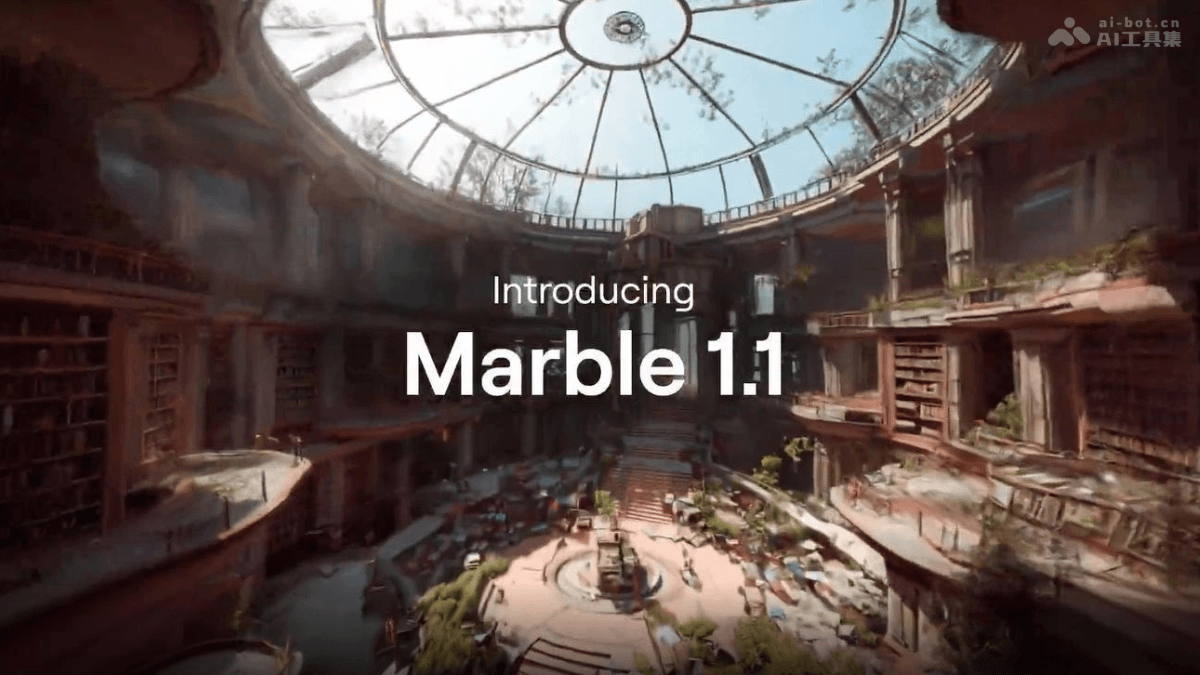
Marble 1.1 is a new-generation generative world model launched by Fei-Fei Li's World Labs, focused on image quality optimization. The model can transform a single image, video, or panorama into a freely explorable immersive 3D scene, significantly improving lighting effects and contrast, greatly reducing visual flaws such as overexposure and washed-out appearance, and delivering richer and more realistic color performance. Compared with Marble 1.1-Plus, which focuses on spatial expansion (generating larger but slightly blurrier scenes), 1.1 provides higher-quality generation results with the cost-effectiveness of a fixed 1500 credits per run. Marble 1.1 has replaced 1.0 to become the new default model, making it suitable for scenarios such as interior design and game scene reconstruction that require high-quality 3D visualization.
Main Features of Marble 1.1
- 2D to 3D World Generation: Transform a single image, video, or panorama into a freely explorable immersive 3D scene, with support for multi-view photo input to construct a complete space.
- Image Quality Enhancement and Optimization: Significantly improve lighting effects and contrast, greatly reduce overexposure, washed-out appearance, and visual artifacts, and generate images with richer colors and clearer details.
- 360° Spatial Reconstruction: Based on "spatial intelligence" technology, create a 360-degree interactive environment with a realistic sense of space, allowing users to freely switch viewpoints within the generated world.
- Rapid Prototyping: Generation takes only 3-5 minutes, making it suitable for interior designers and game developers to quickly transform concept art into a walkable 3D space.
How to Use Marble 1.1
- Visit the official website: Go toMarbleregister an account. New users can receive thousands of credits upon registration (supporting about 4 free generations).
- Choose input: On the creation page, choose "2D input" to upload images/videos/panoramas (up to 8), or choose "3D input" to use the Chisel tool to build a geometric layout yourself.
- Select model: In the dropdown menu, select "Marble 1.1" (the officially recommended default option). This model focuses on image quality improvement and lighting optimization.
- Generate world: Enter a text prompt to describe the scene, click the Create button, and wait 3-5 minutes to obtain a 3D scene that can be freely explored in 360°.
- Post-editing: Use the panorama editing feature to select an area and enter a new prompt to modify details, or use the paid Expand feature to seamlessly extend the world beyond its original boundaries.
- API integration: When developers call the API, set the model parameter to "marble-1.1" to integrate the model's 3D generation capabilities into applications.
Key Information and Usage Requirements for Marble 1.1
- Product positioning: A generative world model launched by Fei-Fei Li's World Labs, focused on image quality optimization (compared with 1.1-Plus, which focuses on spatial expansion), and has replaced 1.0 to become the official default recommended model.
- Core capabilities: Transform single/multiple images, videos, or panoramas into immersive 3D scenes that can be freely explored in 360°, significantly improving lighting and contrast and reducing visual flaws such as overexposure/washed-out appearance.
- Pricing: 1500 credits per run (fixed cost, same price as the previous generation, with better cost-effectiveness); new users receive thousands of credits by default upon registration (supporting about 4 free generations).
- Input conditions: Select "2D Input" to upload images/videos/panoramas (up to 8 for enhanced detail), or use "3D Input" (Beta) to build your own geometric layout with the Chisel tool.
Core advantages of Marble 1.1
- Leap in image quality: The model significantly improves lighting and contrast, greatly reducing overexposure, washed-out colors, and visual artifacts, with richer colors and more realistic lighting.
- Upgraded cost-effectiveness: Delivers higher-quality output at a fixed cost of 1,500 credits per generation (the same price as the previous generation). New users receive thousands of credits upon registration (enough for about 4 free generations).
- User-friendly experience: Generation takes only 3-5 minutes, and it has been set as the official default recommended model. No need to trade off between image quality and spatial size, making it suitable for applications such as interior design and game scene reconstruction that pursue detail.
Comparison of Marble 1.1 with similar competitors
| Dimension | Marble 1.1 (World Labs) | Blockade Labs Skybox AI | Luma AI (Gaussian Splatting) |
|---|---|---|---|
| Core positioning | Generative World Model | 360° panoramic environment generator | 3D scene reconstruction and NeRF rendering |
| Input method | Single/multiple images, videos, panoramas | Text prompts, sketches, or reference images | Video scans, photo sequences |
| Output form | Freely explorable 3D scene (similar to a game engine) | 360° static/dynamic panorama (Skybox) | High-fidelity 3D model or scene (Gaussian Splat) |
| Interactivity | High – Supports 360° roaming and free viewpoint movement | Medium – Only allows looking around, no position movement | Medium – Surround viewing, with partial depth movement support |
| Generation focus | Spatial extension and lighting consistency | Skybox and background environment | High-precision reconstruction of real scenes |
| Detail fidelity | Excels at handling indoor lighting and material details | Excels at distant views and atmosphere rendering | Excels at millimeter-level reproduction of real-world objects/scenes |
| Typical scenarios | Interior renovation, game level prototypes, virtual photography | Game skyboxes, VR backgrounds, concept art | Cultural relic digitization, real estate scanning, e-commerce display |
| Usage barrier | Directly usable on the web, output in 3-5 minutes | Instant generation on the web | Requires uploading scan videos, longer processing time |
Application scenarios of Marble 1.1
- Interior design: Transform room photos into walkable 3D spaces. Designers call it a "dream tool," suitable for home decoration presentation and space renovation previews.
- Game development: Quickly build game level prototypes such as Minecraft-style scenes, boxing arenas, and escape rooms, with support for 360° viewpoint exploration.
- Architecture and real estate: The model generates complex architectural interior spaces such as castles and libraries from photos, restoring realistic lighting and material details, for virtual home tours or architectural visualization.
- Film and Content Creation: Recreate film and television scenes such as "The Backrooms," or create conceptual scenes like fairy-tale forests and sci-fi spaces, supporting panoramic video production.
- Virtual Space Reconstruction: Transform photos of real studios and office spaces into "parallel version" 3D environments, enabling multi-dimensional reconstruction and creative transformation of spaces.