
What is Mage
Mage is a AI imageandvideo generationplatform, requiring no installation and allowing unlimited creation. The platform's core models include the flagship image model Mango and the video model Cherry, supporting character consistency, video editing,lip syncand other tools. The platform has 160+ built-in models, and Pro users can unlock video generation and custom model import, meeting the full-chain creation needs from concept design to AI video.
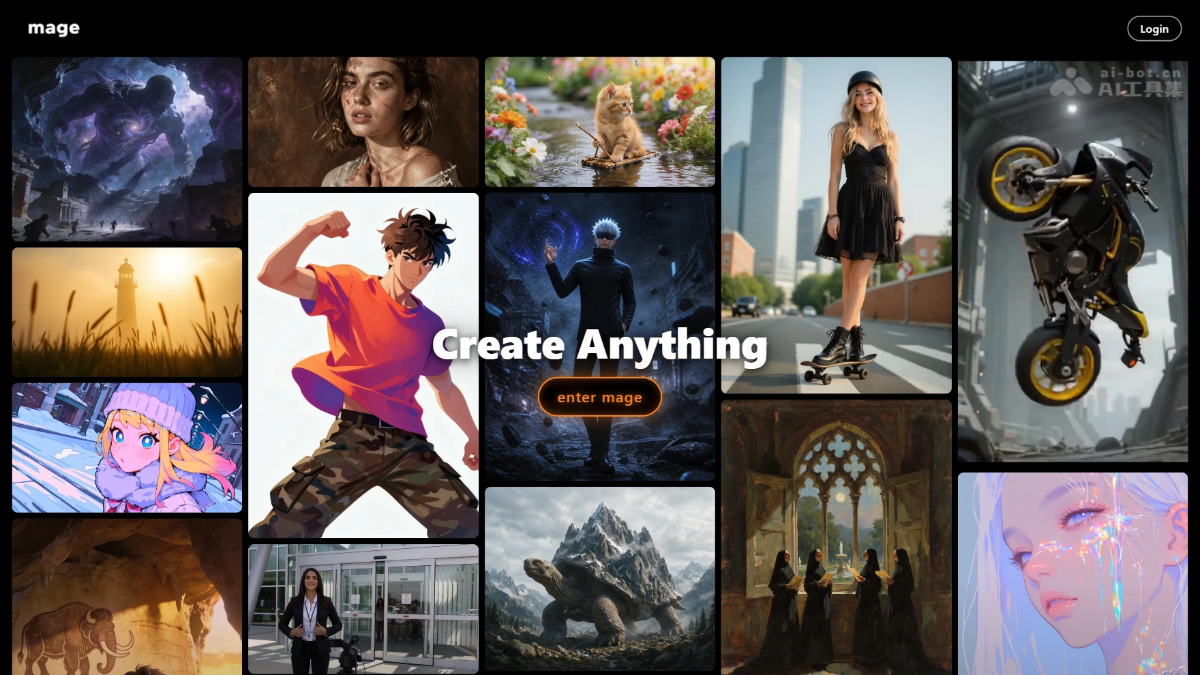
Mage's main features
-
AI image generation: Based on the self-developed Mango model and 160+ community models, supports high-quality image generation from text/images.
-
AI video generation: Through the Cherry model, achieves text or image to video conversion, supporting dynamic scene creation.
-
Character consistency: Character Builder supports uploading reference images, maintaining consistent character face and body shape in all subsequent generations.
-
Image refinement and enhancement: Refine and Image Enhancer can optimize details and increase resolution up to 2048×2048.
-
Video editing and enhancement: Video Enhancer and Video Editor support video quality improvement and post-editing processing.
-
Lip sync: The Lipsync feature precisely matches audio with video character mouth movements, suitable for virtual character dubbing.
-
Custom model import: Pro Plus/Max users can import community models such as SD1.5, SDXL, LoRA, expanding creative freedom.
How to use Mage
- Account and entry point: Visit the Mage official website https://www.mage.space/ to sign up and log in, and start unlimited generation.
- Select creation type: On the homepage or Create page, select the creation type: Image, Video, or Audio.
- Choose generation model: Choose a generation model from the model library; Mango is recommended for images, and Cherry for videos.
- Enter creation instruction: In the input box, describe the scene content in text, or upload a reference image/character image to assist generation.
- Adjust generation parameters: Adjust generation parameters (such as size, steps, CFG, seed value) to finely control the output effect.
- Execute generation: Click the generate button and wait for queue processing; once complete, view, download, or continue editing in your works.
- Character consistency: If you need to maintain character consistency, first upload a reference image in Characters, then call that character during generation.
- Post-optimization: After generation, you can further optimize the work through Apps such as Image Enhancer, Video Editor, and Lipsync.
Mage's core advantages
- Zero-threshold creation: Log in through the browser to generate unlimitedly, without a local GPU or installing any software.
- Open model ecosystem: 160+ built-in models, and Pro Plus and above support importing community models such as SD1.5, SDXL, LoRA.
- Self-developed flagship dual-model: The Mango image model matches Midjourney's photorealism, and the Cherry model supports high-quality video generation.
- Character Consistency: Character Builder uploads a single reference image to keep the character consistent across unlimited image and video generations.
- Full-Chain Toolbox: Integrates vertical Apps such as image retouching, video enhancement, video editing, and lip sync to complete creation in one stop.
- Free for Commercial Use: The free version outputs without watermarks and explicitly grants commercial usage rights.
- Ultra-Fast Concurrency: Fast Mode provides 5-15x acceleration and supports 1x/2x/4x concurrency tiers.
Comparison of Mage with Similar Competitors
| Comparison Dimension | Mage.space | Leonardo.ai |
|---|---|---|
| Positioning | Browser-based unlimited creation platform, emphasizing an open model ecosystem and character consistency | Professional concept art and game asset design platform, emphasizing high-quality SFW output |
| Image Models | Self-developed Mango V2 + 160+ community models, supports custom import | Self-developed models + Alchemy high-definition rendering, supports users training exclusive models |
| Video Generation | Supports Cherry video model, Video Enhancer, Lipsync | Supports Motion video generation, but the video editing toolchain is relatively limited |
| Character Consistency | Character Builder supports maintaining character consistency across images/videos | Supports character reference, but cross-media consistency tools are not as complete as Mage's |
| Usage Barrier | Ready to use in the browser, unlimited generation in the free version | Registration required, free version has daily credit limits |
| Commercial License | The free version includes watermark-free commercial licensing | The free version can be used commercially, but some advanced features require payment to unlock |
| NSFW Support | Unlockable starting with the Pro plan ($15/month) | The platform is mainly SFW, with limited NSFW support |
Mage Application Scenarios
- Illustration Creation: Artists and designers can use Mage to generate unique illustrations, suitable for books, magazines, advertisements, and more.
- Product Design: Used to quickly generate product concept images, helping teams visualize during the design phase.
- Social Media Content: Content creators can use Mage to generate engaging visual content and boost social media interaction.
- Advertising and Marketing: Create unique visual effects for advertising campaigns to enhance brand promotion.
- Education and Training: Teachers and students can generate custom images to support learning materials and presentations.
- Game Development: Game designers can generate concept art for characters, scenes, and props to enrich the game world.