
The question everyone asks most is still: what can AI actually do?
With the goal of helping everyone truly put AI to use, surfing the web every day~
Recently, while scrolling through X, I found that Lovart has released something great again!
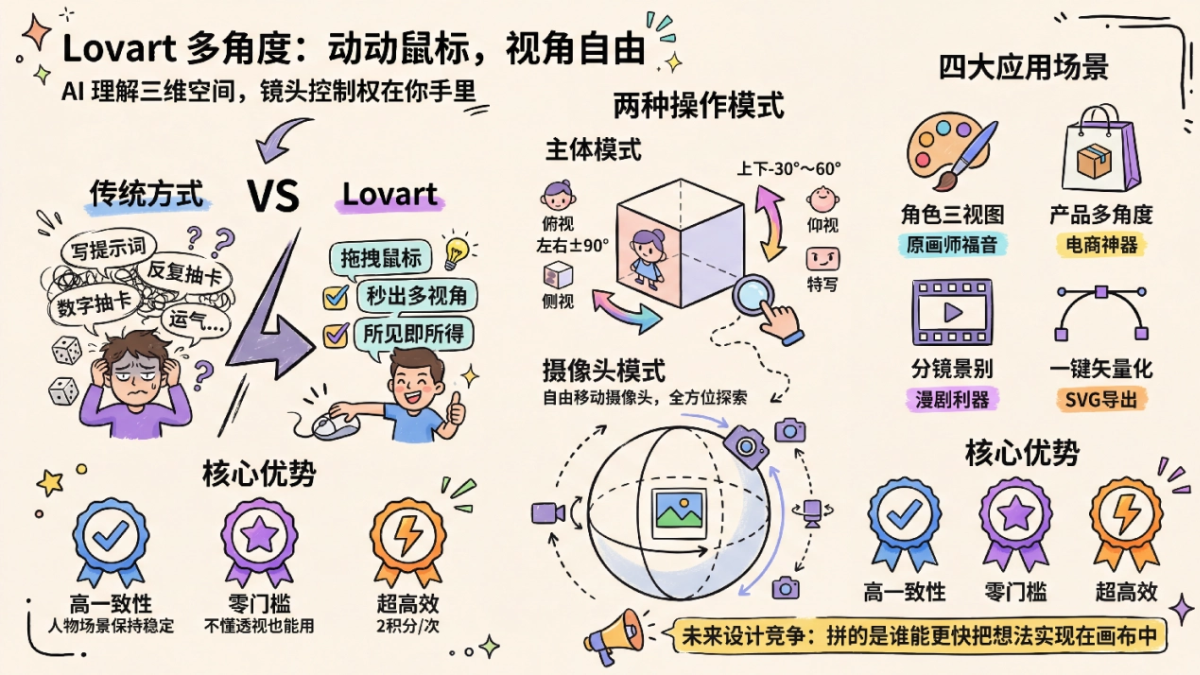
In Lovart's infinite canvas, with any image, we can simply click a few times with the mouse and directly switch to eye-level, top-down, side, close-up, and many other angles.。
AI is no longer just about generating 2D images; it can truly understand the 3D spatial relationships behind the image.
First, let's feel the shock brought by the official demo:
Did you notice? The whole process doesn't require racking your brain to write prompts or roll for outputs. We just need to, like playing a 3D game, simply drag and rotate the image subject or adjust the virtual camera, and the perspective switch is completed smoothly.
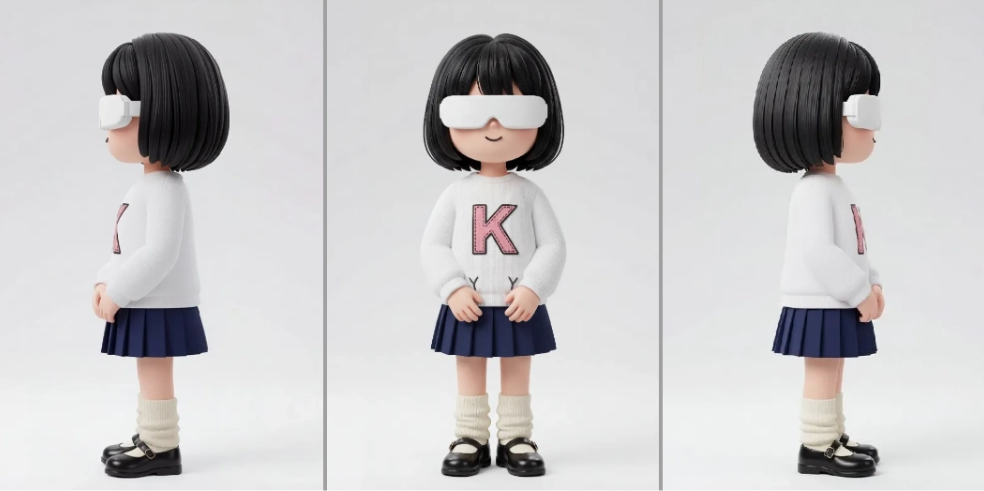
Move the mouse, and the multi-view of a character that original artists dread most appears in seconds:
For e-commerce design, multi-angle product displays can be done in minutes。
Generating different shot sizes and camera positions for AI comic drama storyboards is also a piece of cake:
It is no exaggeration to say that,Lovart has put the "camera control" of AI image generation into each of our hands。
Without further ado, in today's article, let's test and experience together just how amazing Lovart's new feature is!
01. N Perspectives from One Image
We create a new project in Lovart.
Official website:https://www.lovart.ai
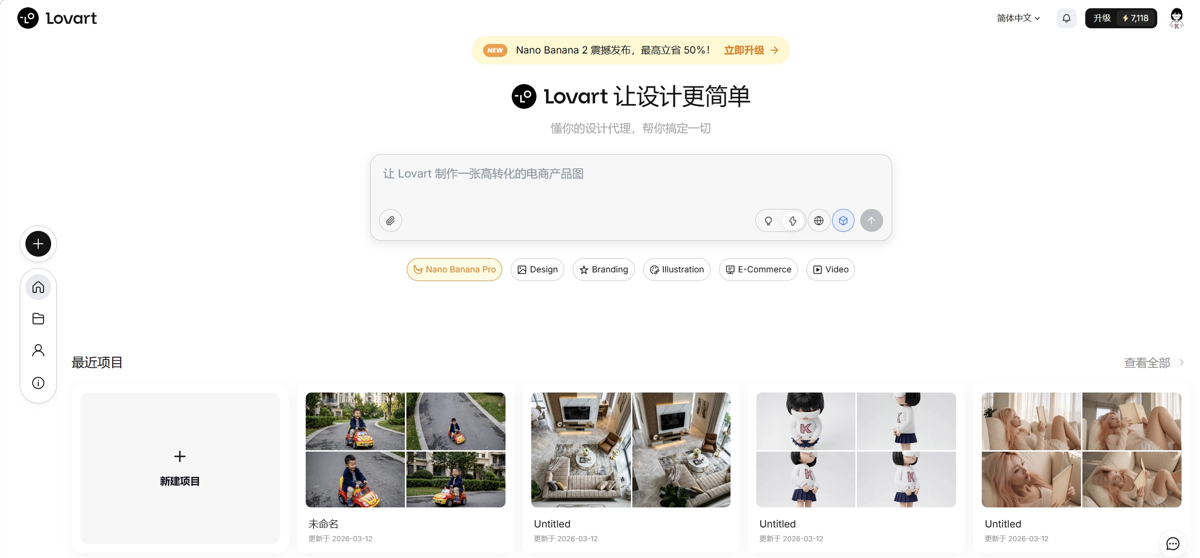
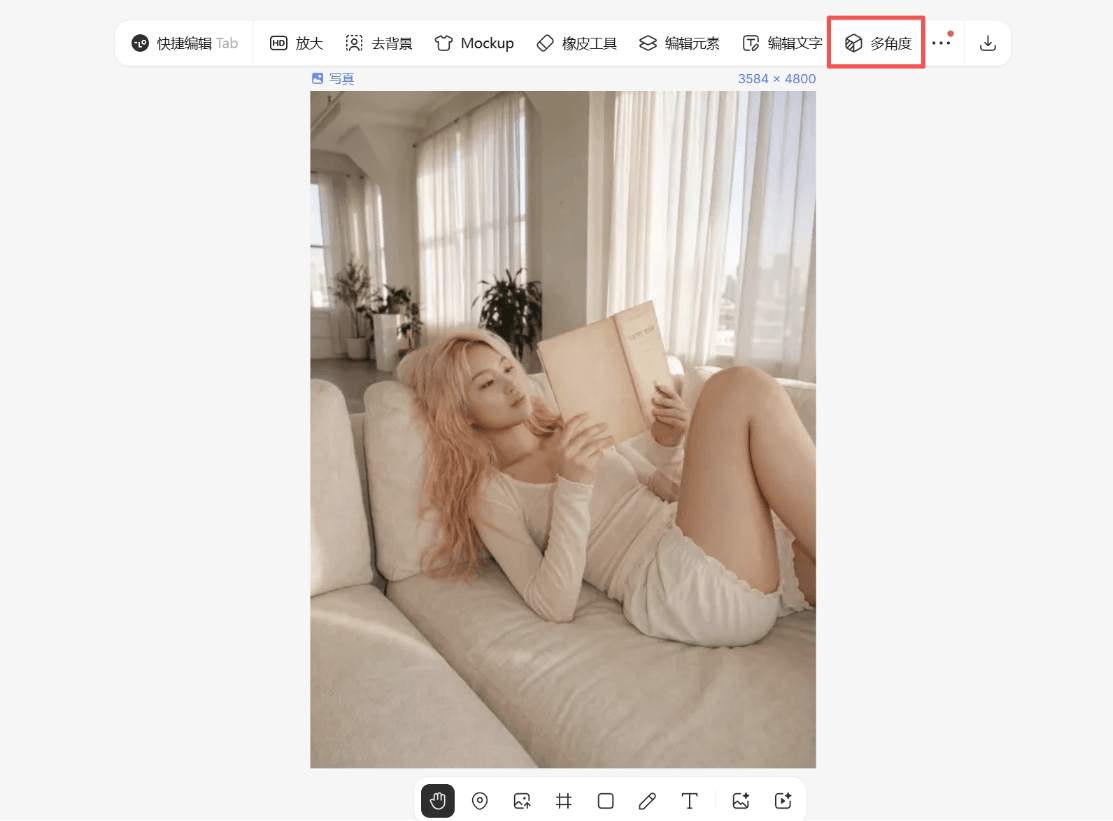
In the infinite canvas, we can select any image, whether it was just generated with Lovart or a photo we uploaded ourselves.
After selecting the image, directly click the new feature above:Multi-Angle。
Here, Lovart provides two minimalist operation modes:
Subject Mode
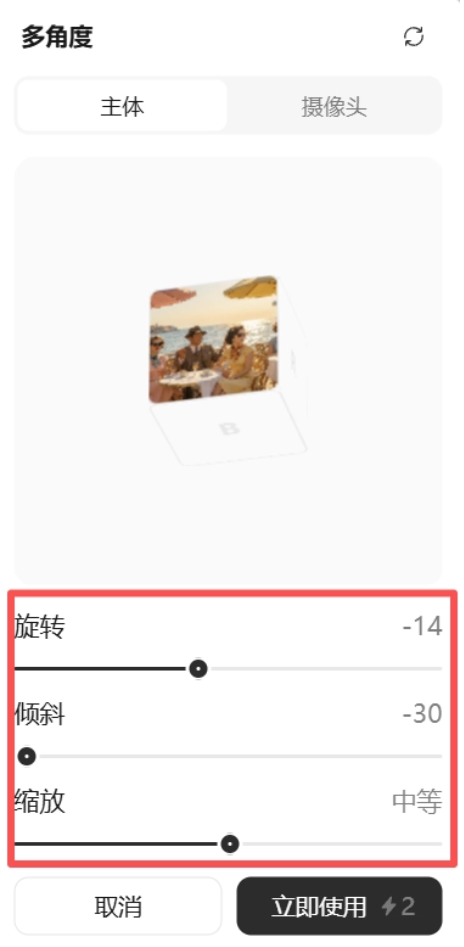
In Subject Mode, our image is like being pasted on one face of a 3D cube. We drag the cube with the mouse to change the angle of the subject in the image, WYSIWYG~
This may sound a bit abstract; watch this video and you'll understand:
When the face with the image on the cube is facing us, that is the current perspective.
If we turn the face with the image downward, we can generate a top-down view. If we push the image upward, we will generate a bottom-up view. (Both top-down and bottom-up perspectives are based on the current image.)
Isn't it super simple?
No need to understand perspective, and no need to write prompts. From one flat image, you can split out images from many perspectives, costing only 2 credits each time~
The best part is that the consistency of characters and scenes is maintained very well.
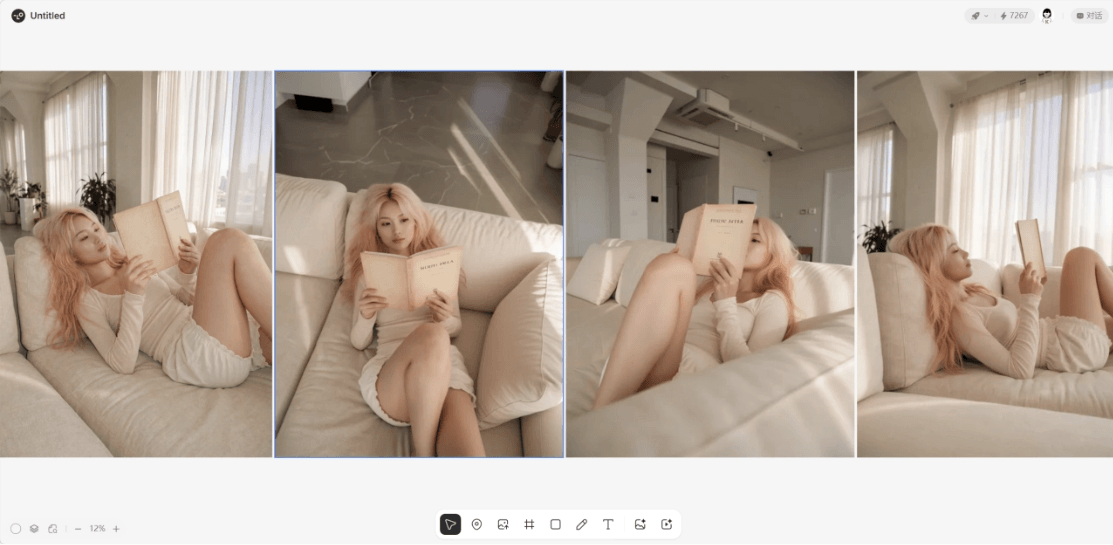
The adjustment range of perspectives is also very wide, supporting left and right rotation of plus or minus 90°, and vertical tilt from -30° to plus 60°.
While adjusting the perspective, it also supports zooming to generate close-up or wide-angle shots.
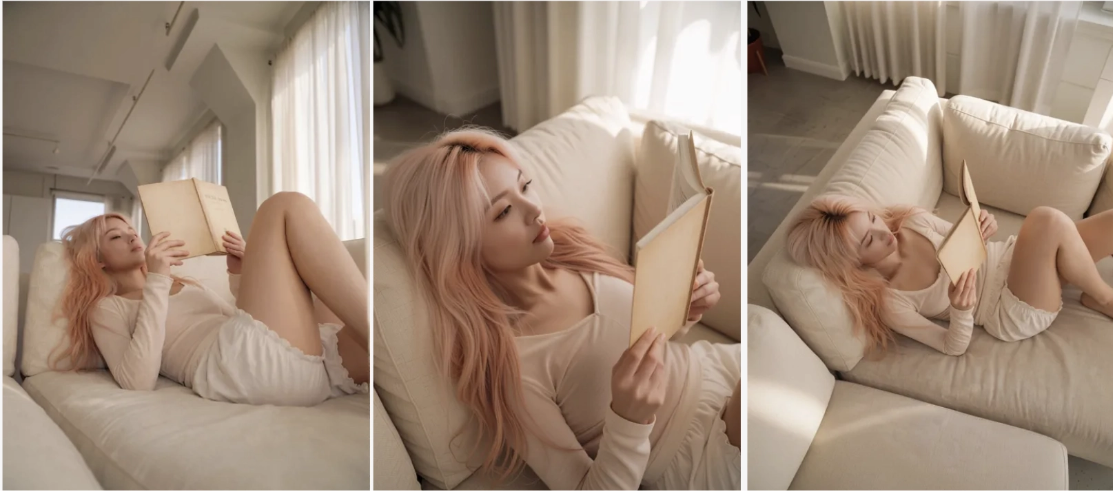
With the multi-angle feature, using AI to make three-view drawings no longer requires struggling with complex workflows; just a few mouse swipes will do.
Camera Mode
We select an image in the canvas and choose the multi-angle feature. This time, let's switch to Camera Mode and try it.
In Camera Mode, there is a small sphere. The original image is the center of the sphere, and we can control the virtual camera to move on the surface of the sphere, just like we personally stand in various perspectives of the original image to take photos.~
Let's test it with an indoor overhead shot:
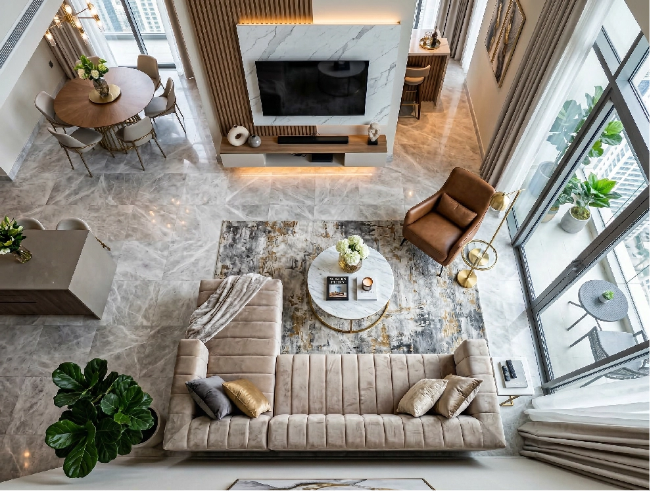
We rotate the virtual camera, and Lovart can automatically imagine more viewpoints of the living room.
The multi-view feature is simply an efficiency boon in e-commerce scenarios.
In the past, we had to do our own lighting, set design, and find angles, and photographing a single product would take half a day. Now we provide one product image, and by moving the virtual camera, Lovart can directly generate product images from various angles. The texture is no different from real photography. With so many angles plus close-up shots, it can be done in just a few minutes~
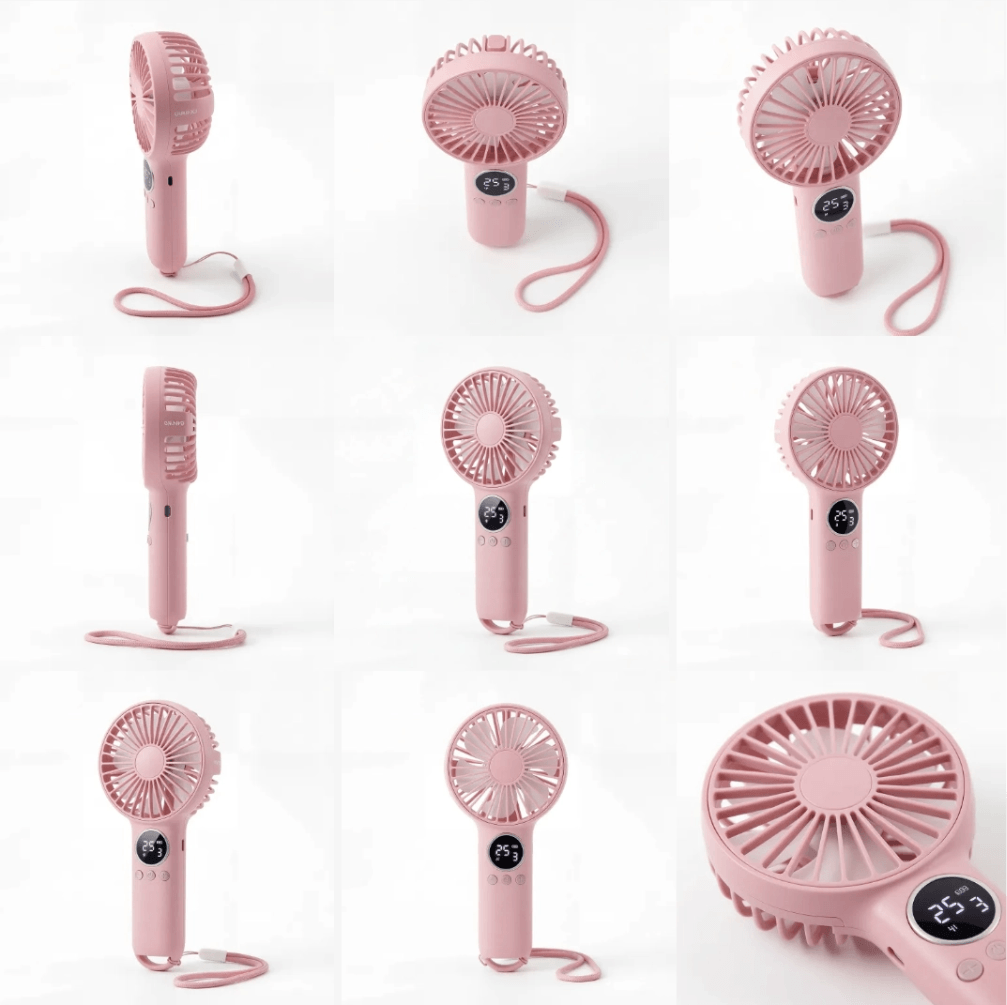
It is equally useful for generating multi-view real-scene images~ In the past, after taking one main image, if we wanted to add side or top-down angles... we often had to rearrange models and locations, and redoing the work not only took time but also cost money.
Now if we have a good-quality base image, Lovart can immediately expand the multi-camera assets we need.
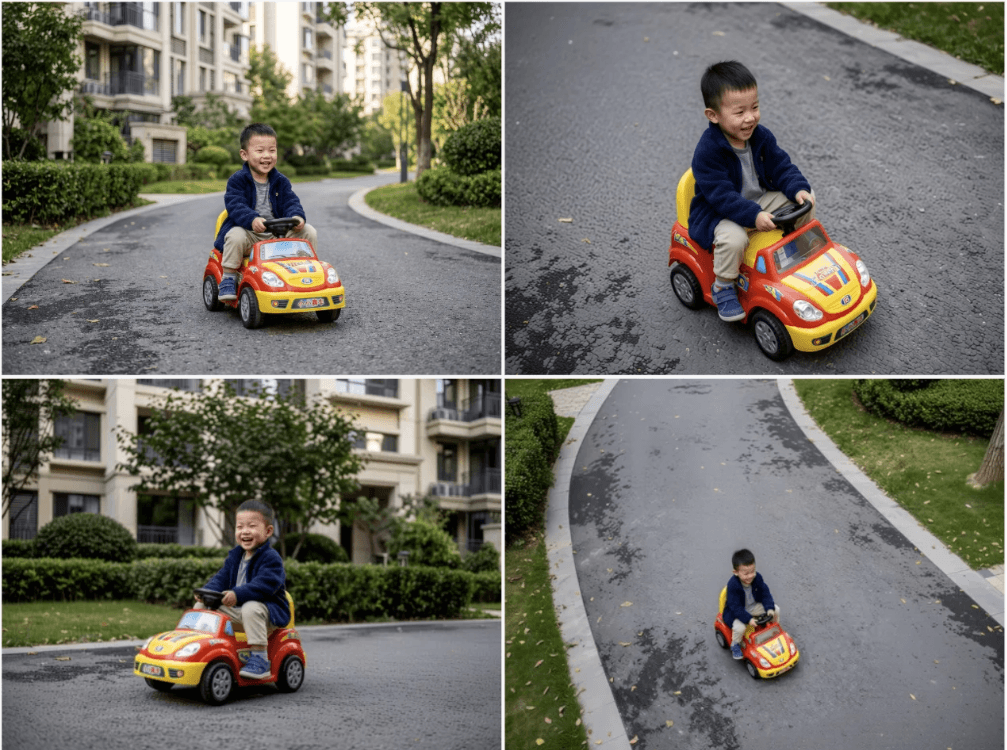
What is even more surprising is that in complex scenes with multiple people in the same frame, Lovart can still maintain very high consistency. The characters' positions, clothing details, height differences, and the scene remain stable during viewpoint transitions.
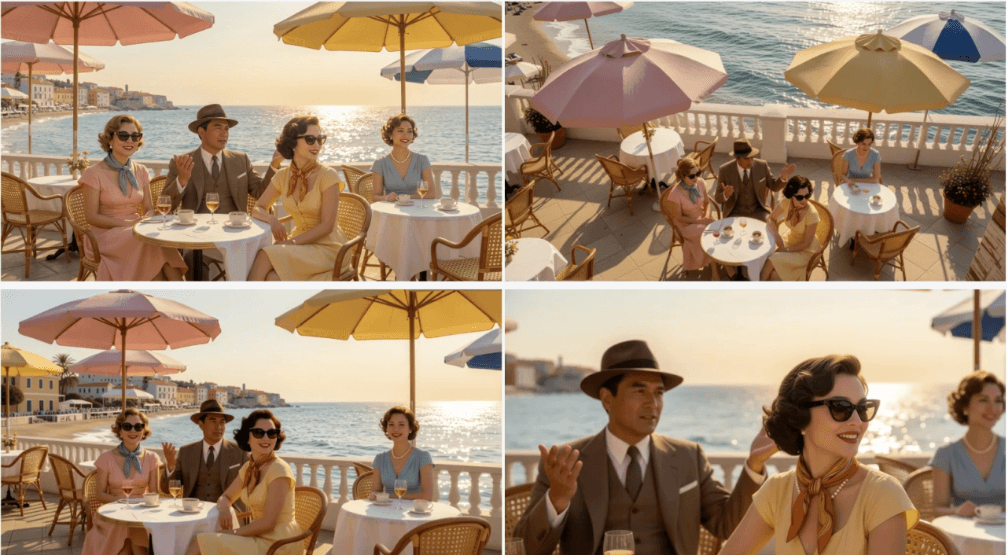
For creators making AI comics, comic dramas, and film storyboards, this is absolutely a dimensional strike!
In the past, to keep a character continuity across different storyboards, it took a long time of repeatedly placing images and debugging. Now?With just one drag and drop, N camera angles of a single frame (close-up, medium shot, wide shot) are immediately available。
(In addition to drag-and-drop operation, both Subject Mode and Camera Mode support directly inputting parameter values, satisfying obsessive designers' need for precise control of viewpoints.)
02. One-click image to SVG
Updated together with multi-angle this time is another essential feature that directly hits designers' pain points—vectorization.
In the past, when we used AI to design logos, the most distressing problem was that the generated output was a PNG image, which would become blurry in certain scenarios.
So after using AI to generate a logo image, we often still had to find a way to convert the image to SVG format. Now, Lovart has directly launched an image-to-vector feature.
After generating a logo image, click the image and select the vector feature.
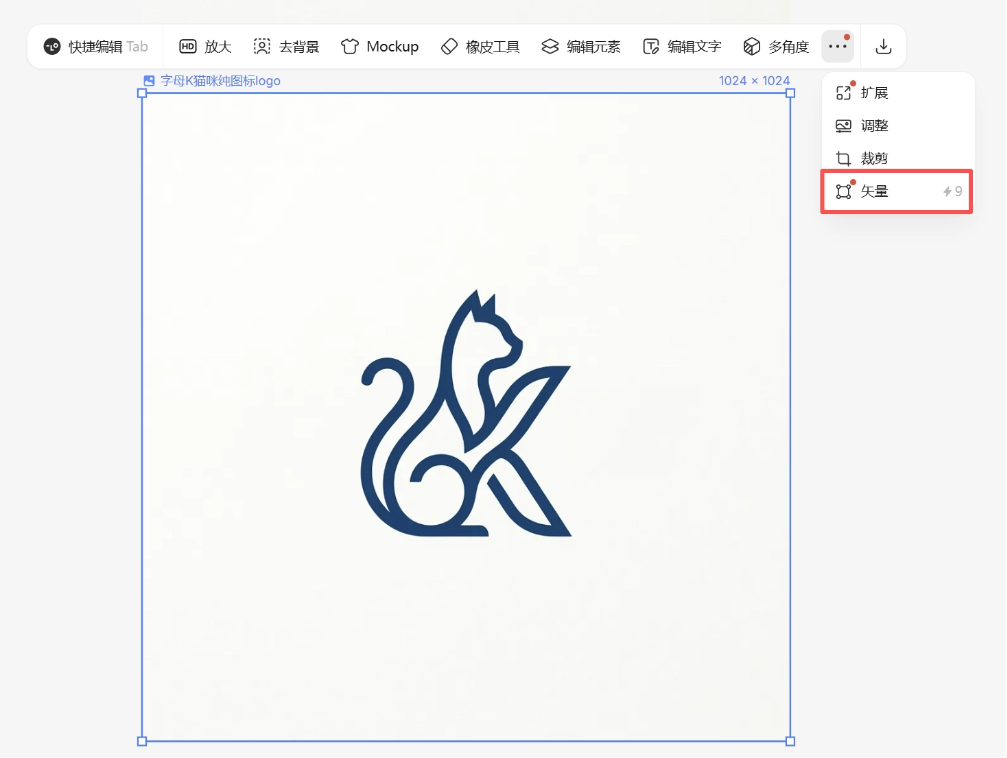
One click converts the image to SVG and supports export. After that, you can enlarge or shrink it freely without worrying about blurriness!
03. Some sharing
Since internal testing began in May last year, Lovart has really surprised us too many times, and is also step by step pushing AI design toward a more mature workflow.
For example, the previous Touch Edit (precise editing)、Edit Elements (element editing)、AI text replacementThese features have greatly enhanced the retouching capability after AI image generation, allowing us to continue adjusting details just like using traditional design tools, and step by step polish AI-generated results into truly usable commercial-grade design works.
The newly launched "multi-angle switching" and "one-click vectorization" features follow the same underlying logic。
Complex visual creation has always been difficult to accomplish through a linear chat box, and Lovart has actually been solving this problem all along the way. While continuously lowering the barrier to use, Lovart also keeps improving the controllability and delivery value of results, making AI design more accurate and more commercially valuable, and thoroughly connecting the "last mile" of the AI design process.
As more and more technical barriers are flattened, our aesthetic judgment, narrative ability, and brand perception are the truly scarcer values.
In the future design competition, it may not necessarily be about who is better at using software or who understands parameters better. More importantly, it is about who can faster and more accurately use AI to reduce ideas to reality on the canvas.
Let's get hands-on and experience it together:https://www.lovart.ai
Original link:Breaking through the "last mile" of AI design, hands-on test of Lovart's new multi-view + vectorization玩法!