
What is Kimu
Kimu (official name Kimu Studio) is an open-source AI video editor by the trykimu team, where you describe your needs in natural language, and AI automatically generates cuts, timing, and layout, while also supporting unlimited tracks, real-time preview, fast export, an intelligent media library, and multiplayer collaboration. The tech stack is React + FastAPI + Remotion, with one-click local deployment via Docker, data ownership, and an AGPL-style open-source license that is completely free; AI features require your own Gemini/Ollama Key, making it suitable for self-media creators, small teams, and enterprises with compliance needs.
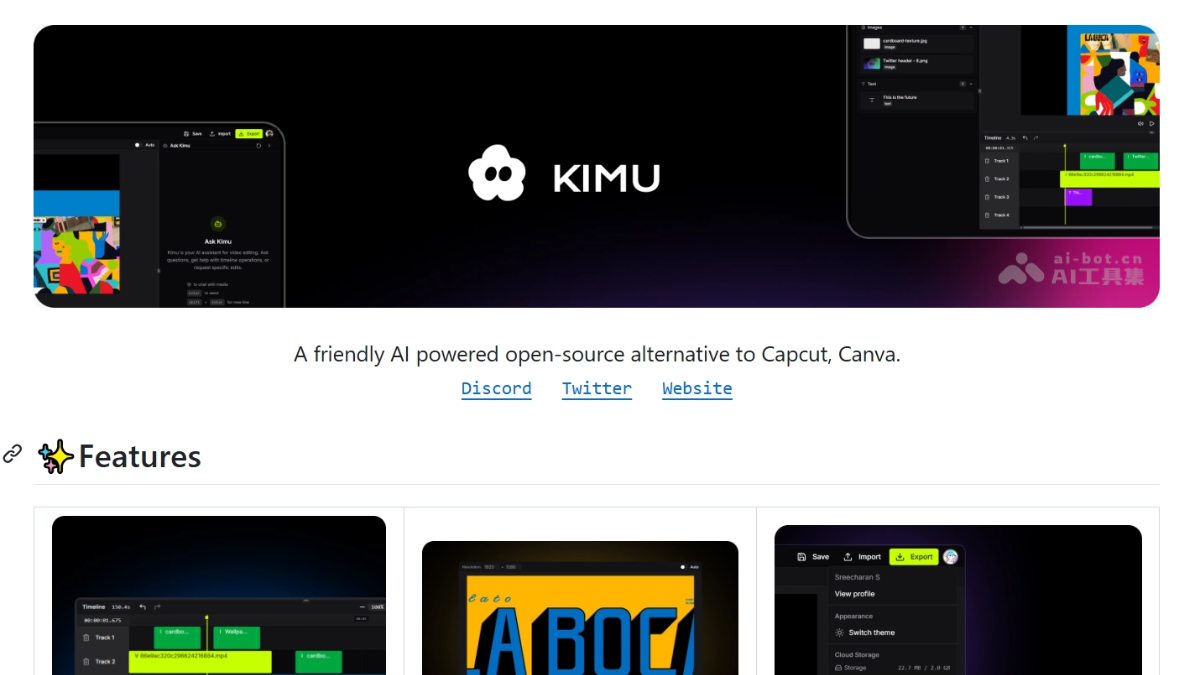
Kimu's main features
-
Advanced multi-track editing: unlimited tracks to overlay video/audio/images/text, with snapping alignment and non-destructive editing.
-
Real-time preview: low-latency rendering based on Remotion Player, every adjustment is immediately visible with no waiting.
-
Fast export: built-in social platform presets (MP4, 4K), supporting smart subtitles and time-limited sharing links.
-
Vibe AI assistant: natural language-driven editing, AI directly generates cuts, timing, and layout.
-
Smart media library: automatically organizes assets by type, tag, and sentiment, supporting version history and inline comments.
-
Cloud sync projects: timelines sync in real time across devices, supporting multiplayer collaboration with visible cursors and changes.
-
Local deployment: one-click self-hosting via Docker, fully data-owned, meeting enterprise compliance needs.

Follow WeChat and reply "open source" to joinAI Open Source Project Exchange Group
How to use Kimu
- Install dependencies: prepare Node.js 20+, Python 3.12+, pnpm, and Docker.
- Clone the repository: run
git clone https://github.com/trykimu/videoeditor.gitand enter the project directory. - Start services: run
docker compose up -dto automatically launch the frontend, backend, database, and rendering services. - Access the app: open in your browser
http://localhost:8080to use the full functionality. - Connect a large model: in
.env, fill inGEMINI_API_KEYto enable AI editing, or setLLM_PROVIDER=ollamato use a local model for zero cost. - Log in to your account: complete registration and login via Google OAuth.
- Upload assets: import video/audio/images into the media library, and the system will automatically categorize and organize them.
- Issue commands: open the "Ask Kimu" chat box and describe your needs in natural language (e.g., "cut the first 10 seconds and add a fade-in").
- Real-time preview: AI-generated results appear immediately on the timeline; dragging and zooming are visible in real time.
- Manual fine-tuning: Refine details on unlimited tracks; all edits are non-destructive and traceable.
- Render final cut: Choose MP4/4K and other presets for one-click export, or generate a time-limited share link to send to your team for review.
Kimu's core advantages
- Natural language editing: Replace tedious clicking with chat; AI directly generates cuts, timing, and layout, with an extremely low barrier to entry.
- Completely open source and free: Licensed under an open source license, core features are zero-cost and not cut down, so individuals and small teams can use it with confidence.
- Controllable local deployment: One-click self-hosting with Docker; your media and data remain fully yours, meeting enterprise data compliance requirements.
- Real-time WYSIWYG: Low-latency rendering based on Remotion; every adjustment previews instantly, saying goodbye to render progress bars.
- Video as code: Remotion's declarative architecture makes templates programmable and parameterizable for batch generation, and allows developers to deeply extend the code.
- Multi-user online collaboration: Cross-device cloud sync + cursors/changes visible in real time; teams can review together without sending files back and forth.
- Flexible AI costs: Supports Gemini pay-as-you-go or Ollama running locally for free, so monthly costs can be pressed close to zero.
Kimu's project address
- GitHub repository:https://github.com/trykimu/videoeditor
Comparison of Kimu and similar competitors
| Comparison dimension | Kimu | CapCut AI Suite |
|---|---|---|
| Team | trykimu (open source community team) | ByteDance |
| Product nature | Open source software, can be self-deployed with Docker | Closed-source commercial SaaS, online + client |
| AI interaction method | Directly operate the timeline with natural language in a chat box ("cut the first 10 seconds and add a fade in") | Prompt-based content generation + semi-automatic tools (AutoCut, AI Clipper) |
| Scope of AI capabilities | Editing instruction understanding (trimming, subtitles, transitions, layout) | More generative: script-to-video (AI Story Maker), text-to-video/image (integrated with Seedance 2.0), AI music, 1000+ digital humans, lip sync |
| Digital human/Avatar | ❌ None | ✅ 900~1000+ digital humans, supports generating talking characters from photos and voice cloning |
| Editing depth | Unlimited tracks, non-destructive editing, timecode-level fine-tuning | Mainly template-driven; professional multi-track fine-tuning is weaker |
| Price | Open source and free; AI requires your own key (Gemini pay-as-you-go/Ollama free) | Free version has only basic AI; the full AI suite is locked behind Pro, about $19.99/month (about 200 AI credits/month) |
| Data ownership | Local deployment, materials are entirely self-owned | Cloud processing, assets stored on the platform |
| Customizability | React + FastAPI full-stack open source, supports deep secondary development | Closed source, only official features available |
Kimu's application scenarios
-
Daily short video updates for self-media: AI completes the rough cut, trimming talking-head segments and removing silence; creators only need 90 minutes for fine-tuning, greatly compressing 6 hours of work.
-
Rapid Vlog production: After uploading materials, give voice commands to "cut out pauses and add transitions and subtitles," suitable for high-frequency travel and lifestyle bloggers.
-
Small team collaborative review: Marketing teams can co-edit in real time, with cursors and changes visible in sync; brand videos no longer require back-and-forth file transfers, and versions can be rolled back.
-
Enterprise training and compliance production: Local deployment for industries with data compliance requirements such as finance and healthcare, so sensitive materials never leave the company intranet.