
What Is Kimi Claw
Kimi Claw is a cloud AI agent service launched by Moonshot AI, and is Kimi K2.5 A deep integration solution between large models and the open-source AI Agent platform OpenClaw , representing one of the most cost-effective "model + Agent" combinations currently available. It provides users with automated assistant capabilities similar to OpenClaw, with no local deployment or maintenance required. Users can complete deployment on the Kimi platform within seconds, with no local server or complex configuration required. The assistant is online 24/7 and provides 40GB of cloud storage space by default. It supports powerful reasoning, multimodal processing, and tool-calling capabilities, and can meet the needs of complex tasks.
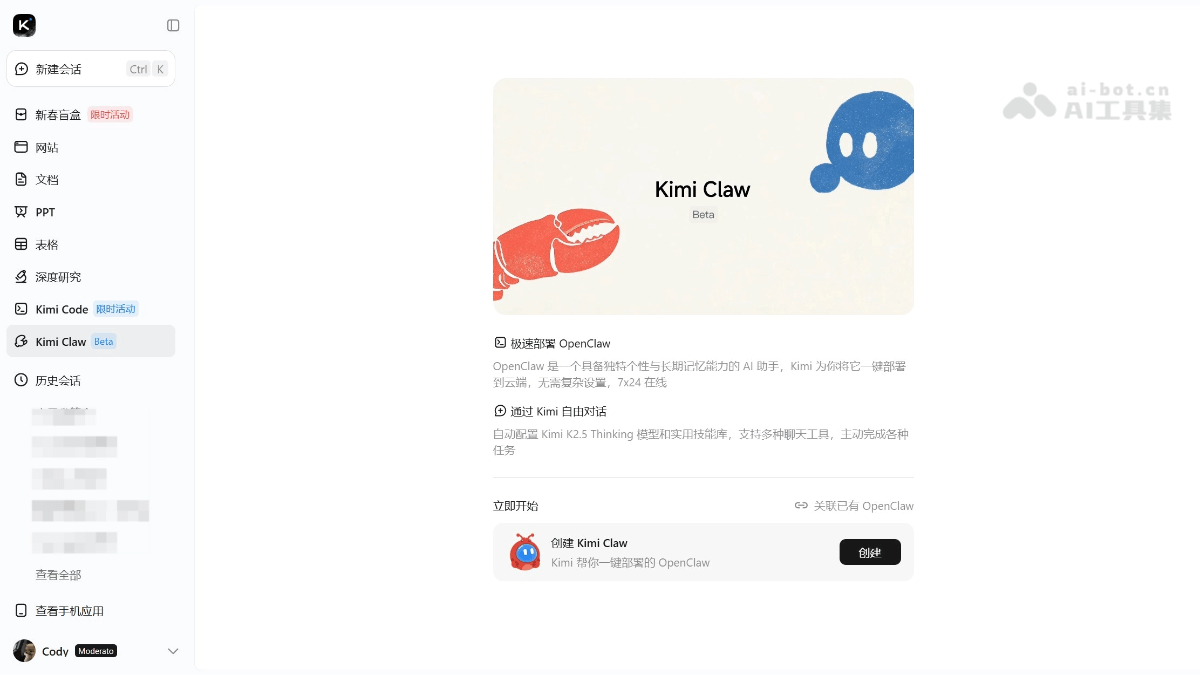
Kimi Claw's Main Features
-
Multi-platform access: Supports connecting Kimi K2.5 to 11+ mainstream communication tools such as WhatsApp, Telegram, Slack, and Discord, enabling cross-platform intelligent conversations.
-
Automated task execution: Configurable automation workflows such as scheduled tasks, content publishing, and message replies, improving personal and team efficiency.
-
Self-hosted deployment: Supports local or private server deployment, with data staying on the local machine, ensuring privacy and data security.
-
Free quota support: OpenClaw officially provides a free usage quota for Kimi K2.5, allowing high-performance AI Agents to run at zero cost.
-
Low cost, high performance: Kimi K2.5's output cost is only 1/8 that of Claude Opus, and it performs better on Agent and coding tasks.
-
One-click quick configuration: Through
npm install -g openclawand a simple wizard-style configuration, deployment and launch can be completed in 5 minutes.
How to Use Kimi Claw
- Access Kimi, visitKimi Intelligent Assistant, and select Kimi Claw from the left navigation.
-
Get an API Key: Go to the Moonshot AI open platform, register an account, and create an API Key for calling the Kimi K2.5 model.
-
Install OpenClaw: Run in the terminal
curl -fsSL https://openclaw.bot/install.sh | bashornpm install -g openclaw@latestto complete installation. -
Start the configuration wizard: Run the
openclaw onboardcommand, and follow the prompts to select Moonshot AI (Kimi K2.5) as the model provider. -
Enter the API Key: During configuration, paste the API Key obtained from the Moonshot AI platform to complete model authorization.
-
Choose a communication platform: Choose to connect channels such as WhatsApp, Telegram, Slack, Discord, Feishu, or DingTalk as needed.
-
Complete QR code binding: Follow the instructions to complete QR code or Token binding for the corresponding communication tool, and then you can start chatting.
-
Configure automated tasks(optional): Use OpenClaw's task orchestration feature to set up automated workflows such as scheduled reminders and content publishing.
Kimi Claw's Application Scenarios
-
Personal intelligent assistant: As a 24-hour online personal assistant, it handles daily matters such as schedule reminders, information queries, and email drafting.
-
Automated community operations: Connects to WeChat groups, Telegram channels, etc., to implement community management such as automatic replies, content push, and user Q&A.
-
Development-assisted programming: Leverage Kimi K2.5's coding capabilities to assist with development tasks such as code review, bug fixing, and technical documentation generation.
-
Content Creation and Publishing: Automate article writing, layout editing, and one-click publishing to content platforms such as WordPress and WeChat Official Accounts.
-
Cross-Platform Customer Service Bot: Deploy to channels such as corporate websites, DingTalk, and Feishu to provide 24/7 intelligent customer service support.
-
Knowledge Base Q&A: Build a private knowledge base based on local documents to enable intelligent retrieval and Q&A for internal enterprise materials.