
What is Kilo CLI 1.0
Kilo CLI 1.0 is an open-source command-line tool launched by Kilo Code , designed specifically for agentic engineering. The tool is built on OpenCode and supports 500+ AI models, allowing developers to freely choose models based on task requirements. The tool delivers a seamless cross-platform experience, shares configuration with VS Code and JetBrains plugins, and supports SSH remote development scenarios. The terminal-native design of Kilo CLI 1.0 enables engineers to use AI-assisted programming in any environment。
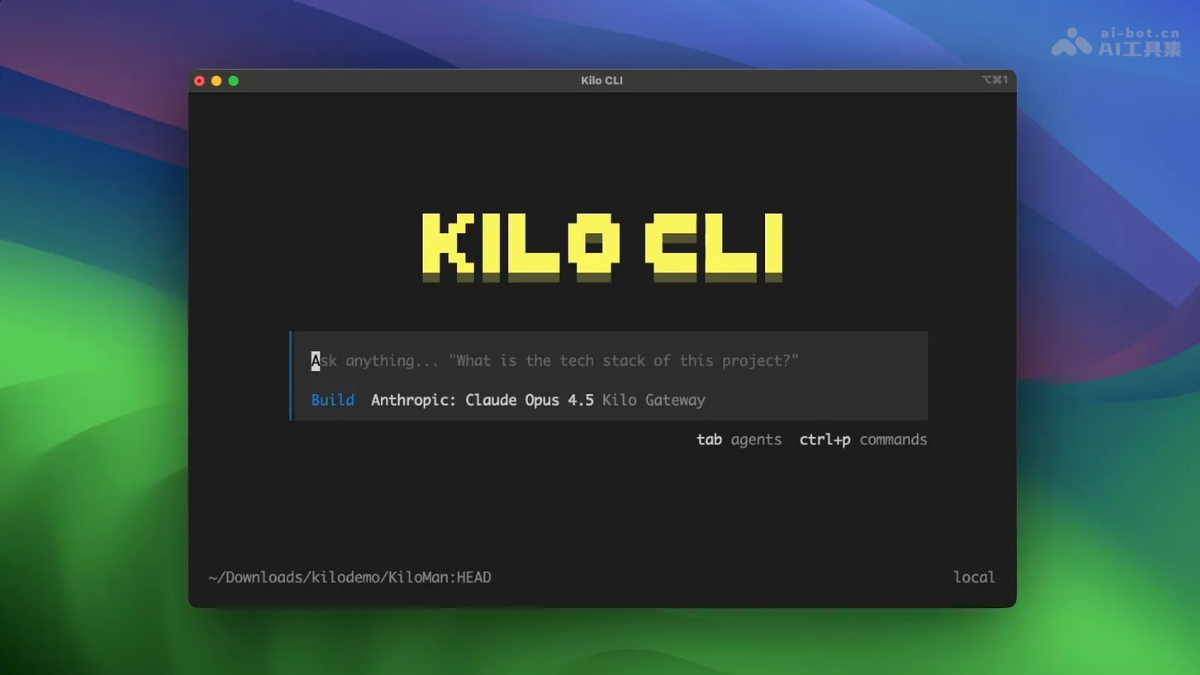
Main Features of Kilo CLI 1.0
- Free Model Selection: Connects to 500+ AI models, allowing developers to flexibly switch between different models based on task requirements and independently balance cost, latency, context length, and reasoning capability, avoiding vendor lock-in.
- Terminal-Native Experience: Designed specifically for the command-line environment and supports use over SSH connections to remote servers, ensuring engineers get full AI-assisted programming capabilities in pure terminal scenarios.
- Cross-Platform Synchronization: Shares user configuration and session state with VS Code and JetBrains plugins, enabling seamless switching between different development environments and continuing previous work anytime, anywhere.
- Fully Open Source: Built on the OpenCode project and released under the MIT License, with code that can be freely viewed, modified, and integrated.
- Agentic Workflows: Supports features such as AI code review, session sharing, and remote execution with Cloud Agents, covering the complete development lifecycle from coding to deployment.
Technical Principles of Kilo CLI 1.0
- Open-Source Foundation Architecture: Kilo CLI 1.0 builds its technical foundation on the OpenCode open-source CLI. OpenCode is an MIT-licensed, terminal-native agentic coding tool that provides a high-performance TUI foundation, enabling Kilo to directly leverage its mature terminal interaction capabilities.
- Model-Agnostic Platform Integration: The tool is deeply integrated with Kilo's model-agnostic platform, connecting to 500+ AI models through a unified abstraction layer and supporting developers in dynamically switching between models from different providers within a single session; the system automatically routes to the optimal inference endpoint based on task requirements.
- Client-Server Architecture: It adopts a client-server architecture design, with the OpenCode server as the core local runtime and Kilo CLI as the front-end interaction layer. The two communicate through standardized protocols, and the separated architecture supports future expansion of remote execution and cloud agent capabilities.
- Cross-Platform State Synchronization: Cross-device state synchronization is achieved through the Kilo platform's central service. Users' configuration preferences, conversation history, and workspace context remain consistent in real time across the CLI, VS Code, and JetBrains plugins, ensuring developers can seamlessly continue their workflows from any entry point.
How to Use Kilo CLI 1.0
- Install globally via npm:
npm install -g @kilocode/cli- Startup: Run in the project directory:
kiloThe tool will automatically detect the code repository and initialize the environment.
Kilo CLI 1.0 Project Address
- Project Official Website:https://blog.kilo.ai/p/kilo-cli
Application Scenarios of Kilo CLI 1.0
- Multi-Model Strategy Execution: Dynamically select the optimal model for different tasks, using lightweight models to quickly generate code snippets and strong reasoning models to handle complex architecture design, achieving the best balance between cost and performance.
- Cross-Device Workflow Switching: Start a coding session via CLI on your commute, seamlessly continue in VS Code when you return to your workstation, or share it with teammates via Slack for collaboration, maintaining consistent context throughout.
- Production emergency troubleshooting: Connect directly to production servers via the terminal at 2 a.m., use AI to quickly analyze logs, pinpoint faults, and generate fix plans, without the need to set up a complex development environment.
- Open-source toolchain integration: Built on an MIT-licensed codebase, enterprises can deeply customize CLI behavior and embed it into internal DevOps pipelines or integrate it with other toolchains.