
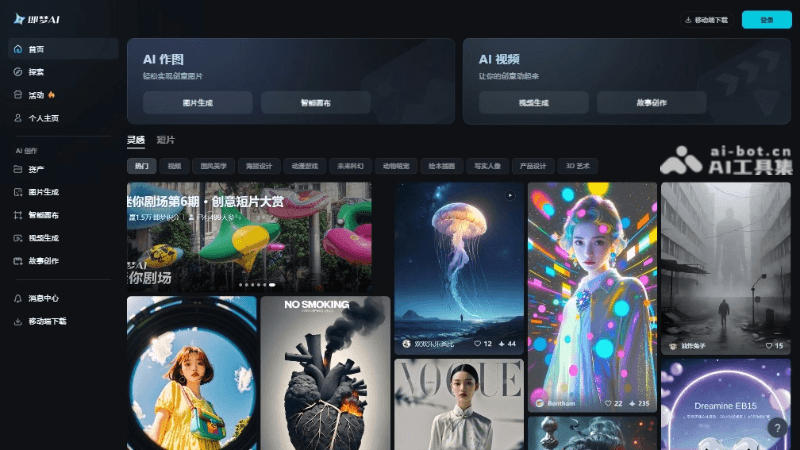
Jimeng AIis a one-stop AI creation platform launched by ByteDance, supportingAI video generationand AI image generation. It supports users in generating high-quality images and videos through natural language or image input. Jimeng AI offers a variety of functions such as AI painting, smart canvas, video generation, and story creation, lowering the barrier to creation and inspiring user creativity. Users can use Jimeng AI's AI video generation feature to input simple copy or images and quickly generate video clips, and the video motion effects are highly coherent, smooth, and natural. This article will introduce how to use browser extensions to download watermark-free images and videos for free without a membership.
 Article Contents:
How to Download Watermark-Free Images
Step 1: Install the Image Assistant extension
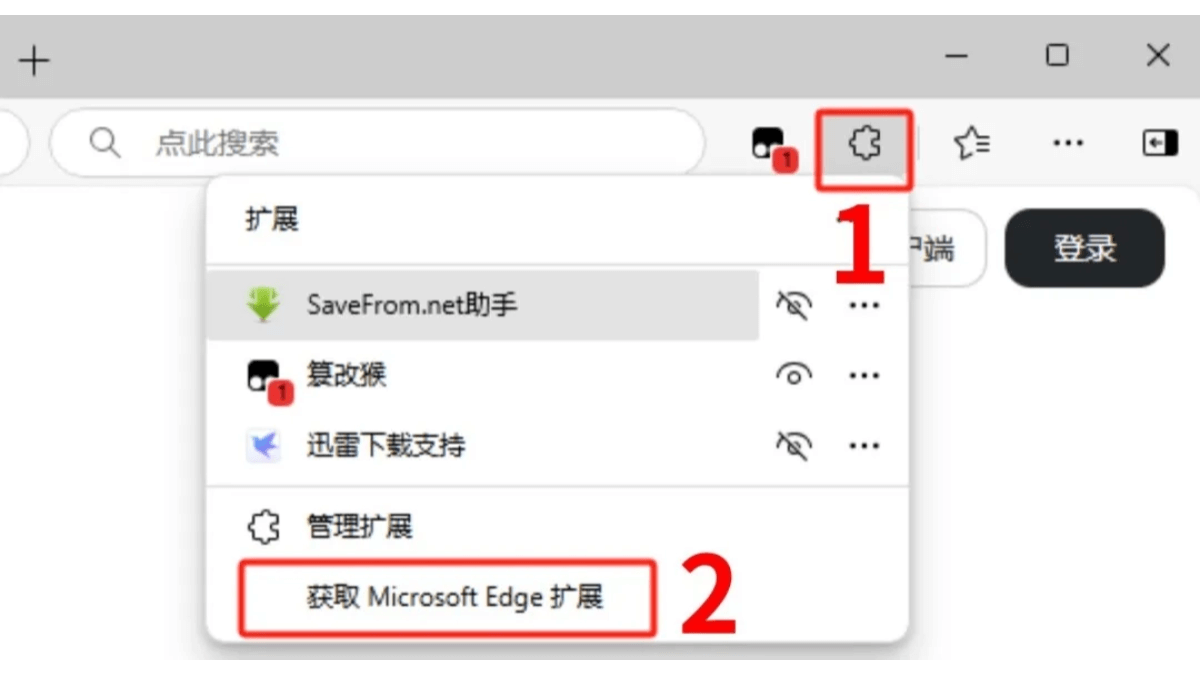
1. Open the browser and click the extension button (usually in the upper right corner of the browser). Here, Microsoft Edge, which comes with Microsoft, is used as an example (the principle is the same for Google Chrome, 360 Browser, etc.). Click [Get Microsoft Edge Extensions].
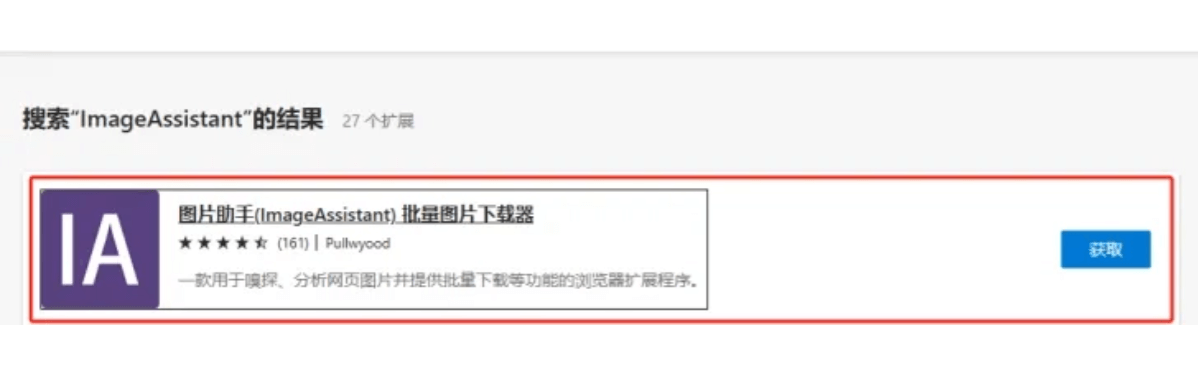
 2. In the search box, search for [ImageAssistant] Image Assistant, and click the [Get] button.
 3. Click [Add Extension], and the installation is complete.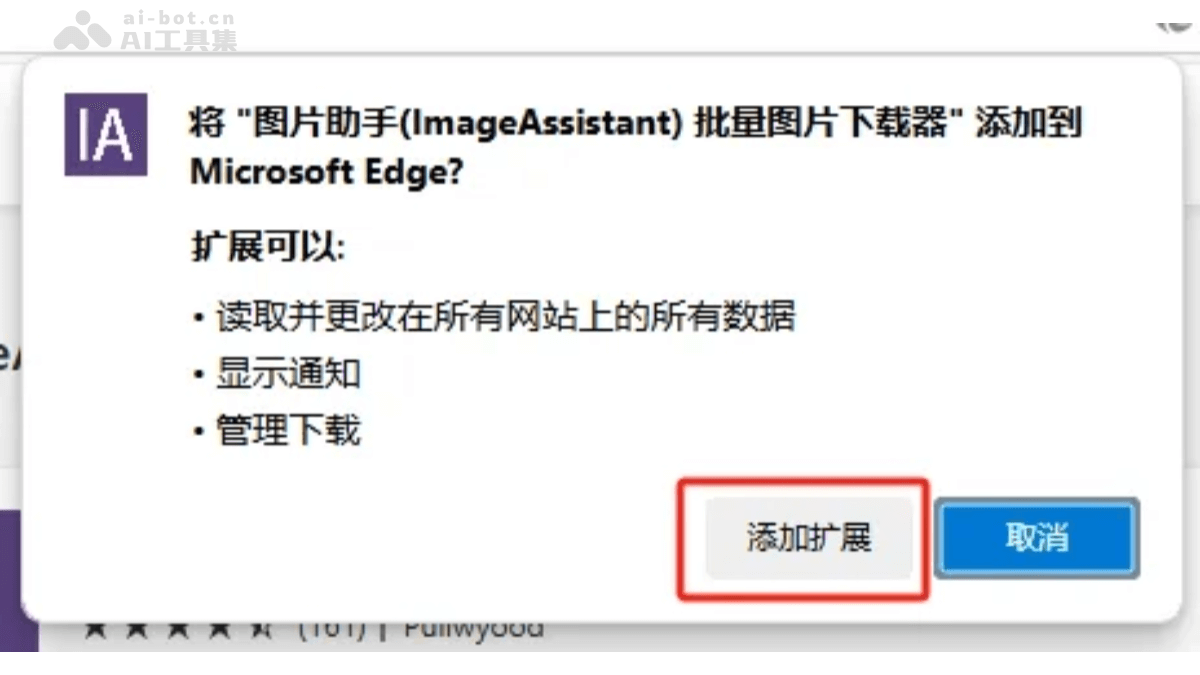
Step 2: How to Use the Extension
1. First, we open Jimeng and generate the image.
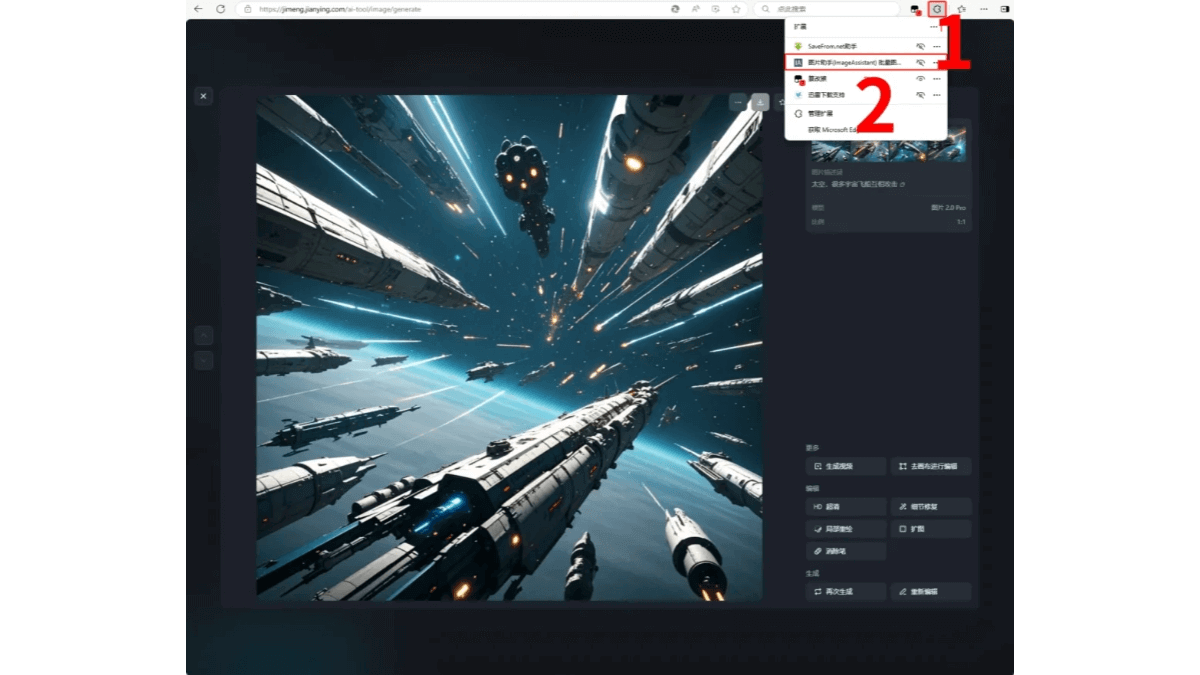
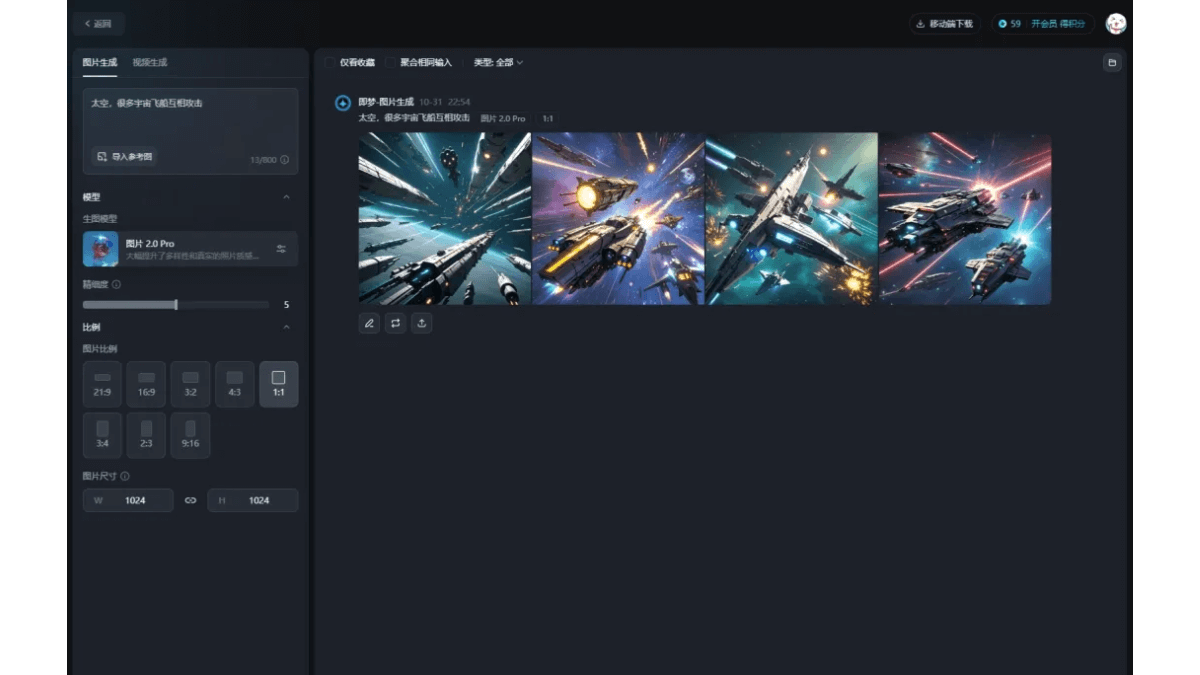 2. After the image is generated, select the image we want, click the browser's [Extension Button], and choose the [Image Assistant ImageAssistant] extension.
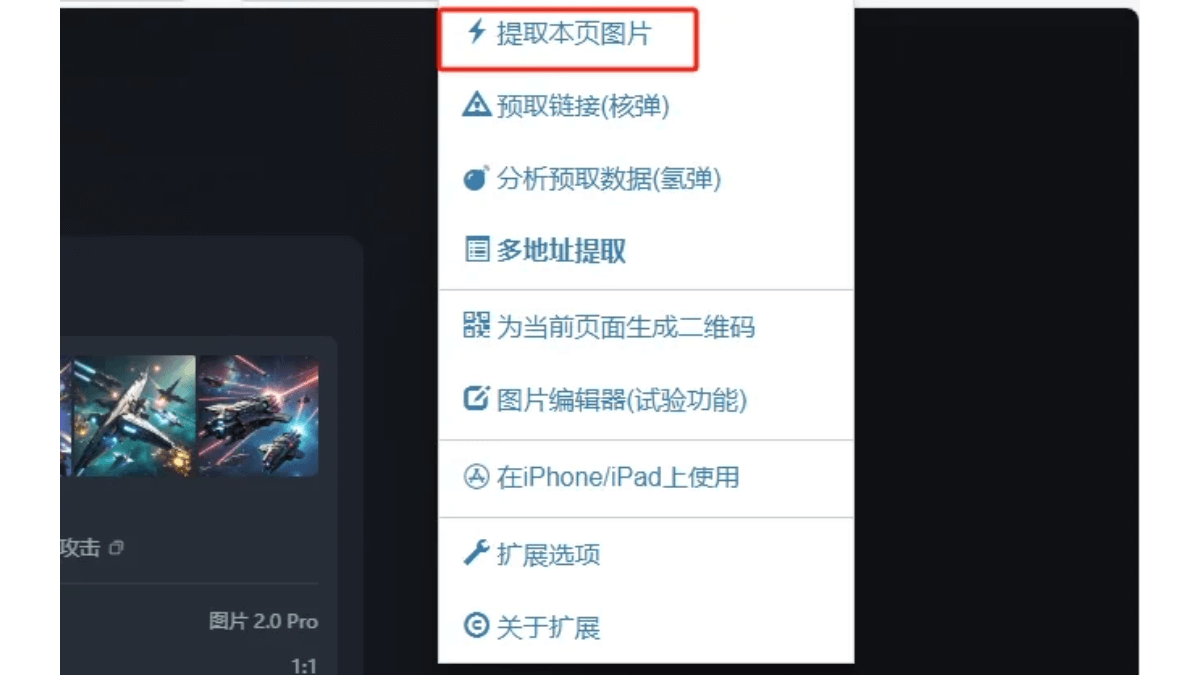
 3. Click the [Extract Images from This Page] button (the first button in the image).
 4. Find the image you need (there are many identical ones; choose the one with the highest resolution, and it will be very clear when downloaded).
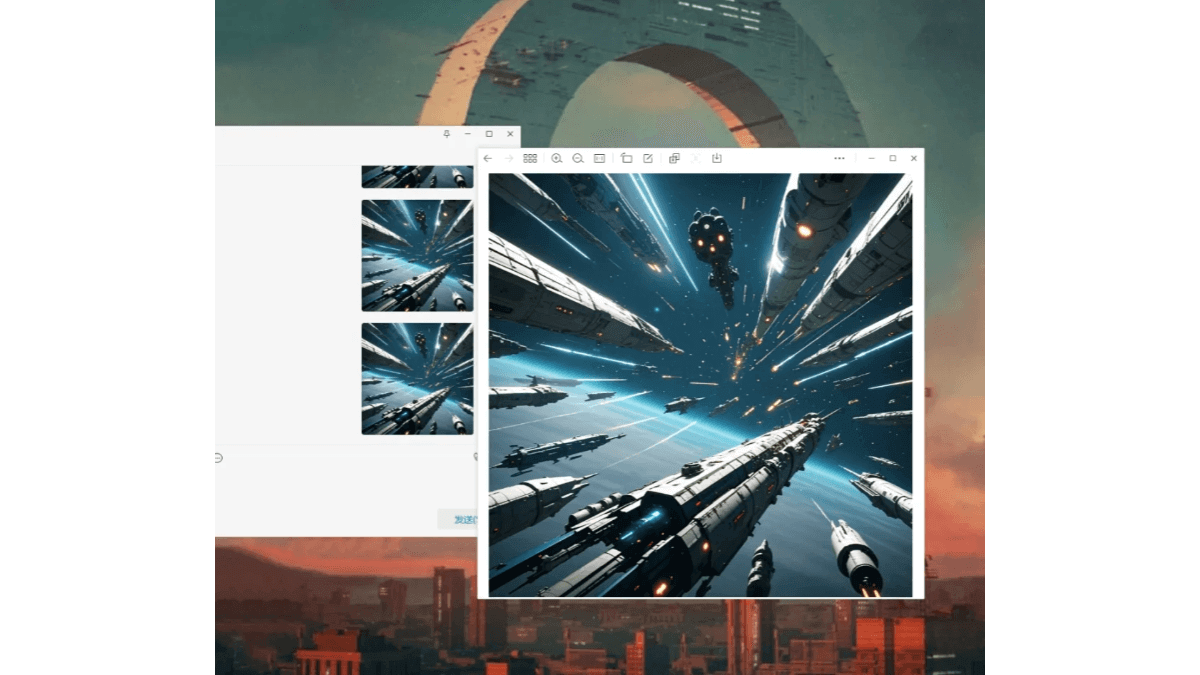
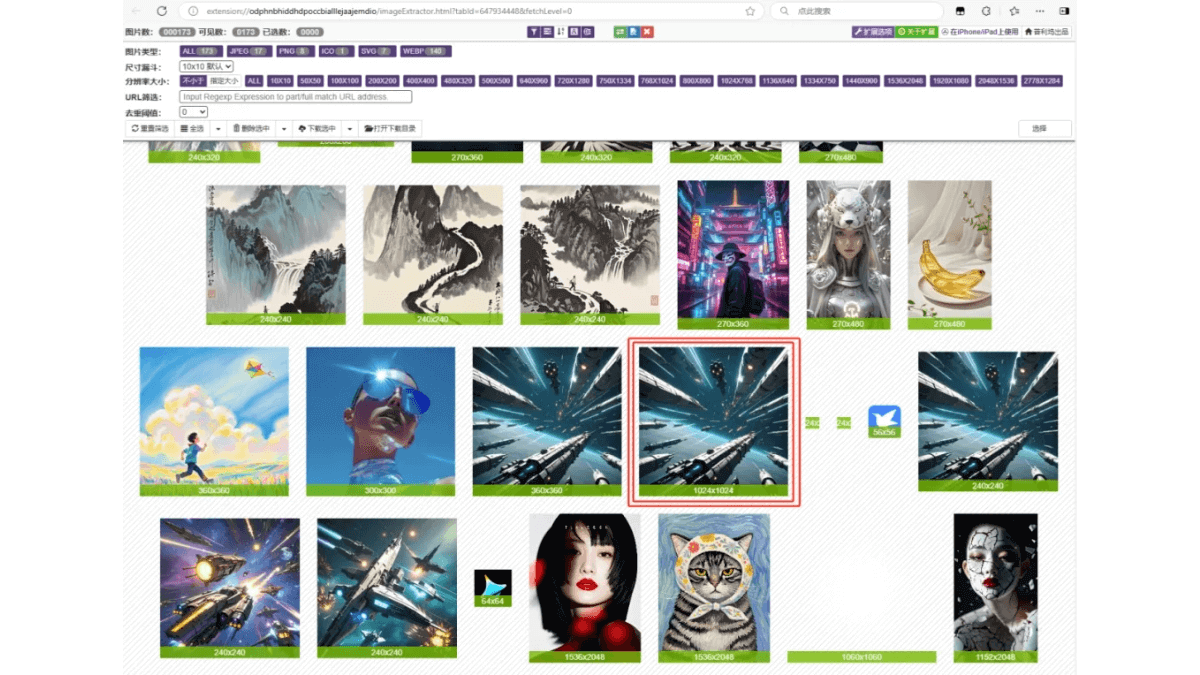 5. Left-click to open the image, right-clickCopy Image, and do not choose Save As, otherwise it will be saved in webp format. Only the copied one is in png format. After copying, go to a window such as WeChat or QQ and paste it. In this way, you can get a watermark-free and high-definition image.
How to Download Watermark-Free Videos
Step 1: Install the video extension
1. As above, open the browser, click the extension button,and choose [Get Microsoft Edge Extensions].
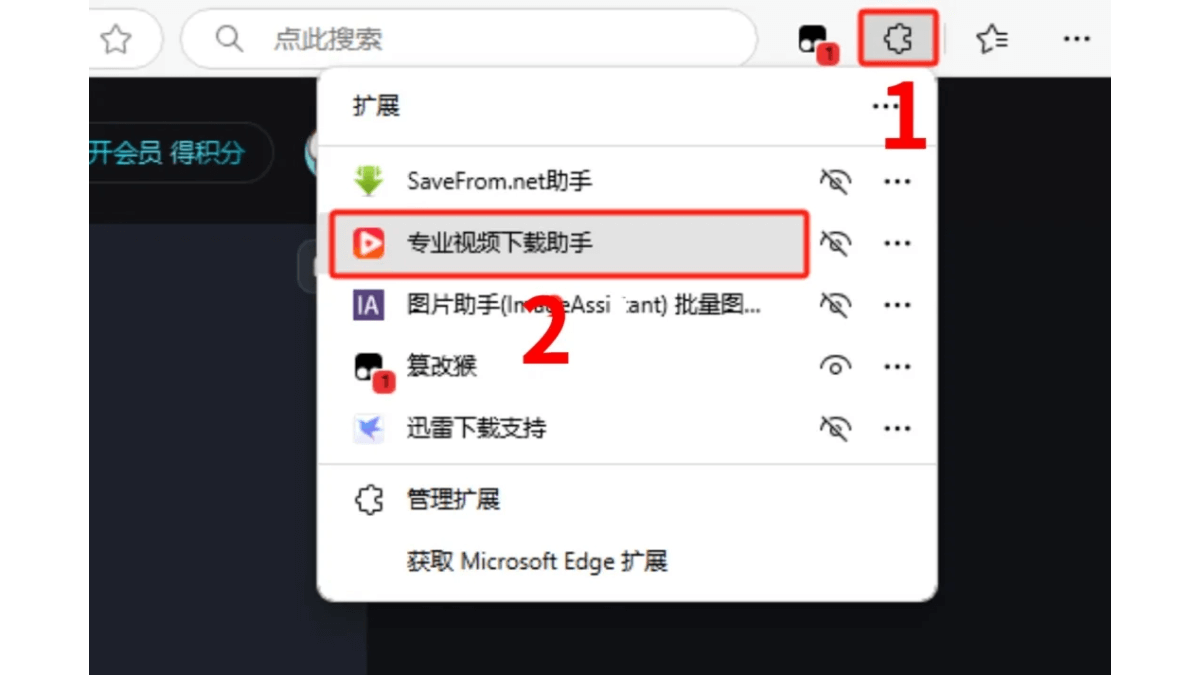
2. In the search box, search for [Professional Video Download Assistant], and then click [Get].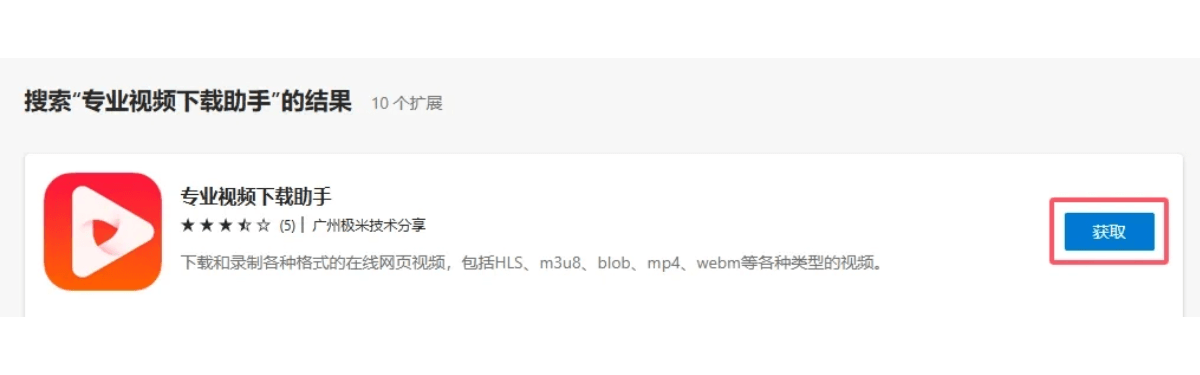 3. Click [Add Extension] to complete the installation.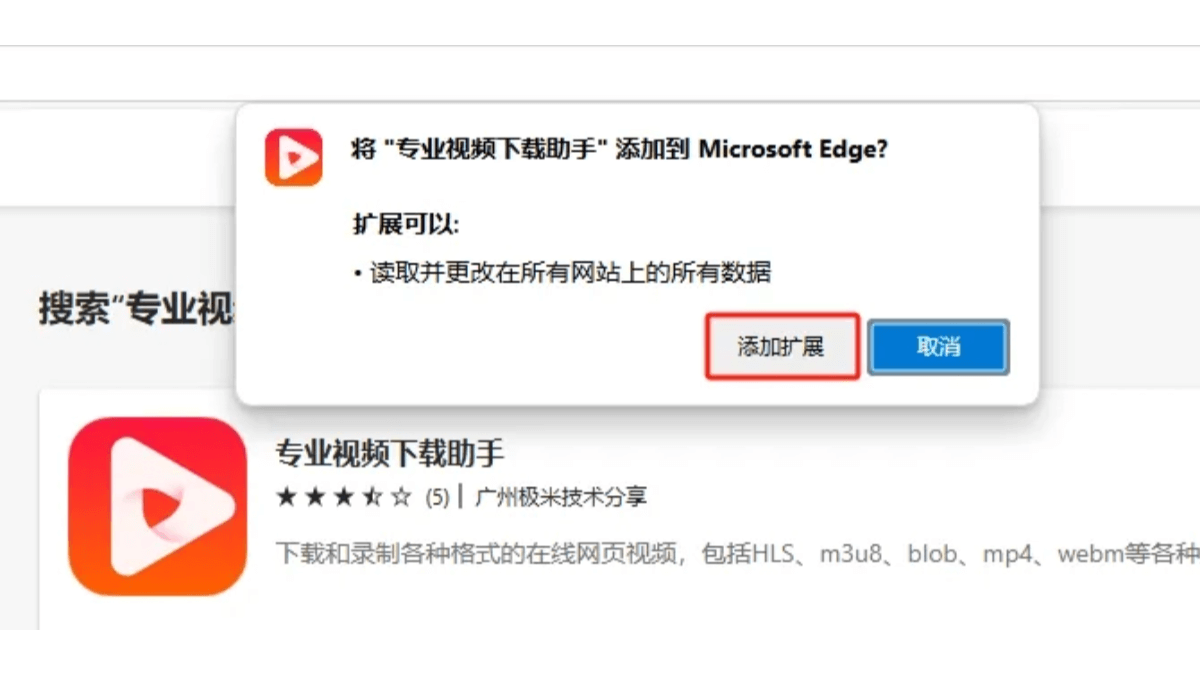
Step 2: How to Use the Video Extension
1. First, we open Jimeng and generate the video.
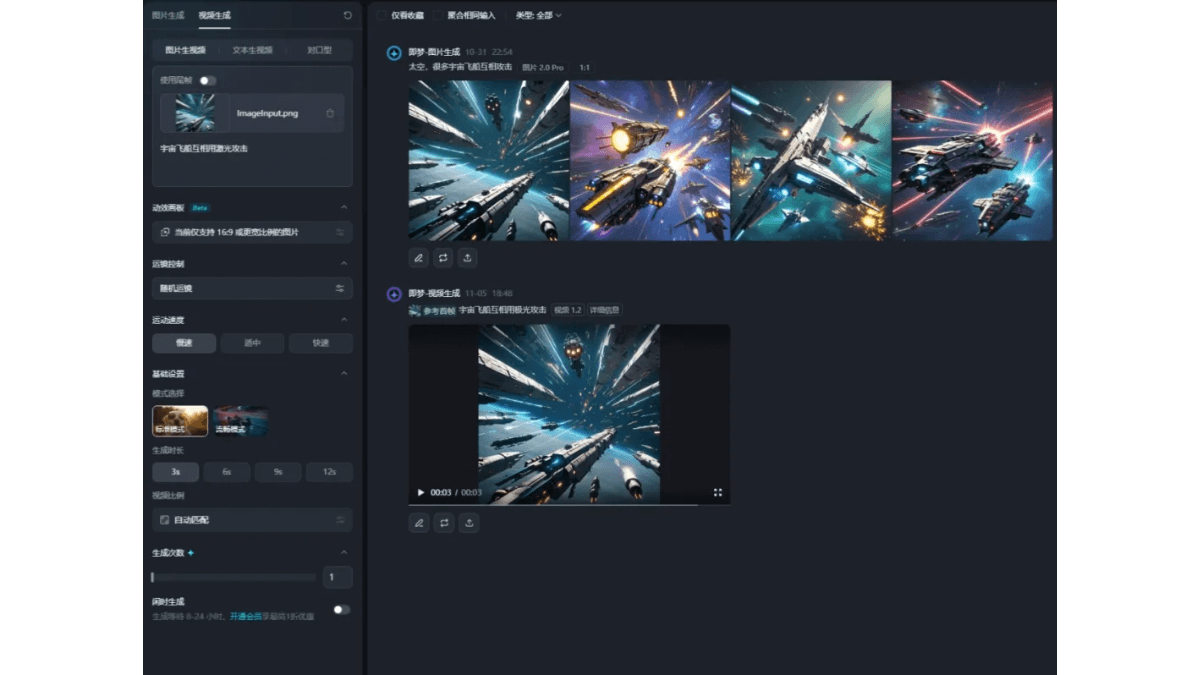 2. After the video is generated, click the [Extension Button] and choose the [Professional Video Download Assistant] extension you just installed.
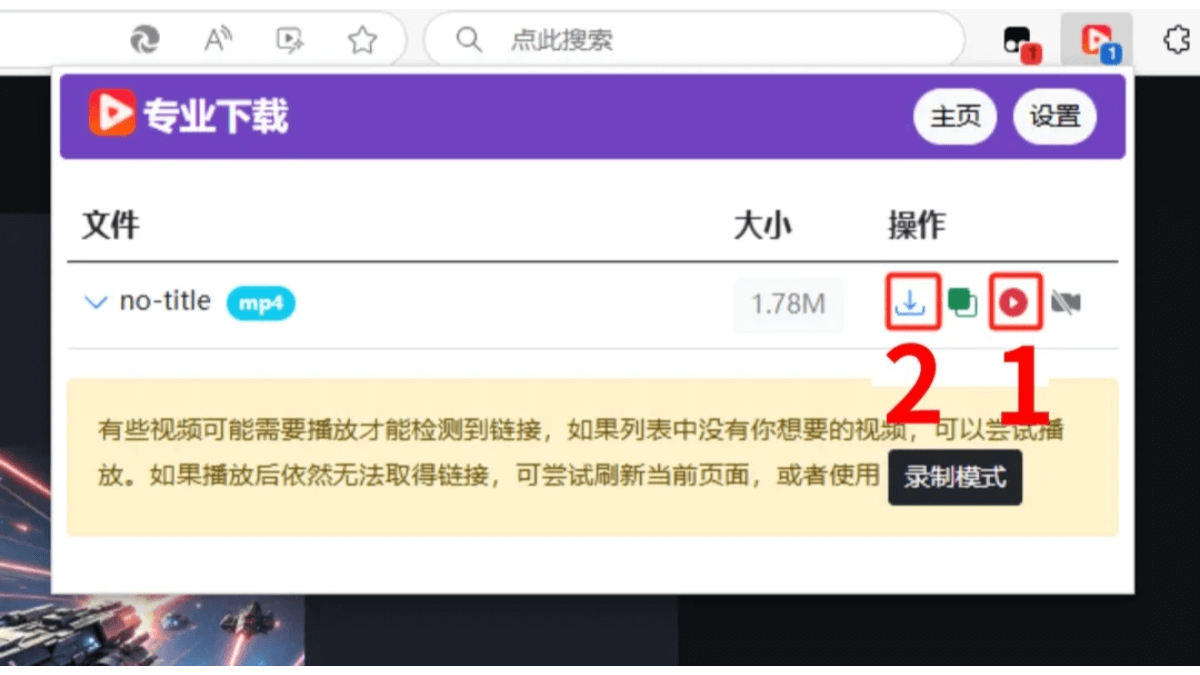
 3. You can first click the red triangle to preview, then click the [Download] button on the left. It will jump to a web page. After the download is complete, click [Save].
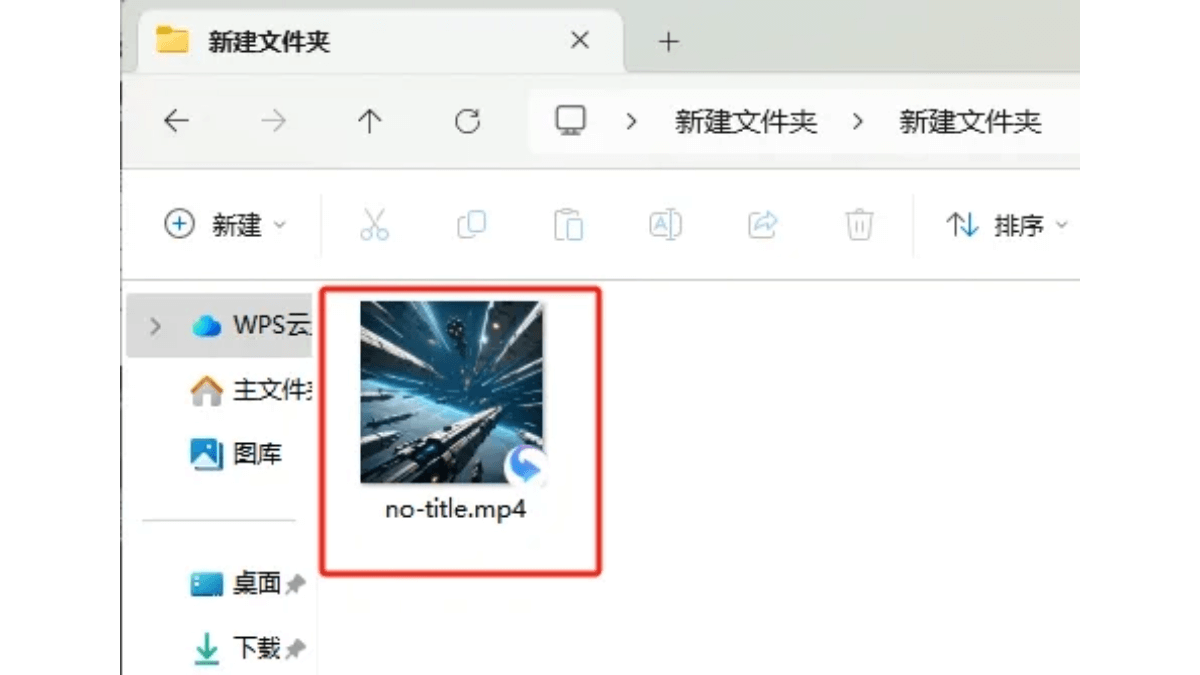
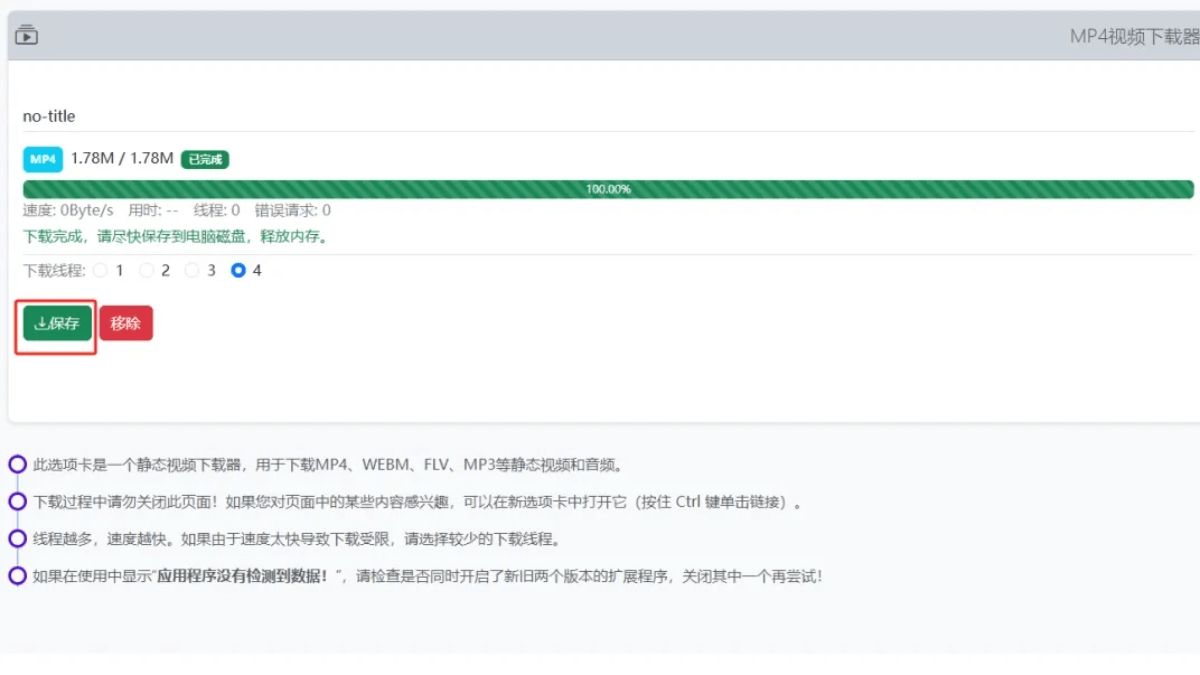 4. In this way, we get a watermark-free video.
 For beginners, using extensions to remove watermarks is very convenient, allowing more free trial and error and making your AI creations closer to your own ideas. However, for long-term use, it is still recommended to open a membership. After all, members enjoy more rights and benefits, and the functions will also be more powerful.
All tools involved in this article
- Jimeng AI:https://ai-bot.cn/sites/17772.html
- Image watermark removal: Image Assistant (ImageAssistant) batch image downloader
- Video Watermark Remover: Professional Video Download Assistant