
What is Jimeng Digital Human
Jimeng Digital Human is a product of ByteDance'sJimeng AIlaunchedAI digital humanvideo generation tool. Users only need to upload a person's image and an audio clip to quickly generate a dynamic digital human video synchronized with the audio content. The core technology is ByteDance's self-developedOmniHuman-1model, which can achieve high-quality face generation and motion capture, enabling the digital human to show natural expressions and smooth movements. Jimeng Digital Human is efficient, realistic, and easy to use. It supports full-body motion generation, breaking through the limitation of traditional digital humans that can only drive head movements, and is applied in multiple scenarios such as speeches, teaching, entertainment, and advertising.
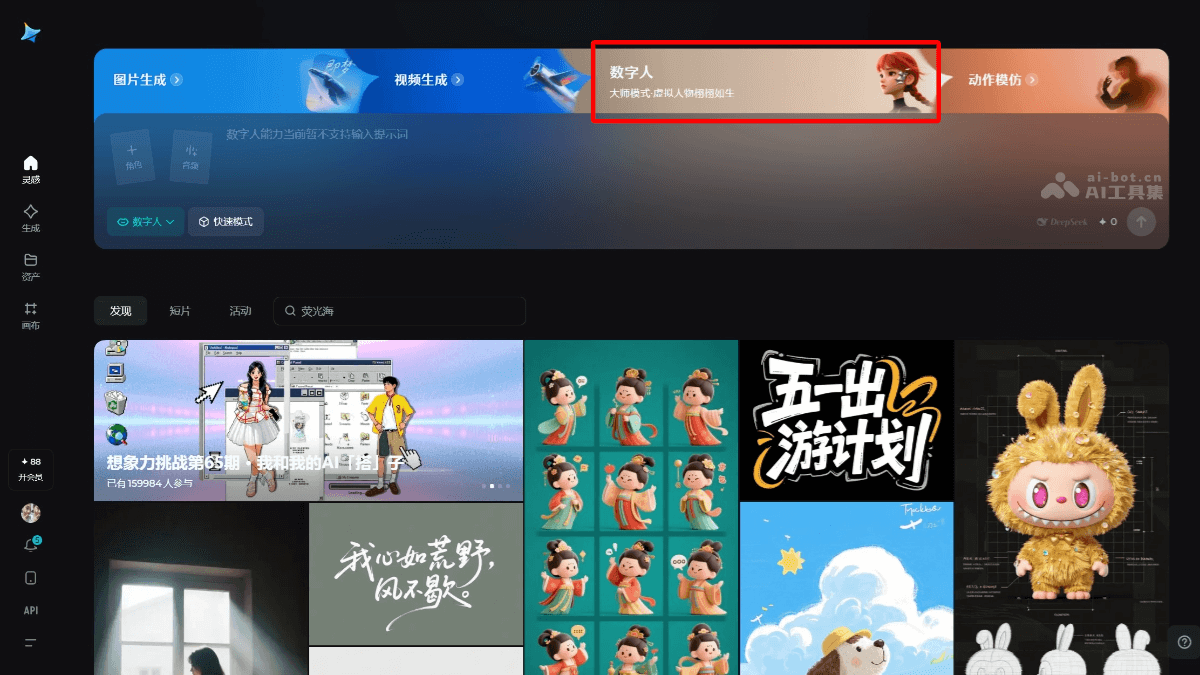
Main features of Jimeng Digital Human
- Digital human generation: Users upload a person's image and audio (or text-to-speech) to generate a video of the digital human lip-syncing.
- Master mode: Upload an image and audio to generate realistic full-body movements and background motion effects.
- Fast mode: Faster and lower cost.
- Basic model: Only modifies the person's lip movements, suitable for speeches and dialogue.
-
Motion imitation feature: Users upload a person's image and a reference video, and the digital human can imitate the movements in the video, such as dancing, fitness, etc.
- Generate audio: Input the content the character needs to output, and support multiple voice options to generate audio.
How to use Jimeng Digital Human
- Visit the platform: VisitJimeng AI Digital Human's official website and register or log in to your account.
- Select digital human: Select the digital human feature.
- Provide an image: Upload a local image or generate an image online. Real-person and anime images are supported. A clear front-facing face works best.
- Generate a digital human image online:
- Go to the "Image Generation" page, enter a description, select a model (such as the Image 3.0 model) and image ratio (such as 16:9), and click "Generate Now".
-
After generation, select the image you like, process it in high definition, and download it.
- Generate a digital human image online:
- Provide audio: Upload local audio or generate audio online.
- Generate audio online: You can use Deepseek or Kimi to generate the required text content. Paste the content, select a voice, and adjust the speed and volume; you can also create your own voice.
- Create a voice: Upload a clear human voice audio of more than 5s to create your own voice.
- Generate audio online: You can use Deepseek or Kimi to generate the required text content. Paste the content, select a voice, and adjust the speed and volume; you can also create your own voice.
- Select a mode: Includes Master mode, Fast mode, and Basic model.
- Click generate: Wait in the queue for generation. After production, you can preview the effect, click to re-edit and modify or generate again, and if it meets the requirements, you can directly publish and download it for local use.
Application scenarios of Jimeng Digital Human
-
Education: Can generate educational videos, with the digital human acting as a virtual lecturer explaining knowledge, making teaching more vivid.
-
Entertainment performances: Supports complex scenarios such as singing, dancing, and instrument performance, suitable for creating virtual idols and lip-sync animations.
-
Advertising and marketing: Provide efficient, low-cost digital human generation tools for advertising production to enhance content appeal.