
What is ImageFX
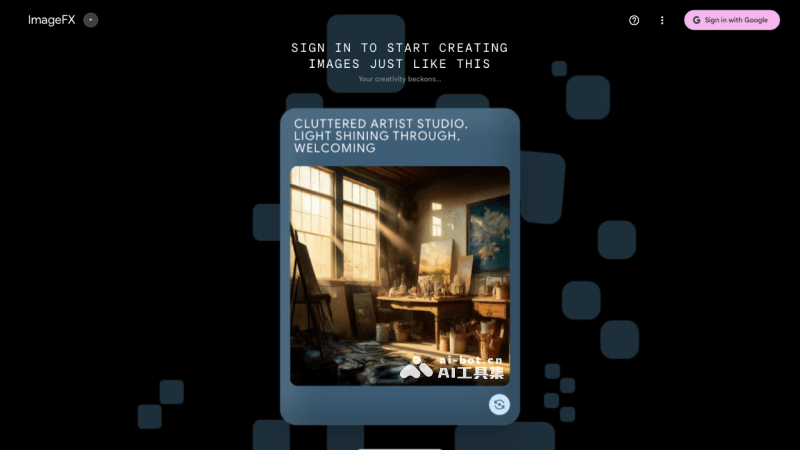
Google ImageFX is a newly launched AI image generation tool from Google, based on an advanced text-to-image generation model developed by Google's DeepMind lab — Imagen 2. ImageFX is designed to generate high-quality images based on text prompts provided by users, and is claimed to be capable of generating the highest-quality images to date, with improvements in addressing common challenges in text-to-image systems, while keeping images free from distracting visual artifacts.
Features of ImageFX
- Text-to-image generation: Users can input text prompts, such as "a dog riding a surfboard," and ImageFX will generate corresponding images based on these prompts.
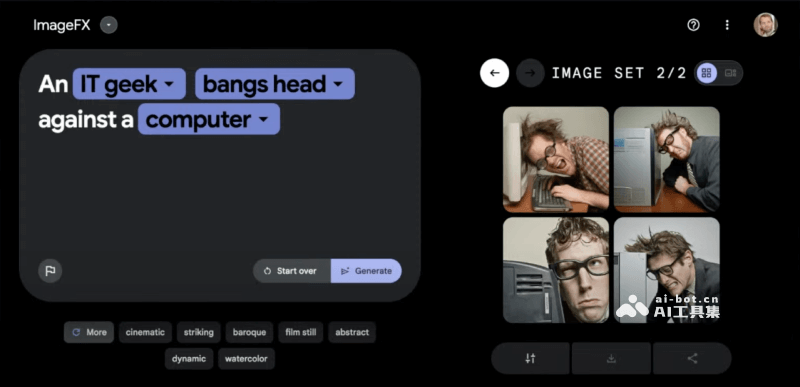
- Expressive Chips: Allows users to quickly try and adjust keywords in text prompts through simple operations, thereby exploring different creative variations.
- High-quality image generation: ImageFX claims to be capable of generating the highest-quality images to date, especially in addressing common challenges in text-to-image systems, such as generating realistic human faces and hands.
- SynthID digital watermark: To prevent images from being used to create false information or deepfakes, Google embeds a SynthID watermark in the generated images. This watermark is invisible to humans, but can be used to identify that an image was generated by AI.
- Content safety measures: Google has implemented a series of safety measures in ImageFX, including restricting training data, preventing the generation of violent, offensive, or sexually suggestive content, and setting filters to block the generation of images of known or named individuals.
- IPTC metadata: All images generated using ImageFX will contain IPTC metadata, which provides users with additional information about the source of the image and how it was generated.
How to use ImageFX
ImageFX is currently only available in Google's AI Test Kitchen, and is only open to English-speaking users in the United States, Kenya, New Zealand, and Australia. Users can try ImageFX through this platform, as well as other experimental Google AI tools, such as MusicFX(for music generation) and TextFX (for text stylization). The specific steps for use are as follows:
- Visit the official ImageFX website at:https://aitestkitchen.withgoogle.com/tools/image-fx
- Enter a prompt on the left, and then ImageFX will automatically optimize the prompt and identify and group it into Expressive Chips
- Click Generate, and the desired image will be generated on the right. You can regenerate it or click the grouped adjectives or style words to modify it