
What is MusicFX?
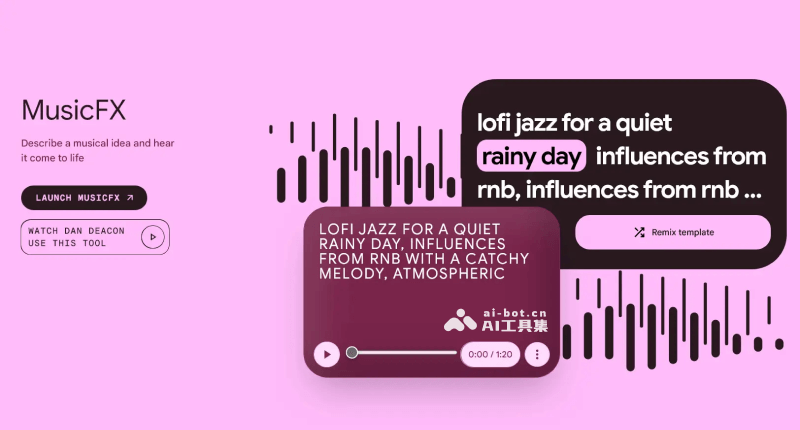
Google MusicFX is a free artificial intelligence music generation tool launched by Google, based on Google's MusicLM model and DeepMind's watermarking technology SynthID, and can create up to 70-second tracks and loop cycles. The goal of this tool is to make music creation simpler and more accessible, so that even users without a professional music background can generate high-quality original background music by entering text descriptions. Since its launch in December 2023, users have cumulatively used MusicFX to create more than 10 million tracks.
MusicFX's features
- Text-to-music creation: Users can generate music by entering text descriptions. These descriptions can be about music style, emotion, scene, or any text that can inspire music creation.
- Multiple music styles: MusicFX can generate music in multiple styles based on the user's description, including jazz, funk, hip-hop, blues R&B, rock, etc., meeting the needs of different users.
- Custom music parameters: Users can adjust basic parameters of the generated music, such as pitch, rhythm, and volume, as well as add sound effects such as reverb and echo, to create personalized music works.
- Generation duration control: MusicFX generates two 30-second music versions by default, and provides options for 50 seconds or 70 seconds or automatically stitching the beginning and end for loop playback.
- Digital watermarking technology: Through DeepMind's SynthID technology, MusicFX embeds digital watermarks in the generated music, which helps identify and track the source of the music, ensuring the originality and copyright issues of AI-generated music.
- Copyright safety filtering: To avoid infringing music copyright, Google will filter prompts that mention specific singers/artists or contain voices, and will not generate the corresponding tracks.
How to use MusicFX?
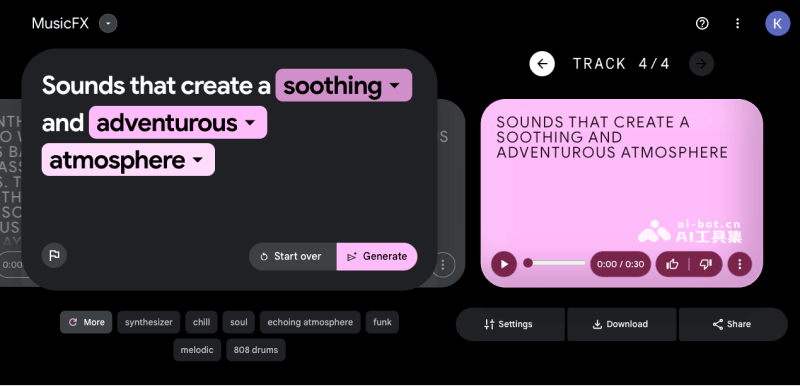
MusicFX is currently accessible through Google's AI Test Kitchen, which also provides ImageFX text-to-image generation tool. The specific steps are as follows:
- Visit MusicFX's official website:https://aitestkitchen.withgoogle.com/tools/music-fx
- Enter the prompt on the left and select the music style
- Click Settings on the right to set the seed value, music duration, bar loop, etc.
- Finally, click Generate to generate music (you can also click I'm feeling lucky to generate music randomly)