
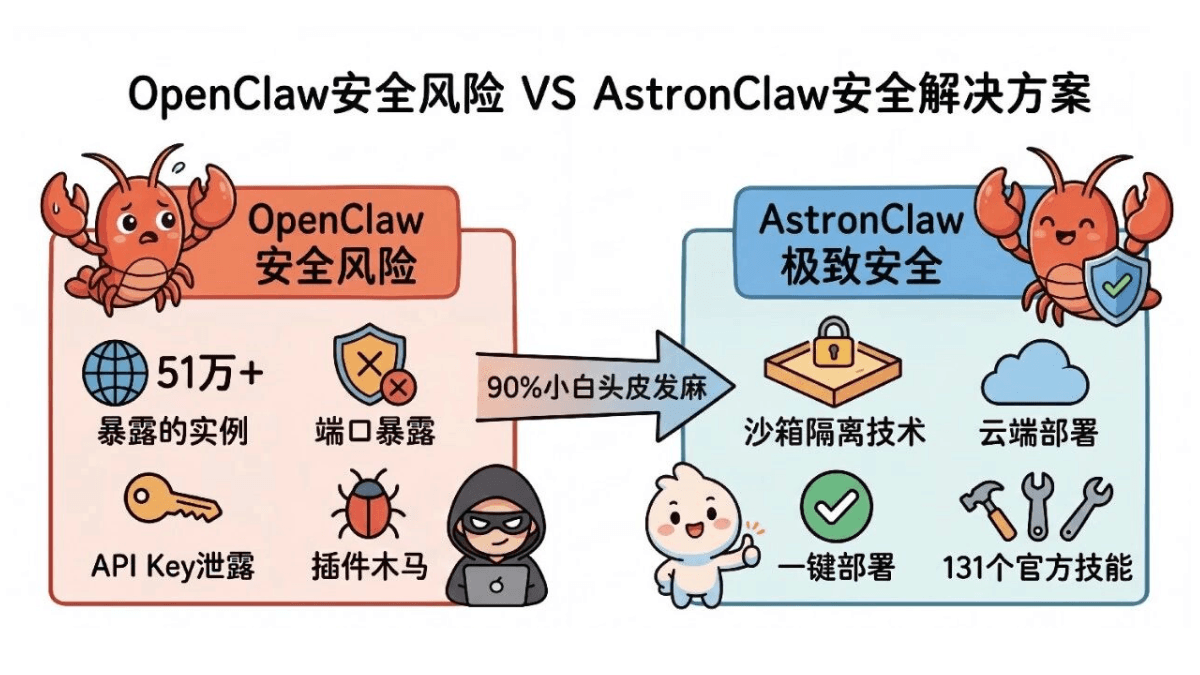
OpenClaw This little crayfish has been surging in popularity since the end of January, and many of my friends who don't pay much attention to AI are discussing Lobster.
Everyone embracing AI is originally a good thing, but I didn't expect the failure to come so suddenly.
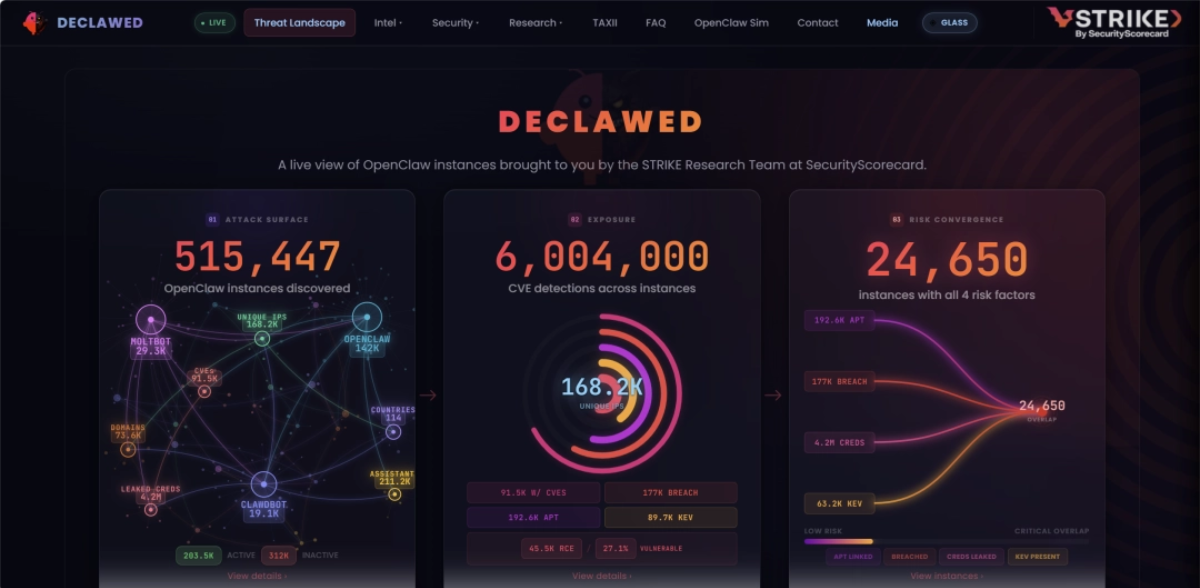
Public data shows that there are more than 510,000 OpenClaw instances exposed on the public internet worldwide.
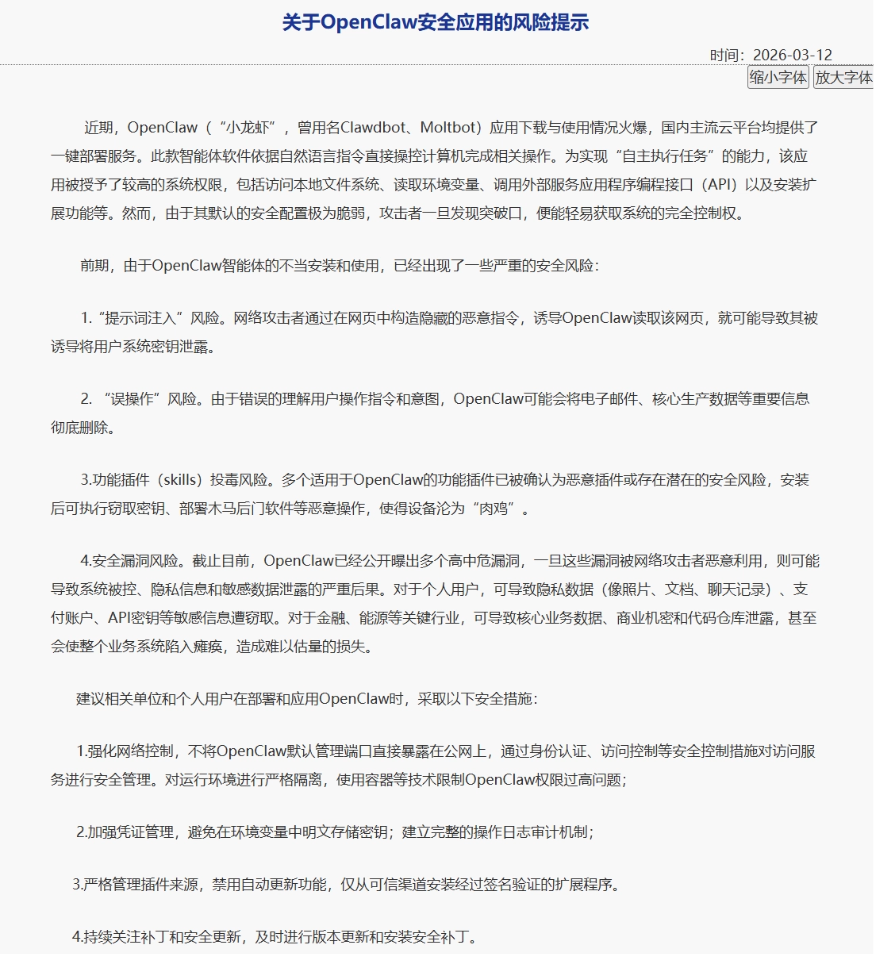
Recently, the National Network and Information Security Information Notification Center reported that due to improper installation and use of OpenClaw, some serious security risks have emerged. When deploying and applying OpenClaw, the following security measures must be taken:
Never expose the default management port on the public internet;
Credential management must be strengthened (your API Key can easily be scraped away);
Strictly manage plugin sources, and automatic updates must be disabled (many so-called plugins are actually trojans);
Keep up with version updates and install security patches in a timely manner.
Seeing these few points, an estimated 90% of beginners are already getting numb...
If you are also a newbie at "raising shrimp," take some advice: try to use cloud services first. Don't use your personal computer or company secrets to learn by trial and error.
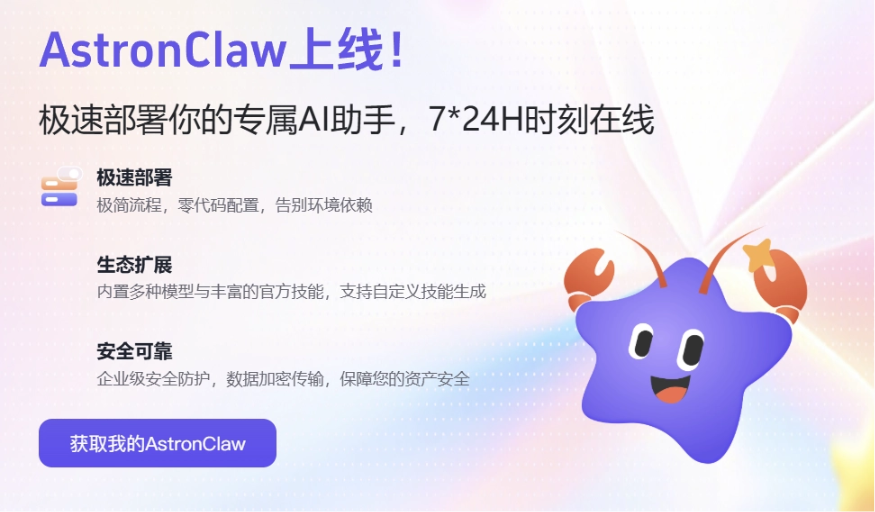
Just when everyone both loves and fears open-source Lobster,"AI national team" iFlytekhas entered the game!It has fully opened the cloud-based big Lobster主打 "ultimate security"—AstronClaw。
AstronClaw At the underlying level, it directly adopts Sandbox isolation technology, protecting data security throughout the entire process. The files we send to it are all processed in a closed manner within the sandbox, and will never "run naked" on the public internet.
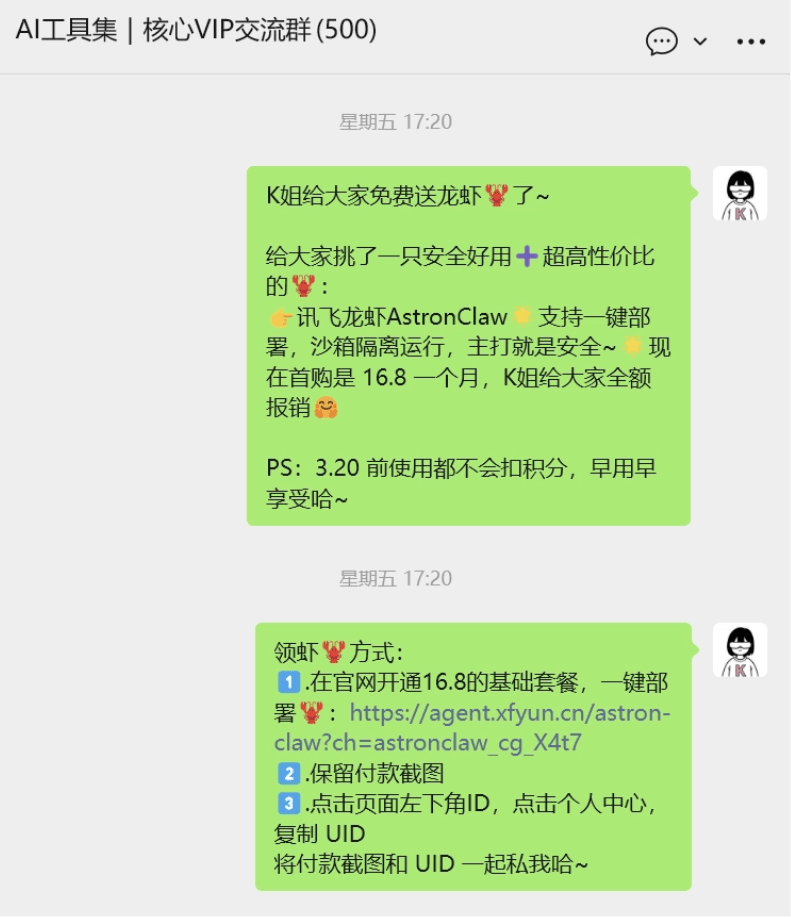
This is also why I gave away Lobster for free to everyone last week.Open the webpage, deploy with one click immediately, and beginners can instantly have a secure cloud-based big Lobster。
01. One-Click Deployment of AstronClaw
We open the official website of the iFlytek Spark Agent platform and select AstronClaw in the left navigation bar.
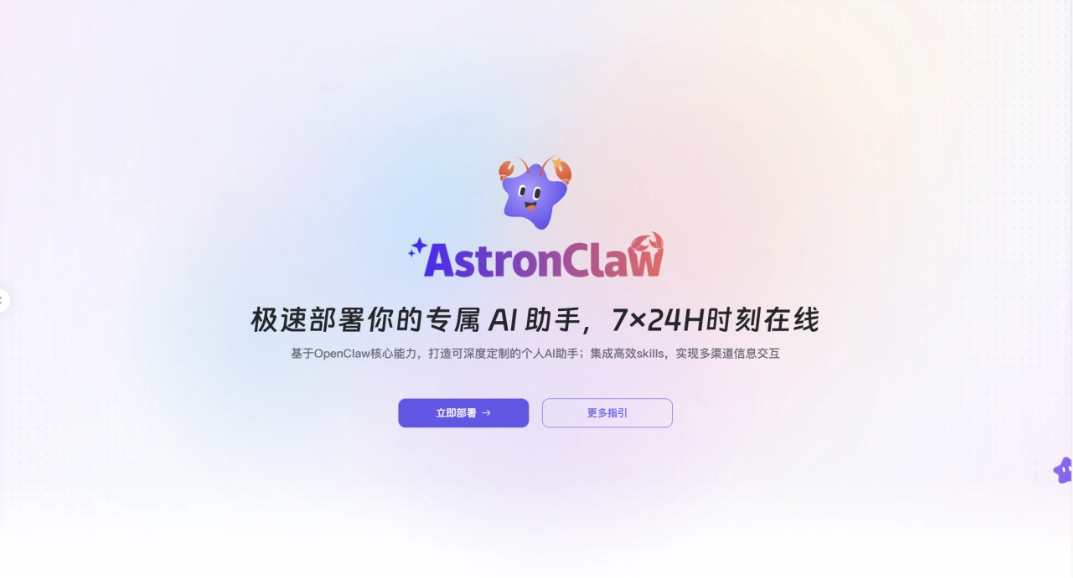
Official Website:https://agent.xfyun.cn/astron-claw
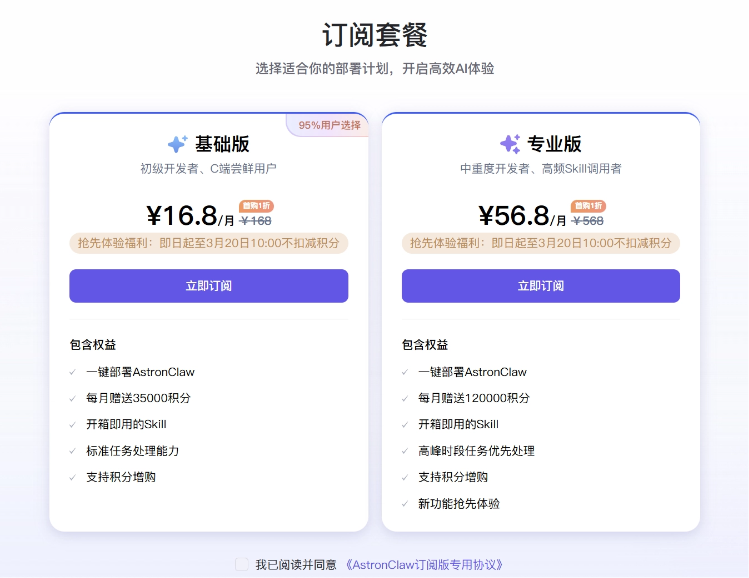
Click Deploy Now, choose a package, and it is recommended that everyone try the Basic version first. Both packages currently have limited-time benefits,use before 10:00 on March 20 and no credits will be deducted!
After the subscription is successful, return to the AstronClaw homepage and you can deploy with one click. It takes about 1-2 minutes to wait.
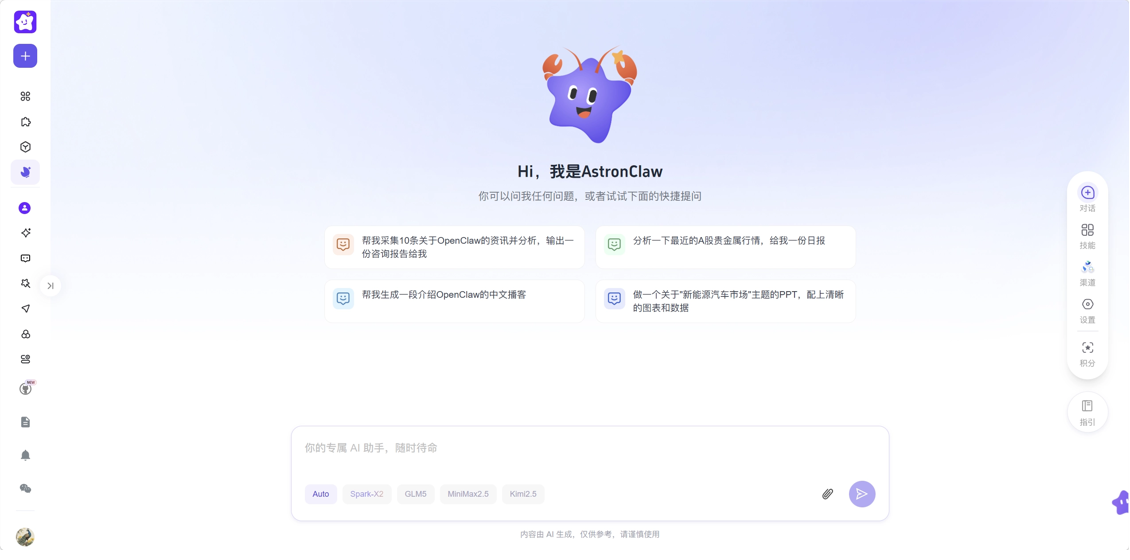
When this interface appears, we have completed the deployment of AstronClaw~ No need to set nodes, and no need to configure model APIs.
AstronClaw has four built-in models: Spark x2, GLM-5, MiniMax-M2.5, and Kimi-K2.5, and the package includes usage quota. We can directly specify a model or choose Auto mode to start playing with Lobster~
02. Breaking the Deadlock of "Easy to Install Lobster, Hard to Raise Lobster" The correct way to open AstronClaw
What truly determines the upper limit of a Lobster is the Skills installed on the Lobster. The large model is just a smart brain. Only when Skills are installed does the Lobster truly gain the ability to call external tools and automate tasks according to the steps we specify.
Although there are tens of thousands of Skills on the open-source community ClawHub, they are a mixed bag and may contain a large amount of poisoned code.
This is exactly why I strongly recommend everyone use AstronClaw. AstronClaw not only has sandbox protection at the underlying level, but also has a built-in extremely secure and smooth skill ecosystem.
Out-of-the-box official skill library
Click the skill option on the right side of the page to view AstronClaw's built-in 131 officially reviewed skills. From file upload, OCR (image recognition), to hyper-realistic voice synthesis, all can be installed and invoked with one click, covering a very comprehensive range of scenarios。
In the top right cornerMy Skills, you can manage and create skills.
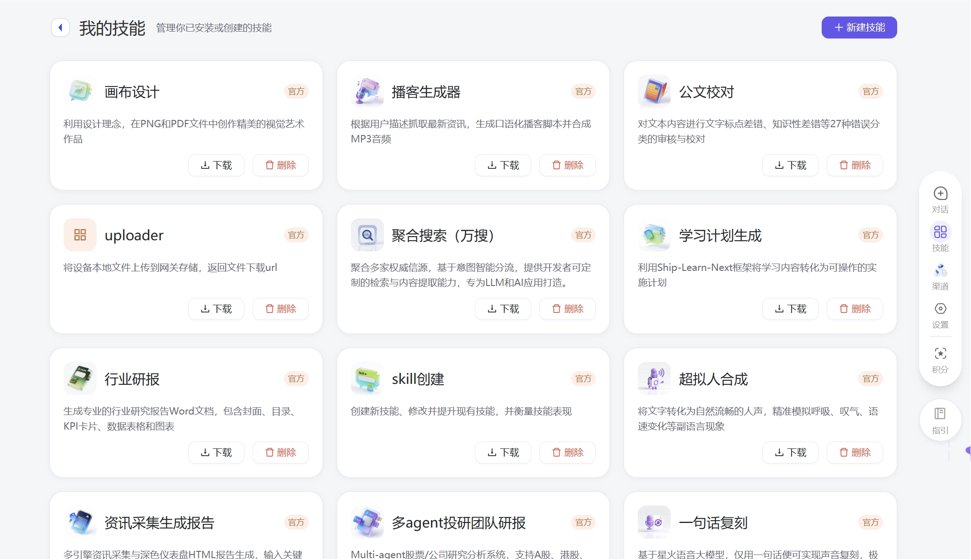
Let's try it out hands-on:
During the "Golden March and Silver April" prime job-hunting period, many times we apply for a position we like but don't even get an interview invitation.
We can send both our resume and the target job information to AstronClaw, letting iFlytek Lobster help us optimize it.
Please help me optimize my resume in a targeted way based on the job information I provide and the current resume content.
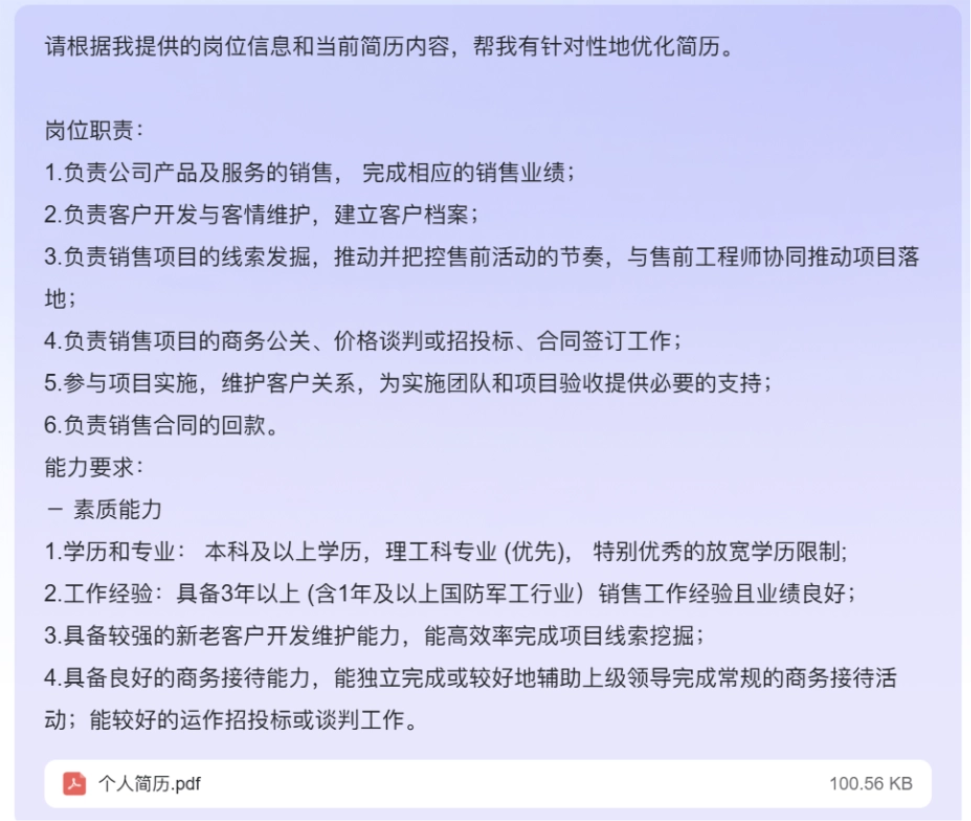
AstronClaw automatically invoked the iFlytek OCR skill to recognize the resume content and helped me analyze the job match. Then it invoked the intelligent resume generation skill and generated 3 professional resumes with different emphases in one go。
The most impressive thing is that AstronClaw also combined the job requirements to provide me with targeted interview advice, teaching me how to make up for gaps in experience and how to highlight my strengths in the interview.
Isn't this better than spending hundreds of yuan to have someone revise your resume?
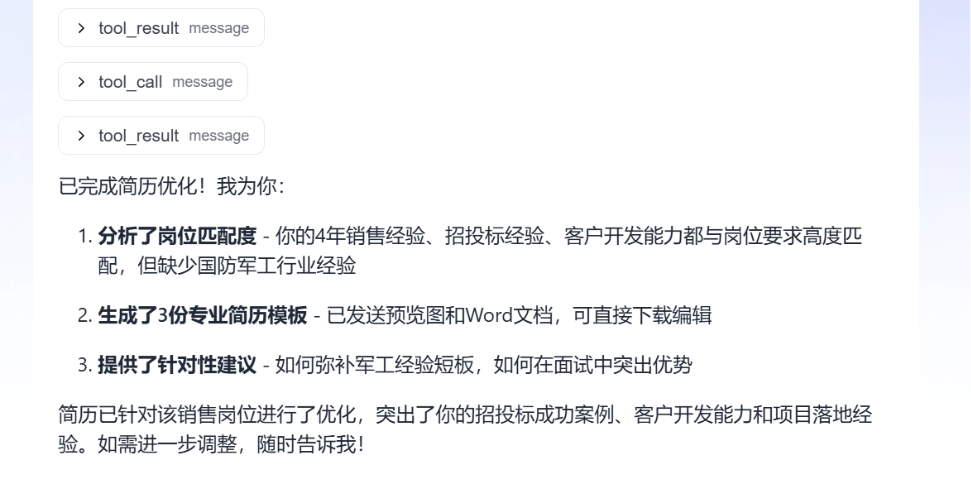
Some skills are unique to iFlytek, such as "hyper-realistic voice synthesis," which is very suitable for podcast content.
Please conduct research around recent trends in the new energy vehicle market, comprehensively analyze information such as overall industry changes, sales trends, price competition, technology routes, hot brand developments, changes in consumer demand, and the policy environment, extract the major trends currently most worthy of attention, and generate a Chinese podcast segment.
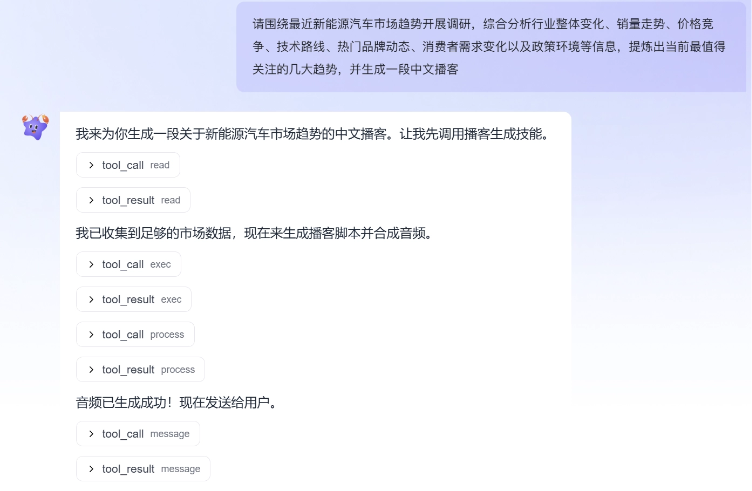
With one request, AstronClaw used tools on its own to complete topic research, information organization, and podcast audio generation.
New Energy Vehicle Market Trends
Create Skill
What if the more than one hundred official skills can't match current requirements? AstronClaw can also create custom Skills based on real workflowscreate custom Skill。
For example, recently I was giving away AstronClaw lobsters to group members. I wanted to keep reimbursement records, but using WeChat text recognition on the order number in screenshots is not very accurate, and manual entry is also very perspective-consuming, so I used AstronClaw to optimize it.
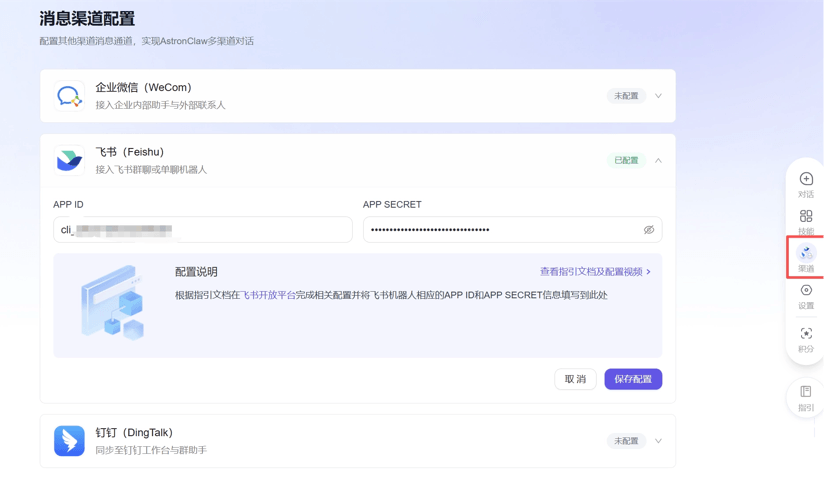
In the channel on the right, follow the instructions in the documentation,connect AstronClaw to Feishu. (The official instructions are very detailed, so I won't demonstrate here~ WeCom and DingTalk are also supported)
Please create a Feishu Bitable with the table name "AstronClaw Member Reimbursement Records," used to register member reimbursement collection information. The table needs to include the following fields: serial number, recipient user nickname, order number, merchant order number, collection date. Requirements: set the serial number to automatically increment starting from 1; set the recipient user nickname as text; set the order number as text; set the merchant order number as text; set the collection date as date type.
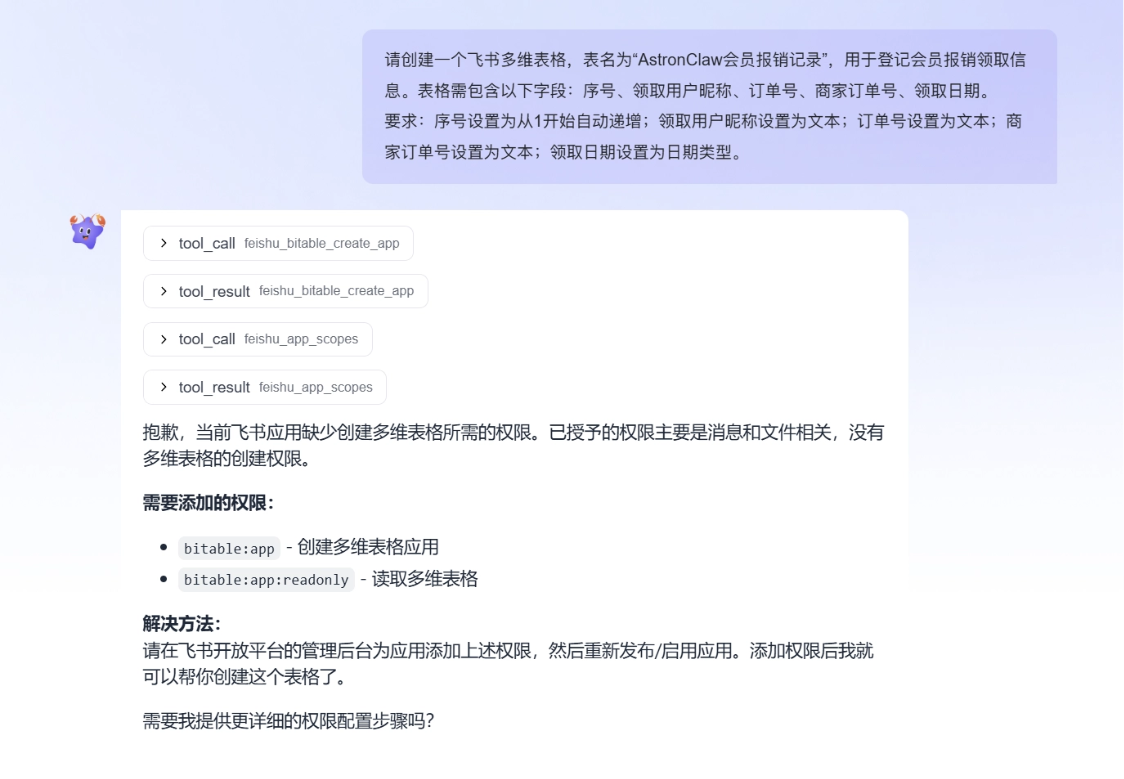
AstronClaw indicates that permissions to create and read tables need to be added.
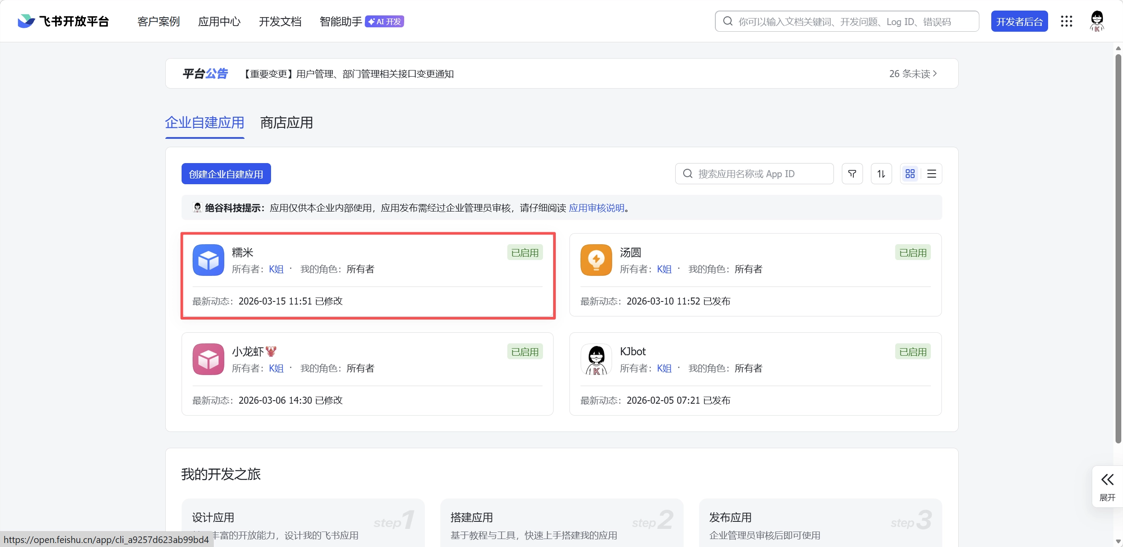
We open the Feishu admin console, and in the enterprise custom app, open the corresponding app.
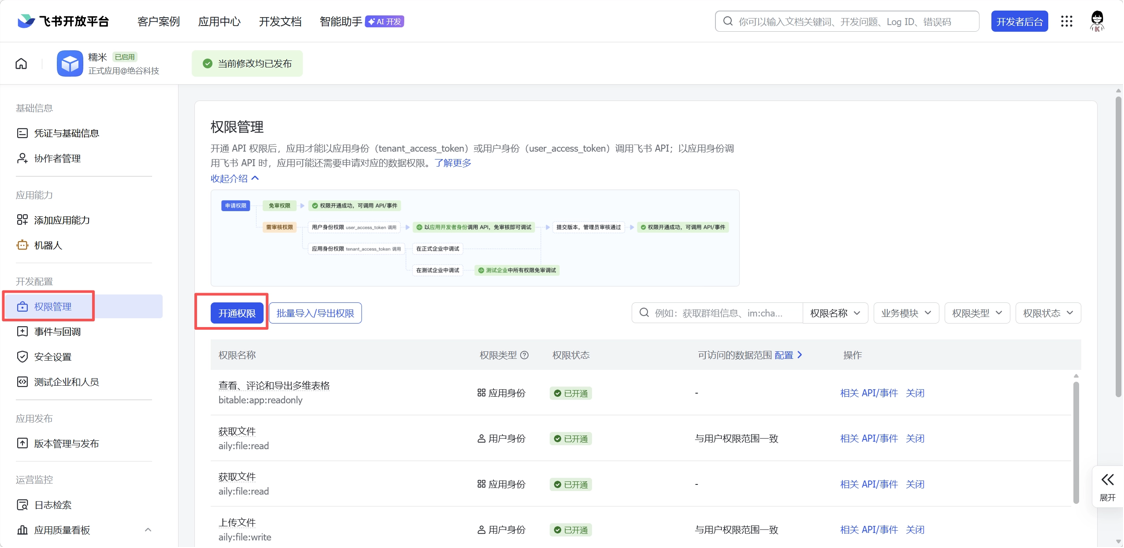
In permission management, click to enable permissions, search for and add the above 2 permissions.
A Feishu Bitable has been successfully created.
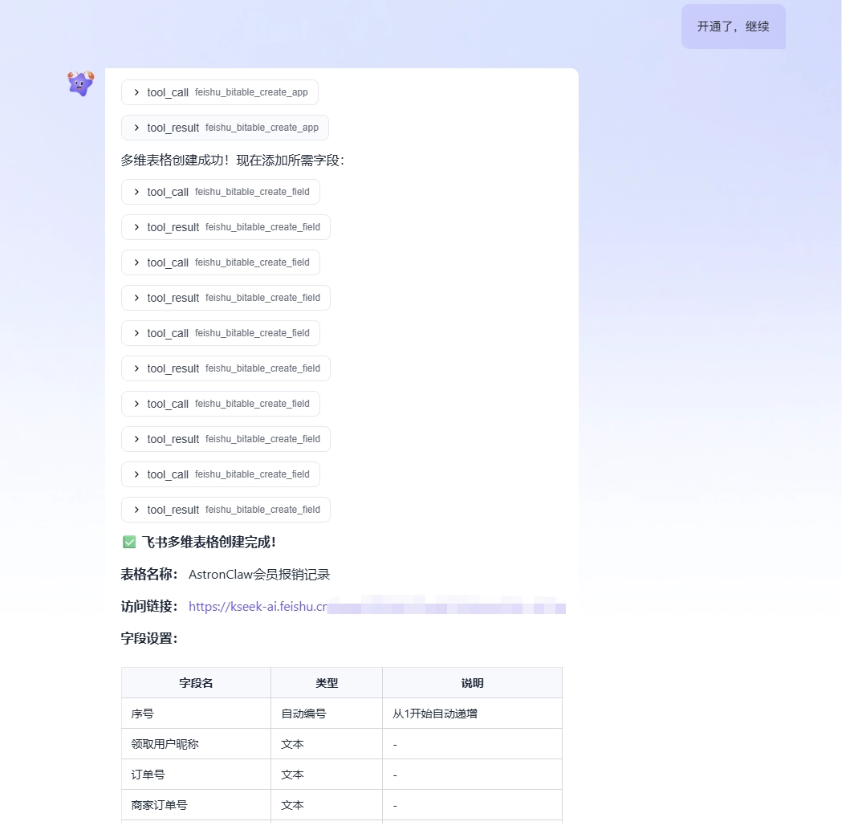
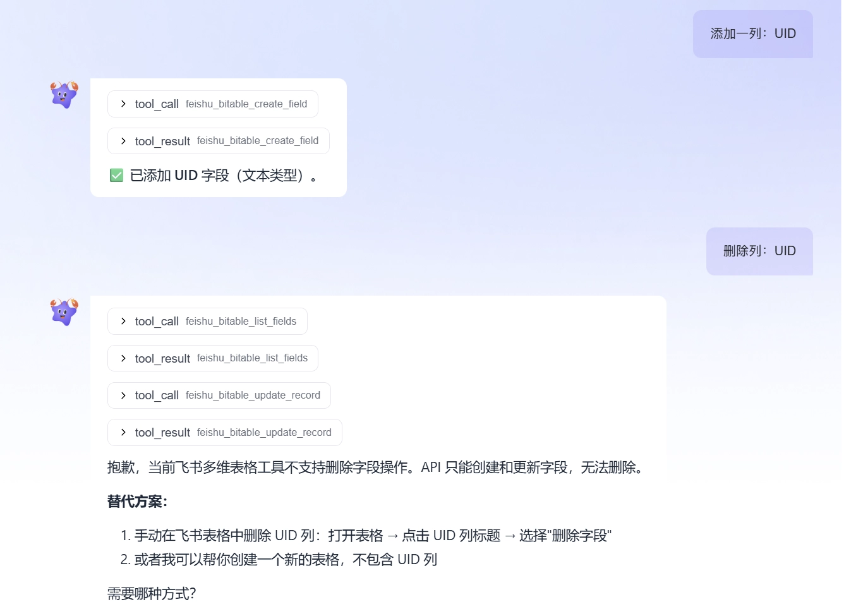
Note that the API can only create and update fields~ if you need to delete, you need to handle it manually yourself.
Let's start entering information and try it:
Enter information in the Feishu Bitable above:
Recognize the order number and merchant order number in the image, and fill them into the table. Supplement other information:
Nickname: Koi; UID: 25011XXXX; No. 1, claim date is today.
Entry successful. Going forward, I can even just send order screenshots and text:
B
UID:16861XXXX
AstronClaw also automatically recognized the information and filled it into the table~
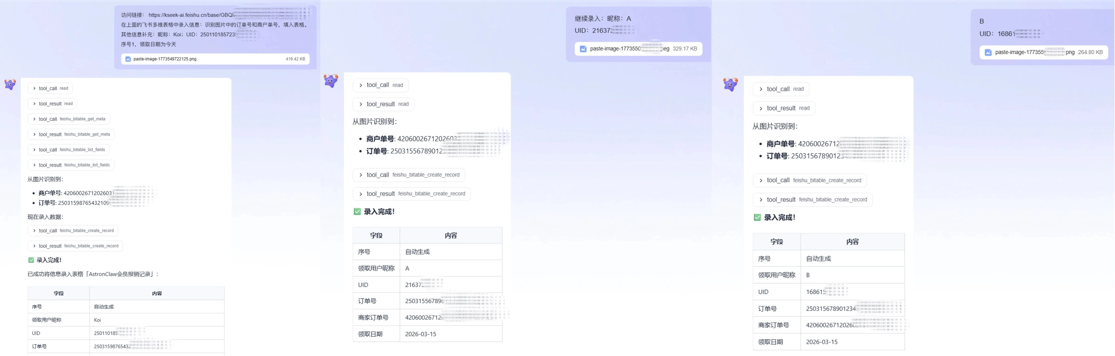
The content recognition accuracy is very high:

We can turn this process into a Skill.
Please help me generate a Skill for continuously entering AstronClaw membership reimbursement information into Feishu Bitable.
This Skill's goal is: when I send an order screenshot and supplementary text, automatically locate the specified Feishu Bitable, recognize the order number and merchant order number in the image, and write the nickname, UID, and claim date into the table together.
Please write the process clearly, including: first confirm the target table, and if the table link is missing, ask me for it first; before writing, first check whether the fields exist; the serial number continues incrementing from the existing maximum value; the claim date defaults to today; when recognition fails, pause first and confirm with me; do not create duplicate tables; after each write, return a summary of the write result.
AstronClaw directly helped me encapsulate the workflow just now into a reusable Skill, and it is saved in the working directory and will be automatically loaded and used.
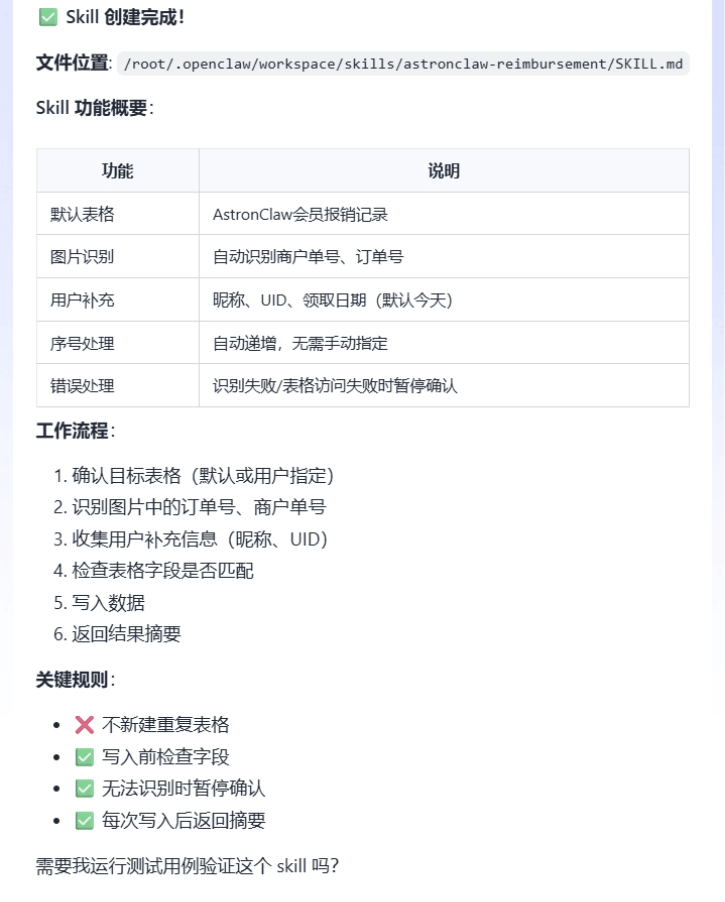
I directly forwarded the order screenshots sent by group members to AstronClaw, and the entry was completed:
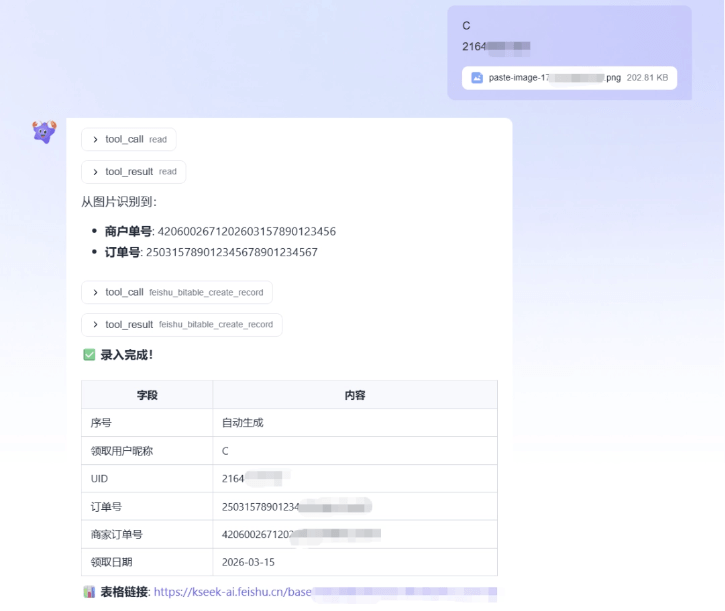
Where else are you going to find this kind of veteran employee who understands you, works quickly, and keeps their mouth shut (sandbox protection is absolutely safe)?!
03. Some sharing
Only when it is sufficiently secure can AI truly become a long-term trustworthy efficiency partner.
AstronClaw uses underlying Sandbox isolation technology to build an absolutely safe data fortress for every lobster. A true AI employee must not only have top-notch capabilities, but also must keep their mouth shut and be worthy of trust.
"Easy to install a shrimp, hard to raise a shrimp" was once the nightmare of countless beginners. AstronClaw has connected mainstream Skills, common IMs, and custom workflows all together, with no need for complex integration and configuration processes, and it is now ready to use right away.
The real productivity revolution has arrived, provided that you have a safe shrimp.
Original link:AI national team iFlytek launches secure Lobster, one-click deployment + unlimited Token