
What is Magic Cut
Magic Cut is a new-generation video creation tool integrated with AI technology, capable of achievingintelligent video generationandintelligent editing. Users only need to input the script, and Magic Cut can automatically match the best materials from the material library and quickly produce a finished video. Magic Cut supports secondary intelligent editing, allowing users to manually edit the generated video to achieve more refined editing effects. Magic Cut is suitable for multiple scenarios such as personal entertainment, work and study, team collaboration, and content monetization, simplifying the video creation process and improving efficiency.
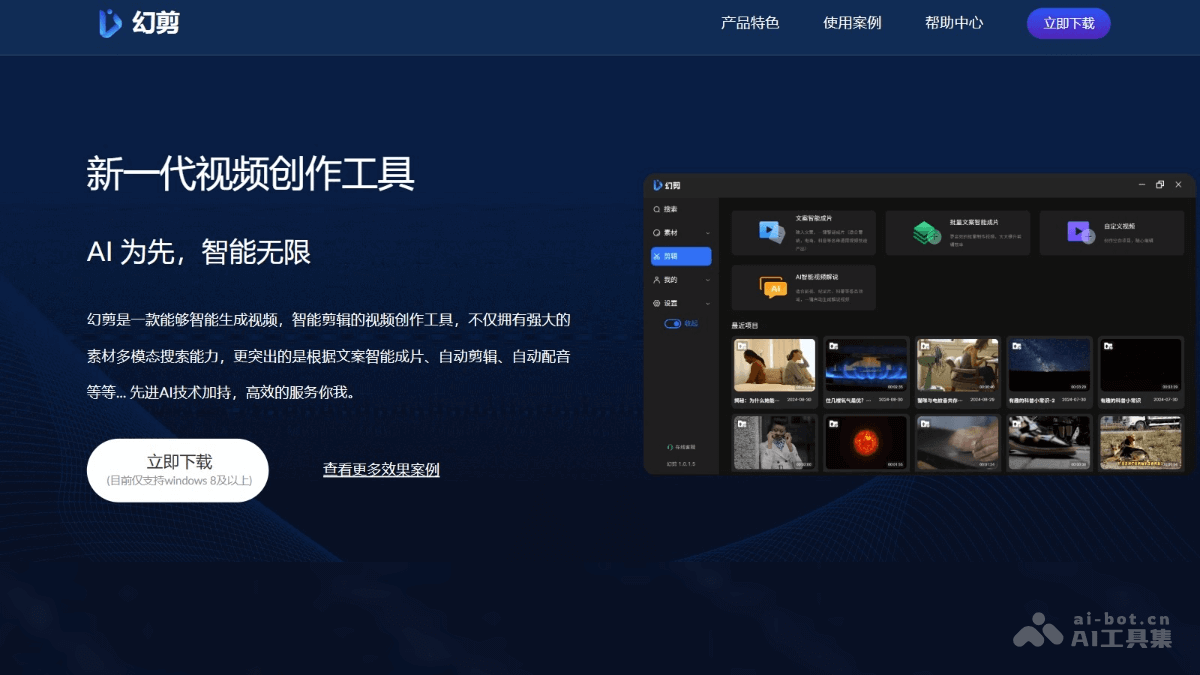
Main features of Magic Cut
- Intelligent script-to-video: After the user inputs the script, Magic Cut automatically matches suitable materials from the material library and quickly generates a video.
- Secondary intelligent editing: Based on the video automatically generated by AI, users perform manual editing, including adjusting the script and video material clips, and finely editing to produce a satisfactory final product.
- Multimodal search: Powerful material search function that can search video materials across languages, helping users find the needed materials without barriers.
- Automatic editing: Automatically edits videos, reducing the workload of manual editing for users.
- Automatic dubbing: Automatic dubbing function automatically matches suitable dubbing according to the video content.
- Subtitle settings: Users can set video subtitles to enhance the readability and professionalism of the video.
How to use Magic Cut
- Register and log in: Visit the Magic Cutofficial website, download the app. Create an account or log in with a social media account.
- Material preparation: As needed, upload or import materials such as videos, images, and audio into the Magic Cut material library.
- Script input: Input the script content you want to convert into a video.
- Intelligent video production: Automatically matches materials from the material library according to the input script and generates a preliminary video.
- Editing and adjustment:
- Edit the AI-generated video, including clipping, adjusting the order, adding effects, adjusting colors, etc.
- Modify the script as needed to better match the video content.
- Dubbing and subtitles:
- Select or record dubbing to add sound to the video.
- Set subtitles to ensure accurate conveyance of the video information.
- Preview and export:
- Preview the edited video to ensure it meets expectations.
- Export the video and choose the appropriate video format and quality.
- Publish and share: Publish the finished video to social media, video platforms, or use it for other purposes.
Application scenarios of Magic Cut
- Personal entertainment: Users quickly create and share interesting videos on social platforms.
- Work and study: Corporate training and education, creating training videos and educational course content.
- Team collaboration: Team project presentation, collaboratively producing introduction videos for team projects.
- Content monetization: Video bloggers, producing high-quality video content to attract viewers and advertising sponsorships.
- News and media: News report, quickly produce video reports of news events.