
Friends often ask, how are folk tale videos made? Which AI tool is the most convenient to use?
First of all, this type of video needs AI to perform the story in the text. We need to prepare the story text, then make a storyboard, and also draw character images and scene images separately, then generate the video, add music, edit… Once you go through the whole process, not only is it troublesome and time-consuming, it is also very hard to control the consistency of the art style and characters.
So is there an all-in-one AI tool that can simplify this process?
So I went to look into it for a while, and I really did find a good method. Everyone, first take a look at the video I made. Doesn't it actually look pretty convincing?
Do you want to know how I made this video? Now I'll teach you the production method!
Step 1: Write the folk tale
Use Zhipu Qingyan AI to write a story
OpenZhipu Qingyan, enter 'write a folk tale' in the input box, click the generate button, and a story will be generated.
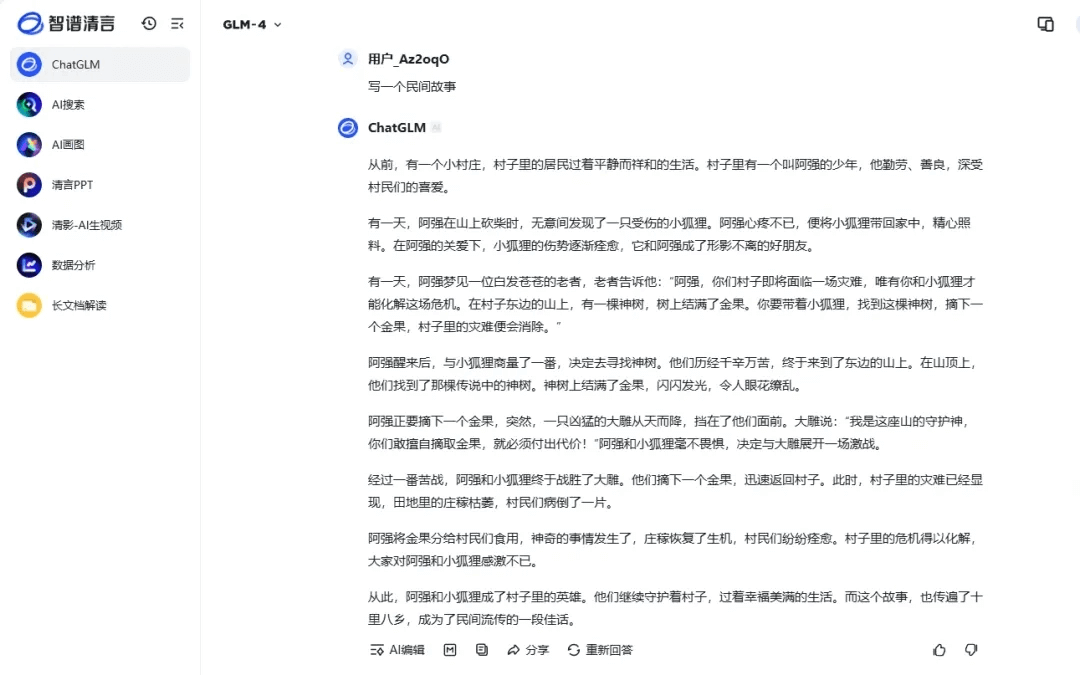
If you are worried the story does not match what you want, you can also enter 'make the story more detailed,' or 'make the story a bit longer.'
Step 2: Turn the story into a video
Use Bairimeng AI to turn the story into a video
OpenBairimeng AI, click Create New Video, and enter the video generation page.

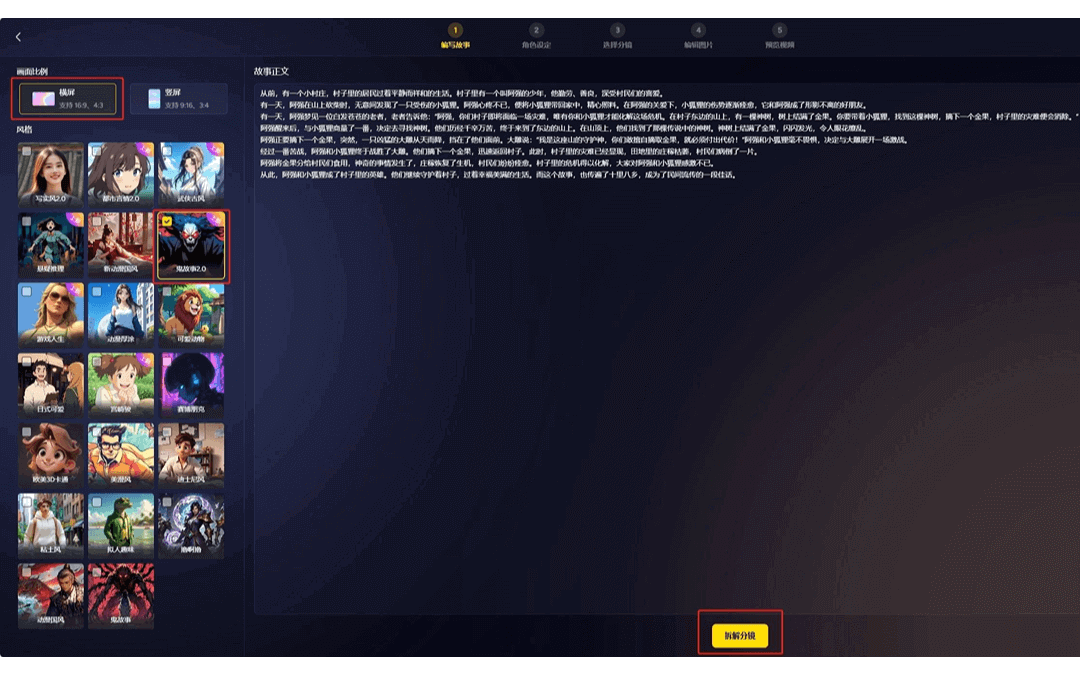
Copy and paste the story you wrote into the text box, choose landscape or portrait, check the large model you want, and then click Split Storyboard.
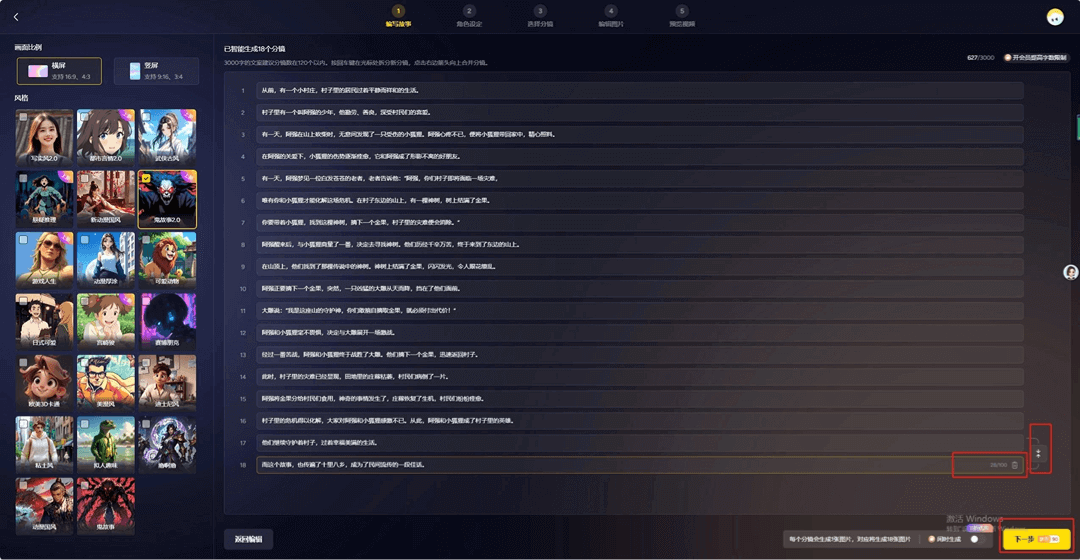
After the storyboard is split, everyone can modify, delete, and change the order. Once it is done, click the Next button.
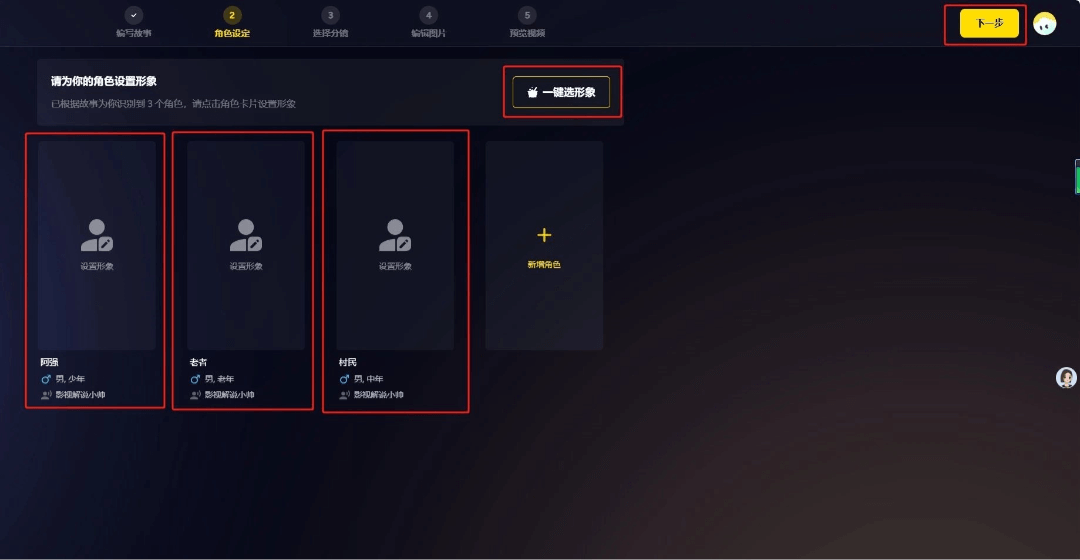
Next, start the character settings. You can choose the appearance yourselves, or click One-Click Character Selection. Choose as many appearances as there are characters. After all the appearances are set, click Next.
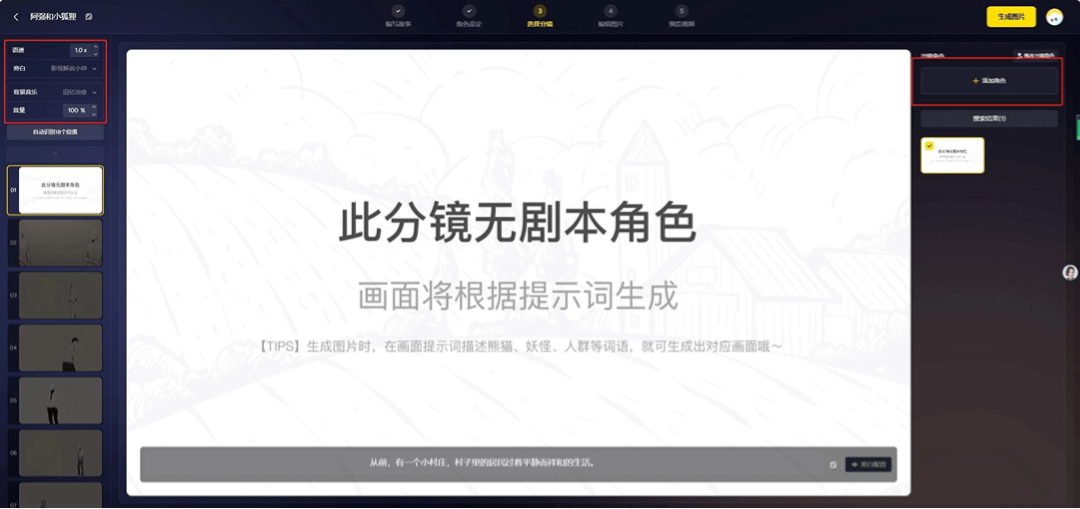
On the storyboard selection page, you can choose narration and background music on the left. Storyboards with no characters appearing will automatically generate images.
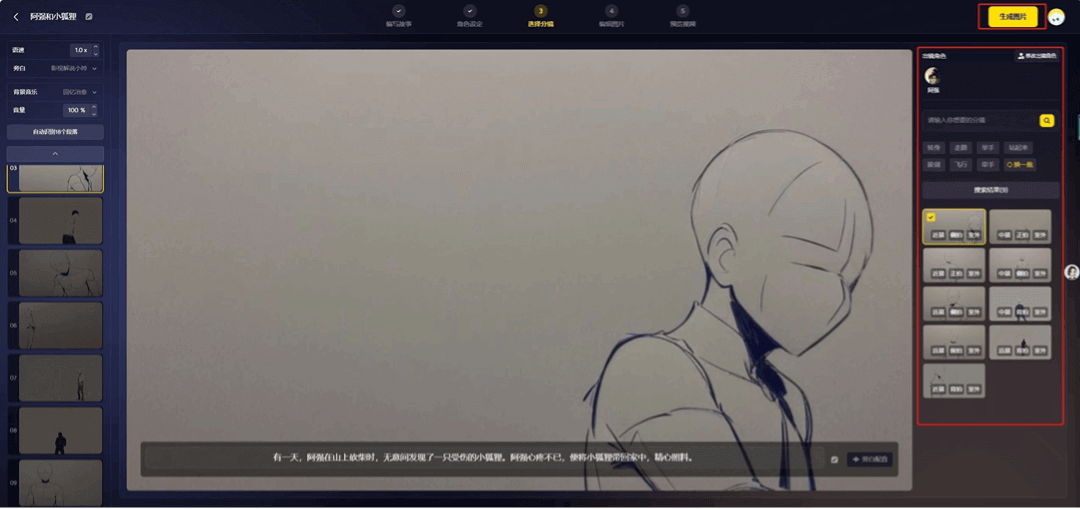
For storyboards with characters, you can choose the appearing characters, storyboard action, shot type, camera position, and so on on the right. After adjusting everything, click Generate Images.
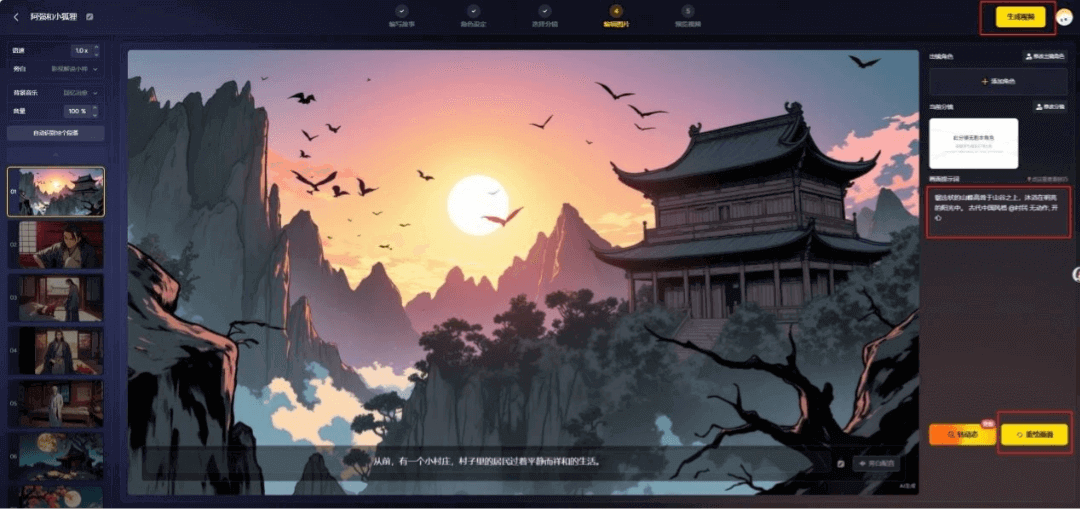
On the image editing page, if you are not satisfied with the generated images, you can modify the prompt in the image prompt field on the right and click Redraw Image to redraw. After all the images meet your expectations, choose a suitable background music in the upper left corner, and then click Generate Video.
Overall, it is still quite simple to make, but there are several aspects worth noting:
1. The story is very important. Only by writing a fun and novel story will the final video effect be good.
2. For your first time, you can make a shorter story, so there will be fewer things to adjust later. The longer the story, the harder it is to adjust later.
3. Image prompts only have positive prompts. For example, you can only enter what you want to appear in the image, and you cannot enter what you do not want.
4. Sometimes the same prompt also needs to generate images multiple times to achieve the effect you want.
That's all for our sharing this time. When I have good stuff, I will continue to share it with everyone!
All tools involved in this article:
- Zhipu Qingyan:https://ai-bot.cn/sites/2005.html
- Bairimeng:https://ai-bot.cn/sites/13065.html
Original link:Making folk tale videos with AI can be learned in just 2 steps!