
Recently, many transformation videos have appeared online, like a beauty transforming into a fox, or Lin Daiyu pulling up a weeping willow.
They do look really cool, and many people have their own creative ideas and want to make a video themselves for fun, but they don't know how to make it, and asking others to do it inevitably requires paying some labor fee. Although it may not cost much, there's no reason to be taken advantage of like that.
Today I'll teach you in 3 minutes, so you won't spend wasted money anymore!
1. Use Jimeng AI to generate images
For example, the video scene I want is a beauty and a wolf transforming into each other, so I just need to draw images of both.
OpenJimeng, click the AI drawingImage Generationbutton
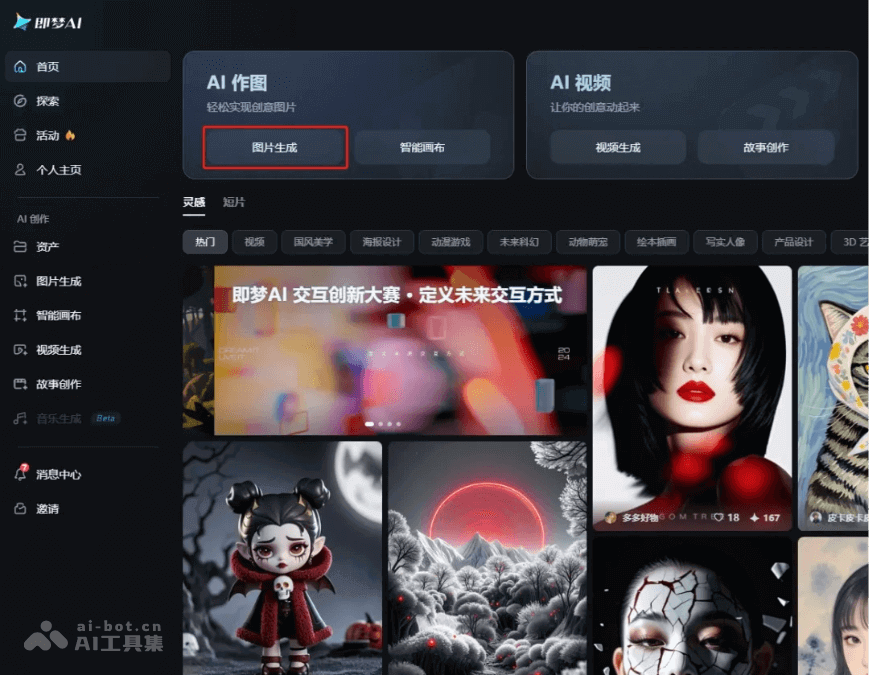
In the content box below Image Generation on the left, enter the content description of the image you want to generate
Click theGenerate Nowbutton below, and the image you need will be generated
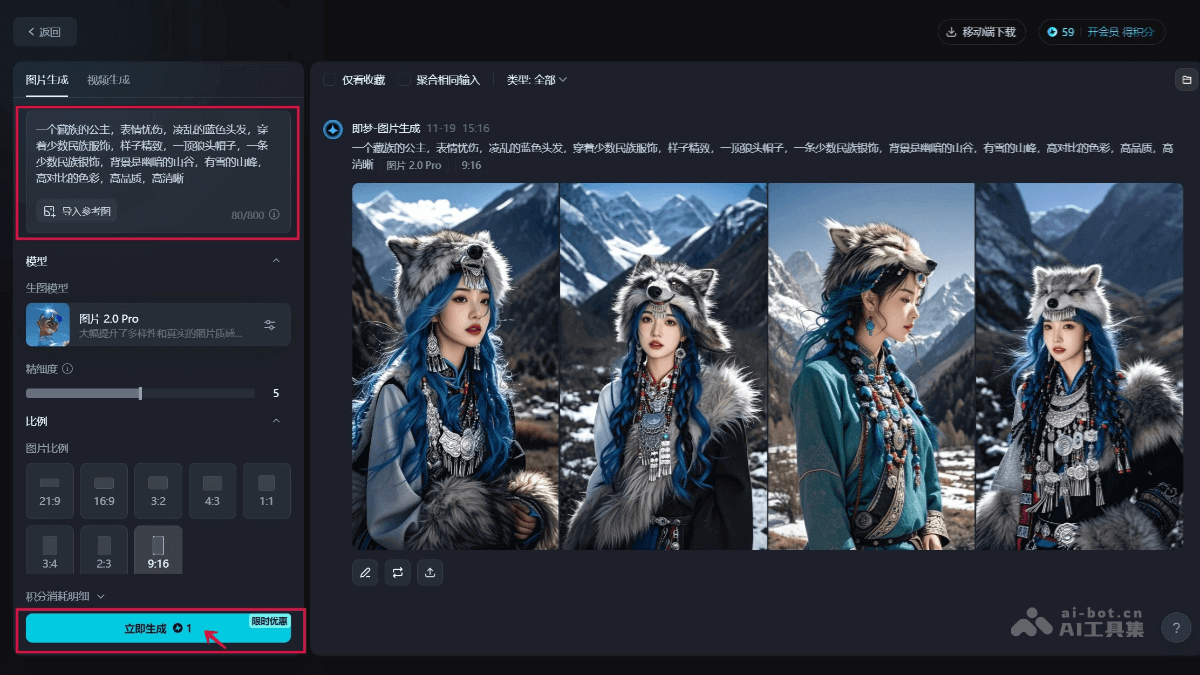
You can draw a few more images and use them as the first and last frames for each other, and the video duration will be extended accordingly.
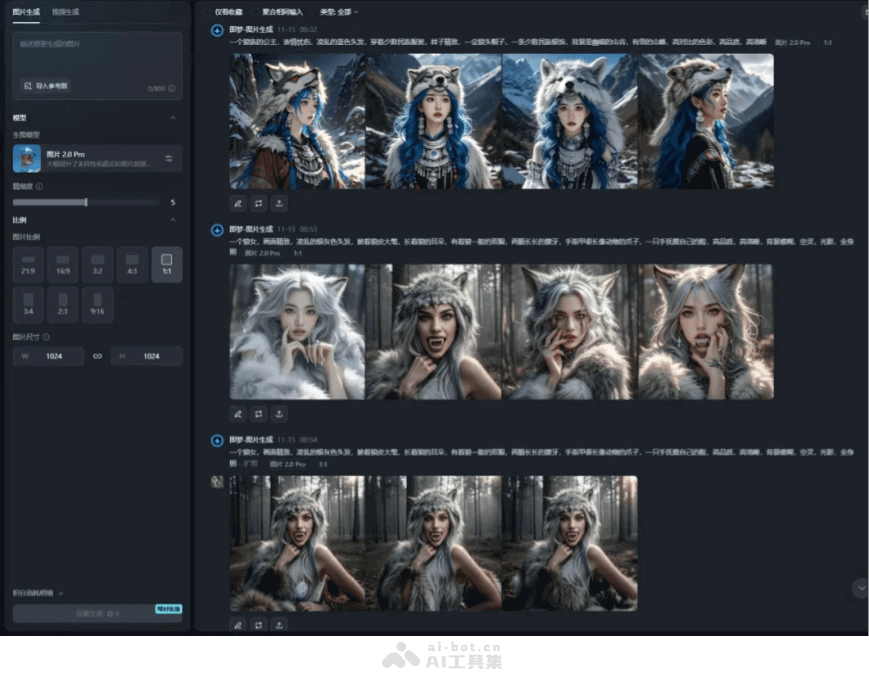
To learn how to download Jimeng images for free, you can read this article:How to Remove Jimeng AI Image/Video Watermarks? 2 Methods Without a Membership
2. Use Kling AI to generate videos
Use Kling's first and last frame feature to turn images into videos
OpenKling, clickAI Video
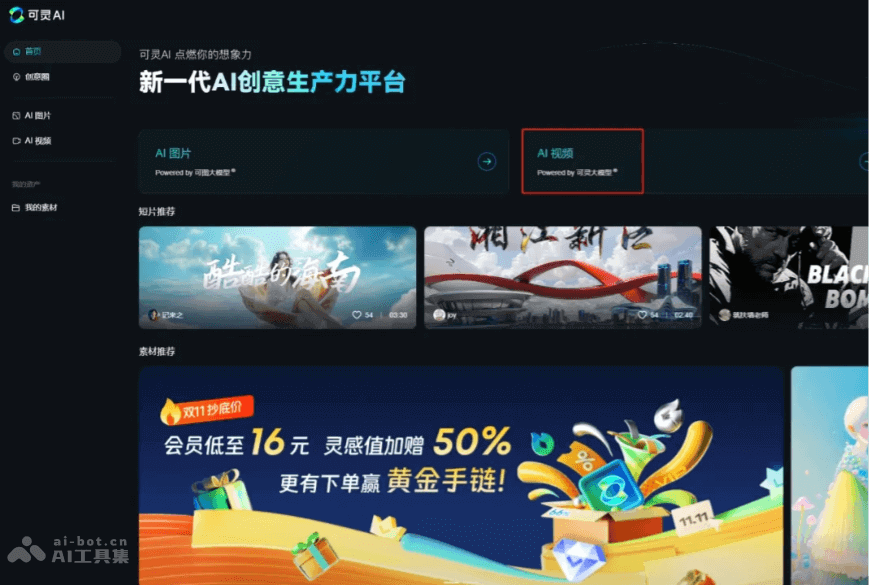
SelectImage to Video, and turn on theAdd End Frameswitch
Note that Kling 1.5 does not support this feature, so you need to switch toKling 1.0
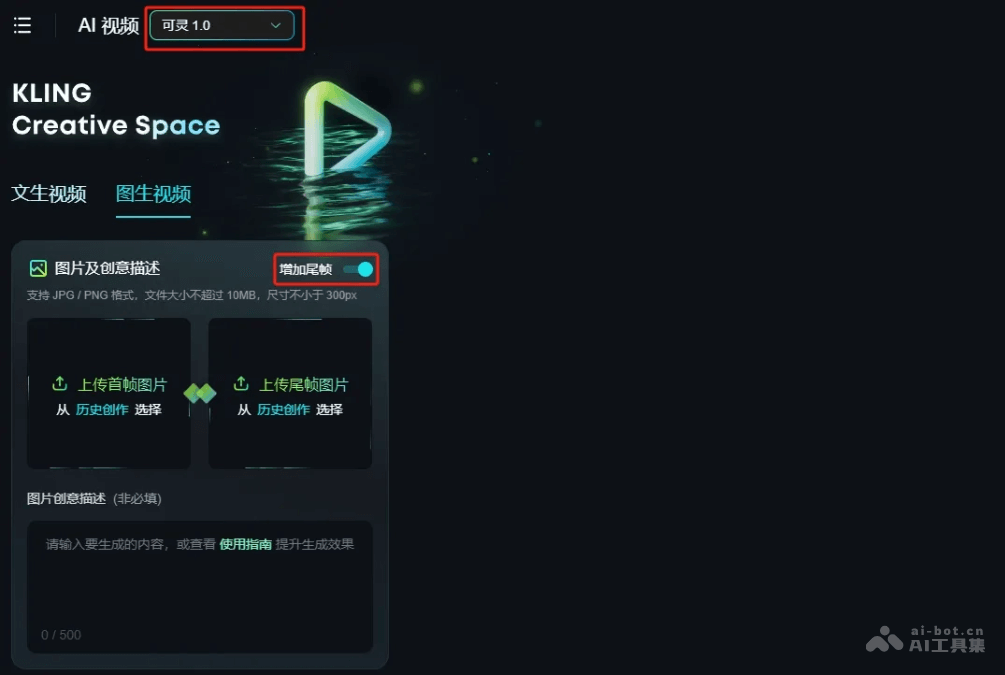
Add your generated images to the first frame and last frame boxes, then click theGenerate Nowbutton
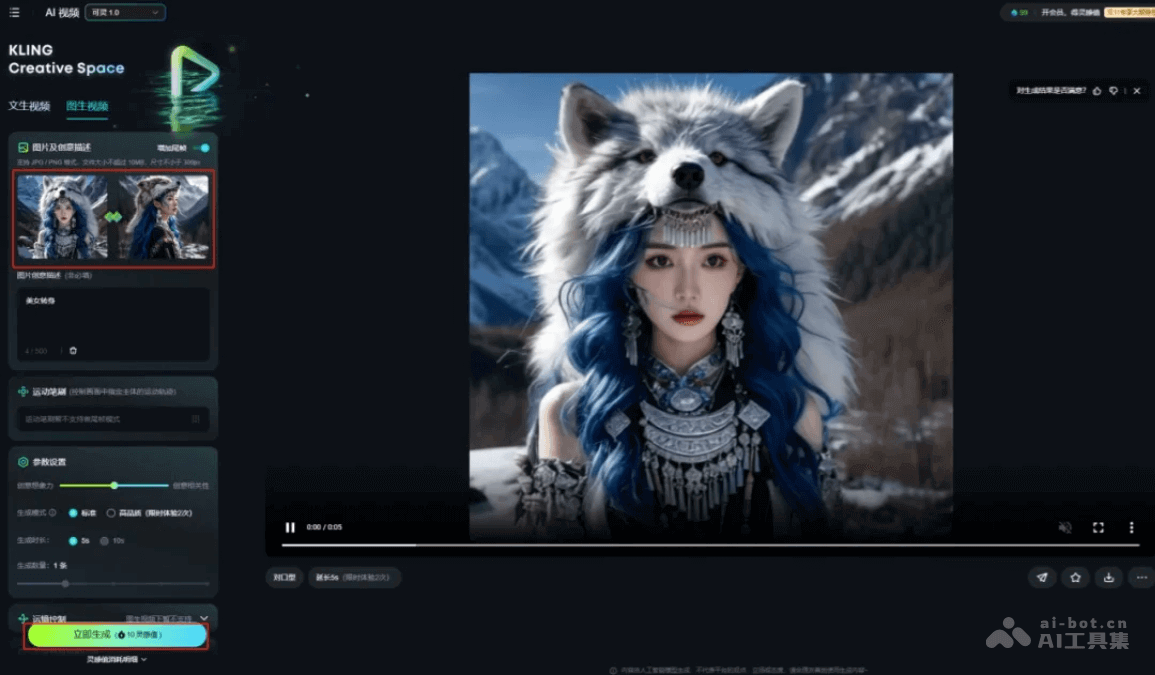
If you are generating a video from multiple images, repeat the previous step multiple times (First time: the first image as the first frame, the second image as the last frame)
(Second time: the second image as the first frame, the third image as the last frame)
(Third time: the third image as the first frame, the fourth image as the last frame)
(Fourth time: the fourth image as the first frame, the fifth image as the last frame)
(……)
The generated video may sometimes not be very smooth, or may feel a bit abrupt. You can click the Generate Now button again to regenerate a version.
AI-generated videos also need to be further processed in editing software, paired with sound effects and rhythm, and the presentation will be even better~
You can follow my steps and give your own creativity a try!
This is the final video I generated. Isn't it really cool?
All tools involved in this article:
- Jimeng AI:https://ai-bot.cn/sites/17772.html
- Kling AI:https://ai-bot.cn/sites/13002.html
Original link:How to Make AI Beauty Transformation Videos? Teach You for Free in 3 Minutes