

What is Hailuo Video
Hailuo Video is launched by MiniMaxAI video generation tool, which can quickly generate high-quality video clips based on text prompts. Users only need to provide a simple description or upload an image, and Hailuo AI can create video content with rich emotions and delicate actions. Hailuo AI is widely popular in overseas markets, with realistic video effects and strong emotional expression, and is considered to be at a leading level in the AI video field. Hailuo AI is easy to operate and supports generation in multiple styles and scenarios, and has become a powerful assistant for content creators and social media users. The newly launched video Agent's "semi-custom" mode supports users to freely edit storyboard content and review progress during the generation process.
- Hailuo 02:MiniMax launches a new AI video model — Hailuo 02, refreshing the rankings and overpowering Kling and Veo 3!
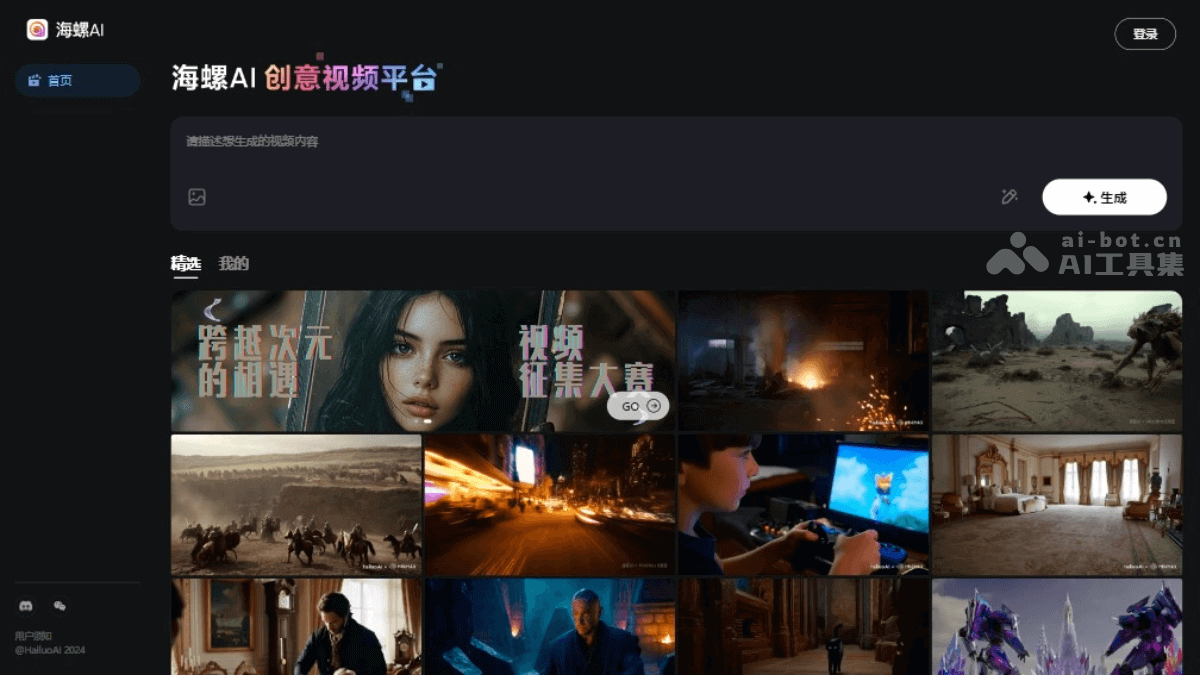
Main features of Hailuo Video
- Text to video: Users input text prompts, and Hailuo AI can transform them into vivid video clips, supporting multiple languages, including Chinese and English.
- Image to video (I2V): Users upload an image, and Hailuo AI can generate video content with a high degree of consistency and coherence based on this image, understanding and integrating text instructions beyond the image content.
- Emotion and expression generation: Hailuo AI excels at capturing and expressing characters' emotions and expressions, and can generate smooth transitions between complex emotions from happiness to sadness.
- Diverse styles: Supports video generation in diverse styles such as surrealism, fantasy, science fiction, anime, and abstract.
- HD video output: Supports generating HD video clips at up to 1280*720 resolution and 25 frames per second.
- Fast action processing: Can handle fast-paced scenes and maintain visual coherence, suitable for generating action sequences and videos with a large dynamic range.
- Facial and body action generation: Can create detailed facial close-ups and hand movements, as well as more complex body movements.
- Content moderation: A built-in review system ensures that generated video content complies with policies and regulations.
- Smart templates: Provides a variety of smart video templates, and users can choose suitable styles according to content needs.
- Custom features: Users can customize elements in the video such as text, colors, and music to meet personalized needs.
- Supports multiple formats: Supports multiple video output formats such as MP4, AVI, and MOV to ensure video compatibility.
-
Custom interaction: Users can intervene in and edit intermediate steps during video generation, such as storyboard images and storyboard videos. For unsatisfactory storyboard content, choose "Regenerate," or "Add to conversation" and make precise fine-tuning by entering prompts.
-
Review feature: Users can use "View project" to review the complete generation process, avoiding loss of progress after exiting the interface.
How to use Hailuo Video
- Visit the official website:Open a browser and visit the official website of Hailuo Video:hailuoai.com/video , register an account and log in.
- Enter the video description prompt:Enter a description prompt for the video in the creative description window; the prompt will guide the AI in generating the video's content and style.
- Upload an image (optional):Using the image-to-video feature, you can upload an image related to the video content, and Hailuo AI will generate a video based on this image.
- Select templates and customize elements:Choose built-in video templates as needed.Customize elements in the video such as text, colors, transition effects, and more.
- Generate video:Click the “Generate Video” button, and Hailuo AI will begin processing and generating the video.Depending on the server's response time and the complexity of the video, the generation process may take from a few minutes to longer.
- Preview and download:After the video is generated, you can preview the video result.If satisfied, click the download button to save the video to your local computer.
Hailuo Video product pricing
- Free to use: Currently, AI video generation features are available for free experience. For the latest pricing information of Hailuo AI, please refer to the official Hailuo AI website.
Hailuo Video application scenarios
- Social media content creation:Create eye-catching short video content for social platforms such as Instagram, TikTok, and Weibo.
- Marketing and advertising:Quickly generate attractive short video ads for product promotion or brand publicity.
- Film and video production:Create concept trailers, special effects scenes, or animation sequences for movies, TV series, or web series.
- Education and training:Create educational content such as historical reenactments and science experiment simulations to enhance the learning experience.
- News and reporting:Generate dynamic backgrounds or simulated event scenes in news reports to make the reporting more vivid.
- Art and experimental film:Explore new creative possibilities and produce artistic works with unique visual effects.


