
What is Hailuo AI
Hailuo AI is anAI video generationtool,Hailuo AI Videointernational version. Hailuo AI is based on advanced AI technology and supports quickly converting text and images into video content. Hailuo AI is simple and convenient to use, and supports a variety of artistic styles and scenes. The latest model Hailuo I2V-01-Live supports bringing 2D illustrations to life, giving characters vivid movements and expressions. The platform is suitable for creative workers, artists, and designers, efficiently turning ideas into high-quality visual effects. It is widely used in animation, advertising, film and television, and other fields, helping users save time and cost and inspiring more creative inspiration.
Hailuo AI's newly launched first and last frame feature allows users to specify the first frame and last frame of a video and lets AI automatically generate the transitional footage in between, achieving effects such as high-energy action, complex camera movement, and fantastical transformations, and it also supports fine text and logo effects. The first and last frame feature is currently officially available on the global web version andAPPdual-platform versions, and the last-frame-only mode has been opened.
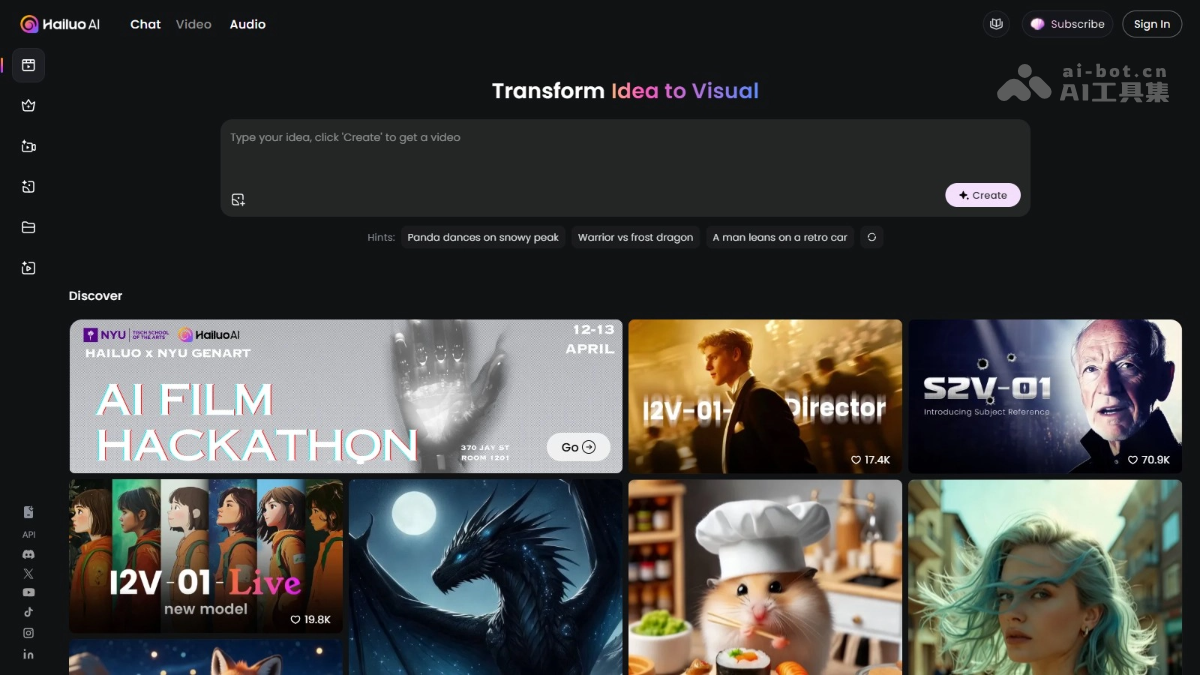
Hailuo AI's Main Features
- Text to Video: Enter a text prompt, and AI quickly generates the corresponding video.
- Image to Video: Upload an image and generate a dynamic video based on the image.
- Subject Reference: Users upload a photo and describe the scene of the photo. The platform generates the character in the photo into any specified scene according to the description.
- Precise Camera Movement Control: Generate lens effects such as push, pull, pan, and tracking according to the description.
- Aesthetics and Atmosphere Control: Generate videos in different styles and atmospheres according to the description.
- Adapt to Multiple Scenes and Styles : Supports generating videos in multiple scenes and styles.
- First and Last Frame Generation: Allows users to specify the first frame and last frame of a video and lets AI automatically generate the transitional footage in between, achieving effects such as high-energy action, complex camera movement, and fantastical transformations.
How to Use Hailuo AI
- Visit the Official Website: Visit Hailuo AI'sofficial website, and register and log in according to the prompts.
- Text to Video:
- Write a Description: Use text to describe in detail the visual content you want to generate, such as the scene, characters, actions, style, etc.
- Choose a Model: The platform provides a variety of generation models. Choose the model that suits your needs.
- Adjust Parameters: Adjust generation parameters as needed, such as resolution, animation duration, style, etc.
- Insert Camera Movement: The platform provides a variety of preset cinematic lens effects. Choose the lens effect according to your needs.
- Submit and Generate: Click the "Generate" button and wait for the system to generate the video according to the prompt.
- Image to Video:
- Upload an Image: In the Hailuo AI interface, select the "Image to Video" feature and upload an image.
- Write a Prompt: The basic description prompt formula: subject in the first frame + action/change.
- Choose a Model: The platform provides a variety of generation models. Choose the model that suits your needs.
- Adjust parameters: Adjust generation parameters as needed, such as resolution, animation duration, style, etc.
- Insert camera movement: The platform provides a variety of preset cinematic shot effects; select the shot effect as needed.
- Submit and generate: Click the "Generate" button and wait for the system to generate the video according to the prompt.
- Subject reference:
- Upload image: The user uploads a photo.
- Input box prompt: Describe the scene of the photo, and the platform reimagines the character story.
- Select model: The platform provides a variety of generation models; select the model that suits your needs.
- Submit and generate: Click the "Generate" button and wait for the system to generate the video according to the prompt.
- View results: The generated video will be displayed in the interface, and you can view the video effect.
- Adjust prompt: If the video effect does not meet expectations, modify the prompt or adjust the image, and generate again.
- Export video: After generating a satisfactory result, export the video locally or share it to platforms such as social media.
Hailuo AI application scenarios
- Content creation: Generate materials such as short videos, Vlogs, advertisements, etc., to inspire creativity.
- Education and training: Create instructional videos to help students better understand knowledge.
- Enterprise marketing: Quickly generate product promotional videos to enhance brand influence.
- Film and television production: Generate creative clips and auxiliary shots to support professional production.
- Game development: Create game cutscenes and character expressions to enhance immersion.