
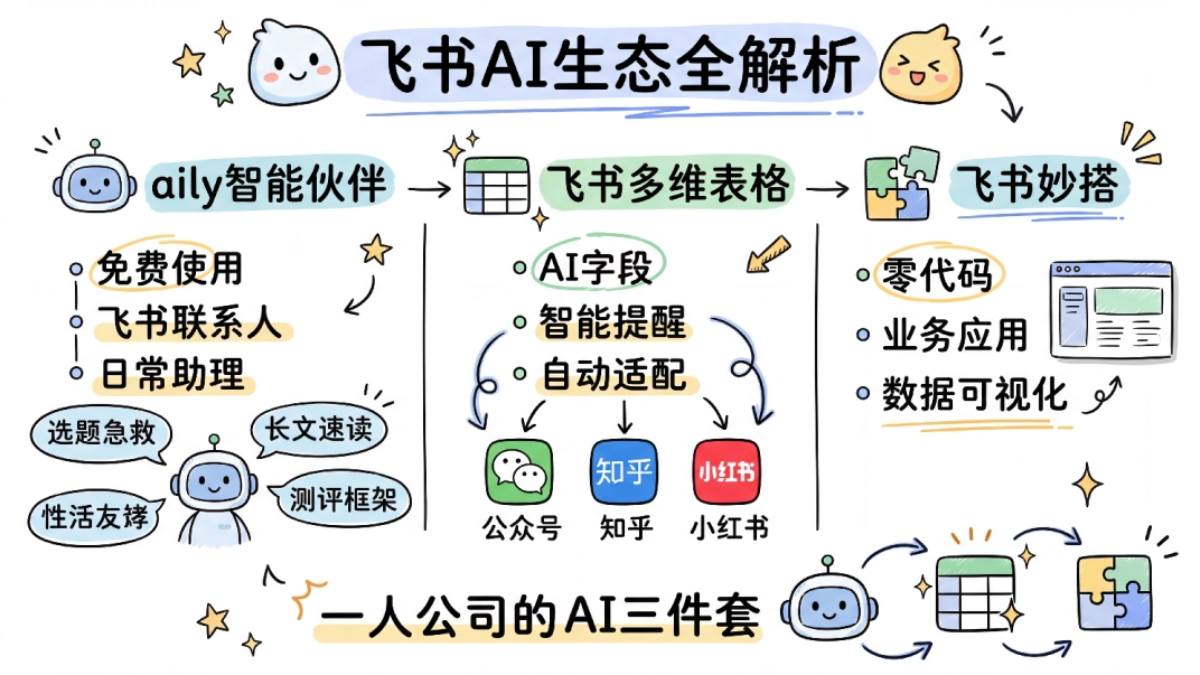
I just finished watching the livestream of Feishu's new product launch. This time Feishu introduced its entire Agent ecosystem.
A few days ago, a friend told me: "Feishu launched an AI Agent called aily , which wasn't very popular before but has recently taken off. You can think of it as Feishu's 'crayfish.'"
My first reaction was: here we go again?
Lately, every company has been rolling out their own "crayfish." From MiniClaw and KimiClaw to Tencent's WorkBuddyand Alibaba's QoderWork... As a self-media blogger who has to chase hot topics and write articles every day, I really don't have the time to babysit yet another new tool.
But my friend kept insisting: "This time it's different. It's right there in your Feishu, no download needed, and it can actually help you get work done."
Since I happen to use Feishu for work anyway, I got a bit excited.
Looking at the products introduced at this Feishu launch event, there were quite a few: aily, aily Professional Edition, Feishu Bitable, and Feishu Miaoda.
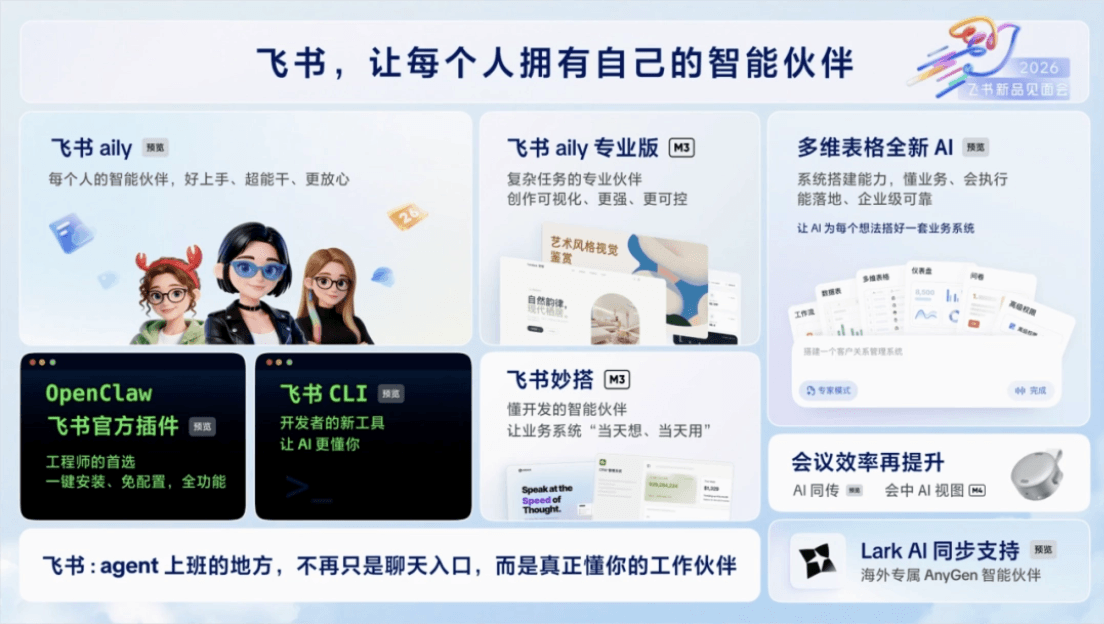
Personally, I'm most interested in aily. You can think of it as a one-click-install "crayfish" suitable for most white-collar workers.
This fits my office scenario the best.
01. aily, the Feishu Version of "Crayfish"
Finding aily was simpler than I imagined.
Official website:https://aily.feishu.cn/
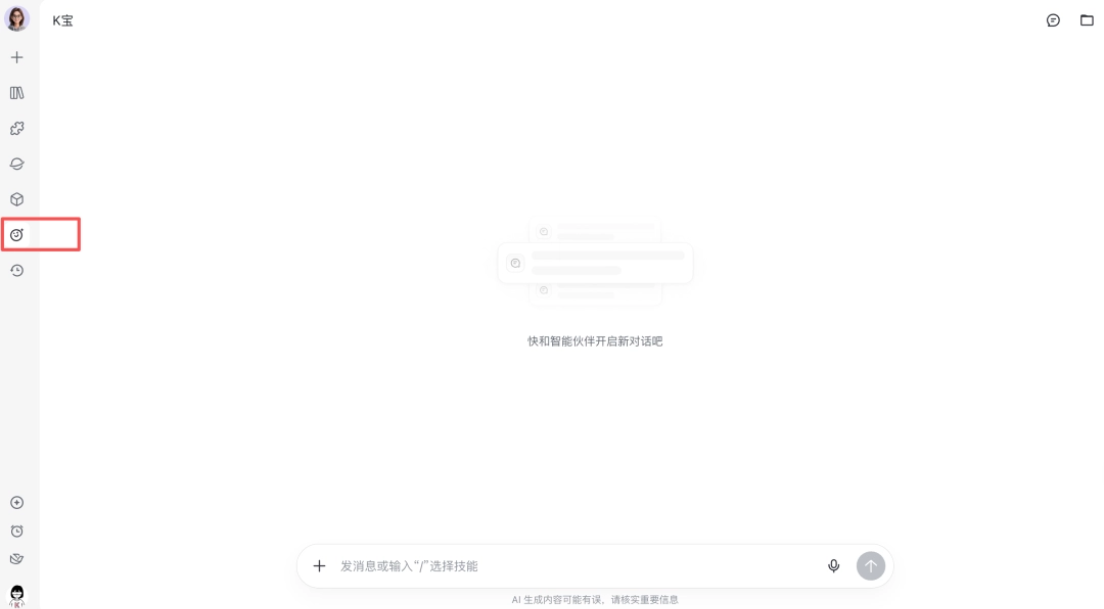
Open Feishu aily. Under "Personal Assistant" in the left sidebar, there's a "Claim Your Exclusive Smart Partner" option. Click it, and aily appears in my contacts list.
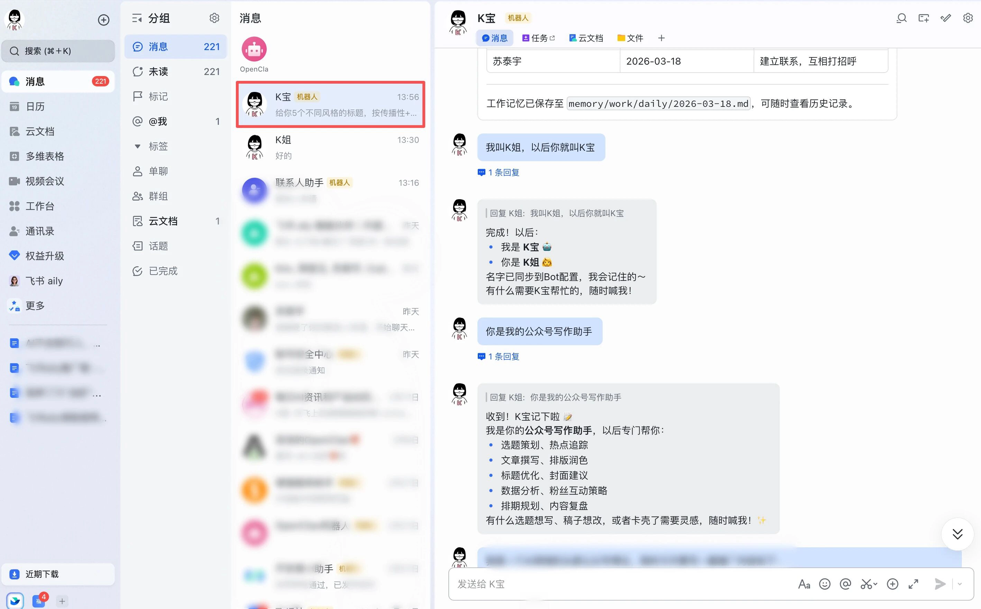
Yes, the same list where your colleagues, boss, and clients sit.
As my friends know, the hardest part of running a case is coming up with the case. This time I went straight to hard mode and threw this challenge at K-bao Assistant (my aily) to see how she'd handle it.
Honestly, I've used quite a few AI tools, but most share a common flaw—you have to learn how to use it first before it can help you。
This time Feishu upgraded aily, and my impression is:this assistant is a "natural" at being familiar。
No training needed, no configuration needed. Just open Feishu and you'll find it in your contacts. Say a word, and it gets to work. And the longer it works, the better it understands you—it knows what business you're responsible for, how you prefer to communicate, and even remembers when I said "I try not to use exclamation marks in my copywriting."
K-bao is really powerful, my friends. I've decided to take her advice and go straight to testing:
Scenario 1: Hot Topic Emergency Rescue
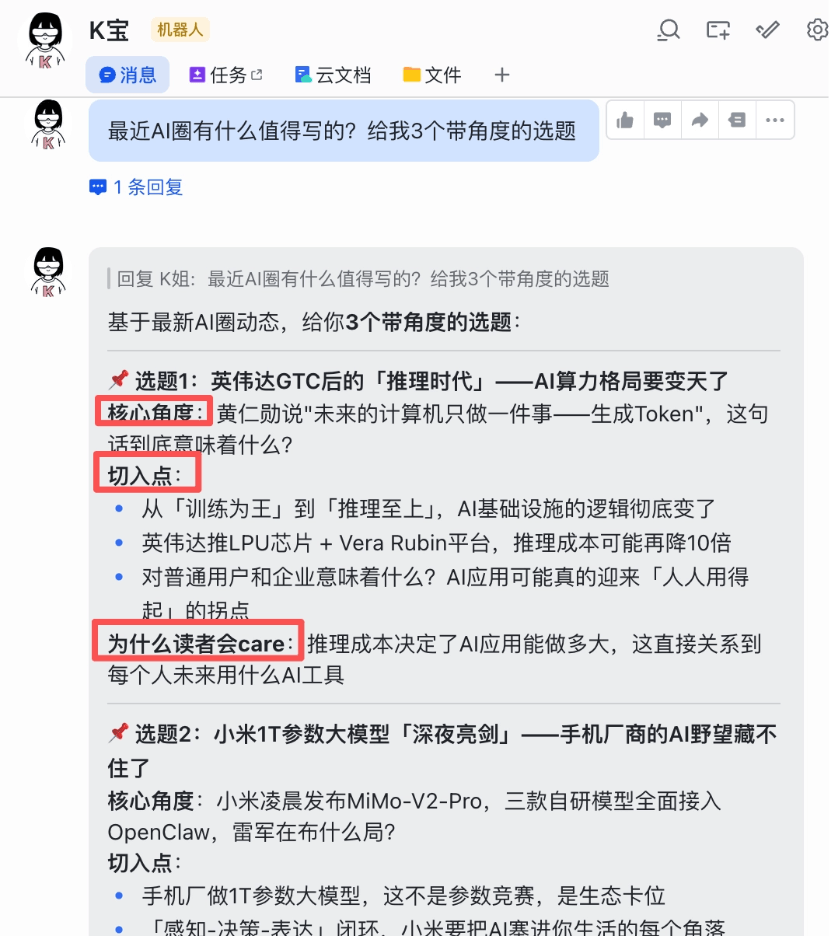
A common situation for self-media people: You don't know what to write today, a hot topic comes up but you don't know how to approach it. Just throw it at K-bao Assistant: "What's worth writing about in the AI space lately? Give me 3 topic ideas with angles."
Friends, do you see that? A regular AI would just push 3 news items and call it a day. K-bao Assistant went a step further—she listed [Core Angle], [Entry Point], and [Why Readers Would Care]. This is a godsend for writers. It's not just giving information; it's giving insight.
In the end, she even gave her own recommendation directly, along with the reason for recommending it.
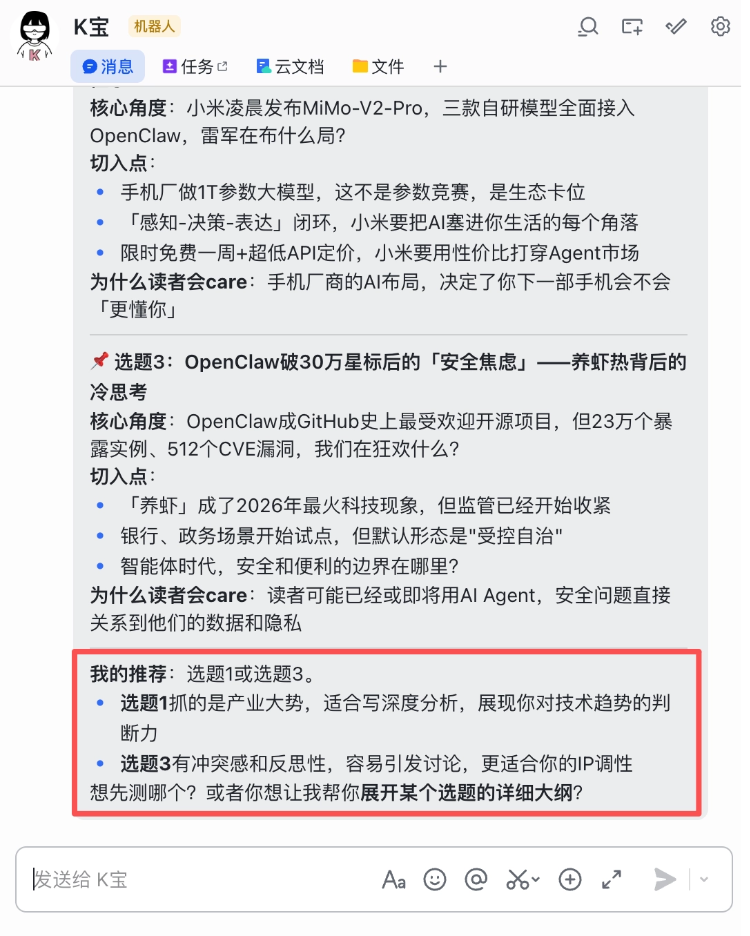
OK, I'll take K-bao Assistant's recommendation and look into the topic "The 'Inference Era' After Nvidia GTC—The AI Computing Power Landscape Is About to Change."
This is Jensen Huang's keynote speech at Nvidia's new product launch on March 17. The speech is about 140 minutes long, which is way too long.
So, let's go straight into Scenario 2 testing.
Scenario 2: Long-Form Rapid Reading and Summarization
I directly asked Assistant K to help me find the keynote speech video and generate a PDF document.
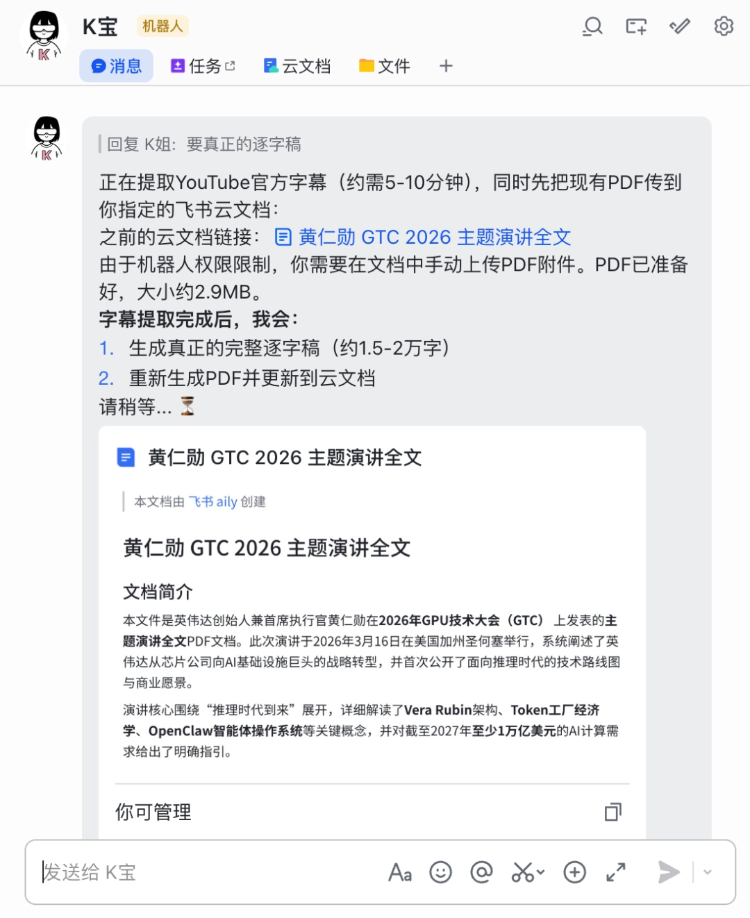
Assistant K also has her lazy moments. I said I wanted a verbatim transcript. At first she found me a version with over 3,000 words, and later she found another version with over 6,000 words. It was a speech of more than 2 hours—just looking at the word count, you can tell it's unreasonable.
From this angle, she's about the same as an intern—important things need to be said several times.

What's good about her is that she can estimate roughly how long a task will take. Friends who have been tormented by Agents from other companies that give no response once they start running a task will definitely know how valuable it is to have responses at all times.
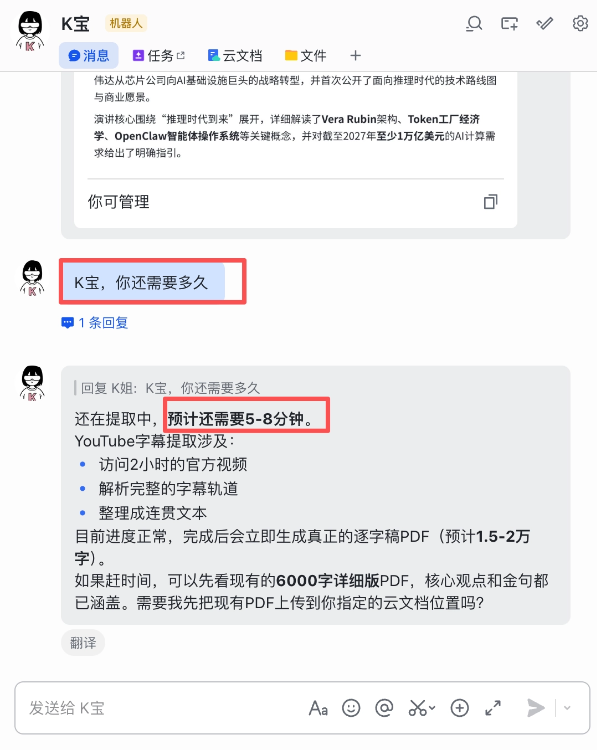
She can actually return a PDF file directly in the chat box. Many other companies' "crayfish" that I tested before would download it to a folder and give you the path to go find it.
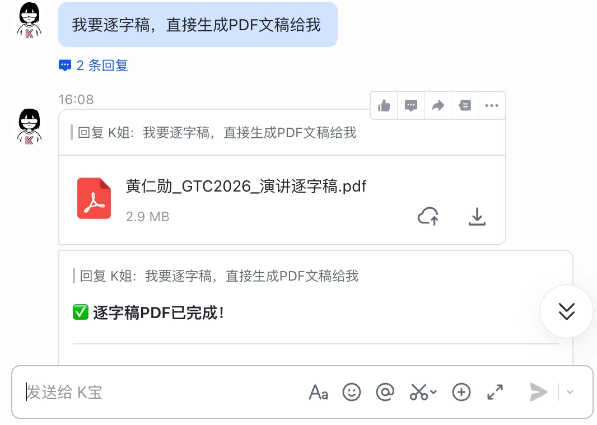
Directly ask Assistant K to summarize the core viewpoints for me and mark the data and golden quotes useful for my content creation.。
No need to say anything more, just look at the results.
Scenario 3: Evaluation framework generation
When you get a new AI product and don't know which dimensions to test to be comprehensive. This time, take aily as an example and see how Assistant K generates a testing framework for me.
It can be said to be very comprehensive.
aily currently has two versions and two ways to use it.
aily Smart Companion is positioned as your portable assistant. It's right in Feishu contacts, and you can @ it anytime like an ordinary colleague. For daily Q&A, message replies, and document organization, just speak up. It can also proactively monitor and push, for example sending you a daily report every morning.
aily Professional Edition is positioned as your professional workstation, used for complex tasks, such as one-click PPT generation and data analysis visualization. It has a GUI interface where you can choose templates and make partial modifications. It is equipped with an "agent computer" that can run code and call tools.
Regular aily is free and right inside Feishu, suitable for daily trivial matters. But I tried the Professional Edition (aily.feishu.cn) and found that complex tasks (such as writing in-depth analysis and doing data visualization) are obviously more stable. The Professional Edition is an independent web page, not fully embedded in Feishu IM. This sense of fragmentation is a little uncomfortable.
02. Feishu Bitable
aily can help me find topics, read references, and produce evaluation frameworks.
But for self-media people, once the article is written, this is only the first step in a long march.
For content bloggers distributing across the whole internet, the most headache-inducing part every day should not just be "writing," but also "publishing."
WeChat Official Account, Zhihu, Xiaohongshu, Toutiao, Baijiahao... Each platform has a different tone. Titles need to be changed, summaries need to be adjusted, cover image sizes need to be recropped, and publishing times need to be staggered.
How did I do it before? Create an Excel sheet, list a row of platforms, and check one off after publishing each one.
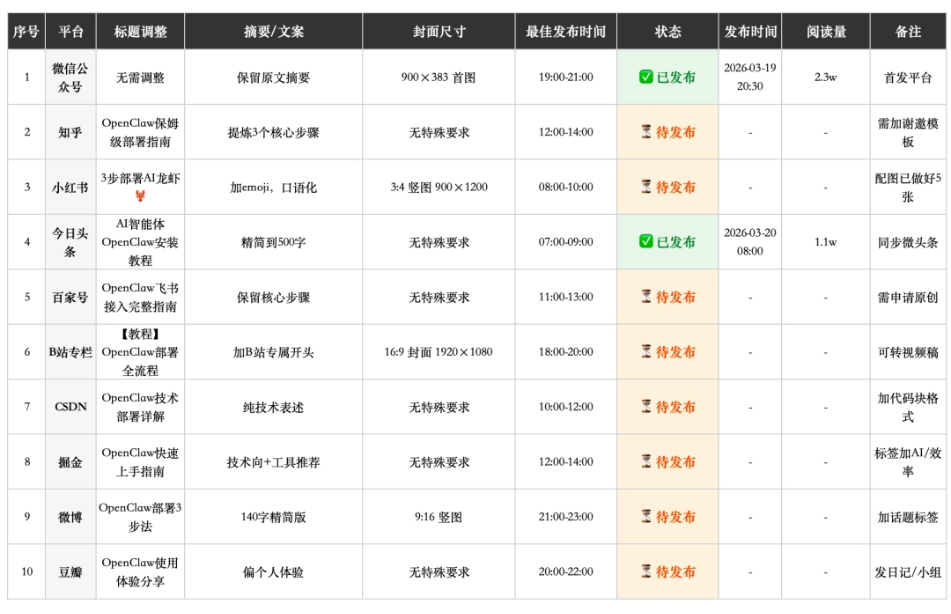
But Excel won't remind me that "Xiaohongshu has good traffic at 2 p.m.," nor will it tell me that "this title on Zhihu is too flat; I suggest adding a question."
Until I moved this whole process into Feishu Bitable.
I created a table called "Content Distribution Battle Map."
The fields include: article title, AI-optimized title (multi-platform version), distribution status, links for each platform, read count, and conversion count.
Then, I summoned that AI field again.
I told it: "Help me generate, based on the original text, a formal title suitable for WeChat Official Account, a viral title suitable for Xiaohongshu, and a question-style title suitable for Zhihu."
Guess what?
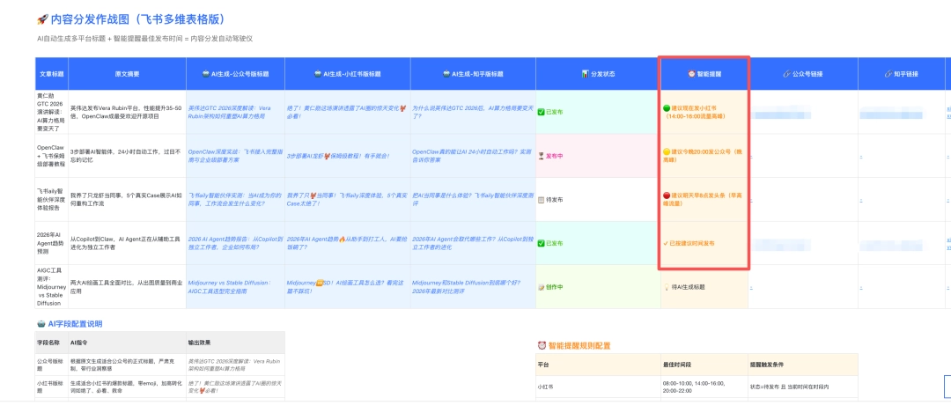
It really generated three versions for me:
- WeChat Official Account version: serious and restrained, with a sense of industry insight
- Xiaohongshu version: with emoji, add high-conversion words like "insane" and "must-read"
- Zhihu version: turn it directly into a question, "Why do people say the AI computing power landscape is about to change after Nvidia GTC?"
I only need to copy and paste, and it adapts to each platform with one click.
Even better, I also added a "smart reminder" field. AI will automatically mark "recommended to post on Xiaohongshu now" or "recommended to post on WeChat Official Account at 8 p.m. tonight" based on each platform's traffic peak. In the past, I had to note these trivial time points in my phone's memo app. Now the table keeps track of them all for me and even pops up a notification when the time comes.
This is not a table at all. This is my content distribution "autopilot."
03. Feishu Miaoda
I came across something called "Feishu Miaoda."
To be honest, at first glance I didn't understand it.
Because its slogan is: "Build business applications with zero code."
At the time I thought: great, another low-code tool. What does this thing have to do with me, a writer?
Official website address:https://miaoda.feishu.cn/home
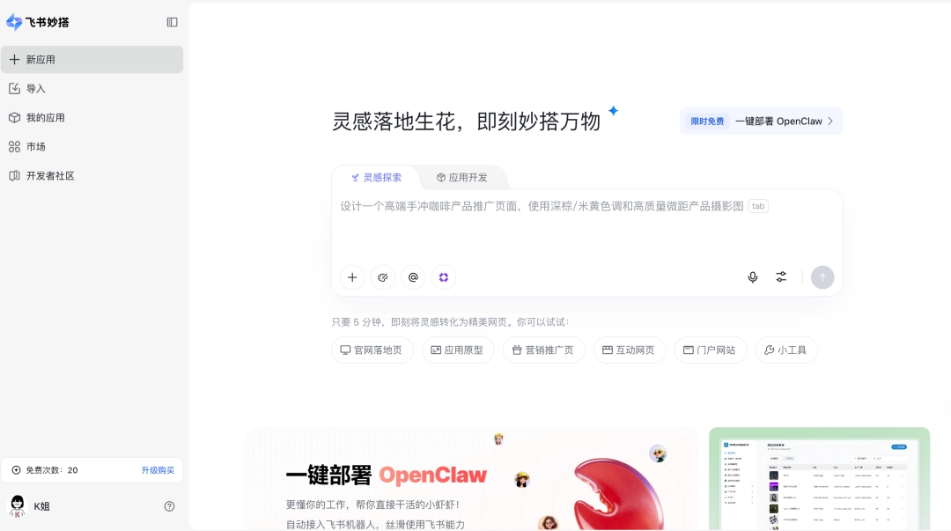
As it happens, I thought of a friend of mine who is recently preparing an AI writing course and wants to first make a display page with the course outline, instructor introduction, price, and registration entry.
In the past, this would require finding an outsourced developer, or using a third-party website-building tool, costing several hundred yuan a month, and still being tied down.
This time I just tried using Feishu Miaoda directly.
First, I built a multidimensional table behind it, called "Course Registration Form."
The fields include: course module, number of class hours, outline details, price, and student registration status.
Then I opened Miaoda and linked this table.
I chose a "card list" to display each module. Clicking a card expands the detailed outline. I added a "registration button," and behind the button is a form that collects the student's name, phone number, and needs.
Look at this page, how beautiful it is.
When students click in, they can freely browse each module, click to view details if they want to learn more, and fill out and submit the form if they decide to register.
And for me, the best part is:
Every time a registration is submitted, the data is automatically written back to the multidimensional table behind it.
I no longer have to manually enter data into Excel, or chase people on WeChat asking, "Did you sign up?"
Open the multidimensional table, and who registered, which module is most popular, and which time period has the most registrations are all clear at a glance.
What surprised me most is that Miaoda also supports embedding external links.
At the bottom of the page, I put a "Student Works Showcase," directly linking to the collection of hit articles I previously made with Miaoda.
When new students click in and see my previous track record, the registration conversion rate directly doubles.
This is the value of letting your product speak for itself.
04. Some sharing
From aily to multidimensional tables, and then to Miaoda, what Feishu gave me this time is the feeling that they are really trying to understand how "people" work.
- aily solves "I'm too lazy to use my brain," handing tedious information retrieval and distillation to AI.
- Multidimensional tables solve "I can't manage it all," turning messy topic ideas and customer information into structured assets, and then using AI to make the tables run on their own legs.
- Miaoda solves "I can't present it well," turning cold data into a warm, interactive front face, and even handing me a copy of "visitor intelligence" in return.
In the past, when we talked about a "one-person company," it was just a concept.
Now with this trio, a blogger, plus an AI assistant, plus a data middle platform, plus a website that auto-updates and comes with built-in tracking, really can live like a whole team.
This is probably what I understand a "crayfish" should look like:
It's not about making you download one more app, but about letting you quietly get stronger within your existing workflow.
By the time you snap out of it, you realize—huh? I think I'm already inseparable from it.
The above is my recent real experience, some of it felt great, some of it I grumbled about. If you try it, welcome to the comments section to exchange bugs (or surprises).
Original link:Feishu aily launched today, let's talk about what the launch event didn't mention