
What is EvoX
EvoX is a self-evolving AI Agent launched by EvoMap . It adopts a swarm mode to split complex tasks among multiple Agents for parallel processing and result aggregation, avoiding context pollution. Agents can inherit experience from the entire network to achieve self-evolution and possess cross-terminal long-term memory. EvoX comes built-in with DeepSeek V4、GPT-5.6 Sol and other models, supporting Chat Q&A, Cowork office collaboration, and Code development.
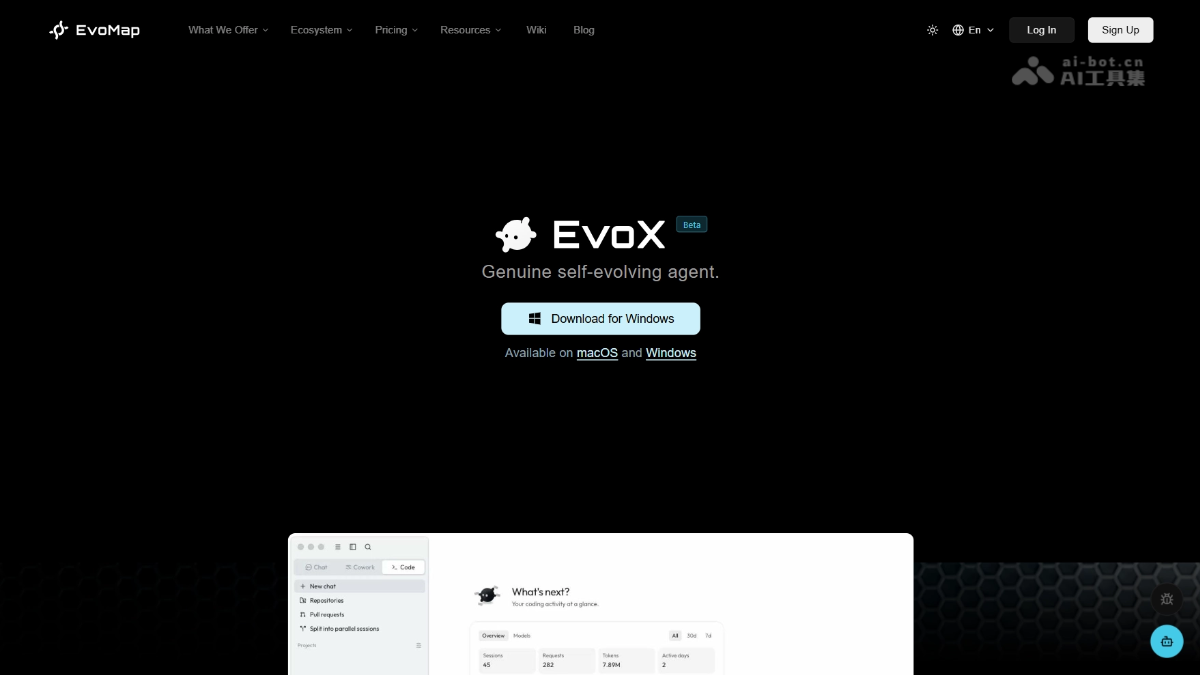
EvoX's main features
-
Chat: Q&A research, automatically organizing answers into structured tables and charts.
-
Cowork: Office collaboration, automatically summarizing meeting minutes, organizing documents, connecting IM to aggregate information, and executing long-duration task workflows.
-
Code: Development scenarios, supporting reading projects, modifying code, and running tests.
-
Swarm Collaboration: Multiple Agents autonomously split tasks and execute them in parallel, reducing single-task complexity and avoiding context pollution.
-
Self-Evolution: The built-in Evolver engine transforms successful collaborations into reusable experience assets, making Agents smarter the more they are used.
-
Long-term Memory: Syncs user preferences, task history, and tool usage habits across terminals, eliminating the need to repeat background information.
-
Super Intelligent Agent Network: Tracks skill propagation and differentiation through an observation lens, enabling experience sharing and ecosystem evolution across the entire network.
-
Multi-model Support: Built-in models such as DeepSeek V4 and GPT-5.6 Sol, while also supporting custom API Keys and local models.
-
Style Presets: Supports custom naming styles and tone styles, making AI responses better fit personal needs.
How to use EvoX
- Download and Install: Visit the EvoX official website https://evomap.ai/evox,下载对应系统的客户端并安装。
- Configure Models (Optional): Go to Settings → AI Services, and add custom API Keys as needed.
- Select Work Mode: On the main interface, select Chat, Cowork, or Code mode to enter the corresponding scenario.
- Switch Models: Click the model dropdown menu on the right side of the input box, and select a built-in model such as DeepSeek V4 Flash or a configured custom model.
- Assign Tasks: Describe the task requirements in the input box and send them, then wait for the swarm Agents to automatically split, execute, and aggregate the results.
EvoX's core advantages
- Swarm Collaboration, Dimensionality Reduction: The pioneering "swarm mode" splits complex tasks into multiple low-complexity subtasks, executed in parallel by different Agents and aggregated, avoiding single-Agent context pollution and delivering quality far beyond traditional single-Agent solutions.
- Self-Evolution, Smarter with Use: The built-in Evolver engine automatically consolidates successful collaborations into Capsules / Genes experience assets. Agents can inherit the accumulated experience of other Agents across the network, achieving a leap from "remembering context" to "solidifying capabilities".
- Zero Barrier, Ready After Registration: No invitation code, no environment configuration needed. Download, install, and register to use, with built-in top-tier models such as DeepSeek V4 and GPT-5.6 Sol.
- Cross-terminal Long-term Memory: The same Agent can connect synchronously across terminals, browsers, Lark, and IDEs, automatically remembering user preferences, task history, and tool usage habits, eliminating the need to repeat background information.
Comparison of EvoX with similar competitors
| Comparison Dimensions | EvoX | CrewAI |
|---|---|---|
| Product Form | End-to-end desktop client + cloud service | Open-source Python programming framework |
| Target Users | General users, product managers, developers | Developers with Python skills, AI engineers |
| Usage Method | Graphical interface click operations, zero code | Write Python code to define Agent, Task, Crew |
| Onboarding Cost | Download → Register → Use directly (minutes) | Install dependencies → Code configuration → Debug and run (hours) |
| Task Orchestration | Swarm automatically splitstasks, Agents autonomously claim and execute in parallel | Developersmanually define Task sequences and Agent role division |
| Collaboration Flexibility | Dynamic adjustment, Agents adaptively reorganize based on task complexity | Static presets, executed according to sequential or parallel strategies defined in code |
| Context Management | Each Agent focuses only on subtasks, naturally avoiding context pollution | Developers need to control context passing themselves, long tasks easily overflow |
| Self-Evolution Capability | Built-in Evolver engine, automatically solidifies successful experiences into Capsules / Genes | No built-in mechanism, each run starts from scratch |
| Long-Term Memory | Cross-terminal layered memory (Context / Prefs / Tasks / Tools / Models) | Only single-session context, lost when the program ends |
| User Profile | Automatically learns user preferences, commonly used tools, tone and style | No user profile learning, Prompt needs repeated manual tuning |
EvoX Application Scenarios
- Intelligent Q&A and Research: Quickly obtain structured answers, automatically organize into tables and charts, suitable for market analysis, technical research, study notes.
- Office Automation: Automatically summarize meeting minutes, organize documents, connect to Feishu/WeChat and other IM to aggregate group chat information, and execute long-term repetitive task workflows.
- Software Development: Read engineering code, modify code logic, run test cases, support multi-file collaboration and understanding of complex codebases.
- Complex Task Decomposition: Use Swarm mode to split large projects into multiple subtasks for parallel processing, such as multi-dimensional data analysis and batch content generation.
- Cross-Platform Information Hub: The same Agent synchronizes memory across terminals, seamlessly connecting between browser, Lark, and IDE, without the need to repeatedly explain background.