
Nowadays, there are more and more AI Agents, but I've found a rather awkward problem.
Many times, teaching AI how to do something is more troublesome than doing it myself.
For a task that I can finish in just a few minutes each day, in order to hand it over to AI, I first have to think through the entire process clearly, then write it out step by step, which takes more than just a few minutes.
What's even more painful is that I do many things casually based on muscle memory and experience. If you ask me to type out the tacit knowledge in my head line by line in words, I simply can't express it clearly.
Recently I discovered thatDoubao Workhas launched an amazing skill—Browser Recording and Replay. We only need to perform the complete process once in the browser, and Doubao Work can understand, analyze, and learn how to operate on its own.
Similar features Codex have also appeared before, record & replay, turning operations on the computer into a Skill, but the requirements are very strict: it has to be a MAC computer, and it can't be used in China yet, so not many people have used it.
But in Doubao Work, there is no restriction on computer systems and no special network is needed. Everyone can use it for free (the method to claim the monthly membership is attached at the end of the article).
Today, using 3 of my most frequent real-life scenarios, I'll show you how Doubao Work learns skills by stealth.
01. Teaching AI to work step by step
Case 1 One-click cross-platform content distribution
Every time I finish writing a WeChat official account article, the biggest headache is the subsequent multi-platform distribution.
If I move the article from the WeChat official account to platforms like Zhihu, Baijiahao, and Toutiao without any changes. After copying and pasting it over, the formatting often gets messed up, and I need to manually adjust the format of the title, summary, and prompt words, as well as manually delete extra blank lines, add topics, creation statements...
The process is relatively fixed, but very trivial. Synchronizing across several platforms takes at least half an hour.
Let's try it with Doubao Work.
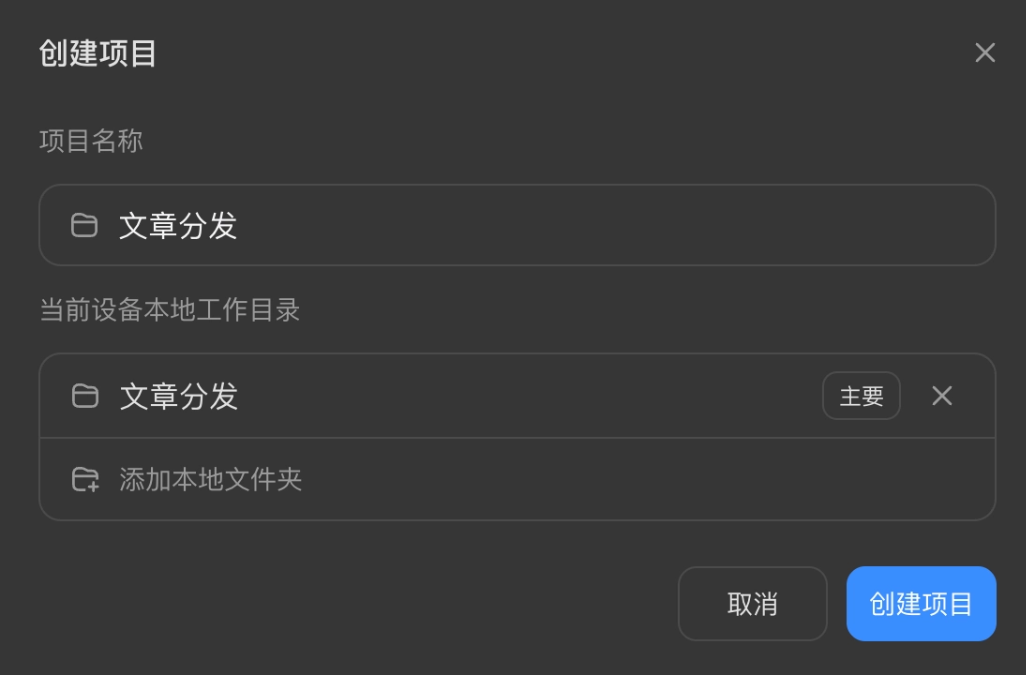
Open Doubao Work, create anarticle distributionproject.
All subsequent distribution tasks of the same type can be carried out in this project.
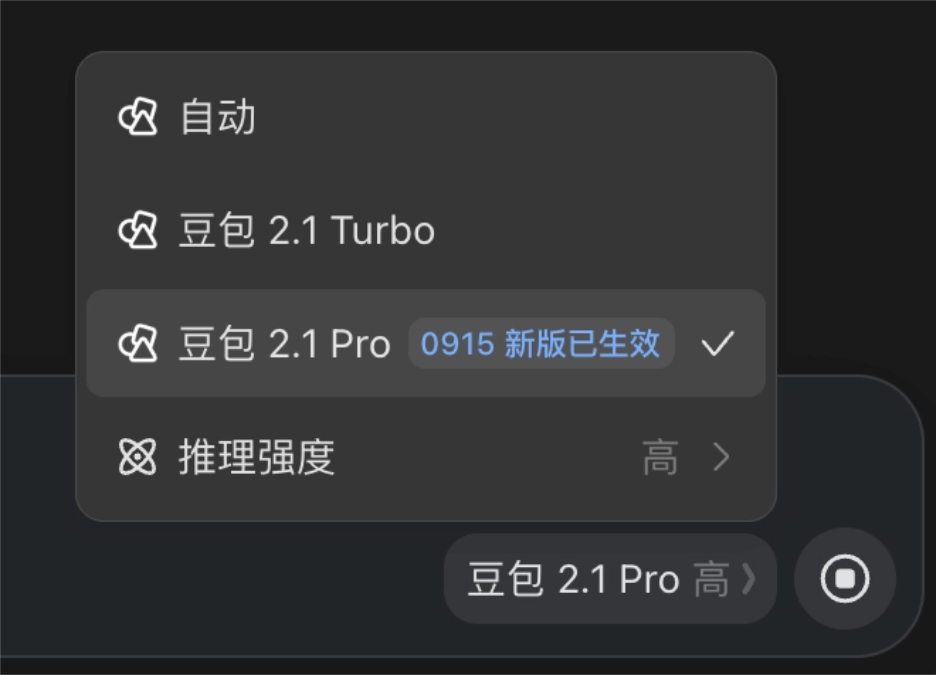
Remember to update to the latest version so you can experience the latestDoubao 2.1 Pro model.
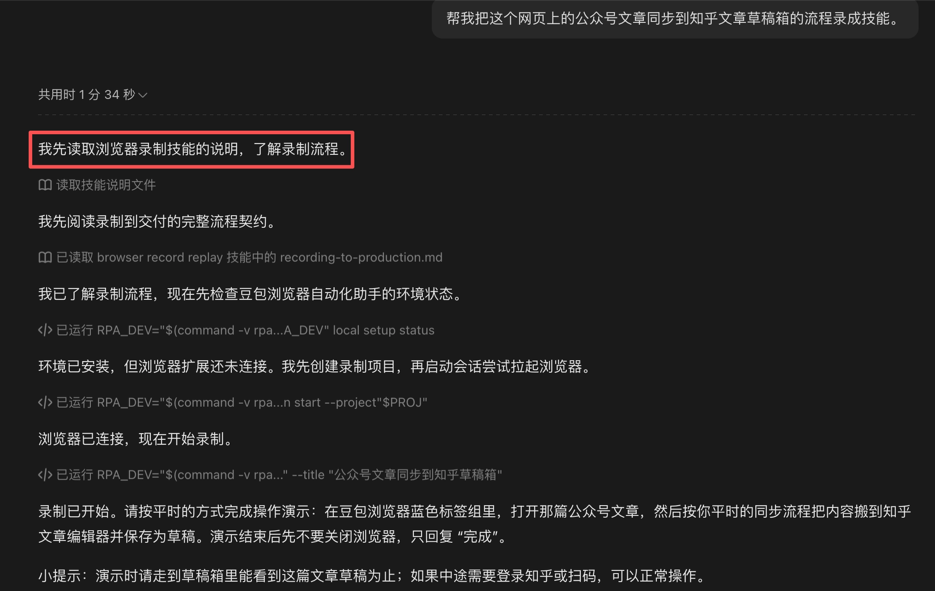
We enter the request in the dialog box:
Help me record the process of syncing this WeChat official account article on this webpage to the Zhihu article draft box as a skill.
Doubao Work will automatically call the browser recording and replay skill. Open the Doubao browser and start recording.
In the Doubao browser, we perform the complete article synchronization process once.
Return to the Doubao Work page and reply: Done.
Doubao Work will end the screen recording on its own and begin frame-by-frame segmented analysis of the operations we just performed.
Doubao Work will use a few questions to confirm the processing details with us. For example, how to specify the articles to be synchronized later, how to handle topics, and how to set creation statements.
Through these follow-up questions, Doubao Work will add the details that we took for granted and did not specifically explain during operation into the process rules。
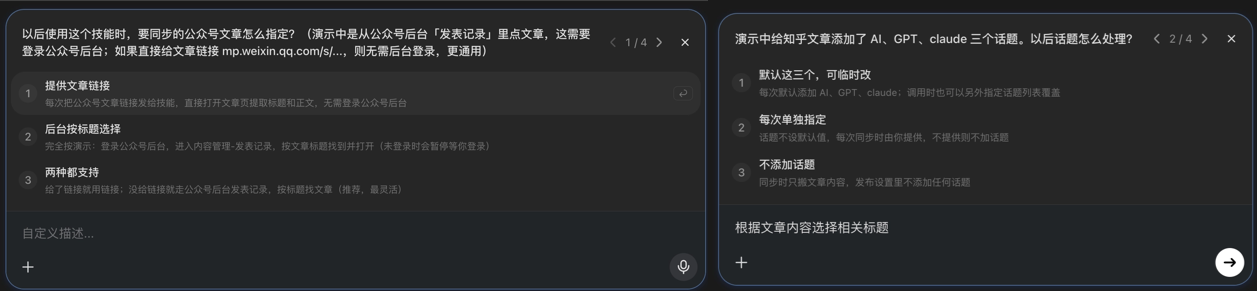
Doubao Work sorts out the task process and rules.
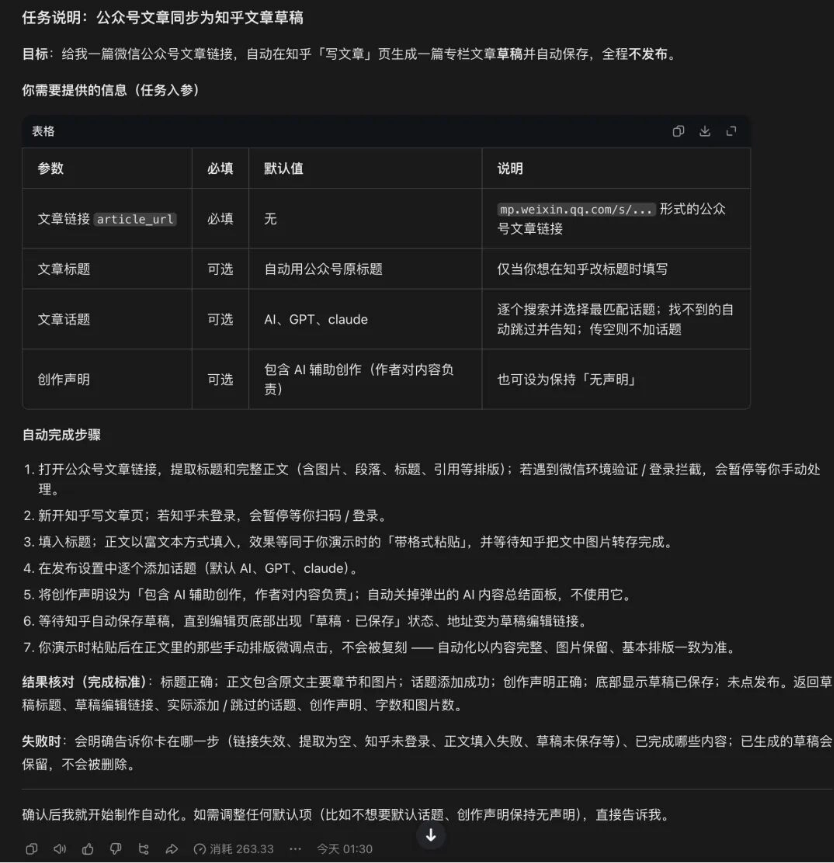
After we confirm, Doubao Work will organize the process into a Skill:
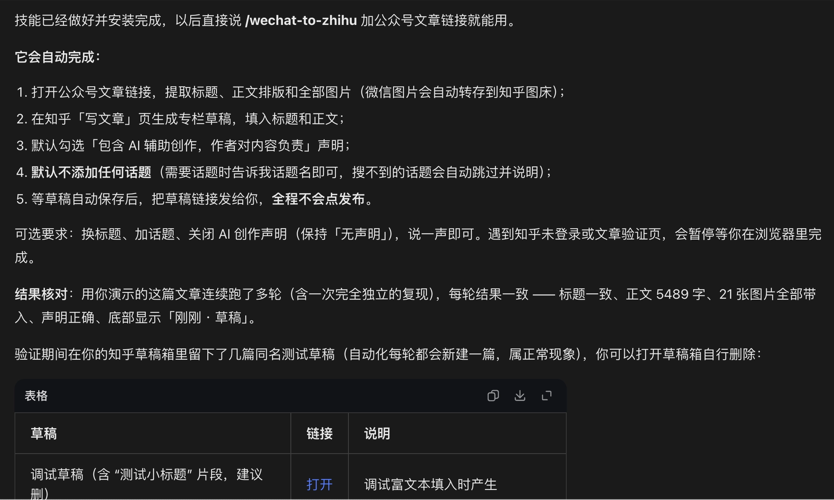
We once again give Doubao Work an article link and ask Doubao Work to synchronize it to Zhihu.
Sync this WeChat official account article [article link] to a Zhihu article draft.
Doubao will automatically call the distribution skill, execute the task, and verify the result:
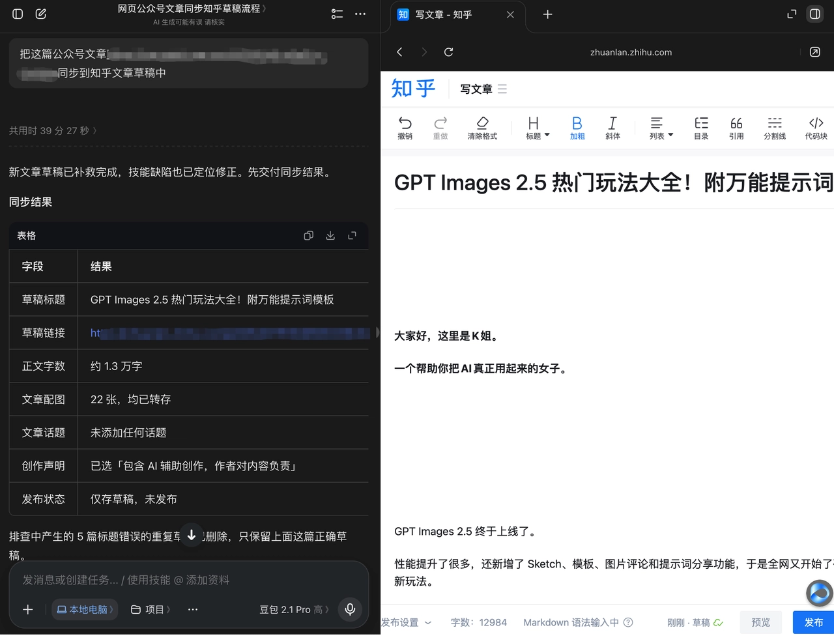
Let's take a look at the result of the first completion:
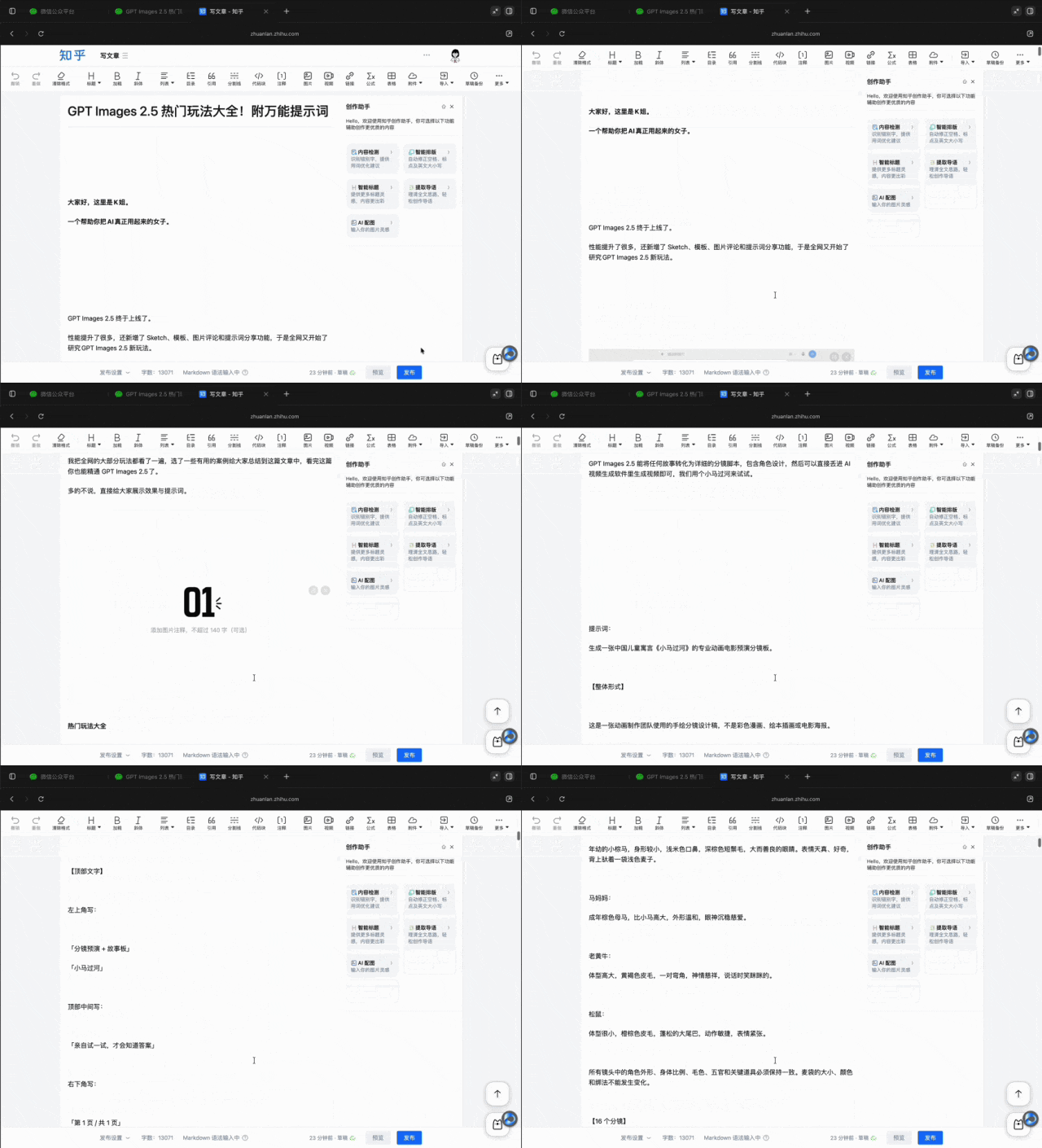
The article's title, body, and images have been completely synced over. However, no other processing was done; there are many blank lines between paragraphs, and the formatting of the title and prompt text has not been adjusted.
Let's continue to have Doubao optimize it:
Delete the extra blank lines; change the prompt text section to italics; delete the copy [▲Swipe up and down to view the full text].
After the adjustment, it will be the same as after we manually sync and adjust it~
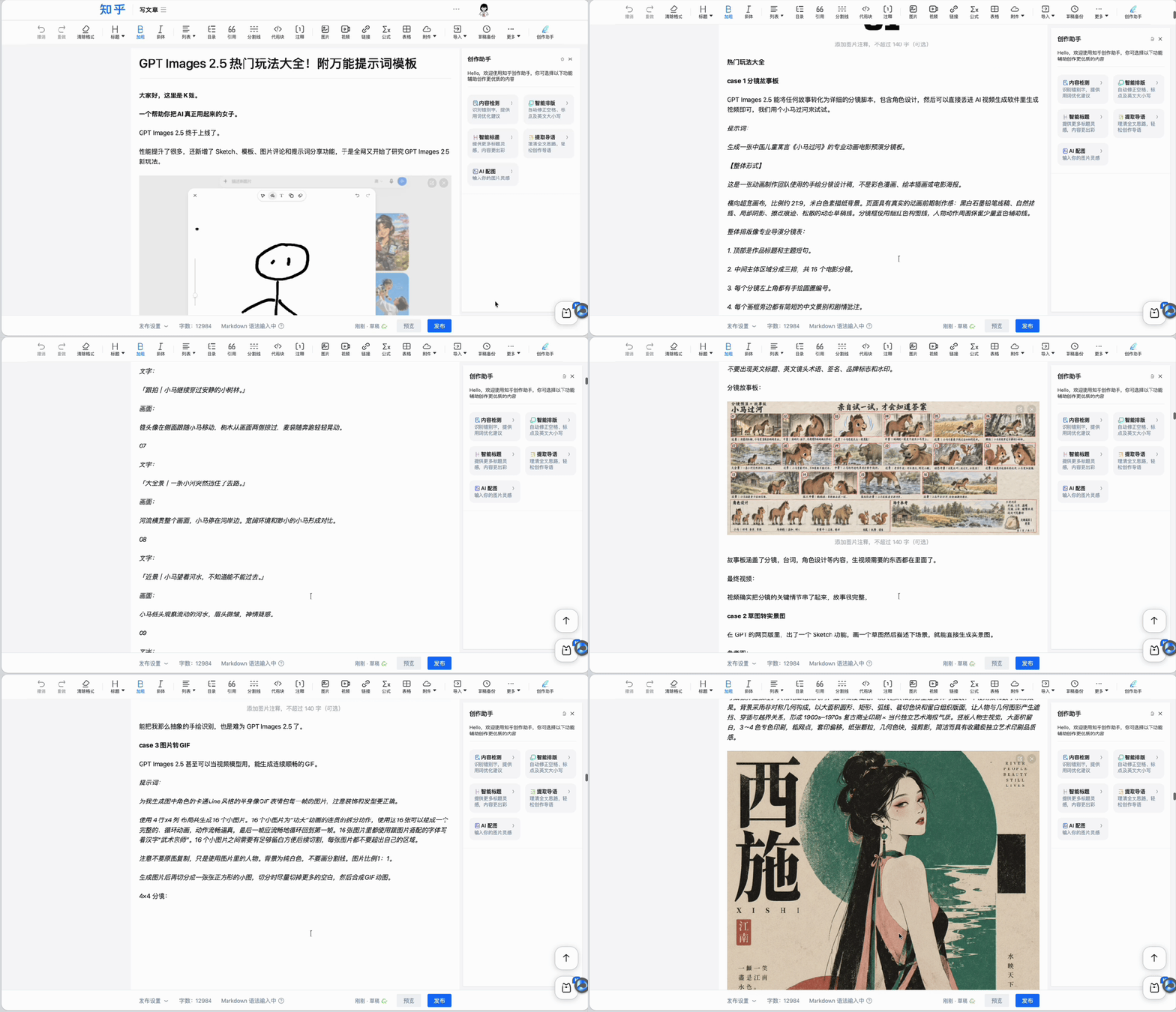
If there is a video in the content, we need to manually upload the video, and then we can publish it directly.
Doubao's work can not only sync articles, but also fully adjust formatting and other requirements according to our needs. Multi-platform syncing will save a lot of trouble.
Case 2 Collecting hit topic ideas from Xiaohongshu
In self-media, every day you have to look for hit content and keep an eye on trending topics.
My usual approach is to search for specific keywords on Xiaohongshu and manually screen content with relatively high engagement.
Actually, the efficiency is not high... This is purely manual labor and can completely be left to Doubao's work to run automatically every day.
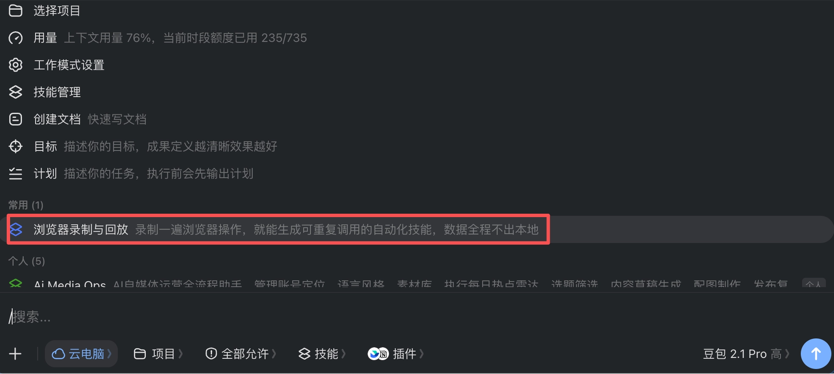
Enter the request:
Help me record the process of collecting popular topic ideas into a skill.
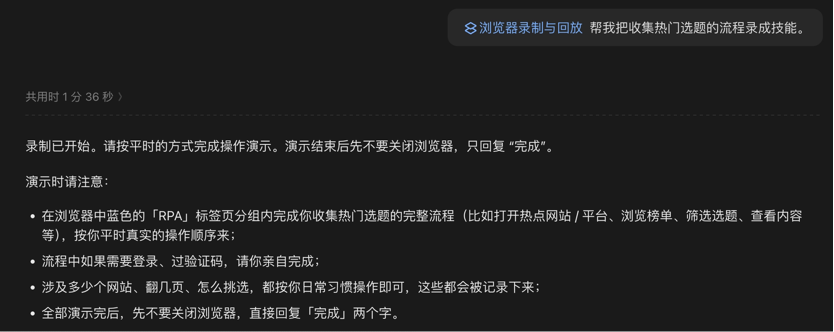
For some rules we have not clearly explained, Doubao's work will confirm the logical relationships by asking questions, such as why we opened multiple notes but in the end only logged 1. How many pieces of content should be logged each time it runs?
We operate according to our usual topic-selection habits, and Doubao's work has already organized the complete process. Later, we can directly say /hot-topic-collector to run the entire process with one click.
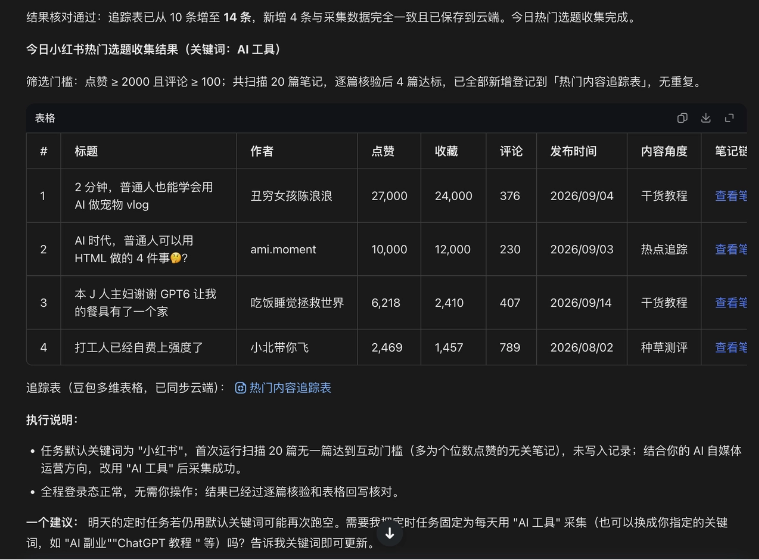
Click the title and you can also directly see the original content, which is very convenient.
Doubao's work is equivalent to making me an efficient version of a popular topic collection.
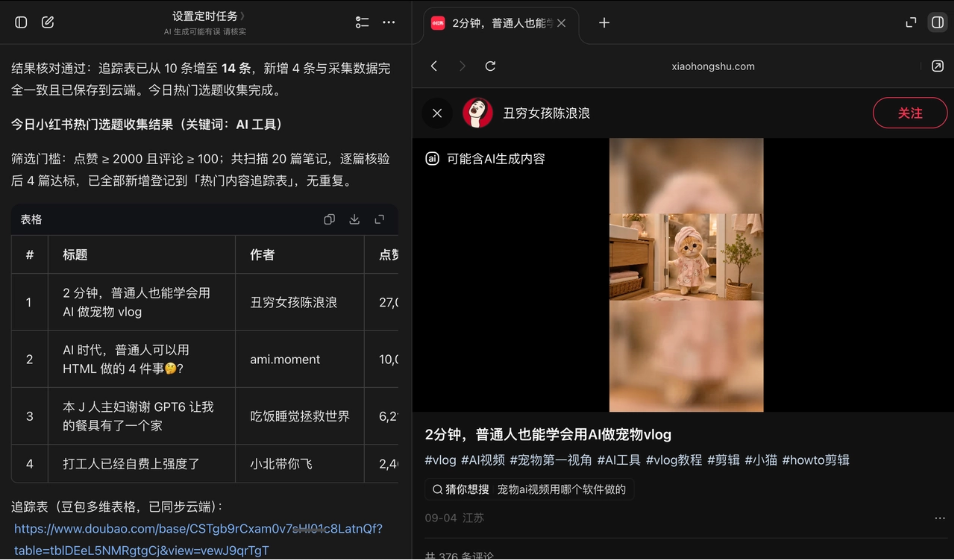
Let's set up a scheduled task so that Doubao's work can automatically collect topic ideas every day:
Set up a scheduled task to run /hot-topic-collector every morning at 8 AM to complete the collection of popular topic ideas.
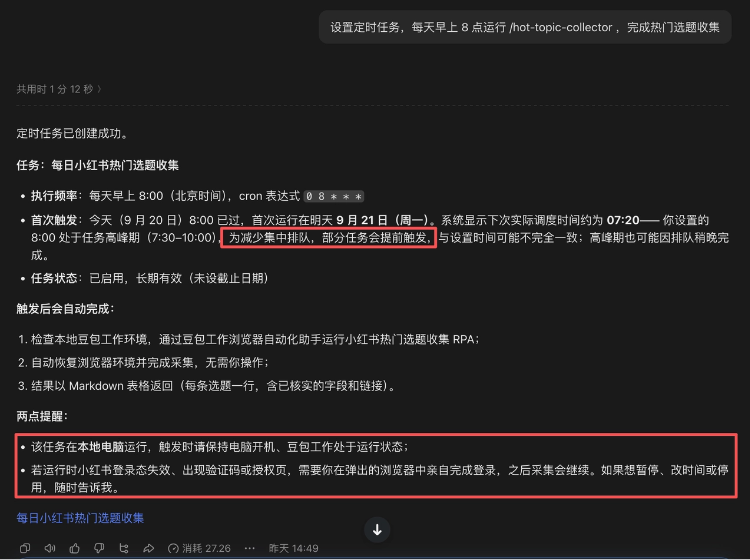
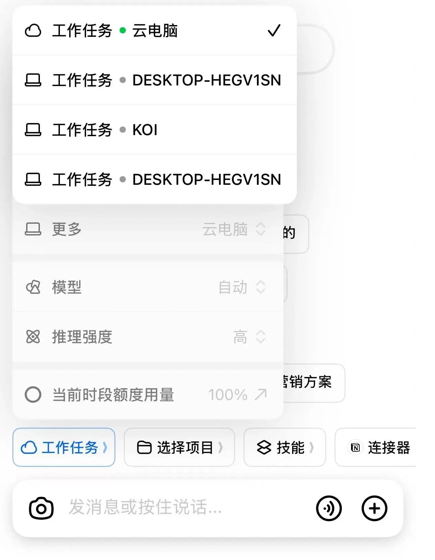
This task runs on the local computer, and the computer needs to remain powered on both when it is triggered and when it executes.
When creating a SKill, everyone can also choose to execute it on a cloud computer, so that later we can call the skill through the Doubao App on a mobile phone and handle tasks at any time.
Case 3 Filtering for complex personal preferences
Many tasks are full of complex personal preferences and personal experience, and it is hard to state specific criteria.
For example, when booking a hotel for travel, we need to look at location, price, and reviews. There are many dimensions for selection, and filtering by the platform's hard indicators is not necessarily suitable.
I had Doubao's work try it out. Some subjective criteria cannot be seen from our mouse operations. At this time, we can add a text request:
Help me record the hotel booking process into a skill. Based on my specified location, I need to choose a hotel nearby or reachable within 5 subway stops, requiring it to be near the specified location or near a subway station, with a window in the room, a comfortable environment, a rating of 4.7 or above, room types preferably a single room or a king room, excluding hotels with negative reviews about noisy environment or poor hygiene issues, and room prices between 150-400.
Doubao's work will not only record what we clicked, but also pay attention to exceptions in the operation that do not conform to the original rules.For example, I required a rating above 4.7, but after some filtering, I chose a hotel that had no negative reviews and no rating for the time being.
Doubao Work observed this exception and would follow up by asking: How should a hotel with no rating be handled? This supplements the filtering experience we did not explicitly state.
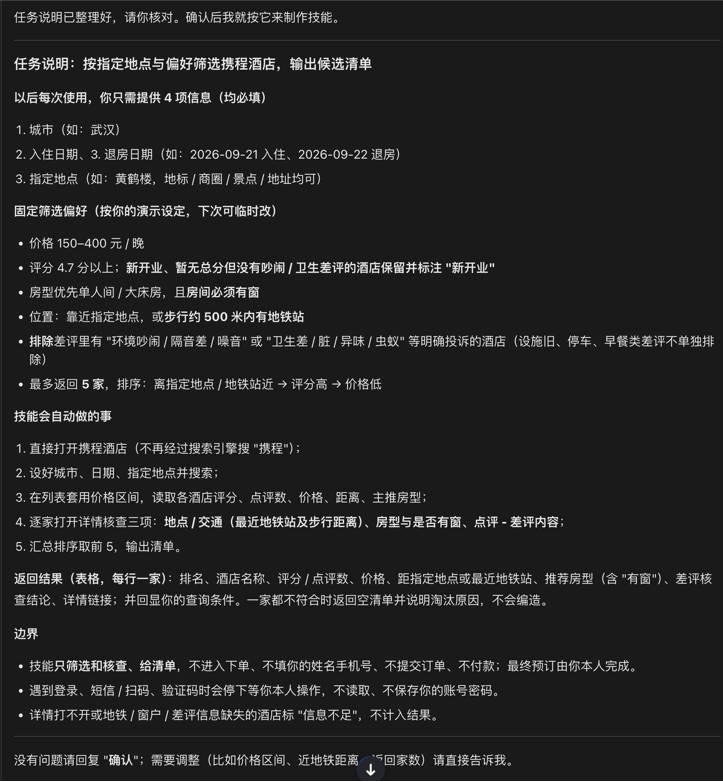
After generating the SKill, Doubao Work automatically completed the installation and ran a trial verification once. Let's look at the hotels Doubao Work selected for us:
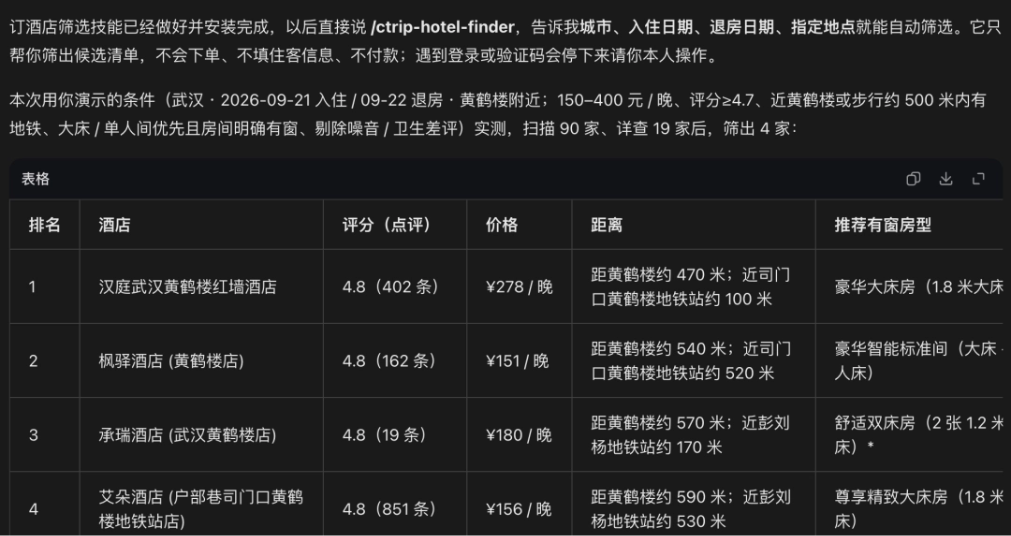
They are all near my target location, and close to the subway, making travel very convenient. The overall reviews are pretty good, but No. 3 has only 19 reviews, which has little reference value. Later, the rules can be slightly adjusted to exclude options with relatively few reviews.
In the future, when traveling during holidays, I will no longer need to personally compare and dig through negative reviews in various apps.
Just directly invoke this skill, input the destination, and Doubao Work can complete the preliminary research work according to my preferences, delivering a comfortable, pitfall-avoiding plan directly to me.
In the past, to build a useful Agent, you had to know how to write prompts, break down SOPs, configure tools, and even understand a bit of code.
02. Some sharing
Now you only need to let AI "watch" you do it once.
If you think about it carefully, for thousands of years, the most natural and efficient way human society has taught skills is actually the same, just like the phrase we often hear: "Watch me demonstrate it for you."
Every ordinary person can, through a sequence of operations, distill their own exclusive, ready-to-use standardized Skill.
Those muscle memories that originally existed only in our minds, and the hard-to-express filtering intuitions, can all be quickly distilled into reusable digital assets.
Whether for individuals to get trivial work done, or for teams to preserve employees' operational experience, this natural learning process like taking on an apprentice is probably the most down-to-earth path at present.
Interested friends can search and download the Doubao Work desktop version on the web. For a limited time, you can now get a 30-day subscription benefit for free.
Original link:A screen recording: I turned my daily operations into a SKill