

What is Dify
Dify is an open-source generativeAI application development platform, helping users quickly build and deploy applications based on large language models. It supports a variety of mainstream models, such as DeepSeek and Ollama, and users can flexibly choose according to their needs. Dify provides no-code and low-code development methods, enabling complex functions through simple configuration and a small amount of code, lowering the threshold for AI application development. The core advantage lies in its powerful private deployment capability; users can run it on local servers to ensure data privacy and security. Dify provides rich functional modules, supports multilingual development, and can be quickly deployed via Docker. It is suitable for individual developers or enterprise users to quickly build applications such as chat assistants and intelligent customer service through Dify. It provides one-stop services from Agent construction to AI workflow orchestration, RAG retrieval, model management, and more.
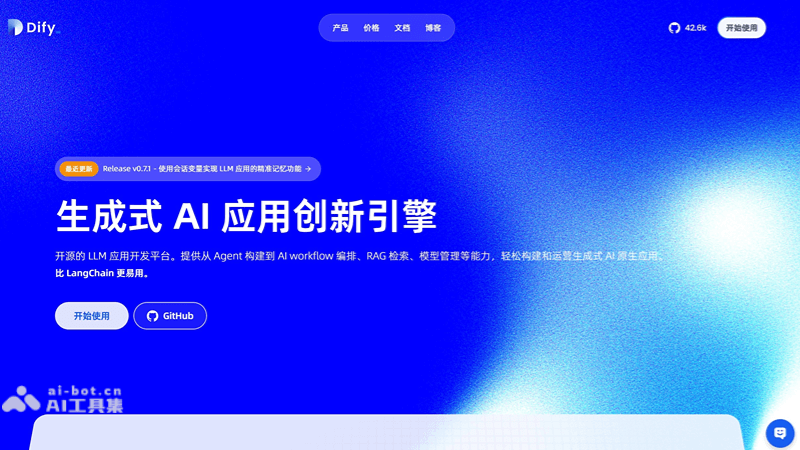
Dify's main features
- Low-code/no-code development: Dify provides a visual interface that supports developers in defining prompts, context, and plugins through drag-and-drop, configuration, and other methods, without needing to delve into low-level technical details, lowering the development threshold.
- Modular design: It adopts a modular architecture, with each module having clear functions and interfaces. Developers can selectively use these modules to build their own AI applications according to their needs.
- Rich functional components
- AI workflow: Supports building and testing complex AI workflows through a visual canvas.
- RAG pipeline: Supports the complete process from document ingestion to retrieval, and can extract text from common formats such as PDF and PPT.
- Agent: Based on the reasoning capabilities of LLMs, it can autonomously plan tasks, call tools, and complete complex tasks.
- Model management: Supports hundreds of proprietary and open-source LLMs, such as GPT, Llama2, etc., and provides model performance comparison functions.
- Data management: Dify provides powerful data management functions, supporting data annotation, data cleaning, data version control, and the upload and management of datasets in multiple formats.
- Tool integration: Dify provides more than 50 built-in tools (such as Google Search, DALL·E, Stable Diffusion, etc.), and supports the development and integration of custom tools.
- Application deployment: Supports one-click deployment of AI models, and provides highly available and scalable deployment solutions.
- Monitoring and management: Provides real-time monitoring and log management functions, helping developers quickly locate and solve problems.
- Plugin system: Dify supports rich plugin development and management, including tool plugins, extension plugins, and plugin packages, further expanding the platform's functionality.
- Multimodal capabilities: Through the plugin system, Dify can enhance LLMs' ability to process multimedia content, supporting tasks such as image processing and video processing.
- Real-time debugging and optimization: Supports real-time editing and debugging of nodes; developers can optimize AI applications in real time during the development process.
How to use Dify
- Visit the official website: Visit Dify's official website (dify.ai)。
- Understand the platform: Become familiar with Dify's interface and features, including the visual orchestration tool and various modules.
- Environment preparation: Ensure the machine meets the minimum configuration (CPU ≥ 2 cores, memory ≥ 4GB, disk ≥ 20GB), install Docker and Git.
- Install Dify: Via Git clone the Dify repository, and use Docker Compose to start the service.
- Initialize configuration: Visit
http://localhost/install, set the administrator account and password, and configure the model provider. - Create a knowledge base: Upload files (such as PDF, TXT) or connect to an external knowledge base to provide context for AI applications.
- Build an application: Configure the application through the visual interface, select the model and knowledge base, and set the Prompt and workflow.
- Testing and deployment: Test the application locally, and after confirming there are no issues, deploy it to the production environment.
- Monitoring and optimization: Use Dify's monitoring features to check the application's running status and optimize performance.
Dify's application scenarios
- Chatbots: Build intelligent customer service or chatbots to provide 24*7 customer service and interactive experiences.
- Content creation: Automatically generate text content such as articles, blogs, and reports to speed up content production.
- Data analysis: Automatically parse and summarize large amounts of data, providing insights and support for business decisions.
- Document automation: Automatically generate and format business documents, such as contracts, reports, and presentations.
- Knowledge management: Integrate enterprise knowledge bases to provide intelligent search and question-answering services, enhancing knowledge sharing.

