
What is Diagramming AI
Diagramming AI is an artificial intelligence technology-baseddiagram designtool that helps users quickly design and generate UML diagrams, flowcharts, and workflow diagrams. Users only need to describe in natural language or upload existing diagrams, and the AI can understand the requirements and automatically create or update diagrams. It supports multiple diagram types, provides templates and editing features, and allows non-professionals to easily create professional-level diagrams. It also has the ability to converse with AI, allowing further optimization and customization of diagrams. Diagramming AI simplifies complex diagram design work and improves efficiency.
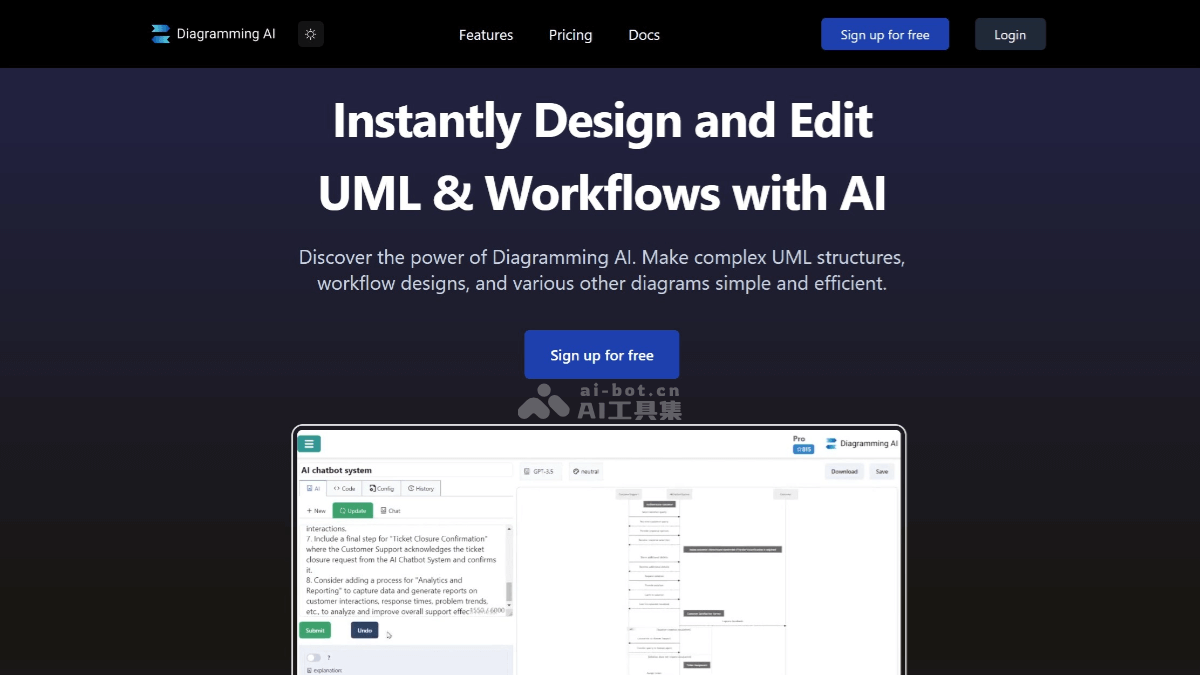
Main features of Diagramming AI
- Diagram generation: Users can input text descriptions, paste URLs, or upload images, and the AI will automatically generate corresponding diagrams, supporting multiple formats such as flowcharts, sequence diagrams, and Gantt charts.
- AI chat feature: Users can converse with the AI to get suggestions for diagram improvements and challenges, and the AI will update the diagram in real time based on the suggestions.
- AI-assisted drawing: The AI-driven drawing tool can continuously output designs, ensuring the clarity and precision of each design.
- Project-based diagram code storage: Supports creating multiple projects and storing various diagrams in Mermaid or PlantUML code form.
- Flexible export and editing: Diagrams can be easily exported as SVG/PNG format, or edited via a shareable URL.
- Custom color themes: Provides multiple color themes, making diagrams more personalized and stylish.
- Diagram templates: Provides a rich template library, including multiple types such as flowcharts, sequence diagrams, and class diagrams.
How to use Diagramming AI
- Visit the platform: Visit Diagramming AI official website, and enter the text description of the diagram you want to create.
- Select a template or type: Select the diagram type you want to generate, such as flowchart, sequence diagram, Gantt chart, etc.
- Create a diagram: Click the generate button, and the AI will create a diagram based on the input text and the selected diagram type.
- Edit the diagram: View the generated diagram and use the quick edit feature to easily modify the size, style, and other elements.
- AI assistance: Chat with the AI to get suggestions for improving the diagram or solving problems.
- Appearance design: Apply color themes, customize the appearance of the diagram, and export or share the diagram.
Diagramming AI product pricing
- Free (free version)
- Access all editors
- Limited to 2 projects
- Up to 3 diagrams per project
- 10 credits
- 3000 input character limit
- Access to GPT-4o-mini, Gemini-1.5-Flash, Claude-3.5-Haiku models
- Lite (lite version) price: $3/month
- Access all editors
- Unlimited projects
- Unlimited diagrams per project
- 250 credits
- 3000 input character limit
- URL-to-diagram conversion feature
- Image-to-diagram conversion feature
- Access GPT-4o-mini, Gemini-1.5-Flash, Claude-3.5-Haiku models
- Starter price: $6/month
- Access all editors
- Unlimited projects
- Unlimited diagrams per project
- 800 credits
- 12,000 input character limit
- URL to diagram conversion feature
- Image to diagram conversion feature
- Access GPT-4o-mini, Gemini-1.5-Flash, Claude-3.5-Haiku, GPT-4o, Gemini-1.5-Pro, Claude-3.5-Sonnet models
- Pro price: $14/month
- Access all editors
- Unlimited projects
- Unlimited diagrams per project
- 2,500 credits
- 20,000 input character limit
- URL to diagram conversion feature
- Image to diagram conversion feature
- Access GPT-4o-mini, Gemini-1.5-Flash, Claude-3.5-Haiku, GPT-4o, Gemini-1.5-Pro, Claude-3.5-Sonnet models
Application scenarios of Diagramming AI
- Software development: Software engineers can use Diagramming AI to quickly draw system architecture diagrams, create detailed class diagrams and object relationship diagrams, and design database models.
- Business analysis: In the field of business analysis, users can build business process diagrams, create decision trees, and draw SWOT analysis charts.
- Project management: Project managers can use Diagramming AI to design Gantt charts, create project milestone charts, and draw resource allocation diagrams.
- Education and training: Educators can create course structure diagrams, design learning path diagrams, and create knowledge point relationship diagrams to assist teaching and explain complex concepts.
- Network planning: In network planning, users can design network topology diagrams, plan server architectures, and draw data flow diagrams.
- Data analysts: Data analysts can use Diagramming AI to generate ER diagrams and flowcharts to analyze and present data structures.