

What is Dia
Dia is launched by the Arc team as anAI-native browser, officially released in April 2025. Dia is based on the Chromium architecture and integrates powerful AI features, supporting intelligent writing assistance, multi-mode search, webpage content summarization and comparison, automated task processing, and other distinctive features. Users can enjoy a smooth experience brought by horizontally arranged tabs, and can also interact with AI through voice and file uploads. Dia also supports personalization, allowing users to adjust its response style according to their preferences. Currently, it is only available for macOS 14+ systems, and users can apply for an invitation code on the official website to download and try it.
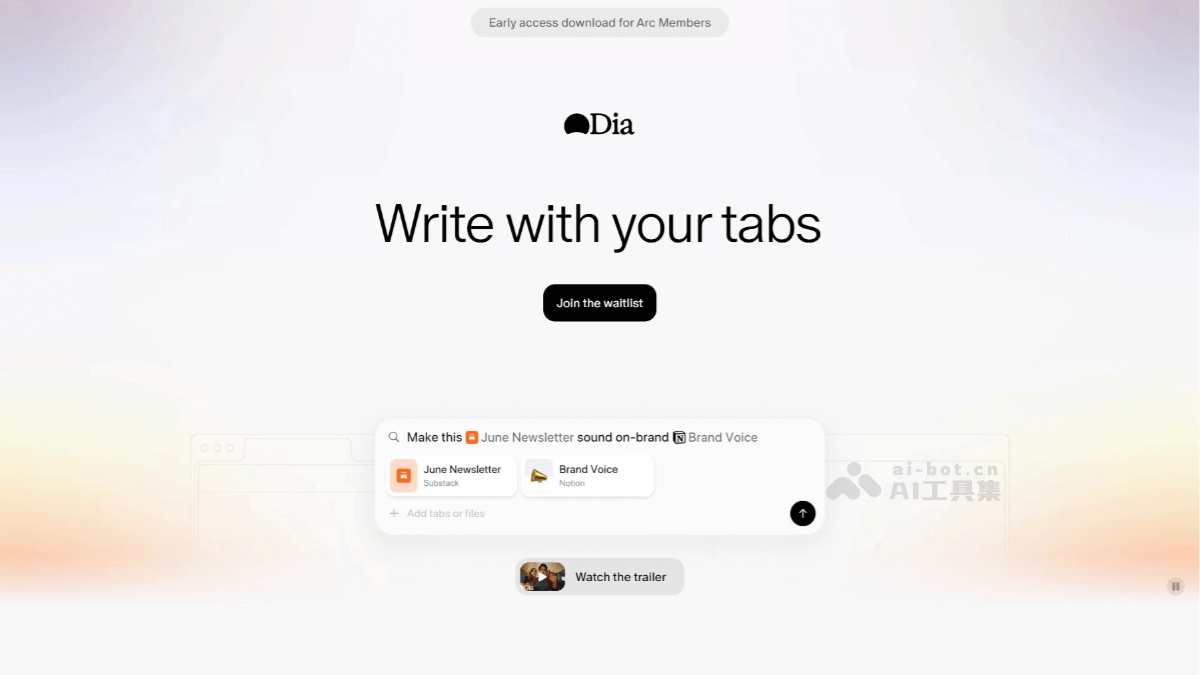
Main features of Dia
- Skills Gallery: Similar to a minimalist version of the App Store, users can install "skill modules" developed by others with one click, such as "Writing Assistant" or "Code Assistant".
- Research feature (Research Assistant): It has deep thinking capabilities, supports multi-round, phased research processes, and can search online to generate comprehensive reports.
-
Deep AI assistant integration: The Dia browser embeds the AI assistant directly into the browser environment; the AI assistant can understand the content the user is currently browsing and provide help such as answering questions and summarizing content based on context. For example, when a user is browsing an article on a professional topic, the AI assistant can quickly generate a summary of the article's content or answer the user's questions about the article.
-
Multimodal content processing: It supports parsing and summarizing various content forms such as web pages, documents, videos, and audio. Users can send different types of files or media content to the AI assistant to quickly generate a clearly structured summary. For example, users can send a video link to the AI assistant, and Dia can extract key information from the video and generate a concise video summary.
-
Powerful search and interaction capabilities: In addition to traditional URL input and search functions, Dia's URL bar also has a built-in intelligent chatbot. Users only need to enter a question or keyword in the URL bar, and the AI assistant will understand the user's needs and quickly provide relevant answers and information. When users are browsing a webpage, they can select text, and the AI assistant will automatically use the selected content as part of the question, search, and provide an answer, greatly simplifying the user's search process.
-
Multi-tab context management: Users can add the content of multiple tabs to the conversation context, allowing the AI assistant to comprehensively summarize information from multiple sources.
-
Multitasking and split-screen feature: It supports quick split-screen within the browser, with up to 4 screens at the same time, improving multitasking efficiency.
-
Personalization: Through the "Personalize Dia" feature, users can quickly adjust the browser's response style according to their preferences. For example, users can have the AI assistant imitate the thinking style of a historical figure to answer questions, or set the AI assistant's tone and style (such as formal, casual, humorous, etc.).
-
Smart cursor: When browsing web pages, users can bring up the AI sidebar by selecting text or clicking the cursor for instant interaction, such as explaining, continuing, rewriting, and other operations.
-
Content sharing and recording: Each AI answer provides a "Copy as image" feature below it, making it convenient for users to save the answer as an image for easy sharing and recording.
-
Bookmark sync: Based on the Chromium engine, it supports syncing bookmarks and tab data with Chrome, making it easy for users to migrate.
Dia's official website address
- Official website address:https://www.diabrowser.com
- Download address:https://www.diabrowser.com/download
How to use Dia
- The Dia AI-native browser is now open to all Arc users; if you are a new user, you need to join the waitlist or use someone else's invitation code.
- If you are an Arc user, you need to create a Dia account using your Arc email address.
- You can find your Arc email in Arc > Settings > Account,There is no need to use the same password for Dia and Arc.
What is the difference between the Dia AI-native browser and traditional browsers
-
Interaction method:
-
Traditional browser: Relies on entering a website address or keyword search in the address bar; users need to manually filter search results, making the operation relatively cumbersome.
-
Dia browser: Uses a minimalist homepage design with only a search box retained, supports direct operation with natural language instructions such as “summarize the article” or “send an email to a colleague,” and can collaboratively analyze multiple tabs and integrate information to generate reports.
-
-
Information processing method:
-
Traditional browser: Search results are presented as a list of web links, and users need to browse and filter them on their own.
-
Dia browser: Integrates advanced AI models (such as GPT-4o and Gemini Flash 2.0), can directly generate structured answers and cite sources, and can also recognize image and video content, for example interpreting the meaning of memes or summarizing video subtitles.
-
-
Task automation:
-
Traditional browser: Users need to manually complete multi-step tasks, such as comparing prices and filling out forms.
-
Dia browser: Automatically completes complex processes through AI Agent, such as extracting a shopping list from an email, searching for products, and adding them to the shopping cart.
-
-
AI integration method:
-
Traditional browser: AI features usually exist in the form of plugins and require users to actively invoke them.
-
Dia browser: AI is deeply embedded in the browser core as an underlying capability, can understand web page content and tab context in real time, and provides a smarter and more consistent experience.
-
-
Personalization and user experience:
-
Traditional browser: Features are relatively generic and lack personalized customization.
-
Dia browser: Supports personalized customization; users can set parameters such as admired figures and learning styles, letting AI become the user's “digital projection.” The interface design is simple and intuitive, reducing the user's learning cost.
-
-
Content understanding and recommendations:
-
Traditional browser: Limited understanding of web page content, and recommendation features are relatively simple.
-
Dia browser: Can understand the web page content the user is browsing and provide accurate summaries, comparisons, and recommendations.
-
Dia's application scenarios
-
Academic research: Assists with literature reviews, paper writing, and terminology translation, quickly summarizes and compares viewpoints from different literature, and generates writing frameworks.
-
Business office work: Assist with email drafting, project progress tracking, and data analysis, automatically extract email information and integrate it into calendars or to-do lists.
-
Online Shopping: Used for product information comparison, promotion filtering, and shopping list management, automatically identifying promotional emails and reminding you to place orders.
-
Content Creation: Inspire creativity, assist with copywriting and video script planning, and generate content frameworks and creative ideas based on the topic.
-
Learning and Education: Help with knowledge summarization, language learning, and course recommendations, with real-time translation and explanation of learning content.
