
What is Command Code
Command Code is a CLI-first AI coding agent, with its core differentiation lying in its Taste (coding taste) continuous learning system. By automatically recording your acceptance, rejection, and modification of code, it accumulates personal and team technical preferences across projects, making subsequently generated code increasingly aligned with your style. It supports multiple models such as Claude, GPT, Kimi, and provides native terminal interactions such as / commands,! Bash and @ file completion, and can enable team Taste sharing through npx taste push/pull . Pricing starts at $1/month, with the main theme "Rules decay, Taste compounds"—replacing rigid rule files with continuous learning, making AI truly become a coding partner that gets smoother the more you use it.
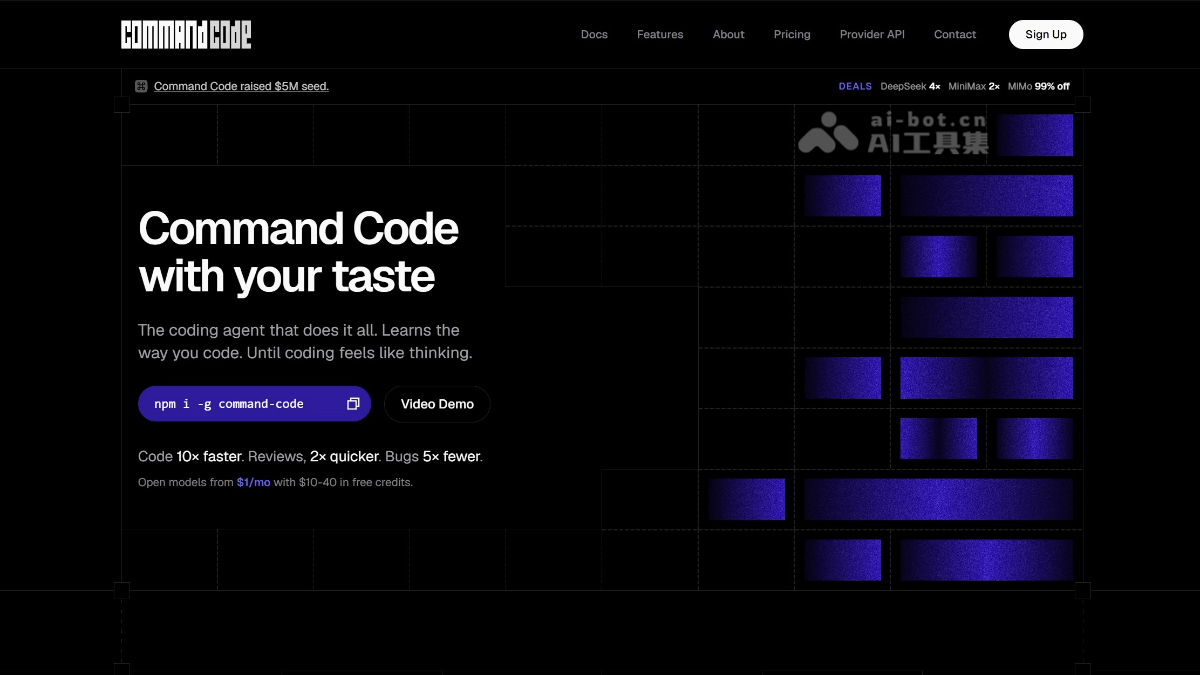
Main features of Command Code
-
Taste continuous learning: Automatically records your acceptance, rejection, and modification of code, accumulates your personal coding style across projects, and makes AI understand you better the more you use it.
-
Multi-model support: Built-in support for mainstream models such as Claude, GPT, Kimi, DeepSeek, GLM, Qwen, and also supports BYOK (bring your own API Key).
-
CLI-native interaction: Terminal-first design, supports
/command menu,!Bash mode,@automatic file path completion, with no need to rely on IDE plugins. -
Project-level Taste configuration: Automatically stores learning results in each project's
.commandcode/taste/directory, achieving style isolation between different projects. -
Team Taste sharing: Through
npx taste push/pullsynchronize coding standards across the team, ensuring consistent style in multi-person collaboration. -
MCP ecosystem integration: Provides
commandcode-mcpadapters, allowing its codebase intelligence capabilities to be invoked in tools such as Claude Desktop, VS Code, and Cursor.
How to use Command Code
-
Global installation: Install the command-line tool globally via npm
npm i -g command-code。 -
Enter the project directory: Switch to your project folder
cd your-project, and AI will automatically read the.commandcode/taste/configuration in that directory. -
Start interaction: Execute in the project root directory
cmdto enter an AI coding session and begin native terminal interaction. -
Use shortcut commands: In the conversation, enter
/to bring up the command menu,!to switch to Bash execution mode,@to trigger automatic file path completion. -
Continuous learning optimization: After code is generated, your acceptance, rejection, and manual modification behaviors are automatically recorded by the Taste system, with no extra action required.
-
Team Taste synchronization: Run
npx taste pushto upload and share your personal style, and team members can pull unified coding standards throughnpx taste pull. -
Connect external tools: After installing
commandcode-mcp, you can directly invoke its codebase intelligence capabilities in editors such as Claude Desktop, VS Code, and Cursor. -
Custom models: If you want to use your own API Key, you can switch to supported models such as Claude, GPT, Kimi, and DeepSeek in the configuration.
Command Code's official website address
- Official website address:https://commandcode.ai/
Command Code's core advantages
-
Terminal-native experience: CLI-first design, no need to rely on IDE plugins, through the
/command,!Bash、@completion to achieve efficient in-terminal interaction. -
Unified team style: Supports
npx taste push/pullshared Taste configuration, turning team coding standards from "written in docs" into "grown into the AI". -
Flexible multi-model switching: Built-in Claude, GPT, Kimi, DeepSeek, GLM, Qwen, etc., supports BYOK, avoiding lock-in to a single model.
-
Extremely low barrier to use: The Go plan starts at just $1/month, so individual developers and small teams can try it without burden.
-
MCP ecosystem compatibility: Through
commandcode-mcpseamlessly connect to mainstream toolchains such as Claude Desktop, VS Code, and Cursor. -
Project-level style isolation: Each project's
.commandcode/taste/stores configuration independently, avoiding style cross-talk between different tech stacks.
Comparison of Command Code with similar competitors
| Comparison dimension | Command Code | Claude Code | Aider |
|---|---|---|---|
| Developer | Command Code (independent team) | Anthropic | Paul Gauthier (open-source community) |
| Product positioning | Terminal-native AI coding agent | Terminal-native AI coding agent | Open-source terminal AI pair programming tool |
| Core differentiation | Taste continuous learning system—automatically records accept/reject/modify behavior, accumulating personal and team coding style across projects | Deep reasoning + MCP ecosystem—supports parallel sub-agents, automatic memory, CLAUDE.md configuration, leading in SWE-bench Pro | Git-native workflow—each AI modification automatically generates a Git commit, with a fully traceable version history |
| Open source/closed source | Closed source | Closed source (source-available) | Fully open source under Apache-2.0 |
| Model support | Claude, GPT, Kimi, DeepSeek, GLM, Qwen, etc., supports BYOK | Claude series only(Opus/Sonnet/Haiku) | Any LLM(Claude, GPT, Gemini, local models via Ollama) |
| Memory/learning mechanism | Taste continuously learns across projects and automatically accumulates in .commandcode/taste/ . |
CLAUDE.md project memory + automatic memory between sessions + path-level rules | No built-in long-term style learning; relies on Git history and manual context management |
| Team collaboration | npx taste push/pull natively shares coding style |
Agent Teams parallel tasks + shared subscription quota | No native team style sharing mechanism |
Command Code's application scenarios
-
Rapid personal prototyping: CLI-native startup, no need to configure IDE plugins, suitable for quickly setting up scaffolds, API endpoints, or CLI tools in the terminal.
-
Unified team coding standards: Through
npx taste push/pullShare Taste configurations to ensure new members and senior developers produce consistent output styles and reduce format disputes during Code Review. -
Cross-project style transfer: The Taste system accumulates personal preferences across projects, so when switching tech stacks, the AI can still maintain the naming conventions, directory structure, and toolchain choices you are familiar with.
-
Terminal-first pure code workflow: Suitable for Vim/Emacs users, remote SSH server development, or directly invoking AI-assisted coding in CI/CD pipelines.
-
Multi-model switching on demand: Flexibly invoke models such as Claude (deep reasoning), Kimi (Chinese scenarios), and DeepSeek (cost-sensitive) according to different tasks, avoiding single-model lock-in.
-
Legacy code maintenance and refactoring: The AI first learns the Taste of the existing codebase, then automatically matches the original style in subsequent modifications, reducing the risk of introducing "style conflicts".