
What is Codex App
Codex App is a macOS desktop application launched by OpenAI, serving as the "command center" forAI programmingagents. The application supports developers in managing multiple AI agents working in parallel simultaneously, avoiding code conflicts through independent threads and worktree technology. The core features of the application include visual multi-agent collaboration, a skill extension system (connecting tools such as Figma and Linear), automated task scheduling, and two optional interaction styles. Codex App upgrades Codex from a simple code generation tool to an intelligent collaboration platform capable of handling full-process software development tasks such as design, deployment, and documentation.
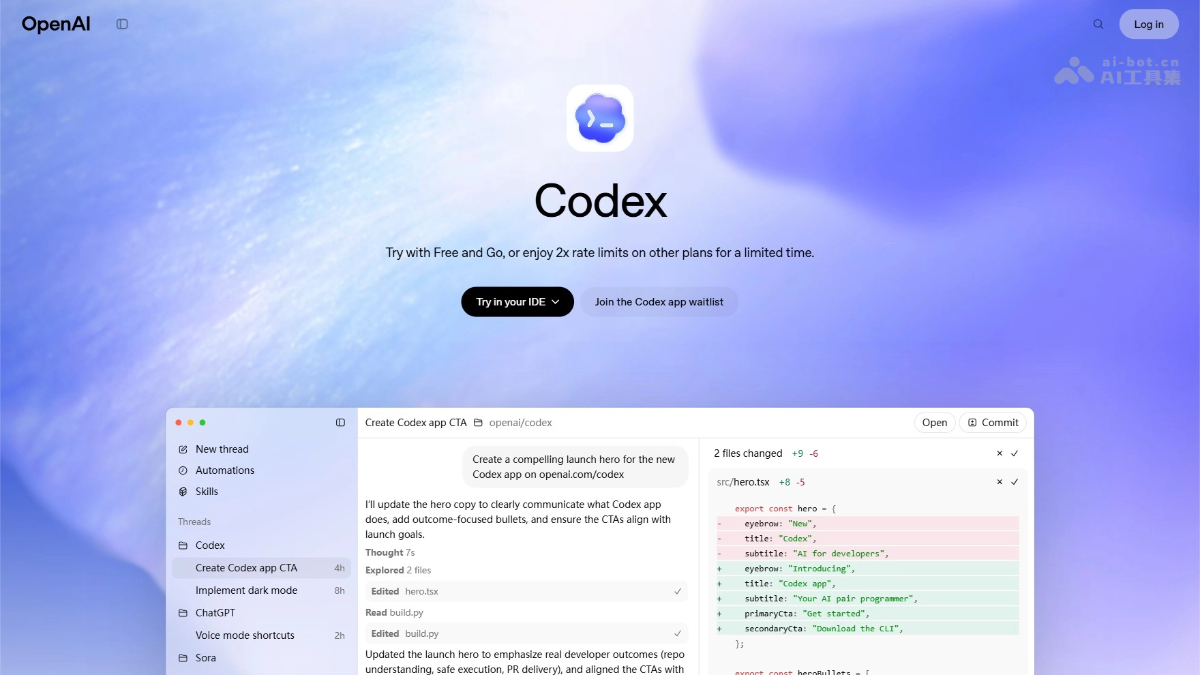
Main features of Codex App
- Multi-agent parallelism: Supports running multiple AI agents simultaneously, each handling different tasks in independent threads, avoiding code conflicts through worktree technology.
- Skill extension: Through the skill system, Codex can connect to external tools to accomplish non-coding tasks such as converting design mockups to code, project management, cloud deployment, and image generation.
- Automated scheduling: Set up scheduled tasks to let Codex run automatically in the background, and push results into a review queue for user confirmation upon completion.
- Personality selection: Provides two interaction styles, concise and pragmatic and conversational and empathetic, to match the work preferences of different developers.
- Secure sandbox: The application adopts an open-source system-level isolation mechanism, restricts file and network access by default, and supports configuring permission rules by project or team.
How to use Codex App
- Visit the official website: Visit theCodexofficial website, download and install the application on a macOS device, and log in directly with a ChatGPT account (Plus/Pro/Enterprise, etc.).
- Start a project: After opening the application, select or create a work project. Codex will automatically sync historical configurations and code repositories from the CLI and IDE extensions.
- Delegate tasks: Enter natural language instructions in the chat interface to describe the work that needs to be completed by AI. You can select a specific skill or let Codex automatically determine which to invoke.
- Manage multiple agents: Create independent threads for different tasks, with each agent running in parallel without interfering with the others. Switch to view progress at any time, and review code diffs or edit manually within the interface.
- Configuration and extension: Create custom skills through the skill management interface and bind team tools; set automation rules to implement scheduled tasks; use the /personality command to switch interaction styles.
- Review and deployment: After an agent completes a task, check the results. Once confirmed correct, you can merge the code or trigger the deployment process.
Application scenarios of Codex App
- Complex system development: For full-stack projects that require advancing frontend interfaces, backend logic, and database design simultaneously, multiple agents divide the work and run in parallel, greatly shortening the development cycle.
- Conversion from design to code: When a product manager or designer provides a Figma prototype, Codex can automatically extract visual specifications and generate high-fidelity runnable code, reducing communication overhead between design and development.
- Long-term maintenance and iteration: Set up automated tasks to regularly scan the codebase for vulnerabilities, update dependency versions, and generate release briefs, freeing the team from repetitive maintenance work.
- Cross-functional collaborationNon-technical members describe requirements in natural language, and the application understands and translates them into technical implementations, lowering the barrier to participating in software development.