

What is Cherry Studio
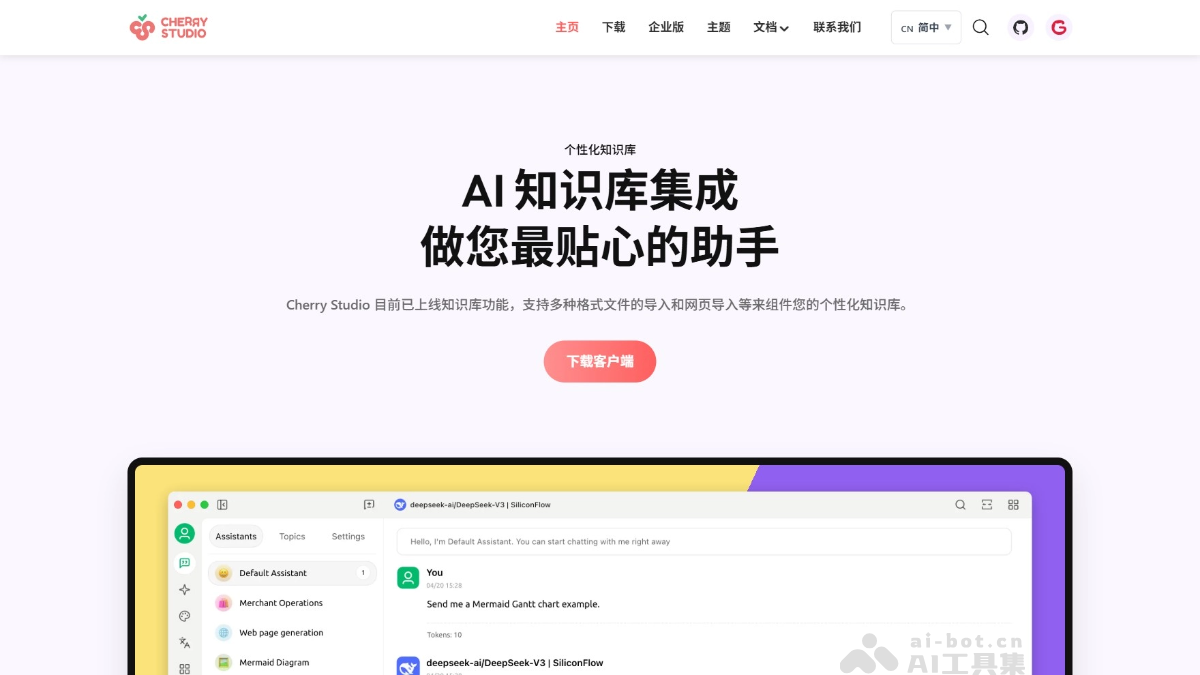
Cherry Studio is an open-source all-in-one AI client assistant that integrates multi-model chat, knowledge base management, AI drawing, translation, and other functions. Cherry Studio supports Windows, macOS, and Linux systems, lowering the technical threshold so that users with no prior experience can quickly get started, while also providing developers with powerful extensibility. Cherry Studio's core features include one-question-multiple-answers, automatic grouping, chat export,AI Drawing、Translationand other functions. Cherry Studio supports unified management of multiple providers, highly customizable interface and layout, and a local knowledge base system to ensure data security. Cherry Studio is committed to improving users' work efficiency and creativity.
Main Features of Cherry Studio
- Basic Chat Features:
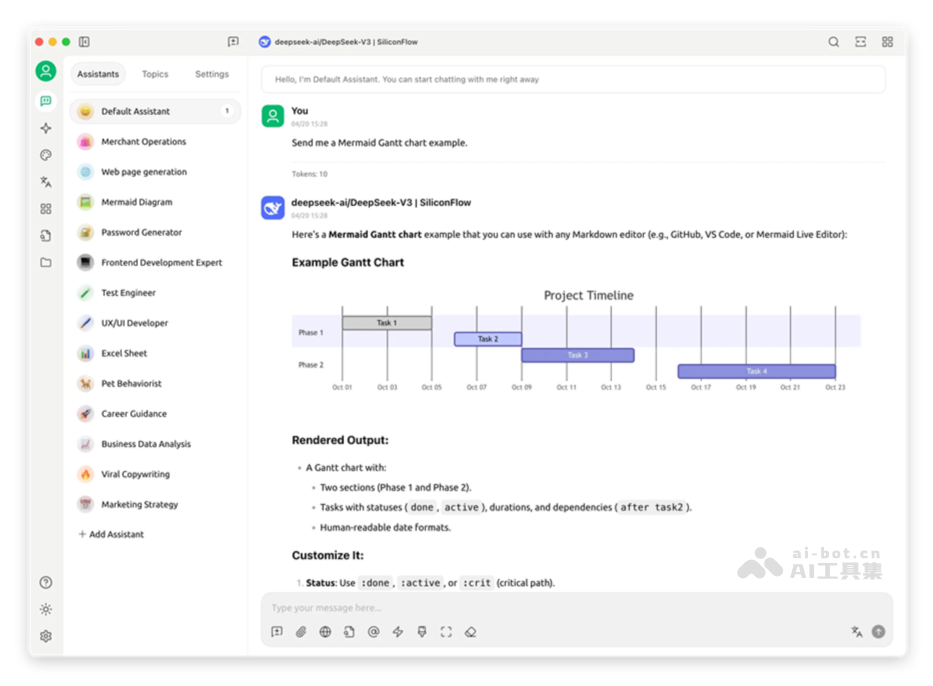
- One-Question-Multiple-Answers: Supports generating replies to the same question simultaneously through multiple models, making it easy for users to compare the performance of different models.
- Automatic Grouping: Each assistant's chat records are automatically grouped and managed, making it easy for users to quickly find past conversations.
- Chat Export: Supports exporting complete or partial conversations in multiple formats (such as Markdown, Word, etc.), making them easy to store and share.
- Highly Customizable Parameters: Supports users in filling in custom parameters to meet personalized needs.
- Assistant Market: Built in with over a thousand industry-specific assistants, covering fields such as translation, programming, and writing, while also supporting user-defined assistants.
- Multiple Format Rendering: Supports Markdown rendering, formula rendering, HTML real-time preview, and other functions to improve content presentation.
- Integration of Multiple Special Features:
- AI Drawing: Provides a dedicated drawing panel, supporting users in generating high-quality images with natural language descriptions.
- AI Mini Apps: Integrates multiple free web-based AI tools, which can be used directly without switching browsers.
- Translation Feature: Supports multiple translation scenarios such as a dedicated translation panel, conversation translation, and prompt translation.
- File Management: Files in chats, drawings, and the knowledge base are uniformly classified and managed, avoiding cumbersome searches.
- Global Search: Supports quickly locating historical records and knowledge base content, improving work efficiency.
- Unified Management Mechanism for Multiple Providers:
- Provider Model Aggregation: Supports unified calls to models from mainstream providers such as OpenAI,Gemini, Anthropic, Azure, etc.
- Automatic Model Retrieval: One-click retrieval of the complete model list, with no manual configuration required.
- Multiple Key Rotation: Supports rotating the use of multiple API keys to avoid rate limit issues.
- Precise Avatar Matching: Automatically matches a dedicated avatar for each model, improving recognizability.
- Custom Providers: Supports access to third-party providers that conform to specifications such as OpenAI, Gemini, Anthropic, etc.
- Highly Customizable Interface and Layout:
- Custom CSS: Supports global style customization to create a unique interface style.
- Custom Chat Layout: Supports list or bubble-style layouts, and allows custom message styles (such as code snippet styles).
- Custom Avatars: Supports setting personalized avatars for the software and assistants.
- Custom Sidebar Menu: Users can hide or reorder sidebar functions according to their needs, optimizing the user experience.
- Local Knowledge Base System:
- Multiple Format Support: Supports importing multiple file formats such as PDF, DOCX, PPTX, XLSX, TXT, and MD.
- Multiple Data Source Support: Supports local files, URLs, sitemaps, and even manually entered content as knowledge base sources.
- Knowledge Base Export: Supports exporting the processed knowledge base and sharing it with others.
- Supports Search Inspection: After the knowledge base is imported, users can perform real-time retrieval tests to view the processing results and segmentation effects.
- Featured Focus Functions:
- Quick Q&A: Call up the quick assistant in any scenario (such as WeChat or a browser) to get answers quickly.
- Quick Translation: Supports quickly translating words or text in other scenarios.
- Content Summarization: Quickly summarizes long text content, improving information extraction efficiency.
- Explanation: No complex prompts are needed; explain unclear questions with one click.
- Data Protection:
- Multiple Backup Options: Supports local backup, WebDAV backup, and scheduled backup to ensure data security.
- Data Security: Supports fully local usage scenarios, combined with local large models, to avoid the risk of data leakage.
How to Use Cherry Studio
- Download the Client: Visit the Cherry Studio official website (https://www.cherry-ai.com/)。根据操作系统(Windows、macOS、Linux)选择合适的客户端版本进行下载。
- Install the Client:
- Windows: After downloading the installation package, double-click to run the installer and follow the prompts to complete the installation.
- macOS:
- After downloading the installation package, double-click to open the .dmg file.
- Drag Cherry Studio into the "Applications" folder.
- Open the "Applications" folder and launch Cherry Studio.
- Linux: Download the .deb or .rpm installation package, choose the appropriate package type according to the Linux distribution, and run the installation command through the terminal.
- Configure the API Key: After launching Cherry Studio, configure the API key to use the features. In the Cherry Studio settings, enter the API key.
- Use Core Functions:
- Multi-Model Conversation: Enter questions in the chat interface and select different models to answer.
- Knowledge Base Management: Create a local knowledge base by importing files or URLs, and use the search function to quickly find content.
- AI Painting: Enter a description in the painting panel to generate high-quality images.
- Translation Function: Enter text in the translation panel to translate it.
- More Functions:
- GitHub: Visit the Cherry Studio GitHub repository (https://github.com/CherryHQ/cherry-studio)获取最新代码和参与贡献。
- GitCode: Visit the Cherry Studio GitCode repository (https://gitcode.com/CherryHQ/cherry-studio)获取国内镜像和社区支持。
Application Scenarios of Cherry Studio
- Knowledge Management and Learning: Students and researchers can quickly organize and retrieve literature and materials, improving learning and research efficiency.
- Creative Design and Drawing: Designers and artists use natural language descriptions to generate high-quality images, sparking creativity and quickly completing design concept sketches and artworks.
- Cross-Language Communication and Office Work: Users can quickly obtain accurate translations during international communication, when reading foreign-language literature, or when processing multilingual documents, improving office efficiency.
- Content Creation and Writing: Content creators can quickly generate copy, stories, code snippets, and more, compare the outputs of different models, and choose the most suitable content.
- Personal Productivity Improvement: In daily life, users can quickly obtain information, translate text, and summarize long articles, improving personal efficiency and quality of life.

