
Friends often ask if there are any tools that generate relatively high-quality PPTs.
"Making a PPT is harder than writing the content!"
"Good-looking templates cost dozens or even hundreds—it hurts my wallet..."
"The free templates I find online are either painfully ugly or all exactly the same..."
Don't worry! Today's post is here to save you from your PPT anxiety and your wallet!
Who says you can't make a good PPT for free? Master thesefree AI tools, and you can become a PPT master too!
Today, let's analyze the recently viral Labubu, useDeepSeekto generate an outline, and then have several free AI tools make a PPT for us, comparing to see which one actually delivers the best results.
01. DeepSeek Generates the Outline
We'll first use DeepSeek to generate an outline:
Prompt: I need to make a PPT about why Labubu is wildly popular around the world. Please help me generate a PPT outline and output it to me in markdown format.
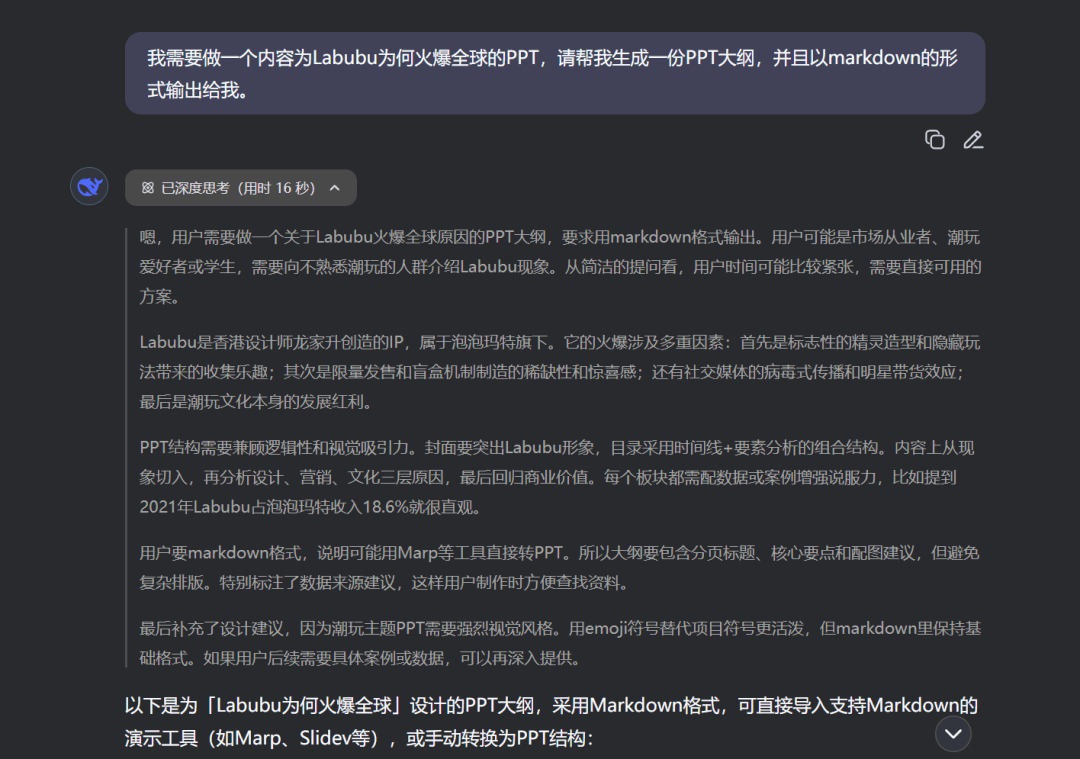
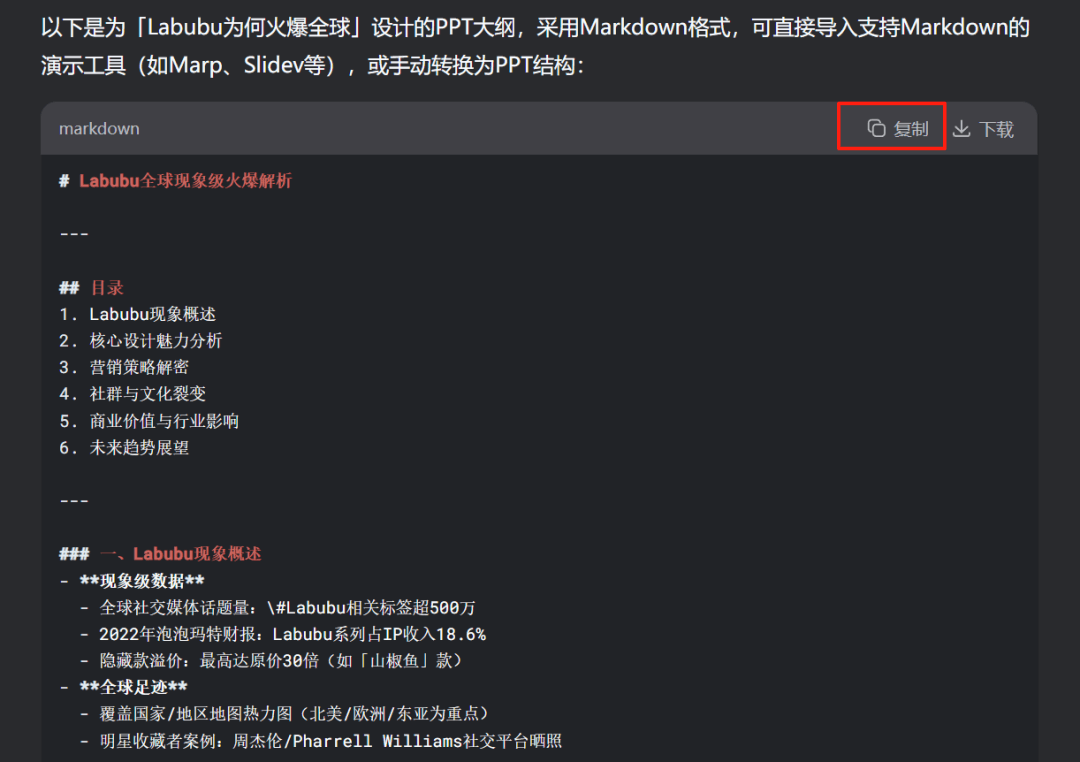
After DeepSeek generates the response, copy the outline so you can upload it to each AI tool later.
02. Review of 4 Free PPT Tools
We'll send "generate a PPT based on the outline" together with the outline we just copied to the AI. Let's take a look at the results.
Prompt: Generate a PPT based on the outline document I provided.
# Analysis of Labubu's Global Phenomenal Popularity
—
## Table of Contents
1. Overview of the Labubu Phenomenon
2. Analysis of Core Design Appeal
3. Decoding the Marketing Strategy
4. Community and Cultural Virality
5. Commercial Value and Industry Impact
6. Future Trend Outlook
—
### I. Overview of the Labubu Phenomenon
– **Phenomenal Data**
– Global social media topic volume: \#Labubu-related hashtags exceed 5 million
– 2022Pop Martfinancial report: the Labubu series accounts for 18.6% of IP revenue
– Hidden figure premium: up to 30 times the original price (such as the "Sansho Uo" figure)
– **Global Footprint**
– Heat map of covered countries/regions (with North America/Europe/East Asia as key areas)
– Celebrity collector cases: Jay Chou/Pharrell Williams posting photos on social platforms
—
### II. Core Design Appeal
– **Visual Symbol System**

– Signature fangs + asymmetrical big eyes (a cute point with a sense of conflict)
– High-saturation colors + fluorescent applications (visual impact)
– **Worldbuilding**
– 「The Monsters" Elf Forest storyline
– Character personification design: mischievous/cute/edgy multifaceted
– **Artist Endorsement**
– Designer Kasing Lung's transition from illustrator
– A model example of balancing artistry and commerciality
—
### III. Decoding the Marketing Strategy
“`mermaid
graph LR
A[Scarcity marketing] –> B(Limited release + regional exclusives)
C[Blind box mechanism] –> D{Hidden figure probability 0.69%}
E[Cross-industry collaborations] –> F(Uniqlo/Samsung/Nestlé)
G[Scenario penetration] –> H(Art exhibitions + vending machines + flagship stores)
Gamma
Gammais indeed very efficient! In less than 5 minutes, a complete PPT was generated.
Let's take a look at the final generated result together:
Gamma allows you to manually select a theme and adjust the number of generated pages. The overall result is pretty good.
Pros: The PPT it produces has a strong sense of design and feels very premium! The content is concise and highlights the key points.The content is presented in diverse formats, including images, text, charts, etc.。
Cons:The free version can generate at most 10 slides at a time (this is really frustrating, since PPTs generally have more than 10 pages), and each generation costs 40 credits.
The overall aesthetics are clearly good, though some of the page images may not be quite appropriate.
Genspark
Gensparkeach page's content is very rich.
Pros: The overall layout and color coordination are very good, and the arrangement of each section on every page is very intuitive,all presented in a general-to-specific structure. When used to explain in a meeting, you won't forget the key points of the current page, and you won't drift too far from the main focus.;
There is also a fact-checking feature that can query information sources in real time, greatly reducing the probability of hallucinations in page elements.
Cons:There really aren't any downsides, it's quite good, if I had to nitpick, I could only say that the templates cannot be changed; whatever it generates is what you get.
Manus
Pros:Manus gives 300 credits every day, and making the entire PPT only consumed 103 credits, so the cost-effectiveness is still quite good (of course, different tasks consume different amounts of credits).
Itpresents data in more diverse formats, and it also found and used many image materials about Labubu.
Cons: The text content is too concise. If you haven't memorized many expanded examples, you may forget some points when presenting the PPT. Also, you cannot choose the template yourself.
Tiangong AI
Tiangong's super agent Skywork will re-optimize the outline based on the content I provide, and then complete the PPT.
Compared with several other tools, it only completes the task based on the outline.Tiangong continues to enrich and upgrade on the basis of the outline, and the derived content is richer。
Pros: The content quality is very high,with many key supplements and visual charts in different styles, making the overall presentation look very intuitive.
Cons:Generating this PPT took about 40 minutes, but this long time is only in comparison with other PPT generation tools. If I were to make a PPT of the same quality myself, let alone 40 minutes, I might not be able to do it in 400 minutes.
Some text and images extend beyond the defined page, but this can actually be understood as a stylistic design choice.
03. Some Sharing
Overall, after using them, I feel that each has its own strengths.
Gamma has the most obvious stylistic character.
Gensprk has the clearest overall layout and structure.
Manus collects the most comprehensive image materials.
And Tiangong, as a relatively professional PPT creation tool, produces the most professional PPTs among them.
Although each one requires a certain number of credits to use, registering gives you a lot of credits. For a non-daily need like making PPTs, the free quota is basically enough.
The results of AI tools are already very close to handmade work, and the speed is much faster than traditional handmade work. Everyone can invest the saved time and energy into more important things!
One last thing,AI-generated PPTs cannot perfectly adapt to everyone's needs, so it is recommended to manually fine-tune and optimize after generation, to make the content better fit your own needs.
Now that you've read this far, if you need it, go try it out. Looking forward to seeing your great work!
Original link:Compared 4 popular Agents, finally found the best one for making PPTs