
Sometimes I suddenly have a whim to make a small tool, but because I don't know programming, I can't proceed.
But learning programming takes a long time, and at my level, I might not even be able to learn it. I was thinking, can I generate a webpage, mini program, or App through AI? After hands-on practice, I found that it really works!

01
DeepSeek Full Version
"AI Programmer"
I happened to see Tongyi Lingma's "AI Programmer"It has integrated DeepSeek V3 and R1 full versions, and the most important thing is that it is free and unlimited to use!

With the support of the DeepSeek reasoning model, Tongyi Lingma iscode intelligent completion, R&D intelligent Q&A, code optimizationand other aspects are even stronger!
It comes with two modes: one is the intelligent Q&A mode, and the other is the "AI Programmer" mode. The intelligent Q&A mode is suitable for people with a certain programming foundation, while the "AI Programmer" mode is suitable for novices who know nothing.You only need to type, and it can generate the program you want from beginning to end without writing any code.
Today I will demonstrate to everyone how aliberal arts student with zero coding foundationuses the "AI Programmer" mode to make a WeChat Mini Program.
02
Tongyi Lingma
Making a WeChat Mini Program
Tongyi Lingma's plugin can be used on 3 programming software programs, namely JetBrains IDEs, Visual Studio Code, and Visual Studio.
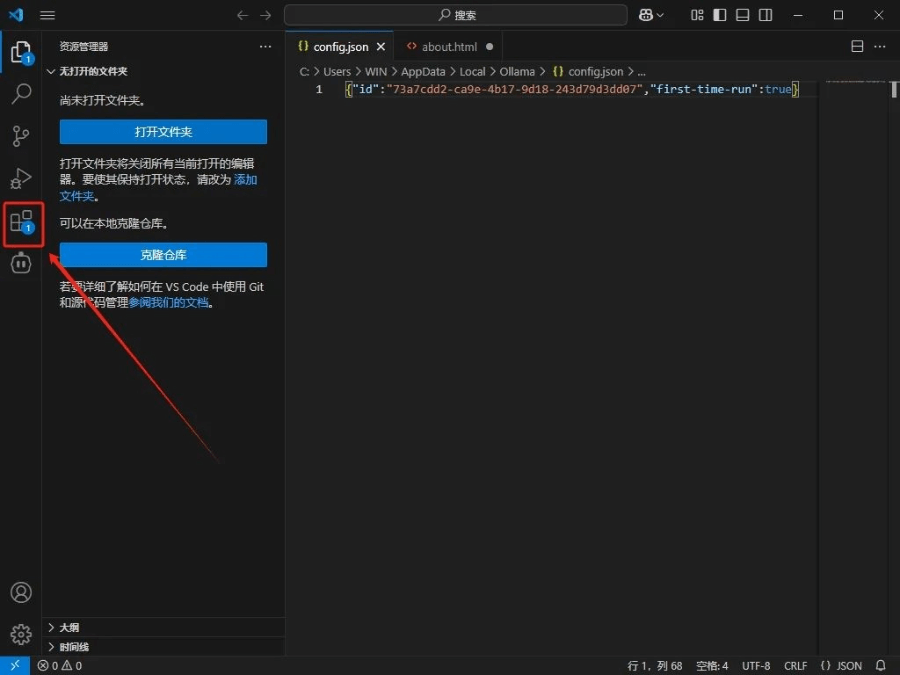
Here we use Visual Studio Code. After downloading and installing it, enter the software homepage and click the plugin button.
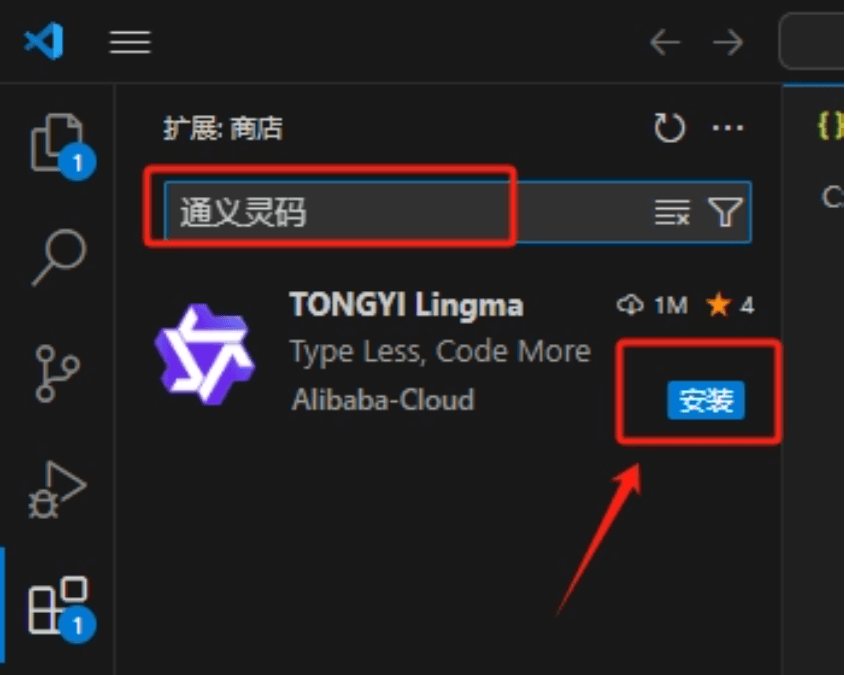
Enter "Tongyi Lingma" and click install.
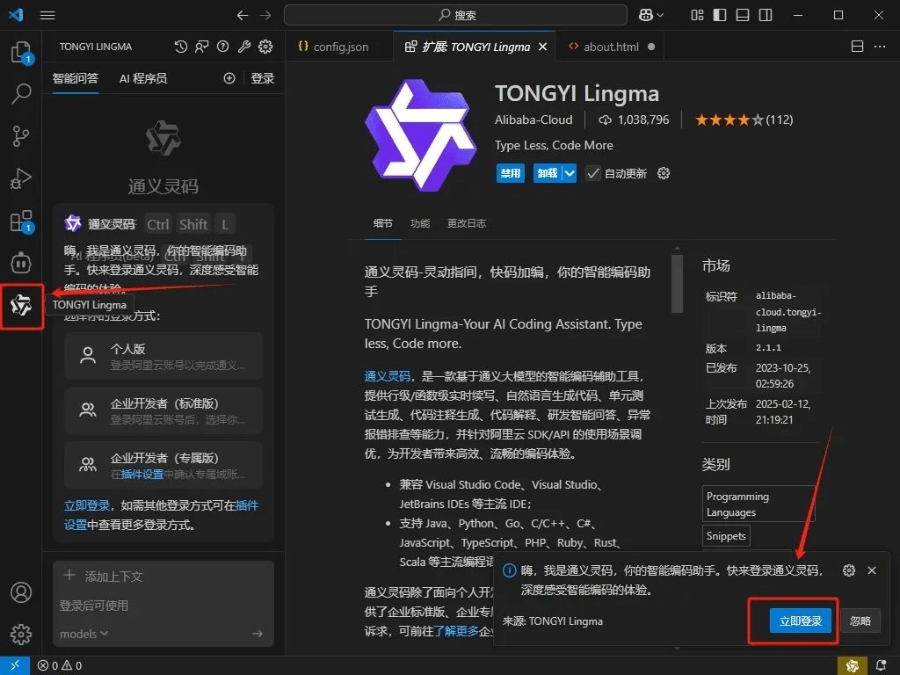
In the lower right corner, click "Tongyi Lingma", then click "Log in now".
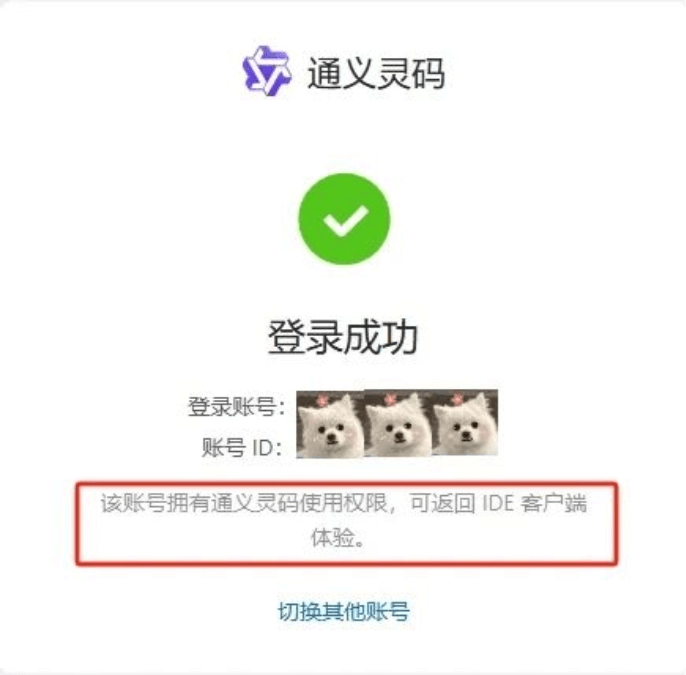
Log in to Alibaba Cloud on the web page.
Next, we can make the program we want to make.
We click "AI Programmer" at the top left, and then select the DeepSeek V3 model below.
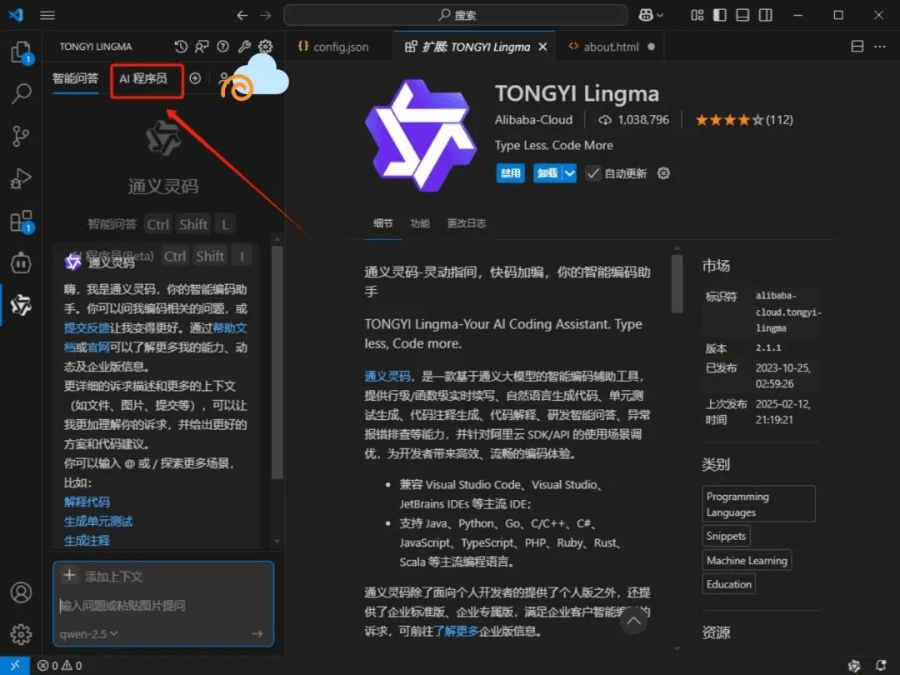
Recently my friend said he was a bit constipated, so I directly helped him make a mini program to record 💩 time.
We directly input the requirement: help me make a WeChat Mini Program. I need to implement the function of clicking the start button to start timing, clicking the end button to end timing, and then displaying how much time this 💩 took.
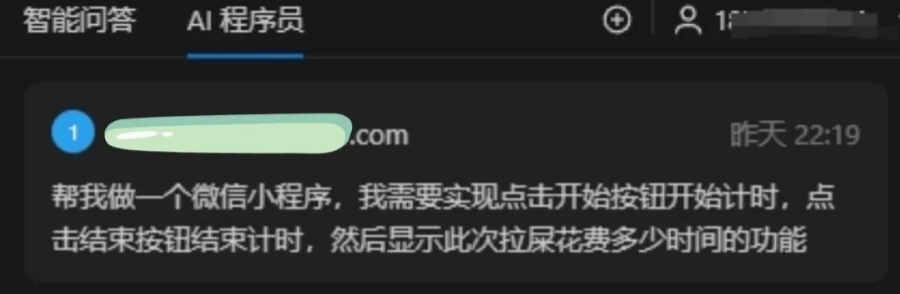
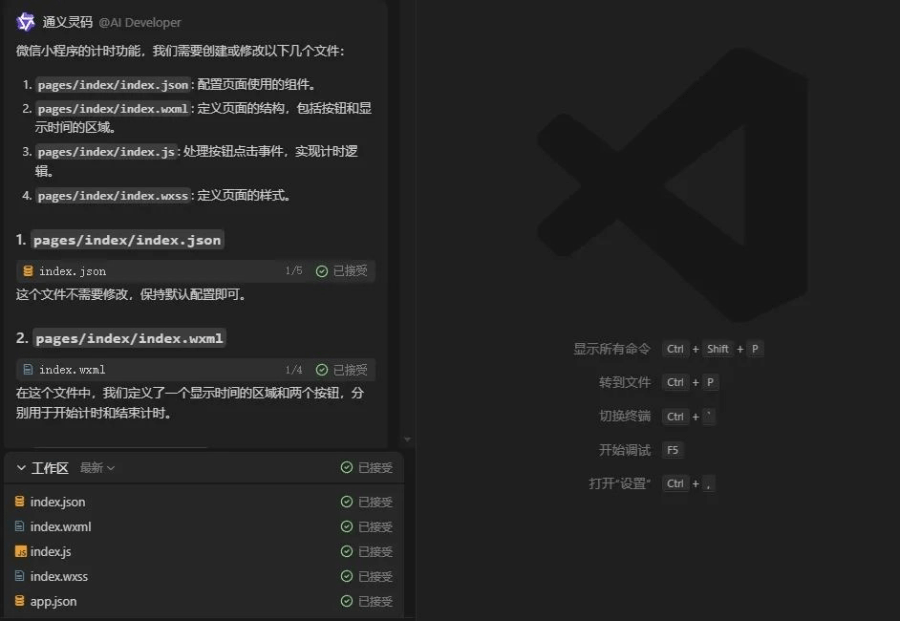
It will automatically generate the code we need, and we only need to click accept.
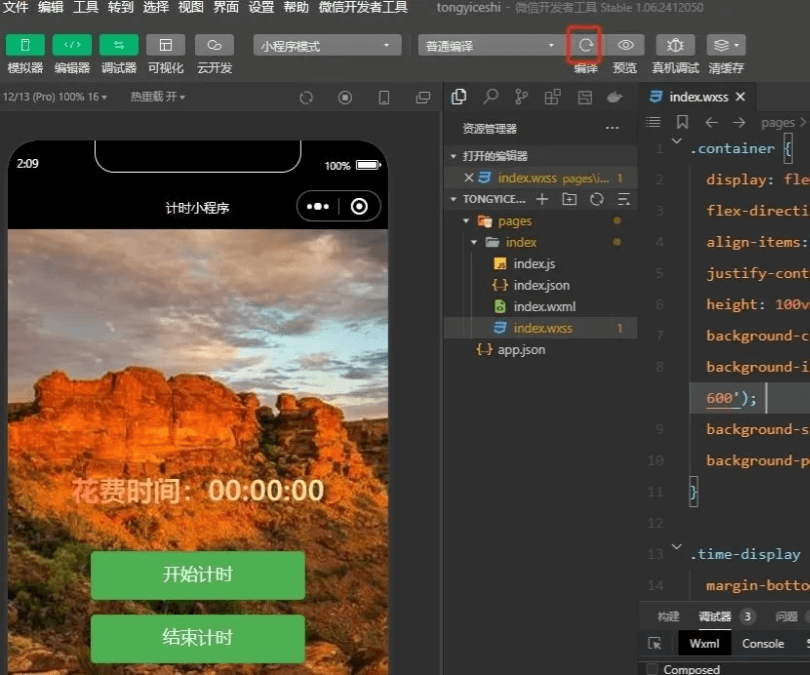
After the code is generated, we import this file into WeChat DevTools.
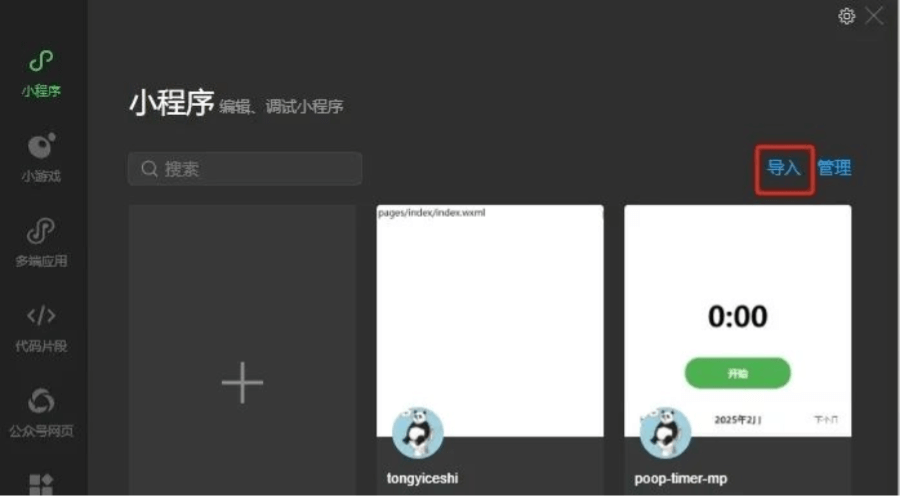
Then click compile, and it can generate a real-time preview screen.
03
Modification and Adjustment
Sometimes we may not be satisfied with the result generated the first time. At this time, we only need to use Tongyi Lingma again for requirement adjustment and code modification. The whole process can also be done using everyday spoken language and methods.

For example, at this time I had another idea: not only should one record be saved, but every historical record should also be visible.
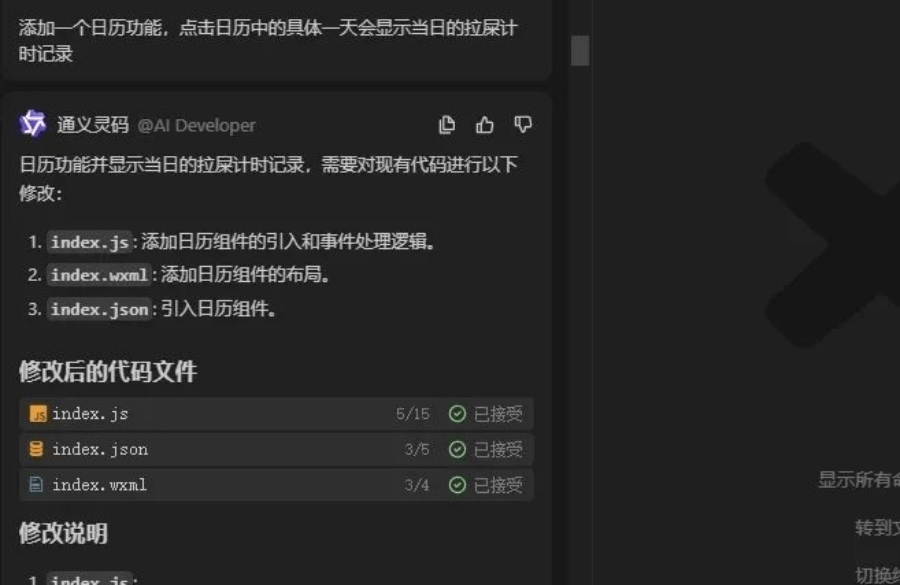
So I proposed a new requirement to it: add a calendar function. Clicking a specific day in the calendar will display that day's 💩 timing records.
It will automatically modify the code for us, and we also only need to click accept.
After the code modification is completed, we only need to recompile once in WeChat DevTools.
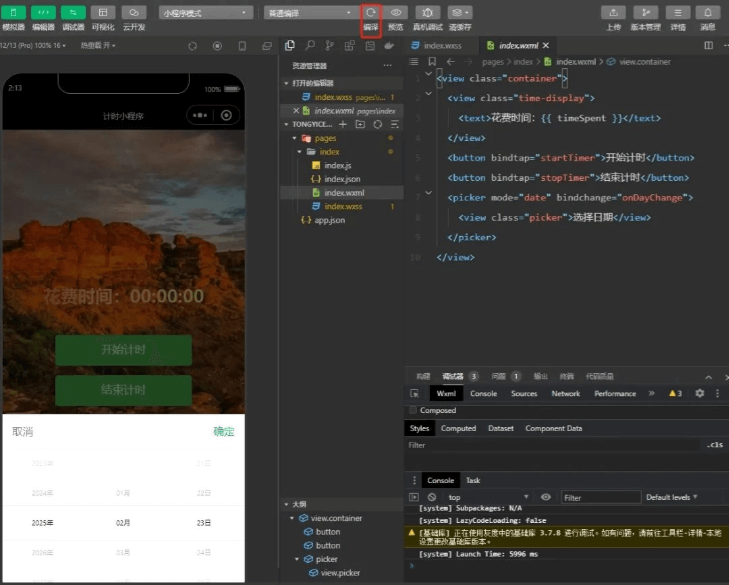
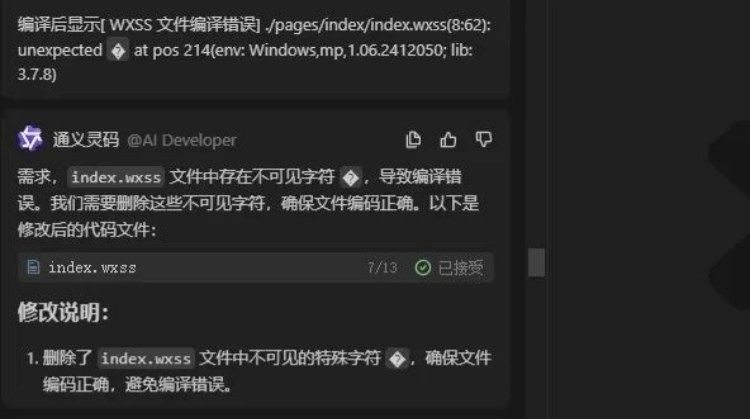
Of course, during this process, errors may occur.
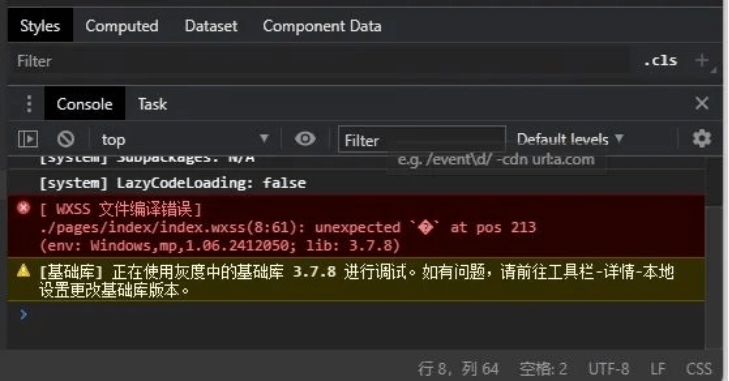
Don't worry, we just need to copy these red error messages and send them to it through the input box, and it will automatically help us fix them.
Once all the code is ready, we click upload.
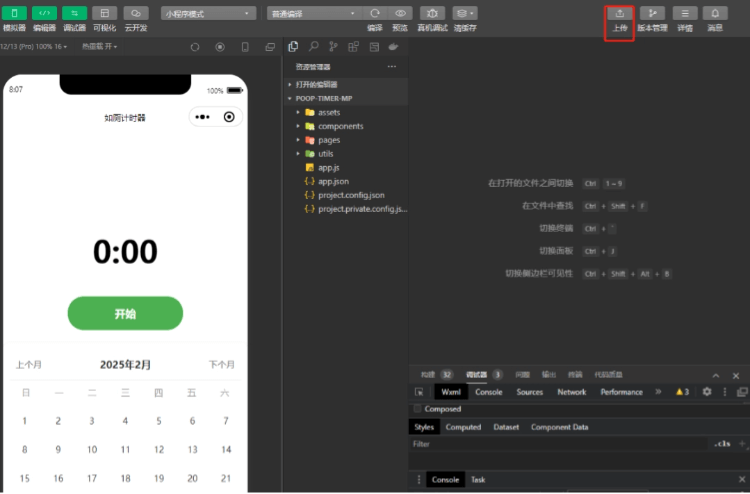
After the review is successful, we will have a simple WeChat Mini Program.
This Mini Program is still quite simple, and more features and content can be added later.
For example, for the background image, before clicking start, it is an image of a panda standing in front of a toilet; after clicking, it is an image of a panda sitting down and pooping 💩; when clicking end, it will be an image of a panda getting up and flushing.
In addition, a poop record feature can be added later. Each time after pooping 💩, you can choose the status of this poop, whether you had diarrhea this time, and other options, and finally it will be summarized into a weekly report and sent to you every week.
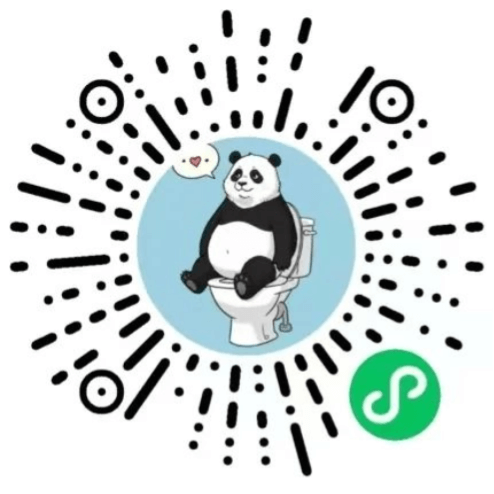
Poop Log demo
04
Full-power R1 intelligent Q&A
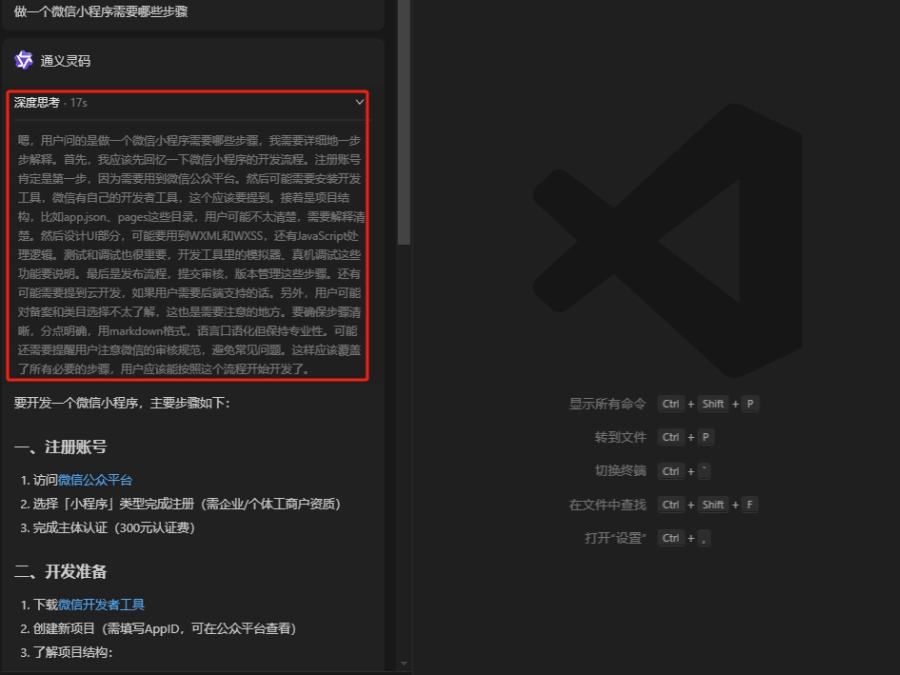
Of course, in addition to the "AI Programmer" feature, Tongyi Lingma also has an intelligent Q&A feature, which has deployedthe full-power version of DeepSeek R1, and even the thinking content section is retained.
For example, I ask it: What steps are needed to make a WeChat Mini Program. It will help me list every step that needs to be done, and everyone only needs to follow the steps it gives one by one to make any WeChat Mini Program you want to make.
From an idea to implementation and refinement, you really can achieve zero-basic app development! Tongyi Lingma is awesome!
With a good idea, there is a good work; just leave all the intermediate steps to it.
From these examples, we can see the powerful assistance ability of Tongyi Lingma's "AI Programmer" in projects for beginners,From project setup, code optimization, and feature development to bug fixing and code refactoring, the "AI Programmer" can efficiently complete tasks.This greatly facilitates laypeople like us who do not understand code very well, making the development experience smoother for ordinary people.

You can join our AI programming communication group. The group members are all experts, and if there is anything you do not understand, you can discuss it in the group.

Friends who want to learn AI programming to make applications, scan the code to follow and reply with the keyword: AI programming, the group members are all experts
All tools involved in this article:
Tongyi Lingma:https://ai-bot.cn/sites/5269.html
Original link:As a liberal arts student, I used DeepSeek + AI Programmer to develop a Mini Program in half an hour