

Recently, friends have often reported that Lovart can't be opened in China…
Lovart's experience in the design field is truly top-tier, with high-quality image output and strong editing capabilities, greatly lowering the barrier for designers. But it requires a VPN, and many friends in China can't experience Lovart's charm.
I found a perfect alternative, the Xingliu Agent developed by Liblib,which almost perfectly replicates Lovart's design experience and is specially optimized for domestic use scenarios, with direct access in China without a VPN, making it much smoother to use. More importantly, the default model's image output quality is comparable to Nano Banana Pro.
Today let's experience it together.
01. Faster, smoother design experience
We open the Xingliu Agent official website, and the operation interface is almost identical to Lovart's.
Official website:https://www.xingliu.art
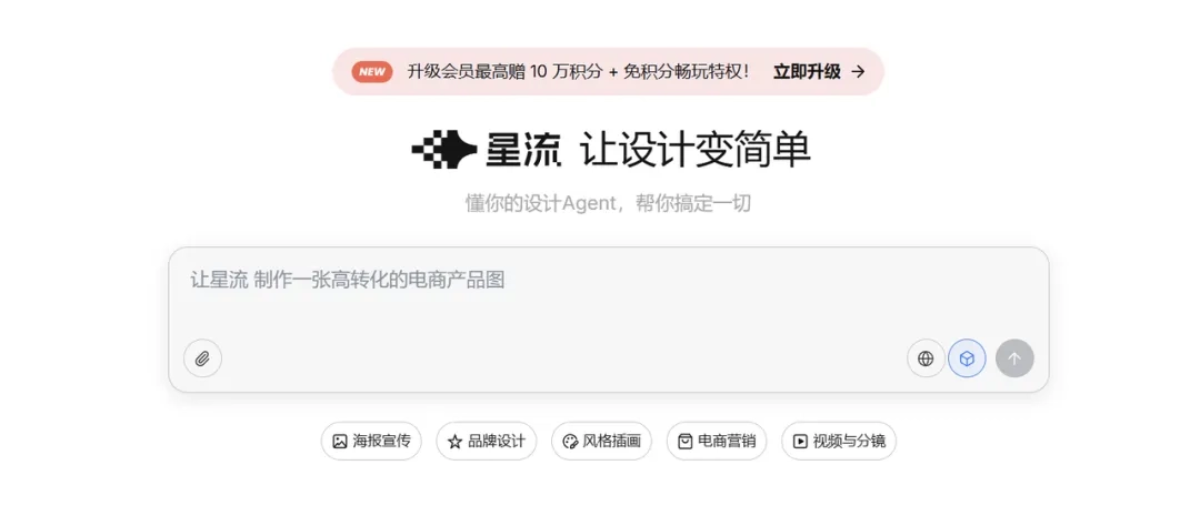
We enter a simple request:
Prompt: New Chinese-style national style illustration style, generate a solar term poster for "Major Cold."
Xingliu Agent automatically breaks down the task, collects relevant information, style characteristics, and color schemes, and has also been deeply optimized for domestic use scenarios, with almost no barrier to getting started。
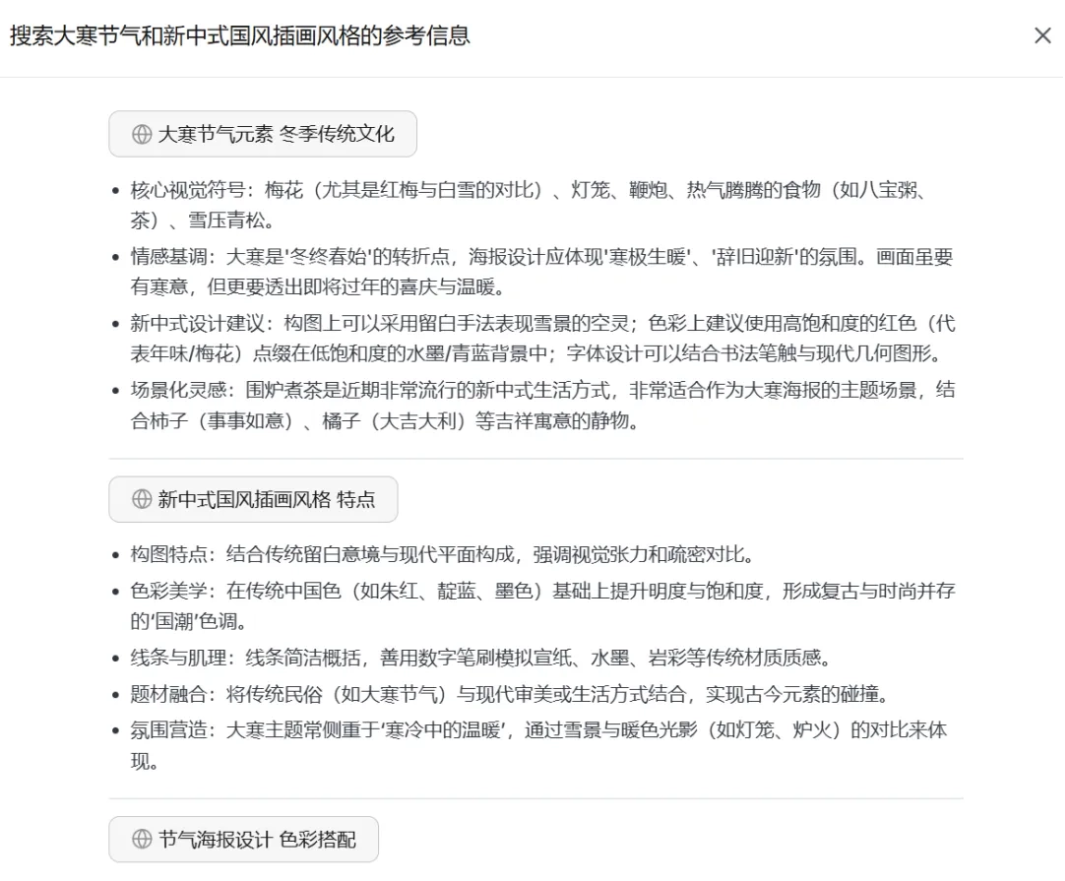
The texture of the output images is very impressive. The default model's design quality is fully comparable to Nano Banana Pro, especially in its understanding of Chinese style.

Batch design needs can also be easily handled。
For example, we use Xingliu Agent to make a set of Spring Festival posters:
Prompt: Generate four posters about the 2026 Spring Festival, using 4 different styles to highlight a rich Spring Festival atmosphere. Aspect ratio 9:16.
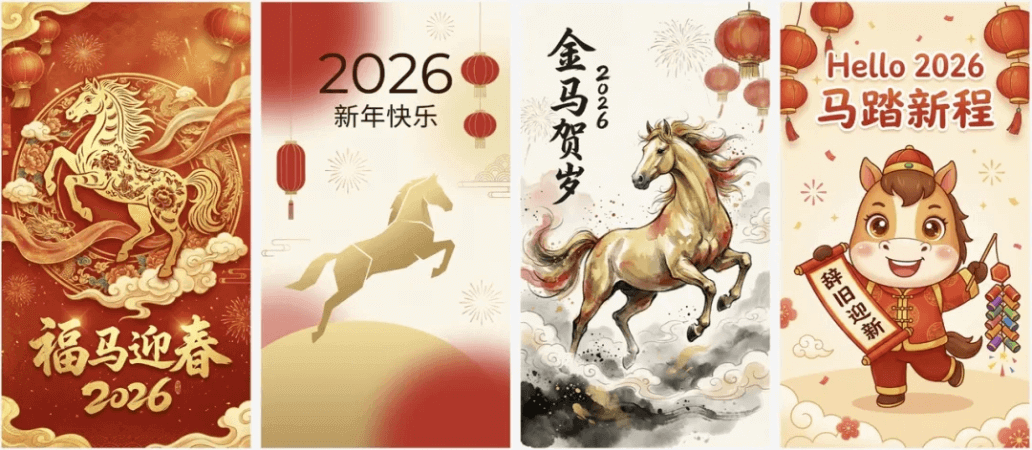
Except for the second one being a bit abstract, the others all match my idea of a Spring Festival poster.
The same theme, but completely different styles and copy, truly a design productivity booster, and you no longer have to worry about your boss asking for several more versions.
02. Fine and controllable editing capabilities
Xingliu Agent continues Lovart'sinfinite canvasdesign, and together with Lovart'score editing featureshas also replicated them.
One-click layer separation
It can not only generate, but also precisely modify. Xingliu Agent can identify different elements in an image,splitting characters, background, decorations, and text into independent layers, making it very convenient to change individual elements, adjust color schemes, or change positions.
Editable text
Text can also be directly recognized and modified. We select the image on the canvas and choose the edit text function. Xingliu Agent will recognize the text in the image and list it.
We can directly find the corresponding text box, enter the changed text, and click apply changes.
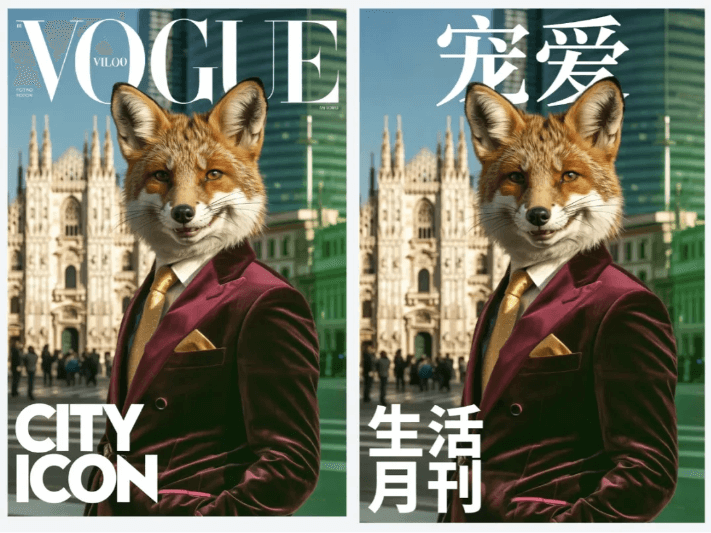
Xingliu Agent will automatically match the font, font size, and color. The changed text fits the original image very well, with almost no trace of modification。
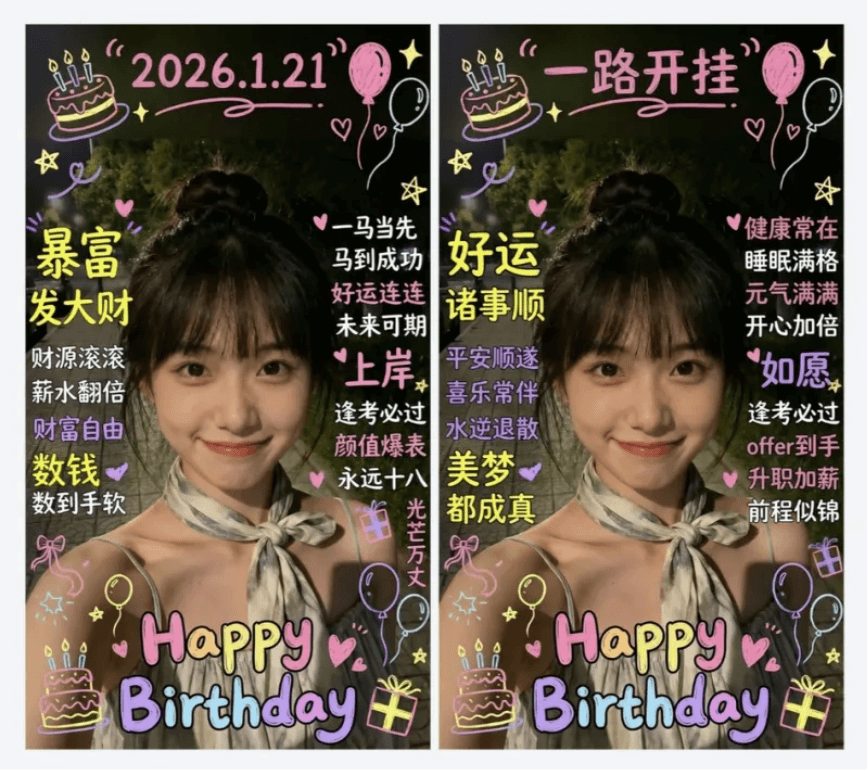
It doesn't matter if the text is obscured. Xingliu Agent can automatically recognize the occlusion relationship, and after editing it can still maintain the visual effect of the original image.
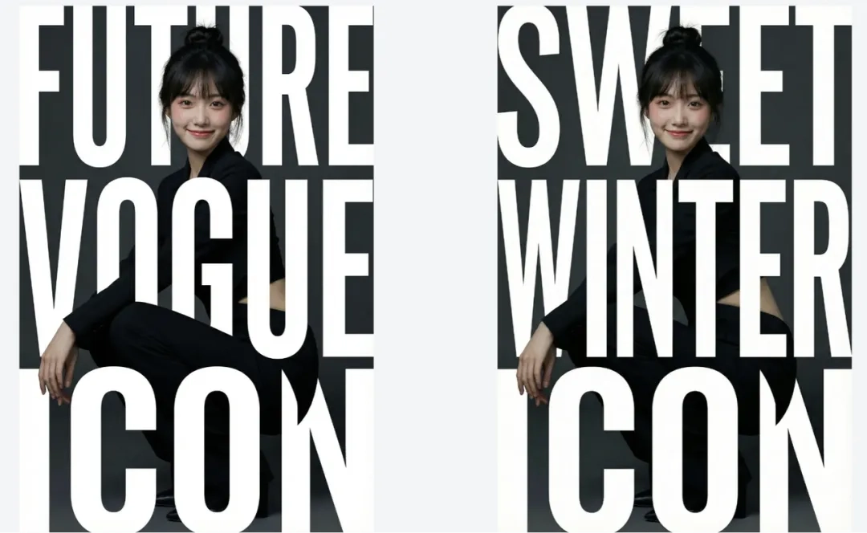
Switching between Chinese and English is also no problem.
Precise editing, change exactly where you point
The most annoying part of editing images is having to repeatedly adjust prompts to make the AI understand what I want to change and how I want to change it.
Xingliu Agent allows us to directly and precisely select the target area or element for editing。
For example, replace the cat paw on the tote bag with a cat avatar. We hold down the ctrl key and click the position that needs to be modified.
Modifying specified elements is more precise, and it is especially useful for designs with complex scenes that require multiple changes in multiple steps.
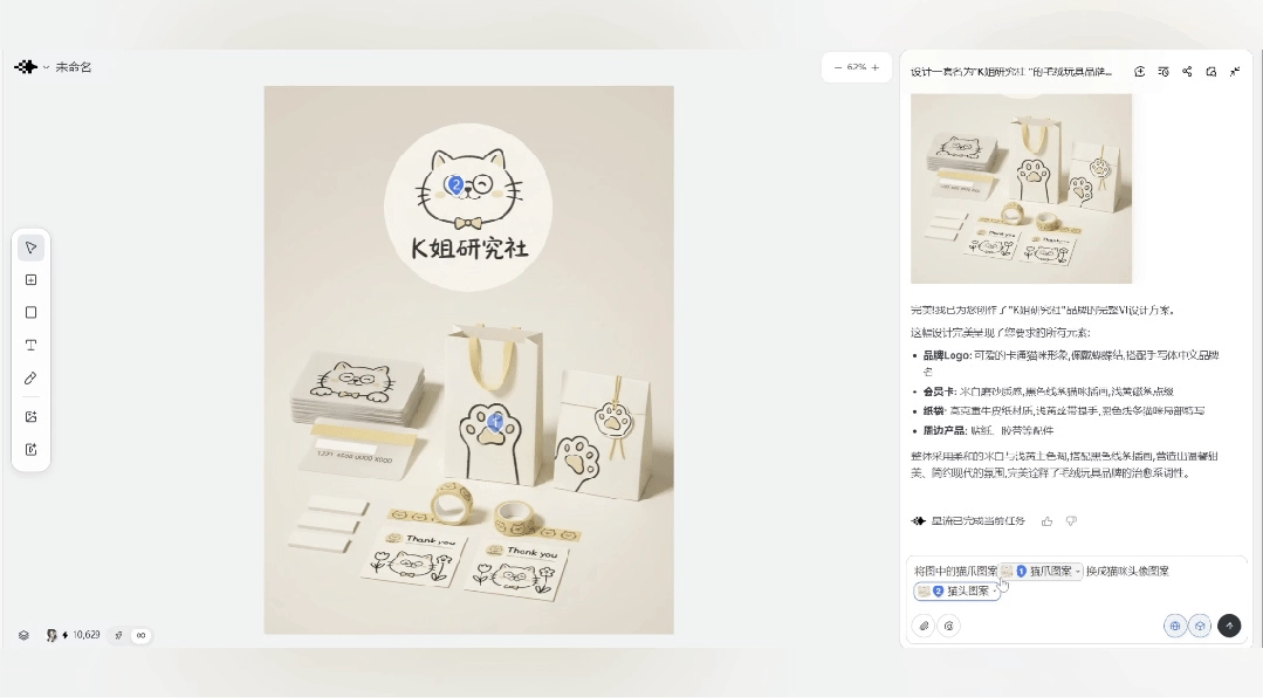
All materials on the canvas can be fused across multiple images and multiple elements, which is very convenient.
Preview texture effects in real time
Xingliu Agent also has the Mockup feature, which canpreview texture effects in real time, making designs more creative and practical.
For example, if we manually drag in an image, it can automatically and perfectly fit the curved surface and contours of the object, and the sample application effect immediately appears.
Any image you casually find can be used as a sample. Any image can be dragged onto the canvas as a texture, which is super hassle-free.
03. Some sharing
Compared with Lovart, Xingliu Agent is more suitable for domestic designers. It can be used without bypassing restrictions, the image output quality is high, and samples can also be edited and previewed. From drafting to delivery, the entire design process is very smooth.。
This kind of design vertical Agent will push design from single-point creation toward process-based production, making multi-plan testing the norm for more teams, speeding up iteration, and making design resources less scarce.
Designers' work focus will move closer to creativity and decision-making. Using a design Agent for rapid trial and error and continuous iteration, most energy can be spent on the version most worth polishing.
Small and medium-sized teams and individuals can create more presentable visual assets at lower cost, content supply will be more abundant, and in the end what competes is aesthetics and strategy.
Just watching the demo may not fully convey how impressive Xingliu Agent is. I recommend everyone try it out themselves!
Official website:https://www.xingliu.art
Original link:Lovart cannot be used in China? A domestic alternative is here!