

In the last week of 2025, it's once again time for the annual head-scratching struggle of writing a year-end summary.
I dug through a pile of project materials and collected a lot of data, but when I raised my hand to start writing, I found I had no idea where to begin. What counts as an achievement? Are there actually any connections between the data? This year, what exactly is worth summarizing?
This year, I simply handed this daunting task to my AI office partner—Office Raccoon。

Office Raccoon will give me a task list for creating a year-end summary and tell me step by step what I should do:
Then, from my scattered data and materials, it helps me find the truly valuable and related key information, and organizes it into visualized charts:
On this basis, it can also directly generate a logically clear, illustrated year-end summary PPT that is ready to deliver.
Breaking down tasks step by step, guiding you to find key conclusions, and finally giving you a deliverable work result—isn't this the ideal office partner for workers?
SenseTimeThe newly released AI office agent—Office Raccoon 3.0—not only upgraded its data analysis and task planning capabilities, but also launched a PPT generation feature。
In this article, let's do a hands-on test together and see how to reduce our burden with AI~ (Membership perks are prepared for everyone at the end of the article)
01. Generate a PPT with one sentence
The newly launched PPT feature of Office Raccoon 3.0 supports generating a PPT with one sentence. It is even thoughtful enough to have summarized a set of prompt templates; we only need to simply select the role, usage scenario, target audience, page count, and template style.
Official website:https://www.xiaohuanxiong.com/

There is basically no learning cost to use it, and it can also improve the accuracy of the generated content.
If there are no suitable options for role, scenario, or audience, we can also enter them manually.
Prompt: You are a training lecturer. Please generate an annual work summary PPT based on the 2025 work summary and 2026 annual plan. The content needs to revolve around: annual core data and results, changes in key training directions, the impact of AI on training and delivery methods, representative cases and actual results, customer structure and repurchase situation, personal capability and course system upgrades, and key improvement directions for the next year; each page needs clear conclusions and supporting data, highlighting 'results-oriented, actionable, and truly changing the way work is done,' avoiding empty talk and piling up descriptions, prioritizing charts, and keeping text concise.
We can upload materials so that the content generated by Office Raccoon is closer to a directly usable level.
For example, I uploaded some work records from 2025, and Office Raccoon will make a goal list for itself, then complete them step by step.

After reading the information in the file, it analyzes and extracts the core framework, and generates a clear, freely editable outline, making it convenient for us to quickly determine the overall structure.
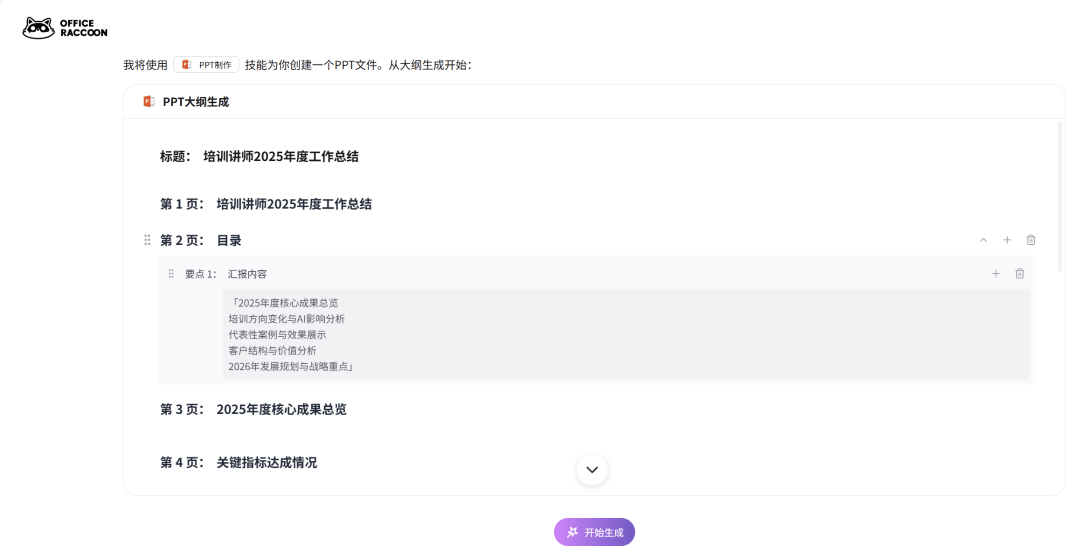
After confirming there are no issues, we click start generation, and a logically clear, illustrated annual summary PPT is completed.
The PPT layout generated by Office Raccoon is very consistent. If we select the scenario of an internal company annual report, it will do it completely in that direction, and it will also automatically search for and match related images, so basically no major adjustments are needed.
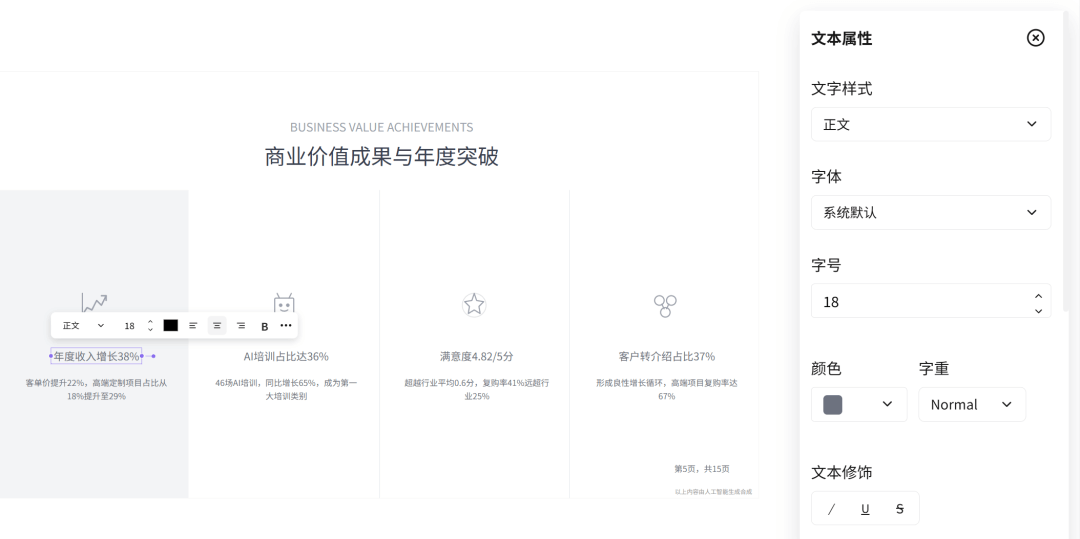
If you want to fine-tune part of the content, the operation is also very intuitive, and all elements such as text, images, LOGOs, charts, etc. can be edited directly by double-clicking and dragging.
Text style, font size, color, and alignment can all be edited directly on the page, with no need to jump to Office or WPS anymore.
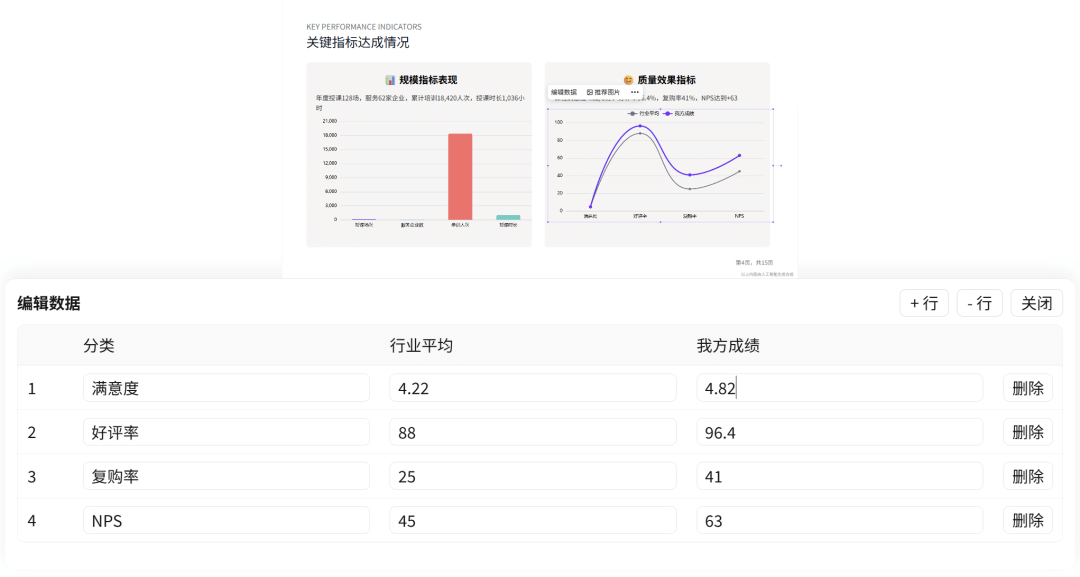
The chart section also supports directly modifying data dimensions and values, and the updated results are reflected on the page in real time.
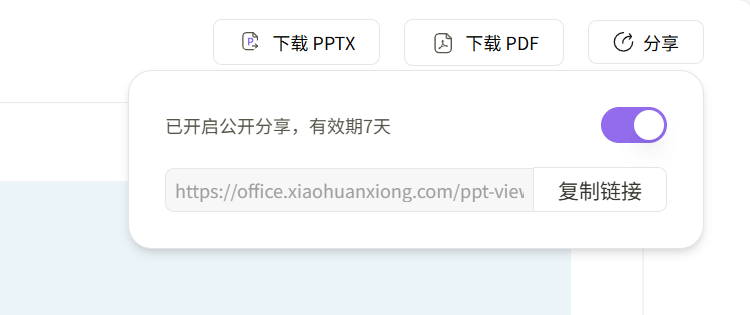
In particular, the PPT generated from charts supports direct export to pptx or PDF files, and you can also share a link directly. You can view it without downloading Office or WPS, and it also works on mobile.
02. Stronger data analysis
The most painful part of making a PPT is often not the page creation, but the early-stage thinking and planning.
After finally organizing a large pile of project data and industry data, you still have no idea where to start and can only fret helplessly.
At times like this, rather than racking your brain to force out ideas, it is better to just hand it over to Office Raccoon.
We can throw project data and industry materials in all at once and let Office Raccoon sort out the structure, identify the key points, and determine what is primary and what is secondary.
Prompt: This dataset brings together transaction records from multiple e-commerce platforms. Please first read through the data fields and determine from which business or user perspectives this data is suitable for analysis. After confirming the analysis direction, choose the 3 most valuable angles for detailed analysis and visual presentation, and provide a conclusive summary.

Office Raccoon will read through all fields,determine from which angles these data are suitable for analysis, which are core metrics, and which are merely auxiliary information. After sorting out the approach, it will then pick out the most valuable directions to dig deeper, complete the analysis and data visualization, and provide clear conclusions.
It is also not very picky about data scale.
Office Raccoon can process million-level data volumes in a single round, and up to 20 files can be uploaded in a single conversation, with a total file size within 200M being no problem. It also supports many file types, such as the common xlsx, xls, csv, SQL and JSON exported from databases or systems, and even md, txt, PPT, Word, and PDF are supported.
Even more convenient is that the generated data analysis report can be turned into a PPT with one click, with no need to manually move things over.
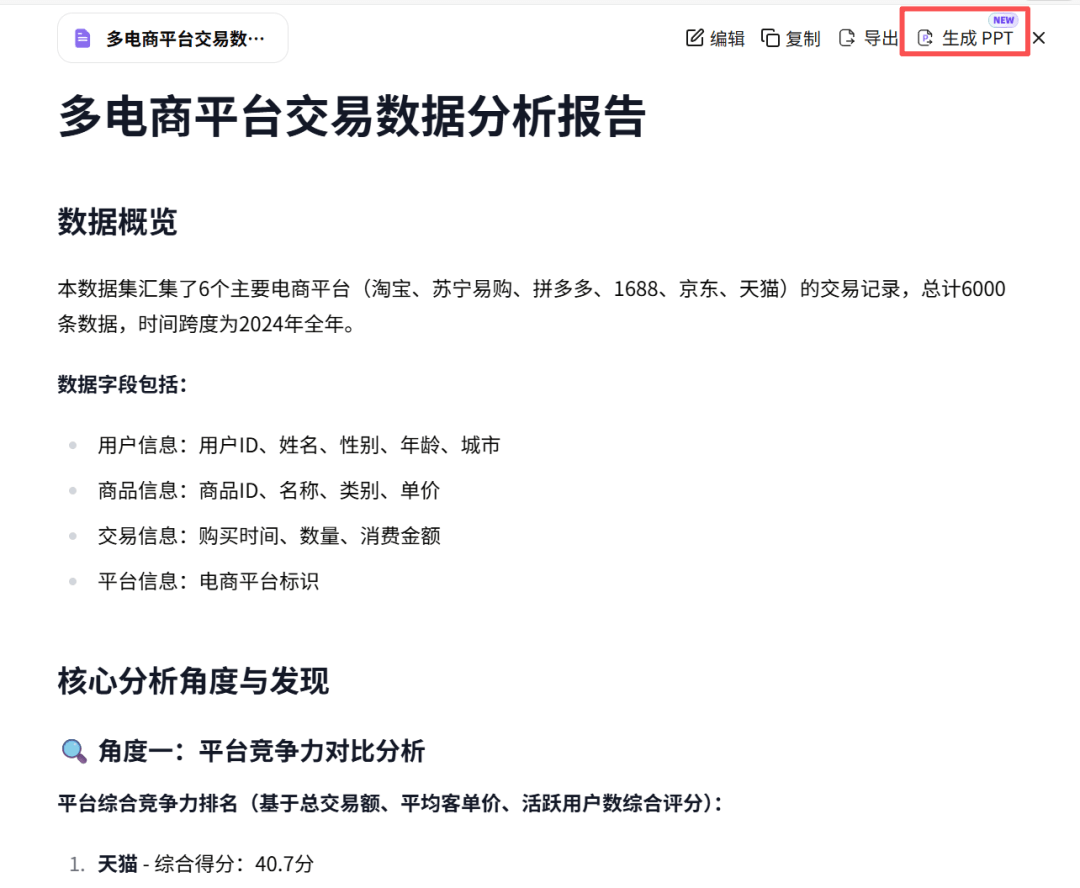
Making a PPT is actually not difficult. Once Office Raccoon helps us understand the data, the approach naturally emerges.
03. Task planning from 0 to 1
We do plenty of work ordinarily, but once we sit down to review what we did this year, what counts as the key points? For a moment, we cannot sort out any clue at all.
No need to panic! We select the task planning feature in the left navigation bar, and Office Raccoon can help us make a specific plan.
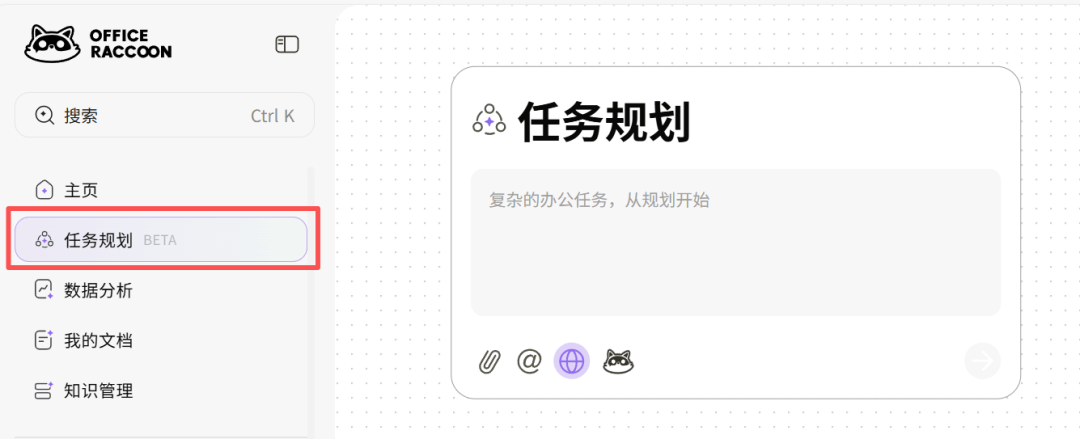
Enter the task:
Prompt: Within this week, complete the annual work summary.
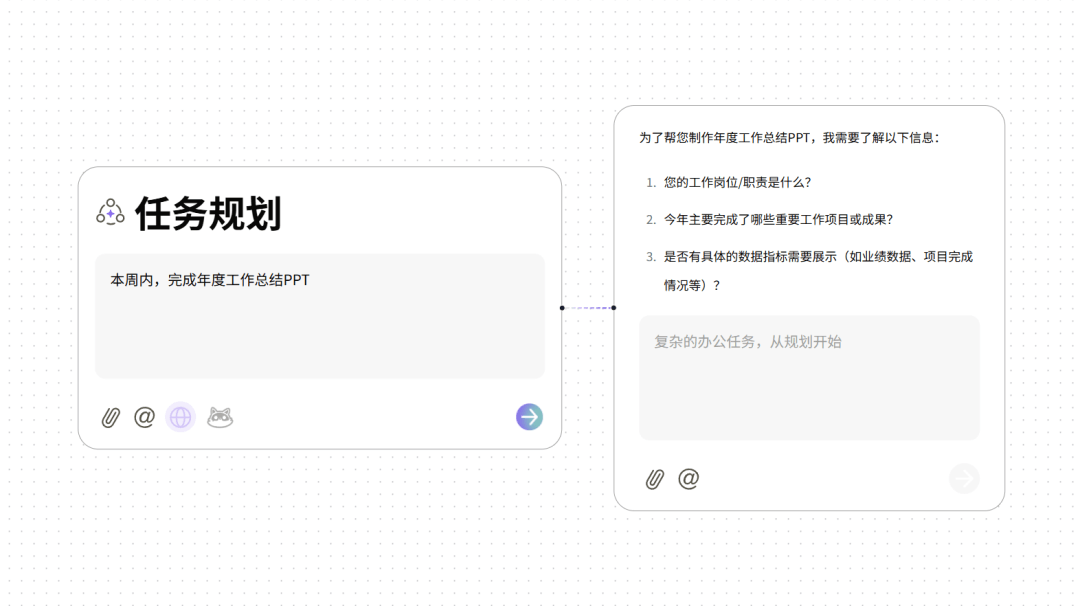
Office Raccoon will supplement relevant background information through online search, and then confirm key details with us step by step.
For example, when writing an annual summary, Office Raccoon will ask what our job position is? What important projects have we done this year? Is there any quantifiable data?
Besides business results, is there any additional content about the team, growth, or anything else? Where do we plan to focus next year?
Although these questions seem very basic, they are exactly the parts we most easily overlook and most need to think through clearly.
We only need to answer in order or upload files.
For the rest, Office Raccoon will help us reorganize the scattered information, first breaking it into clear goals, then into specific tasks one by one, with order and priority clear at a glance.
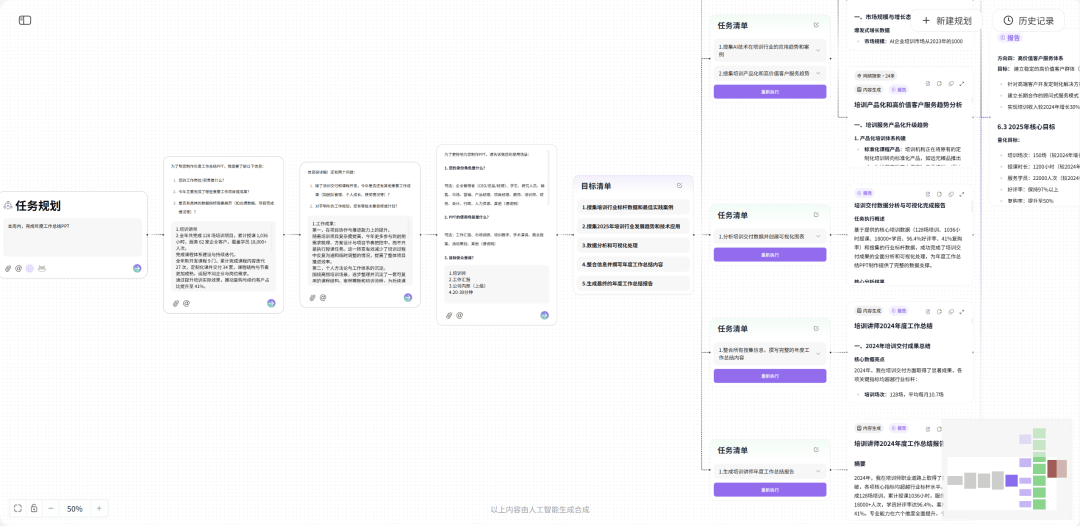
If anything isn't quite right along the way, there's no need to scrap everything and start over. We can make changes directly in the card, and the whole process is adjustable and traceable.
For the final generated summary report, we can also generate a PPT with one click.
And it's not only suited for year-end reports.
Learning a skill within a week, planning a trip, or arranging a week's work—Office Raccoon can help you break down a clear execution path. And the longer you use it, the more it will gradually remember your habits and preferences, making it even more handy to use.
04. Seamless cross-platform integration
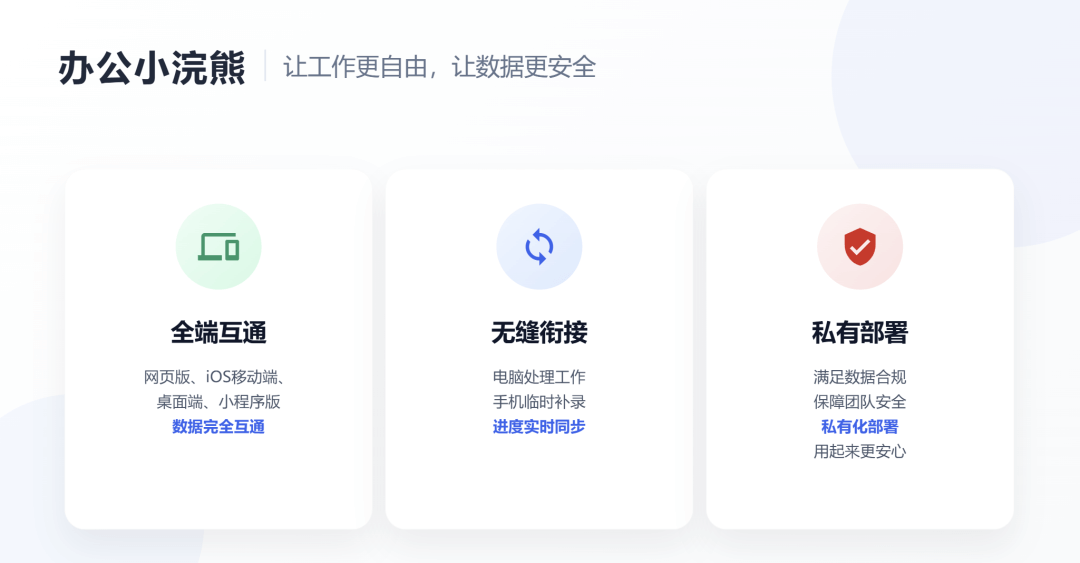
The most thoughtful thing about Office Raccoon is that it supports multi-device sync. The web version, iOS mobile app, desktop app, and mini program can all connect seamlessly. What you haven't finished on your computer can be continued on your phone.
For teams with data compliance or security requirements, it also supports private deployment, making it more reassuring to use.
05. A few shares
Office Raccoon is indeed a very intelligent office assistant. Its data analysis capabilities are clearly higher than those of conventional office tools, and its task planning is also meticulous, with every function fitting closely with daily office scenarios.
However, there are currently relatively few PPT templates, and the overall aesthetics still has some room for improvement.
The value of Office Raccoon is not just simply completing a certain task, but helping us do things more correctly and smoothly at many key points. Whether making a PPT or running data analysis, Office Raccoon has a clear office logic: first clarify the structure, distinguish the primary from the secondary, and then move into specific execution.
This step used to depend almost entirely on experience and personal ability. Now, it is being systematically filled in by AI tools.
It is precisely because of this that the divide in workplace capabilities is quietly changing.
If you're also struggling with your year-end summary recently, you might as well let Office Raccoon help you~
We've prepared 10 weekly membership cards for everyone. As usual, click the original article link below to claim one.
Original article link:Year-end summary PPT too difficult? I handed it over to AI