
The Nano Banana Pro guide released by Google introduces the core functions and application tips of the professional image generation model Nano Banana Pro. The article emphasizes the model's breakthrough in generating professional assets, covering ten core capabilities including text rendering, character consistency, visual composition, Google Search integration, advanced editing, 2D/3D conversion, and high-resolution output. It provides best-practice prompt examples for each function in detail, guiding users on how to interact with the model like a creative director through natural language instructions to efficiently produce high-quality commercial-grade image content.
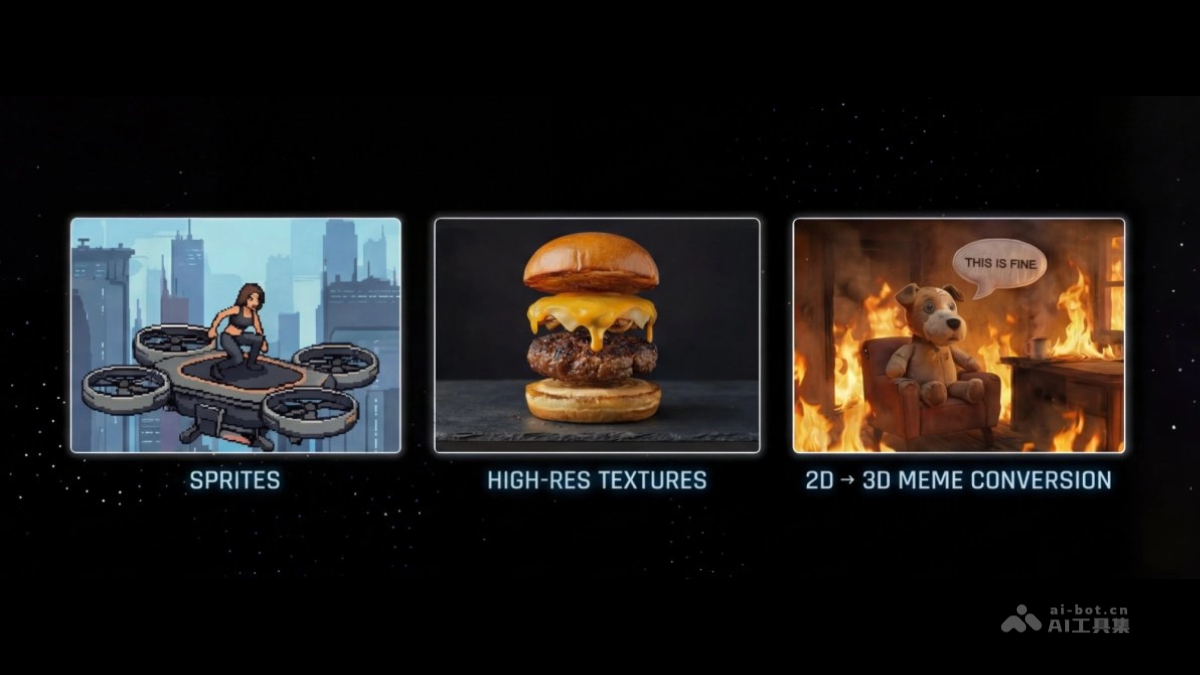
Nano-Banana ProCompared with previous generations, it achieves a major leap, upgrading from "entertainment" image generation to "functional" professional asset production. InIt excels in text rendering, character consistency, visual composition, world knowledge (search), and high-resolution (4K) output.
This article includes:
0. Golden Rules for Prompts
1. Text Rendering, Infographics, and Visual Composition
2. Character Consistency and Viral Thumbnails
3.Using Google Search for Authenticity Association
4. Advanced Editing, Inpainting, and Colorization
5. Dimensional Conversion (2D ↔ 3D)
6. High Resolution and Texture Enhancement
7. Thinking and Reasoning Capabilities
8. One-Shot Storyboards and Concept Design
9. Structural Control and Layout Guidance
10. Advanced Guide
Golden Rules for Prompts
Nano-Banana Pro is a model with thinking capabilities that can match keywords and supports understanding intent, physical principles, and composition. For best results, abandon traditional tag instructions (e.g., dog, park, 4K, realistic) and treat it as a design partner for creation.
Refinement Beats Regeneration
The model is adept at understanding conversational modification instructions. If an image is already 80% as expected, do not generate a new image from scratch. Simply make specific adjustment requests.
For example: "The effect is good, please adjust the lighting to a sunset atmosphere and change the text to neon blue."
Use Natural Language and Complete Sentences
Talk to the model as you would explain requirements to a human designer. Use proper grammar and vivid adjectives.
❌ Negative example: "Cool car, neon, city, night, 8K."
✅ Positive example: "A cinematic wide-angle shot: a futuristic sports car speeding through a rainy Tokyo street at night, with the lights of neon signs reflecting colorful brilliance on the wet pavement and the car's metallic chassis."
Descriptions Should Be Specific and Concrete
The vaguer the prompt, the worse the generated effect. Clearly define the subject, environment, lighting, and atmosphere.
Subject: Instead of just saying "a lady," describe it as "an elegant elderly woman wearing a vintage Chanel-style suit."
Material: Describe the texture. For example, "matte texture," "brushed stainless steel," "soft velvet," or "creased paper."
Provide Background Information ("Why" and "For Whom")
Because the model has "thinking" capabilities, providing background helps make logical artistic decisions.
Example: "Create an image of a sandwich for a high-end Brazilian gastronomy cookbook." (The model will infer from this: professional plating, shallow depth of field, and perfect lighting are required.)
Text rendering, infographics, and visual synthesis
Nano-Banana Pro has advanced generative capabilities, capable of rendering clear, legible, stylized text and synthesizing complex information into visual formats.
Best practice recommendations:
- Information compression: You can ask the model to "compress" dense text or PDF content into a visual chart.
- Style specification: Clearly state the style you want, for example "exquisite magazine layout," "technical diagram," or "hand-drawn whiteboard style."
- Text quotation: Clearly indicate the specific text to be displayed in quotation marks.
Prompt examples:
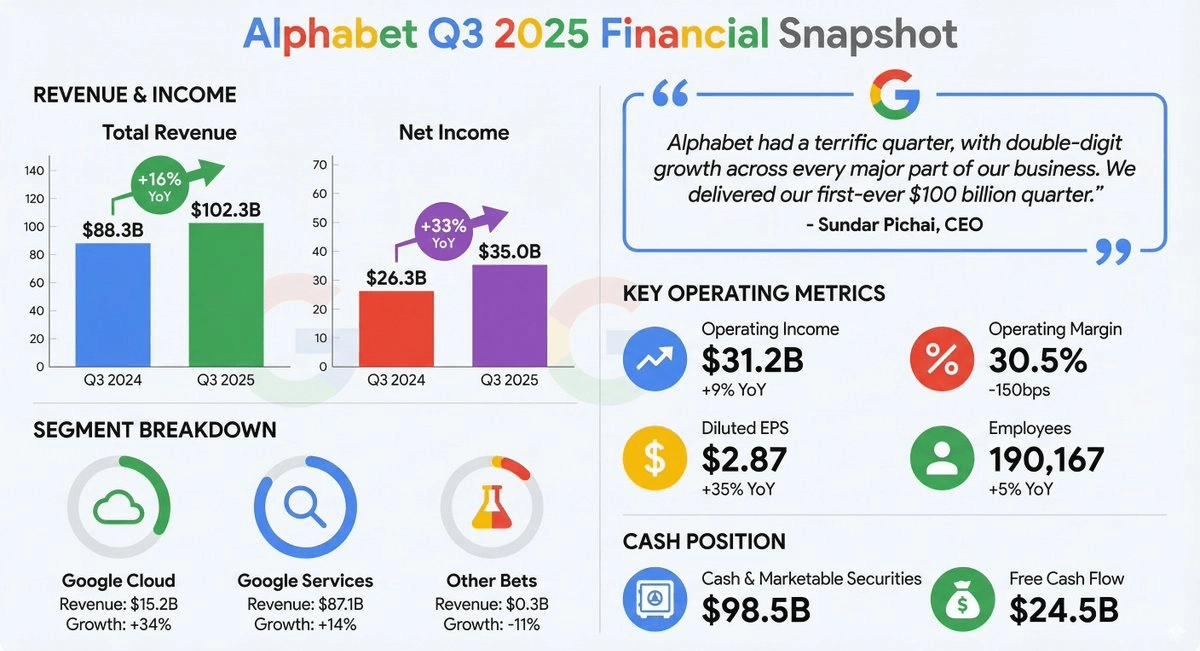
Earnings report infographic (data input):
[Input Google's latestearnings reportPDF file]
"Please generate a concise, modern infographic summarizing the key financial highlights in this earnings report. It must include charts for 'revenue growth' and 'net profit,' and highlight the CEO's core quote in a stylized quote box."
Retro infographic:
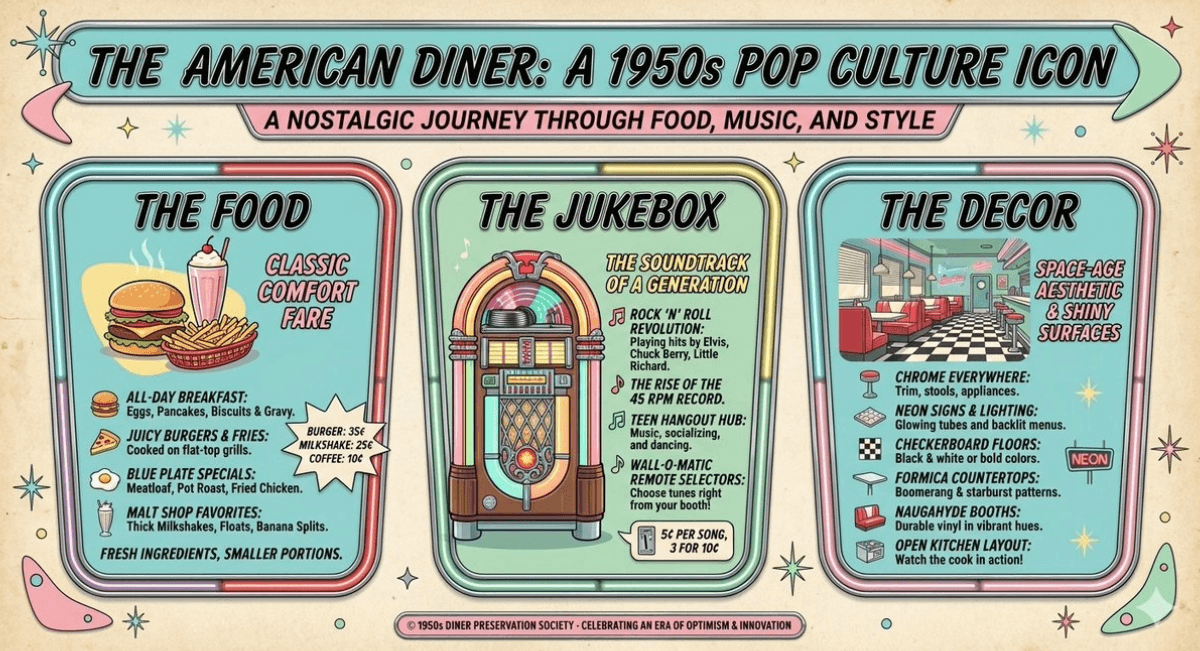
"Create a 1950s-style retro infographic introducing the history of American diners. The infographic should include separate sections such as 'food,' 'jukebox,' and 'decor.' Ensure all text is clear and legible and matches the style of the period."
Technical drawing:
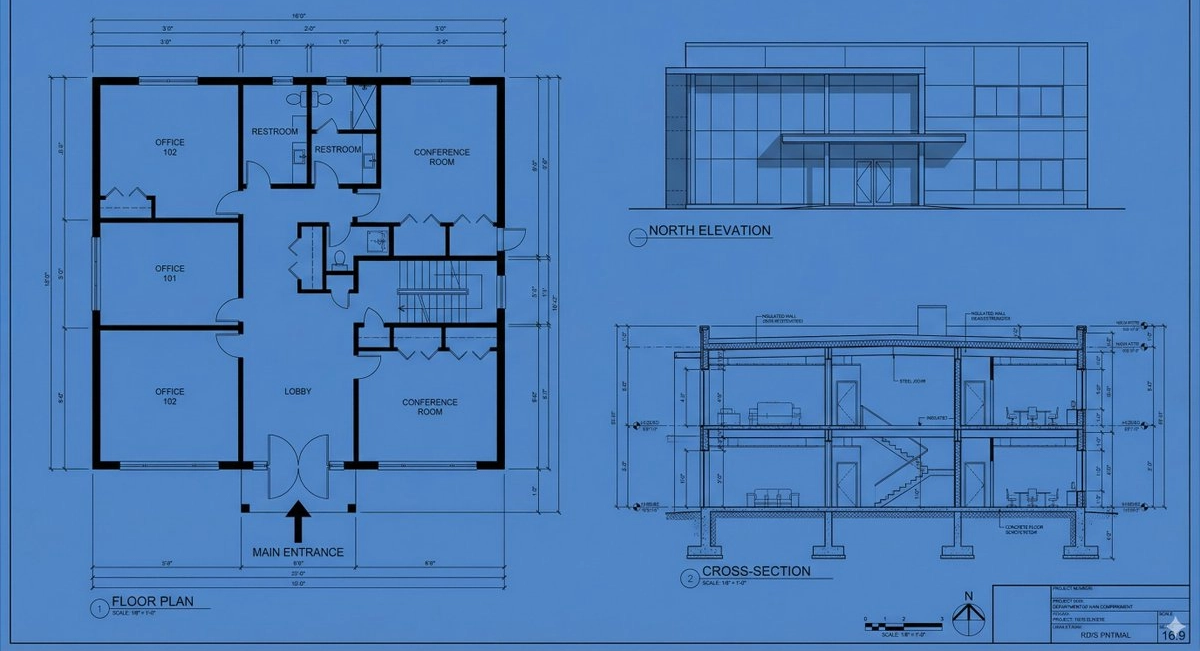
"Draw an orthographic blueprint describing the building in the form of a plan, elevation, and section. Use a professional architectural font to clearly label 'North Elevation' and 'Main Entrance.' Format as 16:9."
Whiteboard summary (for teaching purposes):
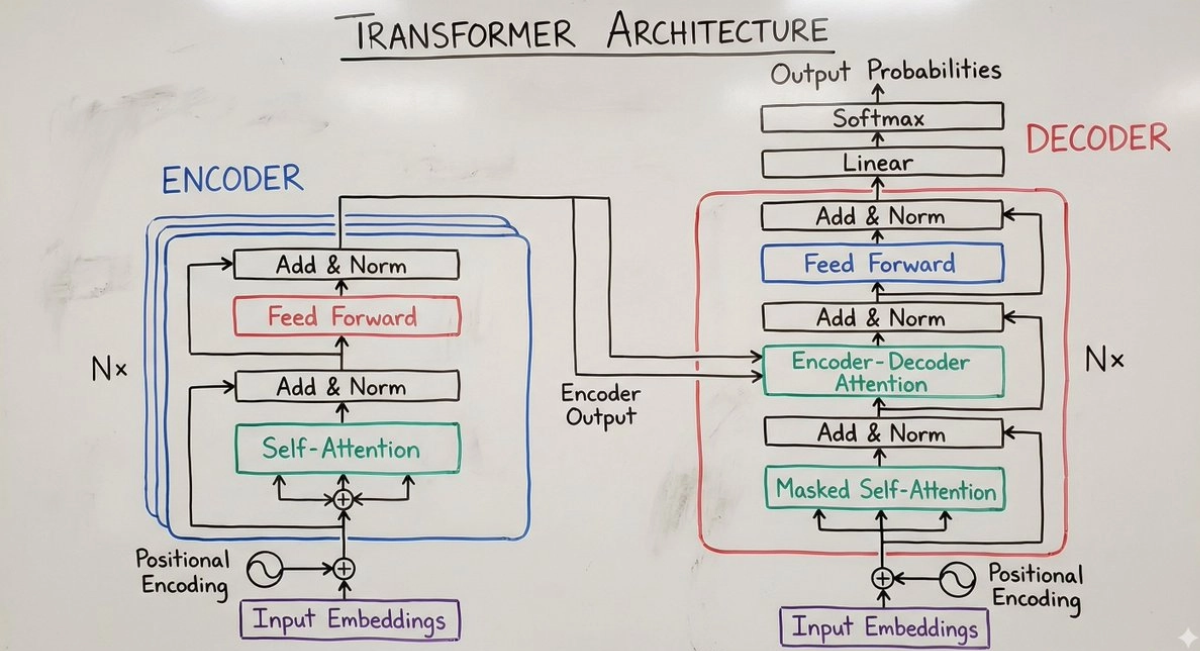
Summarize the concept of the "Transformer neural network architecture" in the form of a hand-drawn whiteboard diagram, suitable for a university lecture. Use different colored markers for the encoder and decoder modules, and clearly label "self-attention" and "feedforward."
Character consistency and viral thumbnails
Nano-Banana Pro supports up to 14 reference images (6 of which can achieve high fidelity). This enables its "identity lock" feature—seamlessly placing a specific person or character into a new scene while keeping facial features unchanged.
Best practice recommendations:
- Identity lock: Explicit instruction: "Ensure the person's facial features are exactly consistent with Figure 1."
- Expression and action: While locking identity, you can freely describe changes in emotion or posture.
- Viral composition: Combine the subject with eye-catching graphics and text in one go to generate a highly shareable composition.
Prompt examples:
"Viral thumbnail" (logo + text + graphics):
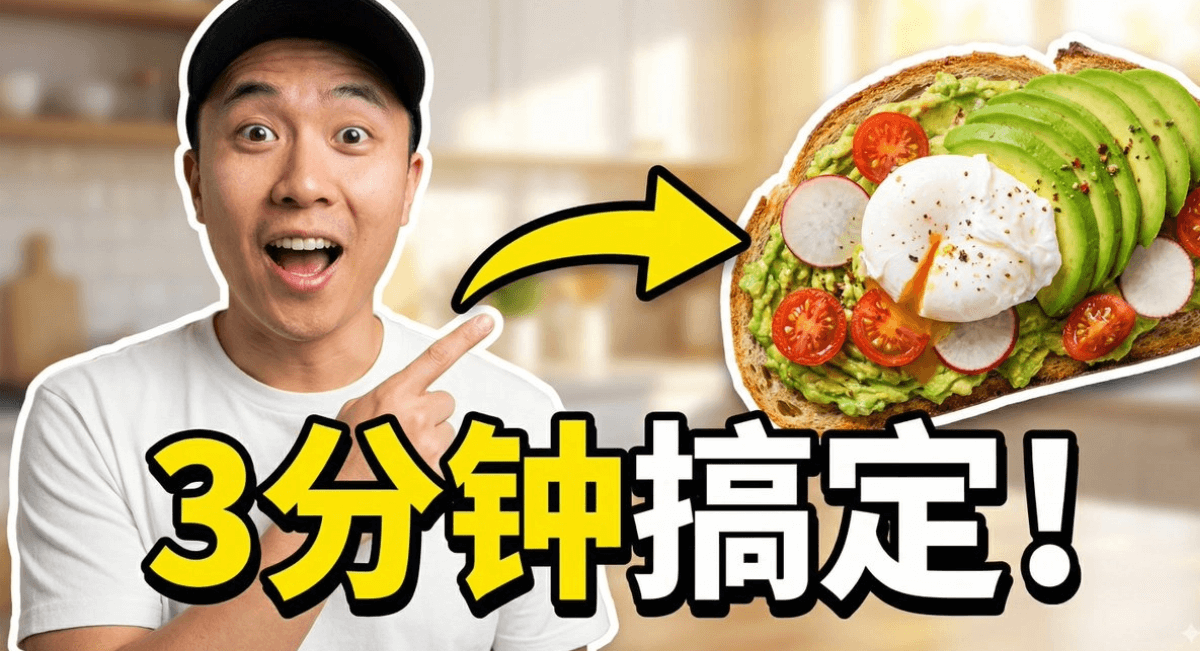
Use the character from Figure 1 to design a viral video thumbnail. Facial consistency: keep the character's facial features exactly the same as in Figure 1, but change their expression so they look excited and surprised. Action: place the character on the left side of the frame, with a finger pointing to the right side of the frame. Subject: place a high-definition image of a delicious avocado toast on the right side. Graphic: add a striking yellow arrow connecting the character's finger and the toast. Text: overlay striking trendy-style text in the middle: "3minuteFudede!" (Done in 3 minutes!). Use thick white lines and shadows. Background: a blurred bright kitchen background. High saturation and high contrast.
"Furry Friends" scenario (group consistency):
[Input 3 images of different plush toys]
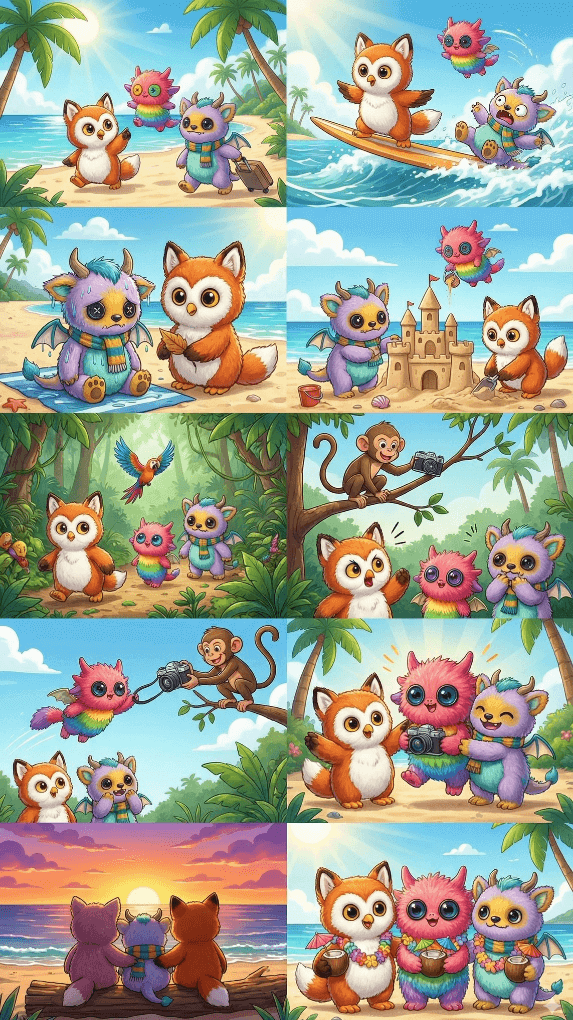
Please create a fun ten-page story about these three furry companions going on a tropical vacation. The storyline should be full of ups and downs, gripping, and ultimately end with a heartwarming conclusion. The three characters' clothing and appearance should remain consistent, but their expressions and angles should vary across the ten images. Each character may appear only once in each image.
Brand Asset Creation:
[Input one product image]
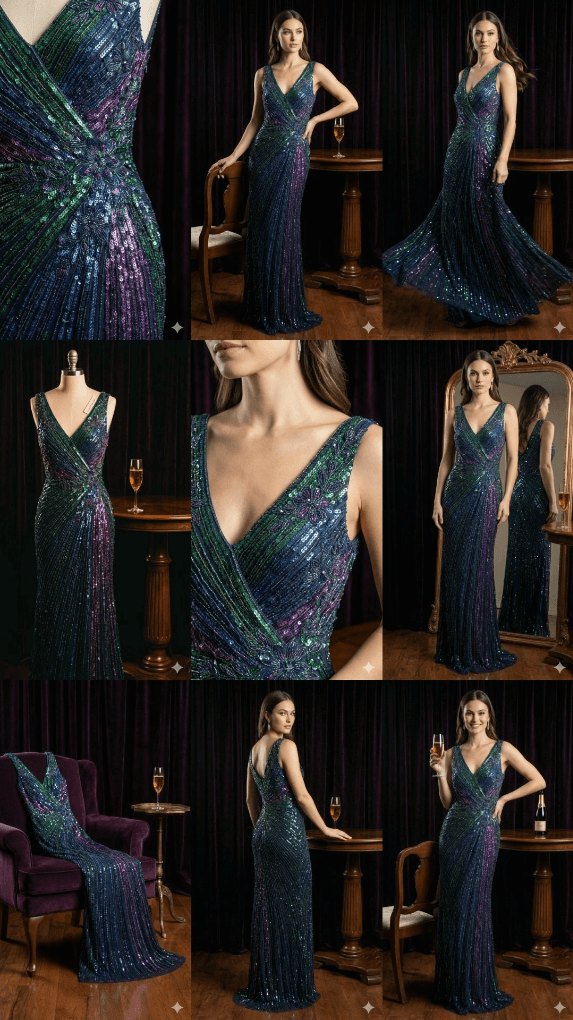
"Please create 9 exquisite fashion photos, in a style that resembles award-winning fashion magazine editorials. Please use this as a brand style reference, with subtle adjustments and rich variations in style, showcasing a professional design sense. Please create one at a time, for a total of nine images."
Use Google Search for factual grounding
Nano-Banana Pro can call Google Search to generate images based on real-time data, current news, or fact-checking, reducing information errors on time-sensitive topics.
Best Practice Recommendations:
- You can ask it to visualize dynamic data (such as weather, stock market, news).
- Before generating images, the model will first "think" (reason) about the search results, then begin creating.
Prompt Examples:
Event Visualization:
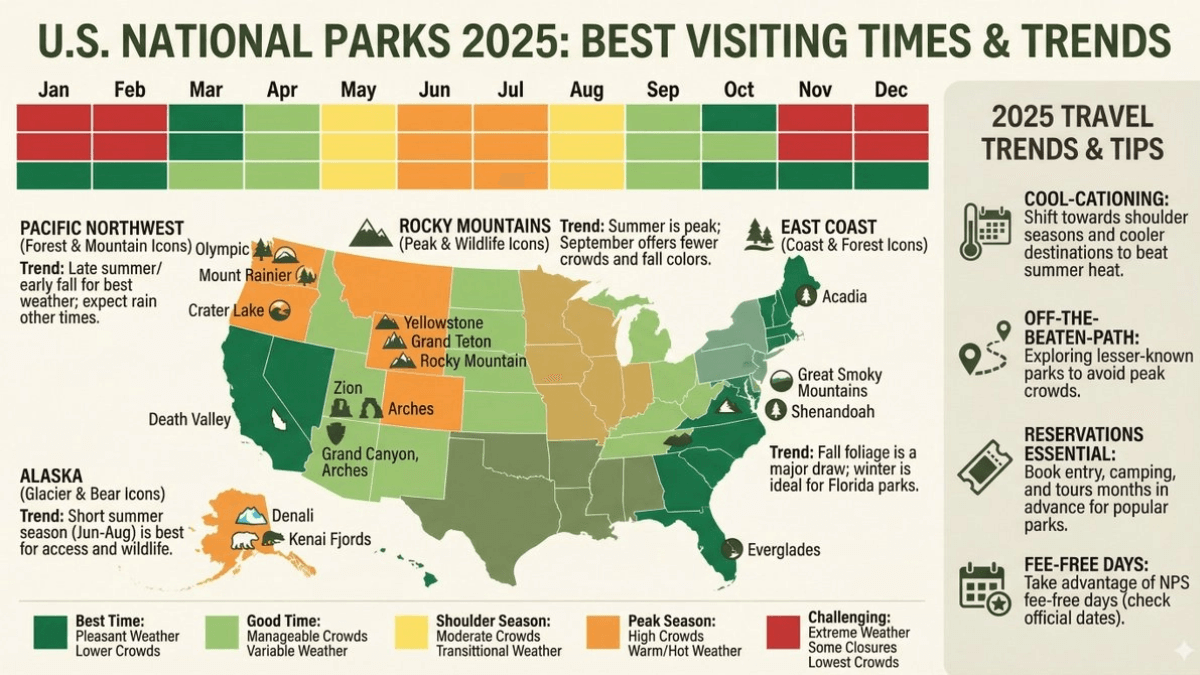
"Based on current travel trends, generate an infographic showing the best time to visit U.S. national parks in 2025."
Advanced editing, restoration, and colorization
The model excels at completing complex edits through conversational instructions, including "local redrawing" (removing/adding objects), "image restoration" (restoring old photos), "intelligent colorization" (comics/black-and-white photos), and "style transfer."
Best Practices:
- Semantic instructions: No need to manually paint masks; simply describe the modification requirements in natural language.
- Understanding of physical logic: You can give complex instructions such as "fill the glass with liquid" to test its physical simulation generation capability.
Example Prompts:
Object Removal and Completion:
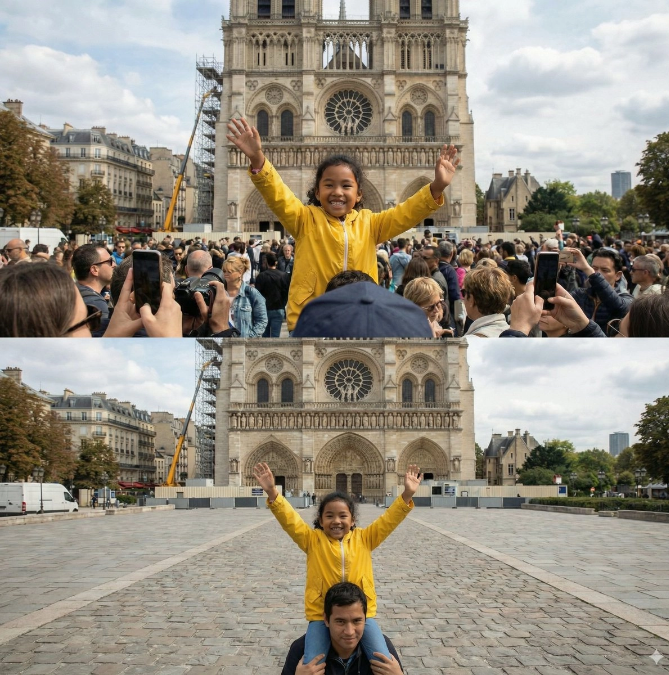
"Remove the tourists from the background of this photo, and fill the space with reasonable textures that match the surrounding environment (cobblestones and storefronts)."
Comic/Manga Colorization:
[Input black-and-white comic panel]
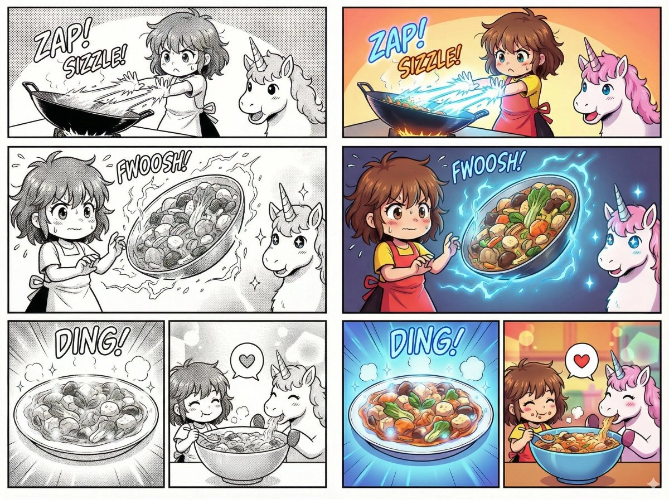
"Colorize this comic panel. Use a vibrant anime-style color scheme. Ensure the energy beam's lighting effect appears neon blue, and the character's clothing colors match their official color scheme."
Localization (Text Translation + Cultural Adaptation):
[Input an image of a London bus stop advertisement]
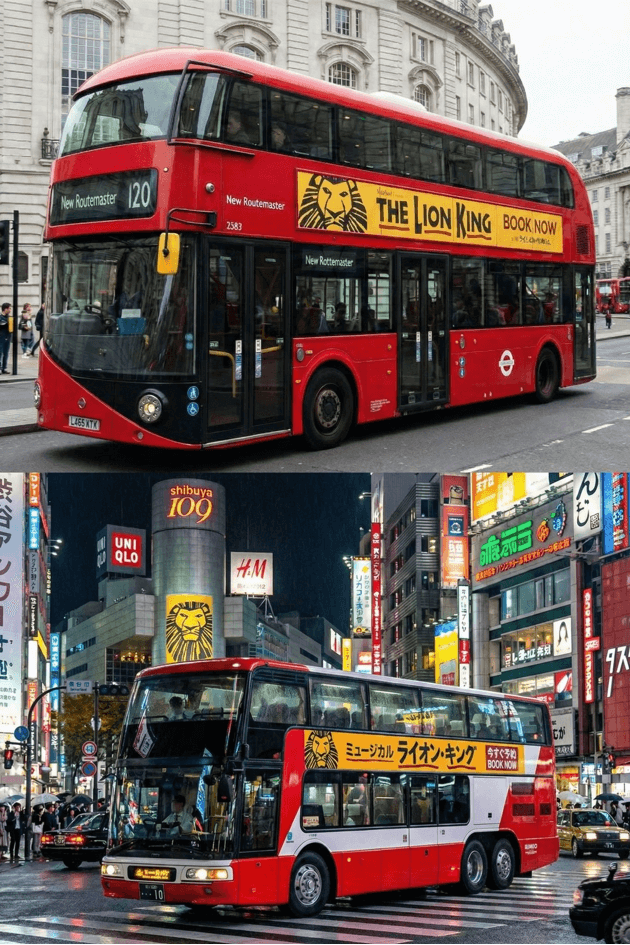
"Localize this concept to a Tokyo scene, including translating the slogan into Japanese. Change the background to a bustling Shibuya street at night."
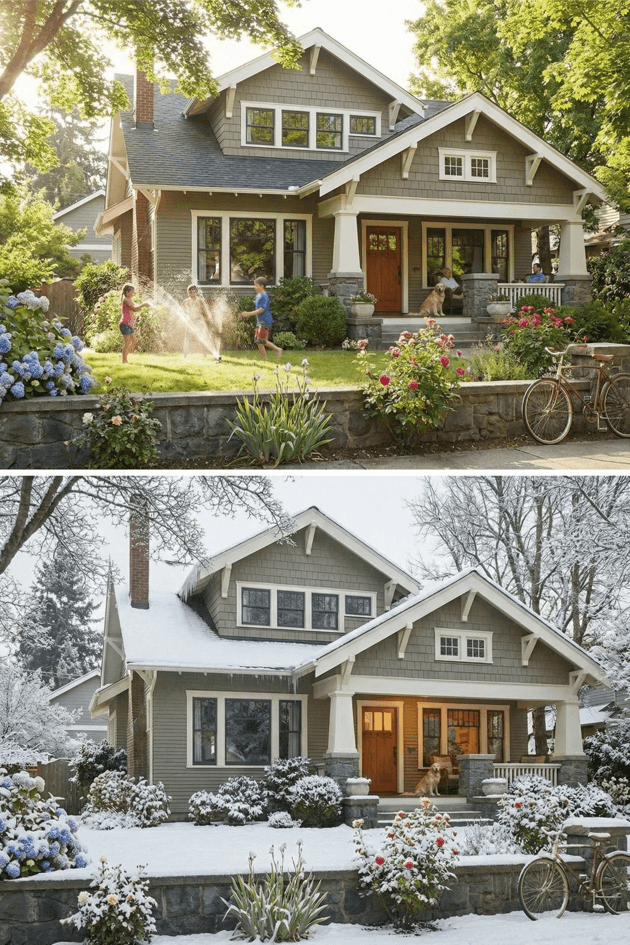
Lighting/Season Control:
[Input an image of a summer house]
"Convert this scene to winter. Keep the house architecture exactly the same, but add snow on the roof and in the yard, and change the lighting to a cold, gloomy afternoon."
Dimension Conversion (2D ↔ 3D)
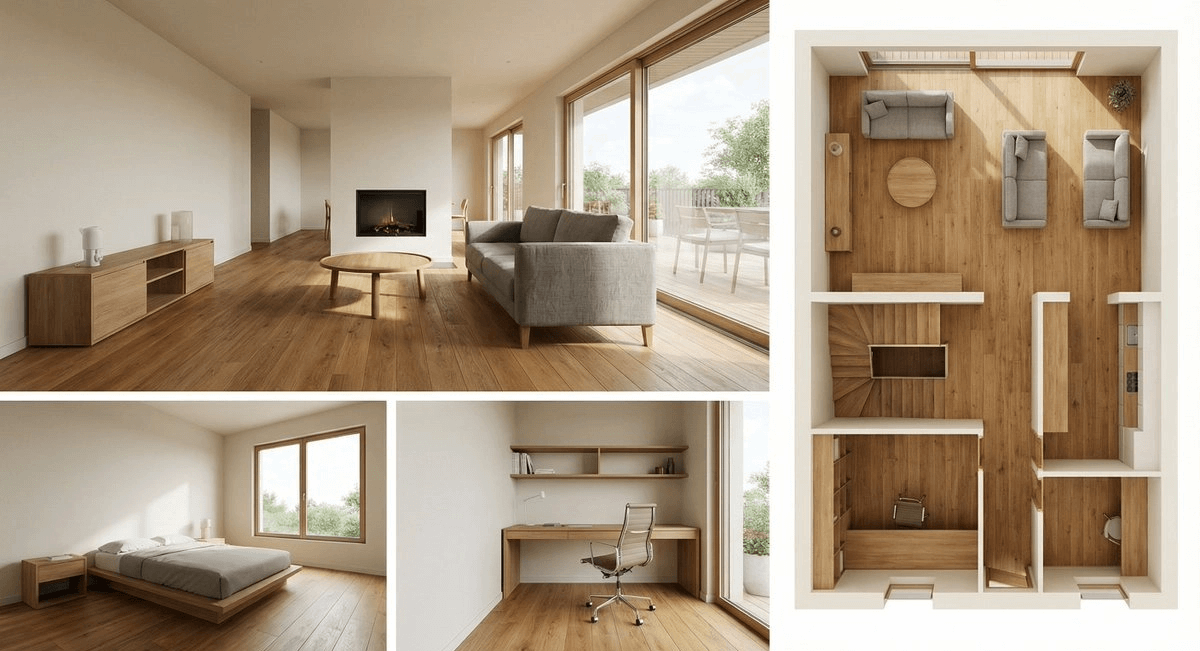
A powerful new feature that can transform 2D floor plans into 3D visualization models, and vice versa. Ideal for interior designers, architects, and even meme creators.
Prompt Examples:
2D floor plan to 3D interior design rendering:
Based on the uploaded 2D floor plan, generate a professional interior design rendering.Layout: Use a collage format, with one main image at the top (a wide-angle view of the living room), and three smaller images below (the master bedroom, the home office, and a 3D top-down view).Style: All images use a modern minimalist style, paired with warm oak flooring and off-white walls.Quality: Photorealistic rendering, soft natural light.
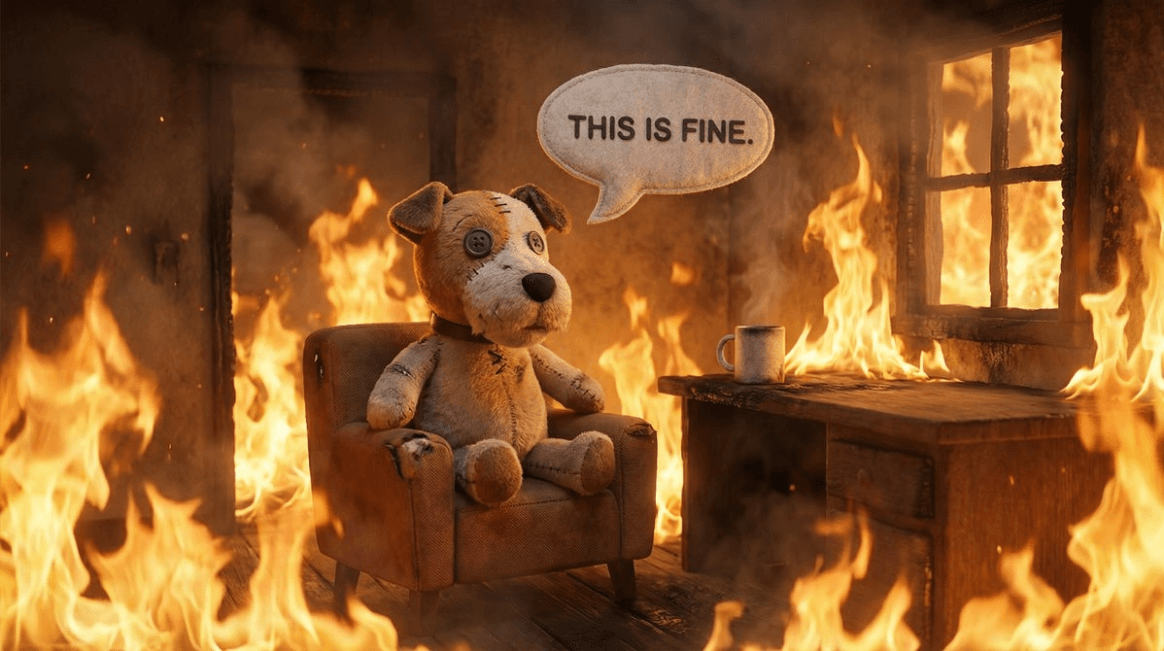
2D to 3D meme conversion:
"Convert the 'Everything is Fine' dog meme into a realistic 3D rendering. Keep the composition unchanged, but make the dog look like a plush toy and the flames look like real fire."
High Resolution and Texture Enhancement
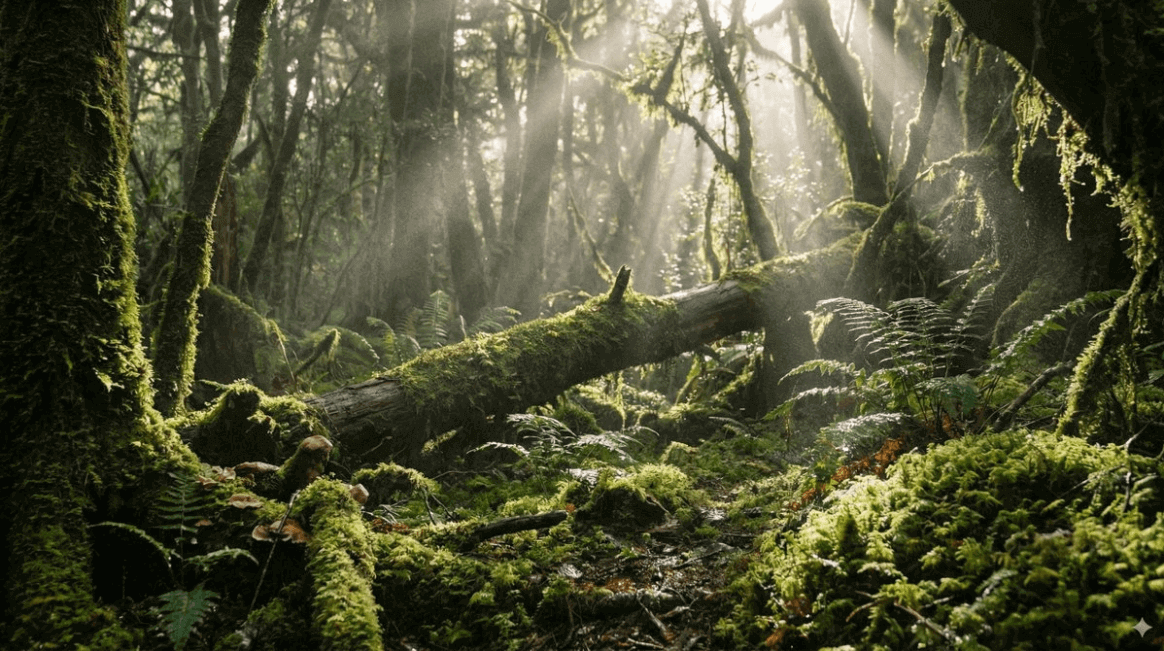
Nano-Banana Pro natively supports image generation from 1K to 4K. This feature is especially useful for displaying fine textures or producing large-format prints.
Best Practice Recommendations:
- High-resolution requests: If your API or interface allows it, explicitly request the generation of 2K or 4K high-resolution images.
- High-fidelity detail description: In the prompt, describe high-fidelity details such as subtle imperfections and complex surface textures.
4K texture generation:
"Use native high-fidelity output to create a breathtaking, atmospheric mossy forest floor environment. Master complex lighting effects and delicate textures to ensure every strand of moss and every beam of light is rendered at pixel-level resolution, meeting the needs of 4K wallpapers."
Complex Logic (Thinking Mode):
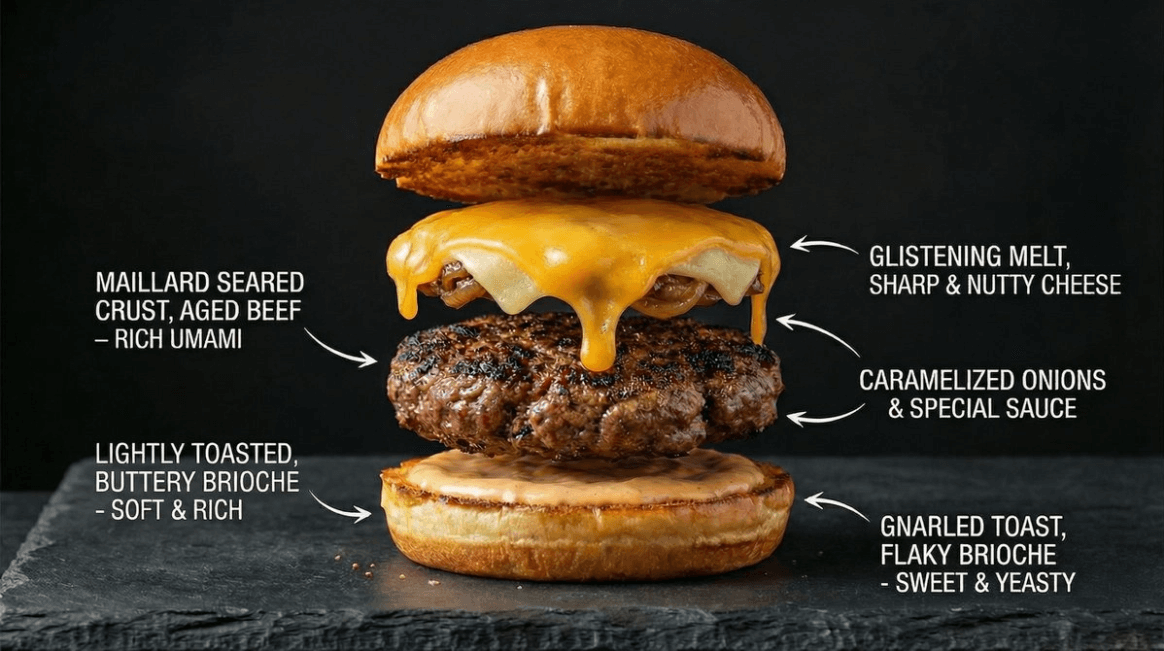
"Create an ultra-realistic premium cheeseburger infographic, deconstructing it to show the texture of the toasted brioche bun, the seared crust of the patty, and the glistening melted cheese. Label each layer with its flavor characteristics."
Thinking and Reasoning Capabilities
Nano-Banana Pro uses "thinking" mode by default, and the model generates some intermediate thinking images (not billed) to optimize the composition before rendering the final output. This helps with data analysis and solving visual problems.
Example Prompts:
Solve the equation:
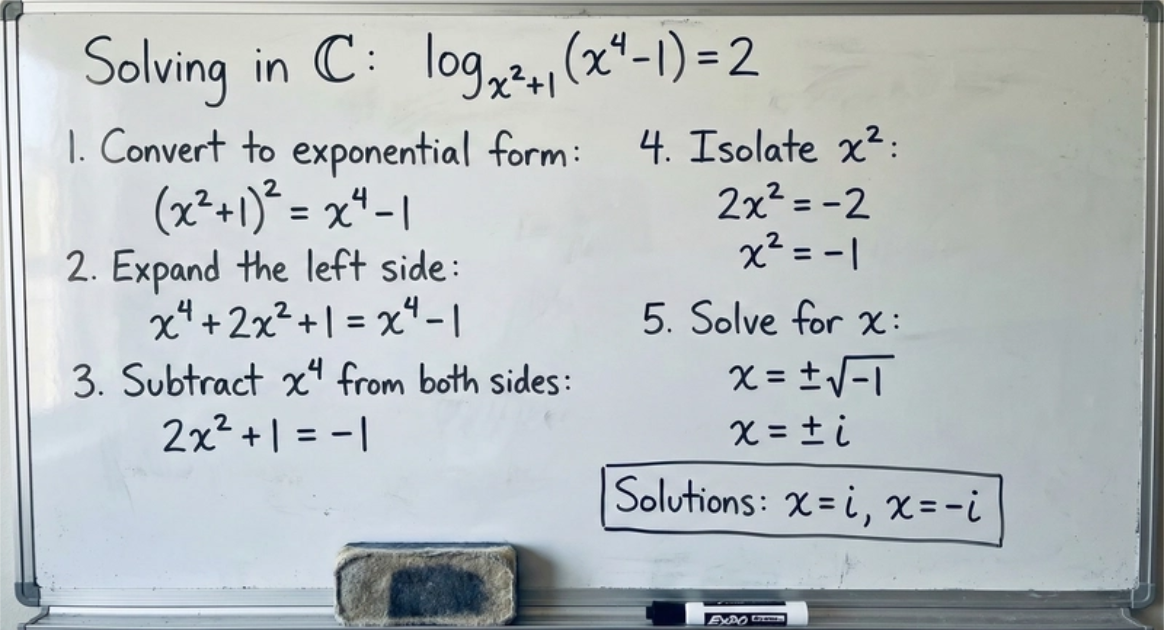
Solve the equation log_{x^2+1}(x^4-1)=2 in C on a whiteboard. Please write out the solution steps clearly.
Visual reasoning:
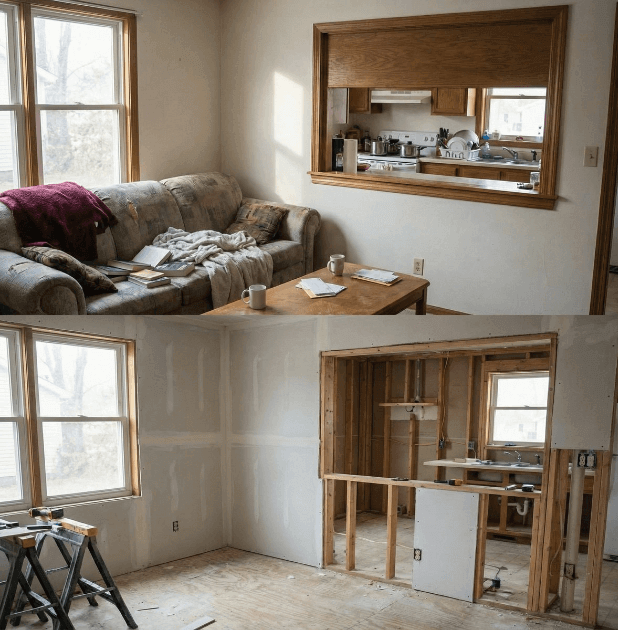
"Analyze this room image and generate a 'before' image showing what the room might have looked like during construction, including framing and unfinished drywall."
One-Shot Storyboards and Concept Design
You can directly generate sequential images or storyboards without relying on panel templates, ensuring a coherent narrative flow is built in a single session. This feature is widely used for creating "movie concept art" (for example, posting fake leaked images of an upcoming film).
Prompt Examples:
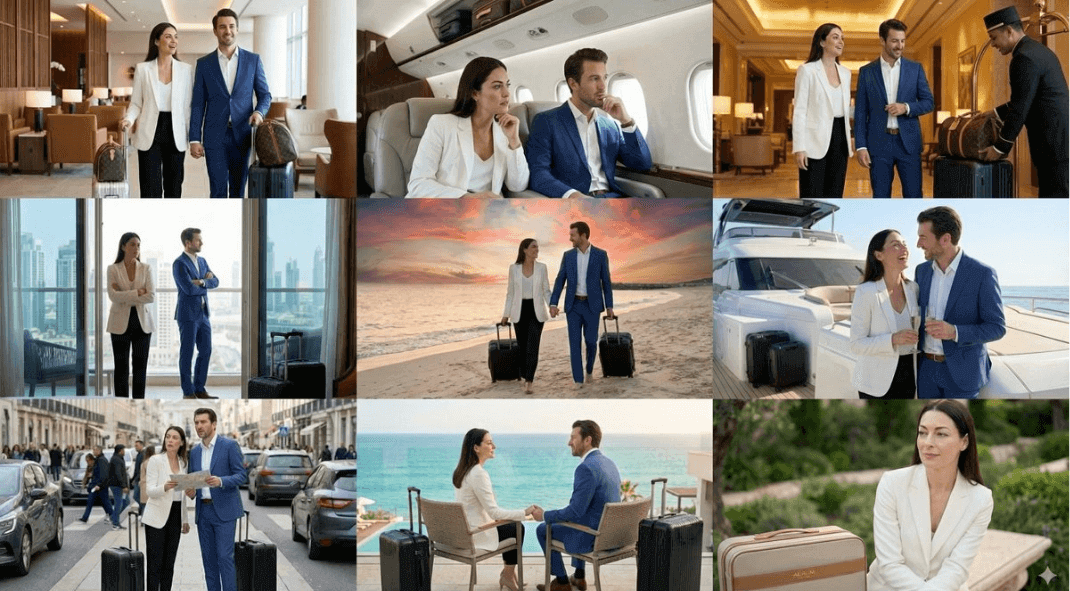
Please create a compelling nine-part story with nine images, in which a woman and a man appear, and they are shooting an award-winning luxury luggage commercial. The story should have emotional ups and downs and end with an elegant photo of a woman holding the brand logo. The identities and clothing of the male and female protagonists must remain consistent, but they can be shot from different angles and distances. Please generate the images one by one. Please make sure each image is in 16:9 landscape format.
Structural Control and Layout Guidance
The use of reference images is not limited to characters or objects to be edited. Through them, you can strictly control the composition and layout of the final image. For designers who need to turn drafts, wireframes, or specific grids into polished assets, this is undoubtedly a game-changing feature.
Best Practice Recommendations:
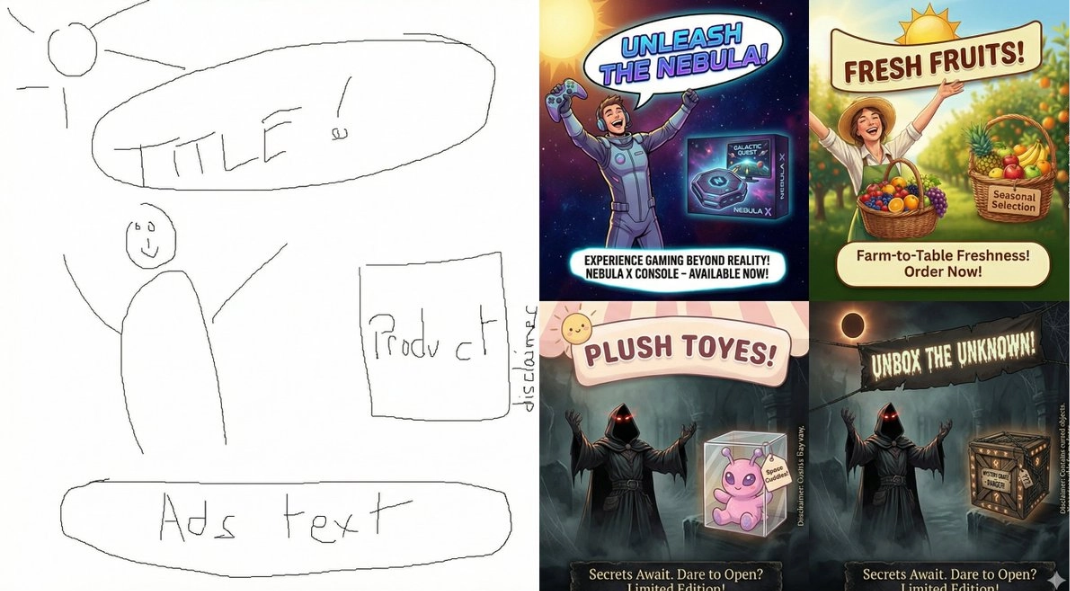
- Drafts and Sketches: Upload hand-drawn sketches to precisely specify the positions of text and objects.
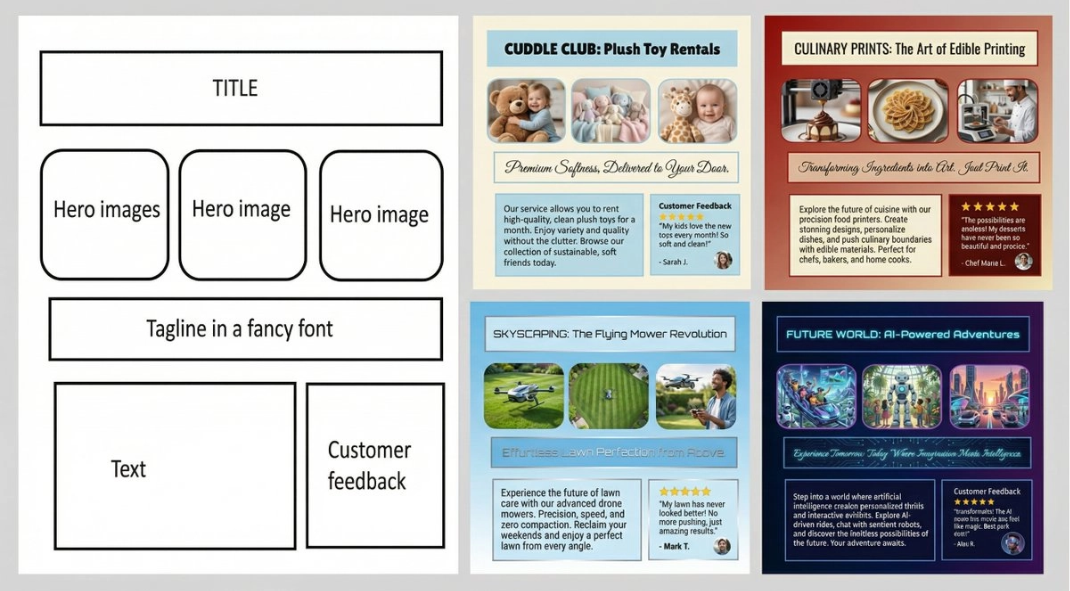
- Wireframes: Use screenshots of existing layouts or wireframes to generate high-fidelity UI mockups.
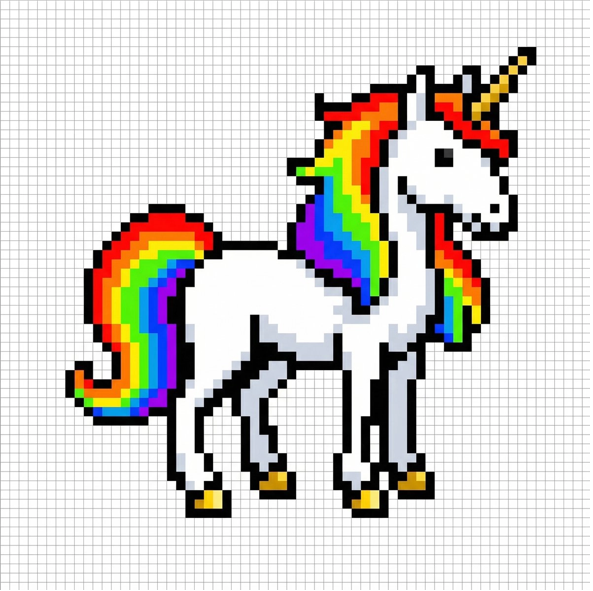
- Grids: Use grid images to drive the model to generate image assets designed specifically for tile-based games or LED displays.
Prompt Examples:
From Sketch to Final Ad:
"Create an advertisement for [product] based on this sketch."
Create a UI Mockup from a Wireframe:
"Create a mockup for [product] according to the following guidelines."
Pixel Art and LED Displays:
"Please draw a unicorn pixel art so that it fits perfectly into this 64×64 grid image. Use high-contrast colors."
(Tip: Developers can then programmatically extract the center color of each cell to drive a connected 64×64 LED dot matrix display).
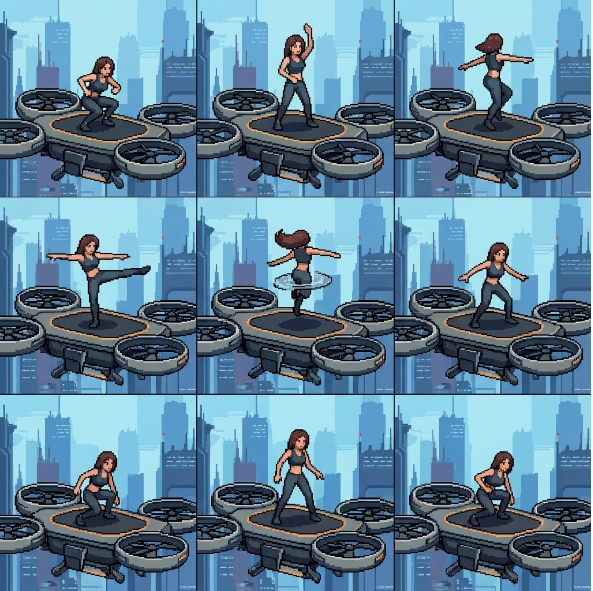
Sprite Sheet Example:
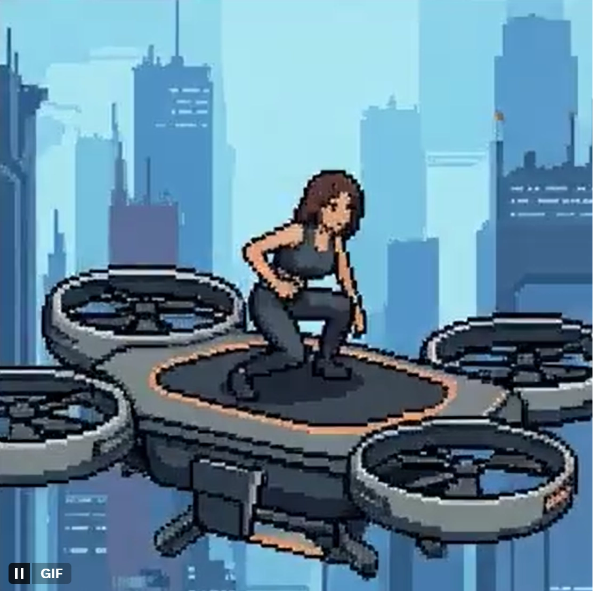
"A sprite sheet of a woman doing a backflip on a drone, 3×3 grid, frame-by-frame animation sequence, square aspect ratio. Please draw exactly according to the structure of the attached reference image."
(Tip: You can extract each cell and make it into an animated GIF)
Advanced Guide
Now that you have mastered the basics of prompting, you can start building:
- Experiment in the Interface:Google AI Studio is the fastest way to test prompts and parameters.
- View Great Apps: In theApp Gallery, experience cool apps powered by Nano-Banana.
- Turn Ideas into Apps: In AI Studio Build, easily turn your most successful prompts into apps you can share with friends.
- Build Applications: Ready to write code? Please refer to theDeveloper Guideor the Gemini API Examples Libraryfor guidance and code snippets.
- Technical Deep Dive: Read the full Gemini API documentation to learn more details about rate limits, pricing, and integration.
English Original Text
Nano-Banana Pro is a significant leap forward from previous generation models, moving from “fun” image generation to “functional” professional asset production. It excels in text rendering, character consistency, visual synthesis, world knowledge (Search), and high-resolution (4K) output.
Following the developer guide on how to get started with AI Studio and the API, this guide covers the core capabilities and how to prompt them effectively.
By Guillaume Vernade, Gemini Developer Advocate, Google DeepMind
Here’s what you’ll find in this article:
- The Golden Rules of Prompting
- Text Rendering, Infographics & Visual Synthesis
- Character Consistency & Viral Thumbnails
- Grounding with Google Search
- Advanced Editing, Restoration & Colorization
- Dimensional Translation (2D ↔ 3D)
- High-Resolution & Textures
- Thinking & Reasoning
- One-Shot Storyboarding & Concept Art
- Structural Control & Layout Guidance
- What’s Next?
🛑 Section 0: The Golden Rules of Prompting
Nano-Banana Pro is a “Thinking” model. It doesn’t just match keywords; it understands intent, physics, and composition. To get the best results, stop using “tag soups” (e.g., dog, park, 4k, realistic) and start acting like a Creative Director.
Edit, Don’t Re-roll
The model is exceptionally good at understanding conversational edits. If an image is 80% correct, do not generate a new one from scratch. Instead, simply ask for the specific change you need.
Example: “That’s great, but change the lighting to sunset and make the text neon blue.”
Use Natural Language & Full Sentences
Talk to the model as if you were briefing a human artist. Use proper grammar and descriptive adjectives.
❌ Bad: “Cool car, neon, city, night, 8k.”
✅ Good: “A cinematic wide shot of a futuristic sports car speeding through a rainy Tokyo street at night. The neon signs reflect off the wet pavement and the car’s metallic chassis.”
Be Specific and Descriptive
Vague prompts yield generic results. Define the subject, the setting, the lighting, and the mood.
Subject: Instead of “a woman,” say “a sophisticated elderly woman wearing a vintage chanel-style suit.”
Materiality: Describe textures. “Matte finish,” “brushed steel,” “soft velvet,” “crumpled paper.”
Provide Context (The “Why” or “For whom”)
Because the model “thinks,” giving it context helps it make logical artistic decisions.
Example: “Create an image of a sandwich for a Brazilian high-end gourmet cookbook.” (The model will infer professional plating, shallow depth of field, and perfect lighting).
Text Rendering, Infographics & Visual Synthesis
Nano-Banana Pro has SOTA capabilities for rendering legible, stylized text and synthesizing complex information into visual formats.
Best Practices:
- Compression: Ask the model to “compress” dense text or PDFs into visual aids.
- Style: Specify if you want a “polished editorial,” a “technical diagram,” or a “hand-drawn whiteboard” look.
- Quotes: Clearly specify the text you want in quotes.
Example Prompts:
Earnings Report Infographic (Data Ingestion):
[Input PDF of Google’s latest earnings report]
“Generate a clean, modern infographic summarizing the key financial highlights from this earnings report. Include charts for ‘Revenue Growth’ and ‘Net Income’, and highlight the CEO’s key quote in a stylized pull-quote box.”
Retro Infographic:
“Make a retro, 1950s-style infographic about the history of the American diner. Include distinct sections for ‘The Food,’ ‘The Jukebox,’ and ‘The Decor.’ Ensure all text is legible and stylized to match the period.”
Technical Diagram:
“Create an orthographic blueprint that describes this building in plan, elevation, and section. Label the ‘North Elevation’ and ‘Main Entrance’ clearly in technical architectural font. Format 16:9.”
Whiteboard Summary (Educational):
“Summarize the concept of ‘Transformer Neural Network Architecture’ as a hand-drawn whiteboard diagram suitable for a university lecture. Use different colored markers for the Encoder and Decoder blocks, and include legible labels for ‘Self-Attention’ and ‘Feed Forward’.”
Character Consistency & Viral Thumbnails
Nano-Banana Pro supports up to 14 reference images (6 with high fidelity). This allows for “Identity Locking”—placing a specific person or character into new scenarios without facial distortion.
Best Practices:
- Identity Locking: Explicitly state: “Keep the person’s facial features exactly the same as Image 1.”
- Expression/Action: Describe the change in emotion or pose while maintaining the identity.
- Viral Composition: Combine subjects with bold graphics and text in a single pass.
Example Prompts:
The “Viral Thumbnail” (Identity + Text + Graphics):
“Design a viral video thumbnail using the person from Image 1. Face Consistency: Keep the person’s facial features exactly the same as Image 1, but change their expression to look excited and surprised. Action: Pose the person on the left side, pointing their finger towards the right side of the frame. Subject: On the right side, place a high-quality image of a delicious avocado toast. Graphics: Add a bold yellow arrow connecting the person’s finger to the toast. Text: Overlay massive, pop-style text in the middle: ‘3分钟搞定!’ (Done in 3 mins!). Use a thick white outline and drop shadow. Background: A blurred, bright kitchen background. High saturation and contrast.”
The “Fluffy Friends” Scenario (Group Consistency):
[Input 3 images of different plush creatures]
“Create a funny 10-part story with these 3 fluffy friends going on a tropical vacation. The story is thrilling throughout with emotional highs and lows and ends in a happy moment. Keep the attire and identity consistent for all 3 characters, but their expressions and angles should vary throughout all 10 images. Make sure to only have one of each character in each image.”
Brand Asset Generation:
[Input 1 image of a product]
“Create 9 stunning fashion shots as if they’re from an award-winning fashion editorial. Use this reference as the brand style but add nuance and variety to the range so they convey a professional design touch. Please generate nine images, one at a time.”
Grounding with Google Search
Nano-Banana Pro uses Google Search to generate imagery based on real-time data, current events, or factual verification, reducing hallucinations on timely topics.
Best Practices:
- Ask for visualizations of dynamic data (weather, stocks, news).
- The model will “Think” (reason) about the search results before generating the image.
Example Prompts:
Event Visualization:
“Generate an infographic of the best times to visit the U.S. National Parks in 2025 based on current travel trends.”
Advanced Editing, Restoration & Colorization
The model excels at complex edits via conversational prompting. This includes “In-painting” (removing/adding objects), “Restoration” (fixing old photos), “Colorization” (Manga/B&W photos), and “Style Swapping.”
Best Practices:
- Semantic Instructions: You do not need to manually mask; simply tell the model what to change naturally.
- Physics Understanding: You can ask for complex changes like “fill this glass with liquid” to test physics generation.
Example Prompts:
Object Removal & In-painting:
“Remove the tourists from the background of this photo and fill the space with logical textures (cobblestones and storefronts) that match the surrounding environment.”
Manga/Comic Colorization:
[Input black and white manga panel]
“Colorize this manga panel. Use a vibrant anime style palette. Ensure the lighting effects on the energy beams are glowing neon blue and the character’s outfit is consistent with their official colors.”
Localization (Text Translation + Cultural Adaptation):
[Input image of a London bus stop ad]
“Take this concept and localize it to a Tokyo setting, including translating the tagline into Japanese. Change the background to a bustling Shibuya street at night.”
Lighting/Seasonal Control:
[Input image of a house in summer]
“Turn this scene into winter time. Keep the house architecture exactly the same, but add snow to the roof and yard, and change the lighting to a cold, overcast afternoon.”
Dimensional Translation (2D ↔ 3D)
A powerful new capability is translating 2D schematics into 3D visualizations, or vice versa. This is ideal for interior designers, architects, and meme creators.
Example Prompts:
2D Floor Plan to 3D Interior Design Board:
“Based on the uploaded 2D floor plan, generate a professional interior design presentation board in a single image. Layout: A collage with one large main image at the top (wide-angle perspective of the living area), and three smaller images below (Master Bedroom, Home Office, and a 3D top-down floor plan). Style: Apply a Modern Minimalist style with warm oak wood flooring and off-white walls across ALL images. Quality: Photorealistic rendering, soft natural lighting.”
2D to 3D Meme Conversion:
“Turn the ‘This is Fine’ dog meme into a photorealistic 3D render. Keep the composition identical but make the dog look like a plush toy and the fire look like realistic flames.”
High-Resolution & Textures
Nano-Banana Pro supports native 1K to 4K image generation. This is particularly useful for detailed textures or large-format prints.
Best Practices:
- Explicitly request high resolutions (2K or 4K) if your API/Interface allows.
- Describe high-fidelity details (imperfections, surface textures).
4K Texture Generation:
“Harness native high-fidelity output to craft a breathtaking, atmospheric environment of a mossy forest floor. Command complex lighting effects and delicate textures, ensuring every strand of moss and beam of light is rendered in pixel-perfect resolution suitable for a 4K wallpaper.”
Complex Logic (Thinking Mode):
“Create a hyper-realistic infographic of a gourmet cheeseburger, deconstructed to show the texture of the toasted brioche bun, the seared crust of the patty, and the glistening melt of the cheese. Label each layer with its flavor profile.”
Thinking & Reasoning
Nano-Banana Pro defaults to a “Thinking” process where it generates interim thought images (not charged) to refine composition before rendering the final output. This allows for data analysis and solving visual problems.
Example Prompts:
Solve Equations:
“Solve log_{x^2+1}(x^4-1)=2 in C on a white board. Show the steps clearly.”
Visual Reasoning:
“Analyze this image of a room and generate a ‘before’ image that shows what the room might have looked like during construction, showing the framing and unfinished drywall.”
One-Shot Storyboarding & Concept Art
You can generate sequential art or storyboards without a grid, ensuring a cohesive narrative flow in a single session. This is also popular for “Movie Concept Art” (e.g., fake leaks of upcoming films).
Example Prompt:
“Create an addictively intriguing 9-part story with 9 images featuring a woman and man in an award-winning luxury luggage commercial. The story should have emotional highs and lows, ending on an elegant shot of the woman with the logo. The identity of the woman and man and their attire must stay consistent throughout but they can and should be seen from different angles and distances. Please generate images one at a time. Make sure every image is in a 16:9 landscape format.”
Structural Control & Layout Guidance
Input images aren’t limited to character references or subjects to edit. You can use them to strictly control the composition and layout of the final output. This is a game-changer for designers who need to turn a napkin sketch, a wireframe, or a specific grid layout into a polished asset.
Best Practices:
- Drafts & Sketches: Upload a hand-drawn sketch to define exactly where the text and object should sit.
- Wireframes: Use screenshots of existing layouts or wireframes to generate high-fidelity UI mockups.
- Grids: Use grid images to force the model to generate assets for tile-based games or LED displays.
Sketch to Final Ad:
“Create a ad for a [product] following this sketch.”
UI Mockup from Wireframe:
“Create a mock-up for a [product] following these guidelines.”
Pixel Art & LED Displays:
“Generate a pixel art sprite of a unicorn that fits perfectly into this 64×64 grid image. Use high contrast colors.”
(Tip: Developers can then programmatically extract the center color of each cell to drive a connected 64×64 LED matrix display).
Sprites:
“Sprite sheet of a woman doing a backflip on a drone, 3×3 grid, sequence, frame by frame animation, square aspect ratio. Follow the structure of the attached reference image exactly..”
(Tip: You can then extract each cell and make a gif)
What’s Next?
Now that you have mastered the basics of prompting, here is how you can start building:
- Experiment in the UI: Google AI Studio is the fastest way to test prompts and parameters.
- Check really cool Nano-banana powered app in the App Gallery.
- Vibe-code you dream app: Transform you best prompt into an app that you can easily share with your friends in AI Studio Build.
- Build Applications: Ready to code? Check out the developer guide or the Gemini API Cookbook for guides and code snippets.
- Technical Deep Dive: Read the full Gemini API Documentation for details on rate limits, pricing, and integration.