

You've probably heard of this AI tool too.
A big influencer with tens of millions of followers, Media Stormused it to build a content management backend. The content data in the backend, the playback trends of each episode, and the interaction status can all be analyzed in real time. From topic selection to review, the entire content chain can run online.
The most important thing is that now you don't need to download Feishu. You can use it by opening a browser and directly visiting base.feishu.cn, and you can use it after registering.
I also have quite a few friends around me who use it to generate copy in batches and organize materials. Work that used to take an entire afternoon can now be done in just a few minutes.
This isFeishu Bitable。
Unlike ordinary spreadsheets, it is more like packing a "database + workflow + AI" into one table. The first time you open it, you may not know where to start.
In this article today, I plan to divide it into three steps to take you through Feishu Bitable hand by hand:
- What Feishu Bitable is
- What Feishu Bitable is used for
- How to use Feishu Bitable
Let's take a look.
01. What Feishu Bitable is
Feishu Bitable's underlying layer is anonline database; on the surface, it is a spreadsheet-form AI workflow building tool。
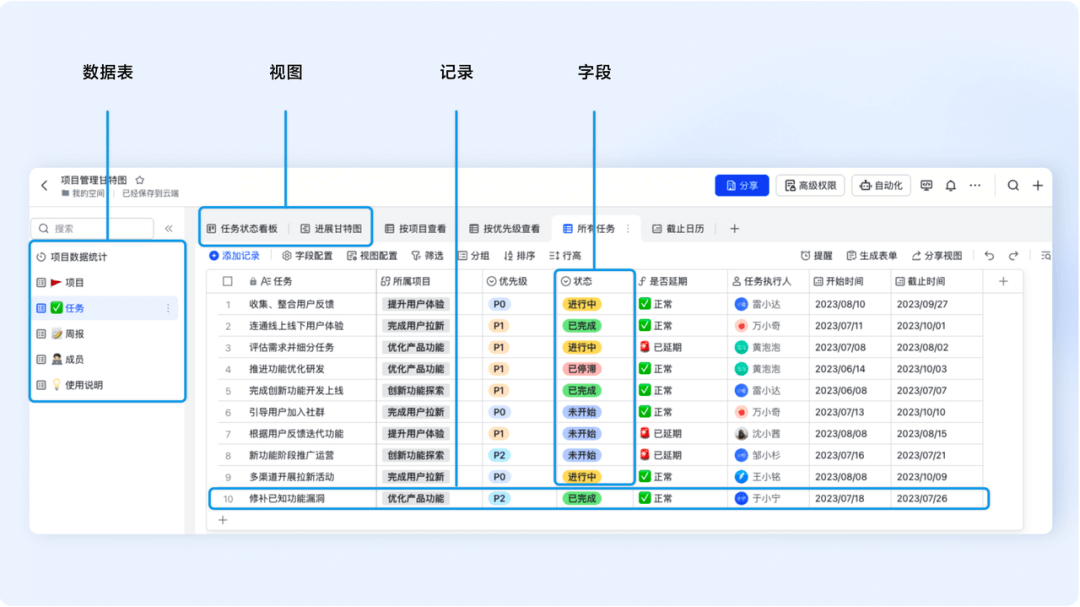
Unlike traditional Excel, in Feishu Bitable, each column is afield, used to define what the data in this column is, how it is presented, and how the system should understand and process it. It can be text, or options, dates, hyperlinks, and so on.
And each row is a complete, independentrecord. Every value and date we need to record exists in the table in the form of a row.
Fields define structure, rows carry data, and the two combine into adata table。
The real multi-dimensional capability of Feishu Bitable comes fromviews. The same data table can become 6 different forms!
In the grid view, we see a structure of rows and columns, suitable for entering, organizing, and aligning information; switch to the kanban view, and we can manage processes in a more intuitive way, directly dragging cards to update status; switch to the calendar view, and all our records with dates automatically arrange onto the corresponding days. Which days are busy and which days have openings can be seen clearly at a glance.
In addition to these views, Bitable also has a higher-dimensional way of presenting things —the dashboard。
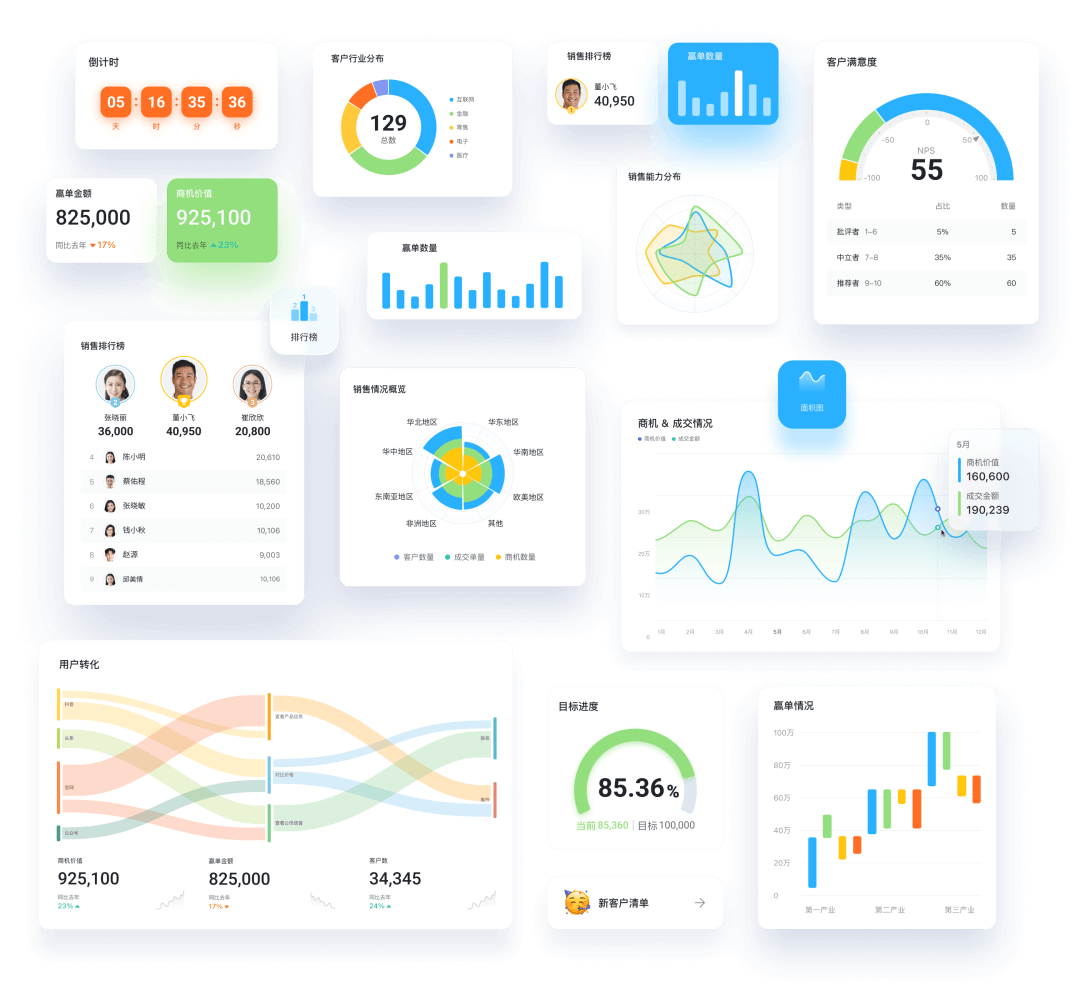
It extracts key data from the table and turns it into visualized charts, statistic cards, and trend lines. We don't need to reorganize anything. Just drag a component, and the core metrics of the entire business can be seen clearly at a glance.
This is also the charm of Feishu Bitable:
There is only one copy of the data, but the presentation can be 6 views + 1 dashboard, switchable at will。
Switching views does not change the data itself; it only changes the way of understanding it. Modify the data in any view, and the other views will also sync in real time.
In Bitable, many things do not require us to watch them manually.
We set trigger conditions. For example, every time a record is added, AI automatically generates a summary; when a task is due, the person in charge is automatically reminded; before getting off work every Friday, the weekly report is automatically summarized.
With the powerful AI features in the fields, it can automatically generate, automatically clean, and automatically batch process content. These are what's in Feishu Base.workflows。
To sum it up in one sentence, Feishu Base is a smart tool that looks like a spreadsheet but can be used as a database and can also rely on AI to do batch work. Even ordinary people can get started with zero barriers.
02. What is Feishu Base used for
After understanding what Feishu Base is, the second question naturally is:what exactly can it help me do?
Simply put, the value of Feishu Base lies in putting all the scattered information at work, the processes that need repeated handling, and the things that need collaboration into a system that can run on its own.
- Data management
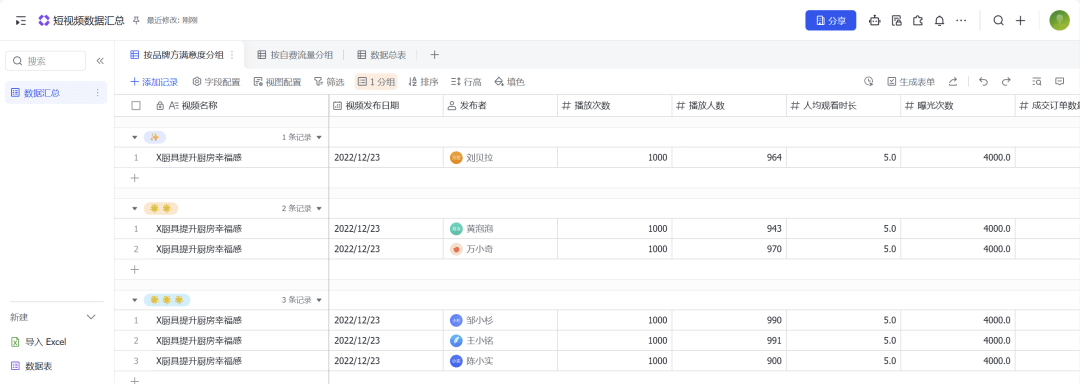
For example, when I do self-media, the most troublesome thing is usually that each platform has its own backend, each video has its own page, and every review requires searching for data everywhere.
Feishu Base makes this very simple. I directly made a data summary table and put the plays, interactions, completion rates, and conversions of all accounts into the same table. Many reviews that used to take a whole afternoon can now be done in two minutes with a few clicks.
- Data visualization
Feishu Base can directly generate dashboards. Enter data into the table, and it can automatically identify key metrics and generate trends, proportions, and statistical cards.
- Data analysis
Feishu Base also supports one-click intelligent analysis. With one click, AI automatically helps you break down trends, anomalies, and correlations in the data.
- Collaboration management
All tasks, statuses, and assignee information are placed in the same table. Who is doing what, how far they have progressed, and whether there are blockers are all very clear.
Most importantly, once the status changes, the whole team syncs in real time, and there is no need to rely on asking or guessing anymore.
- Automated processes
Once we set trigger conditions, many things no longer need us to watch them. For example, notify me when the table has new entries; at 5 PM every day, automatically send me a summary of the day's work.
- AI batch processing
If you have done content, you must know what mechanical labor is: dozens of titles need to be changed, hundreds of comments need to be classified, and a column of links needs format cleaning. No one wants to do it, but it has to be done.
Feishu Base's AI batch processing directly takes care of this kind of work all at once.
We add AI shortcuts to any field and let AI help us extract, clean, rewrite, and summarize, running across the entire column at once. Work that used to take an afternoon can now be finished with one click of a button.
03. How to use Feishu Base
Now that we've covered what it can do, we can finally get hands-on.
The logic of use is very simple:Create table → Add fields → Add data → Data visualization → Automation。
Official website:https://base.feishu.cn
Let's go through it in practice in this order.
Friends who are newly registered can enter my invitation code:
New6A7v3H2d5M3i
You can get 3 months of Feishu Base Professional membership for free (exclusive invitation code redemption for 2 months + new registration gift of 1 month) and enjoy the benefits of Professional membership.
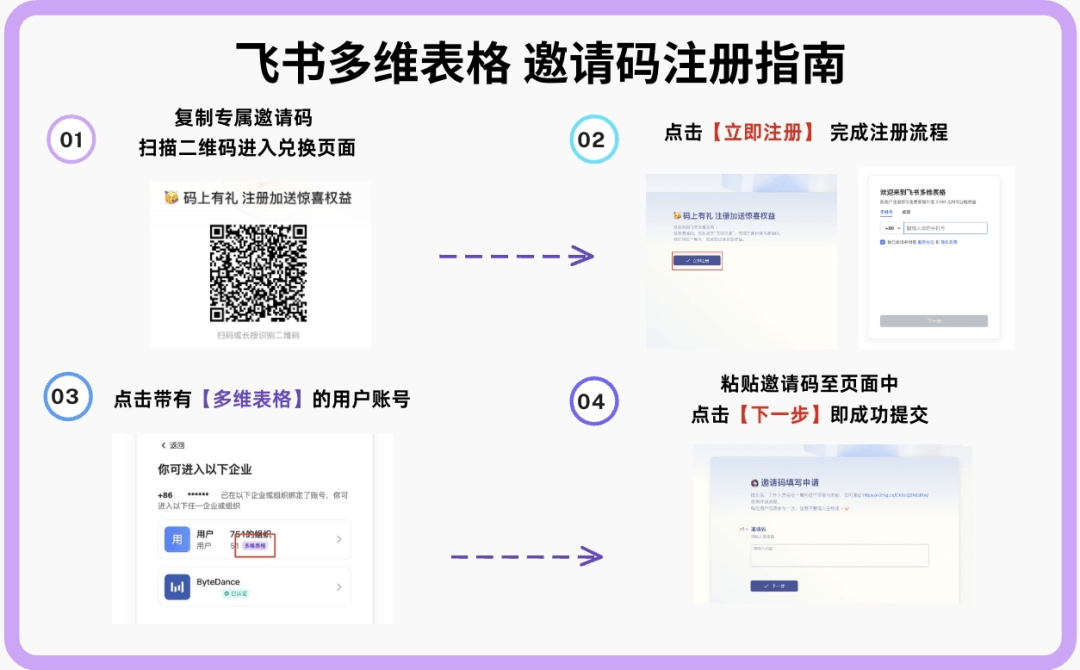
Invitation code redemption path:
Copy the invitation code — click the link or scan the QR code in the image — register for Feishu Base — automatically jump to the redemption page — paste and submit the exclusive invitation code.
You can also click the registration link in Read Original:
https://v2ig.cn/Cb7R71AomnI/
Enter invitation code:New6A7v3H2d5M3i
Click to create a new Base, and you will get a basic table.
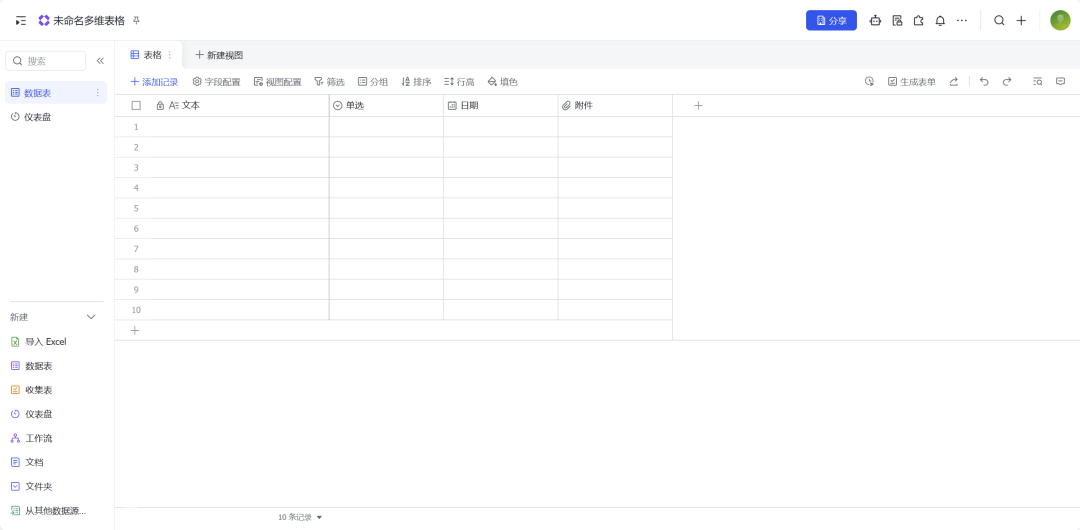
We just learned that each column here is a field. Fields determine how data is stored and how it is understood.
Below, I will use the simplest way to quickly introduce you to several of the most commonly used field types:
- Information recording type: text, number, attachment, hyperlink... These fields are responsible for entering information and are the most basic and commonly used.
- Process management type: single select, multiple select, date, person... At what stage a project is and who is responsible for it are clear at a glance.
- Data relationship type: link, lookup and rollup... This allows table A to reference table B and connects the data of multiple tables into one system.
- Field shortcuts: add AI capabilities to any field, such as letting AI extract information, classify and summarize, and also batch process an entire column of data with one click.
Whatever we need to record, we create the corresponding field for it.
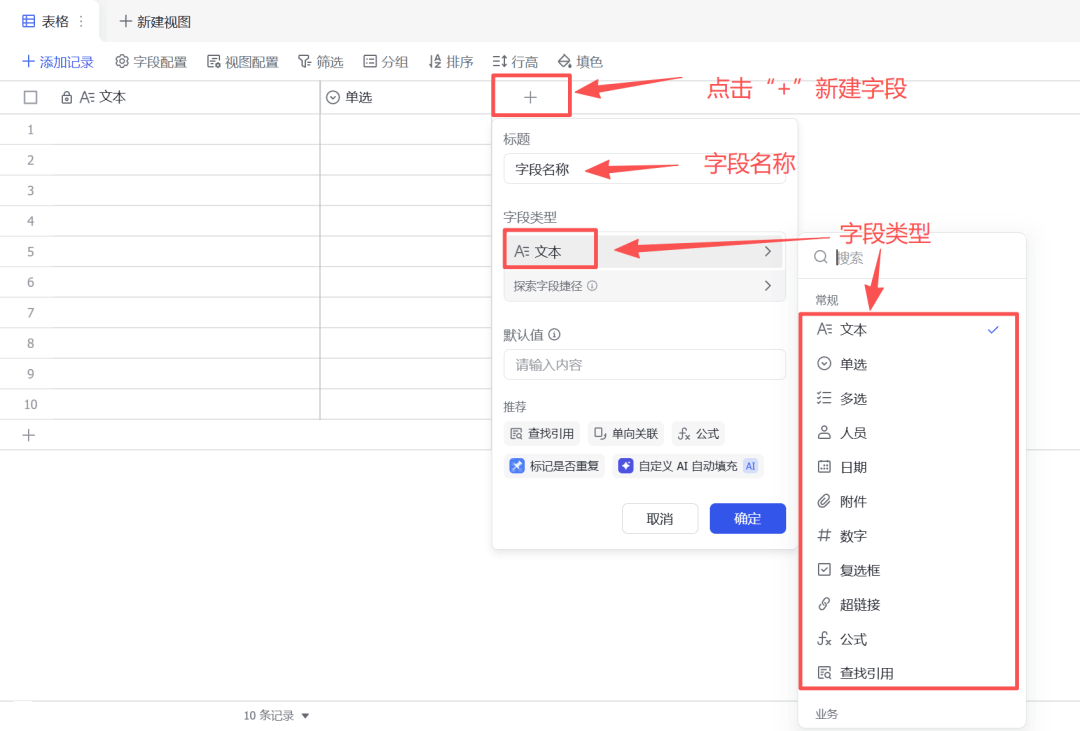
For example, if we create a self-media topic library, we can first create fields such as inspiration, theme, and reference video.
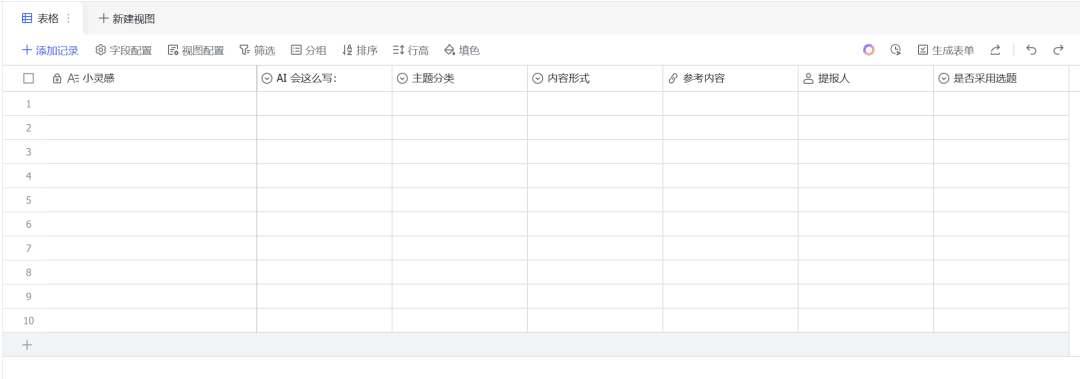
Let's add some data:
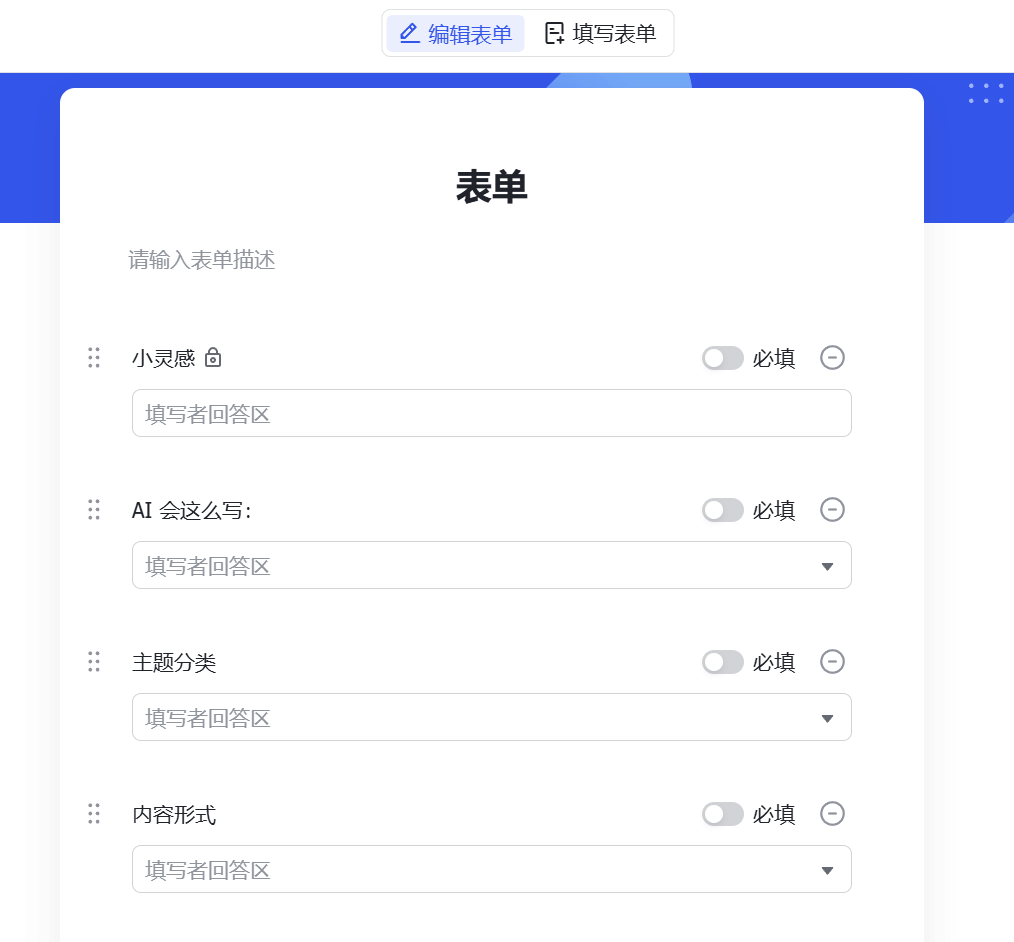
Click Generate Form in the upper right corner, and Feishu Base will generate an online form based on the current fields. After we set the required fields for the form, we can share the form with partners to submit topics together. Each time it is submitted, one more row of information will be added to the database.
As data gradually accumulates, we can switch between various views to make the data clearer at a glance.
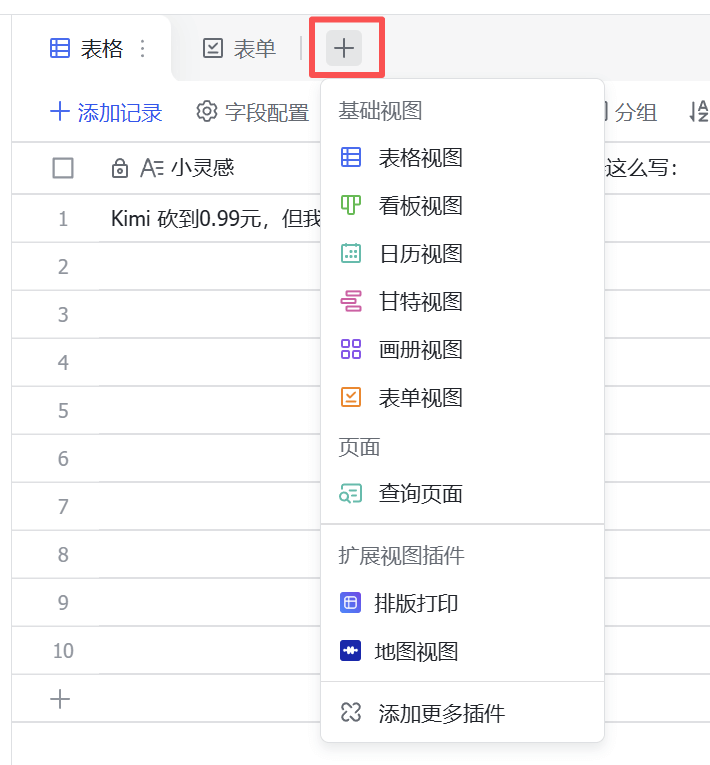
For example, a task Kanban lets you intuitively see which themes there are, whether they are image-text or video, and who submitted them.Drag a card, and you can change the card status, which is very convenient.
There is an AI button in the upper right corner of Feishu Base. Clicking it canletAI help us perform some operations, such as generating a dashboard based on the data table。
The richer the data, the more intuitive the effect.
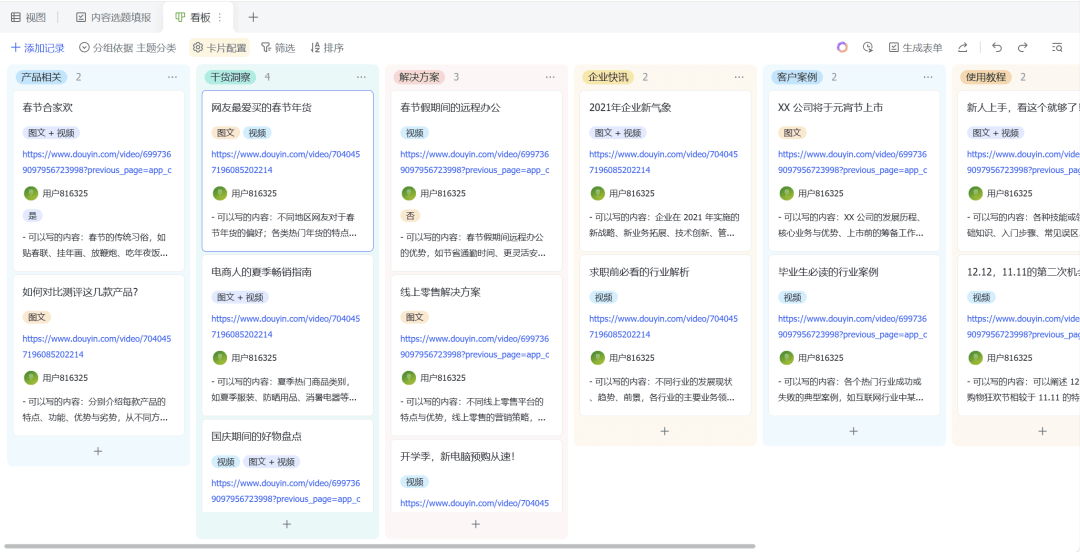
After the table is built, I also want to add an automated process: whenever a new topic is updated in the table, it can send me a message notification.
Click the small robot icon in the upper right corner to set up an automation process. For example, the one I set here is that when there is a new record in the Little Inspiration field, Feishu Base will send me an in-app message.
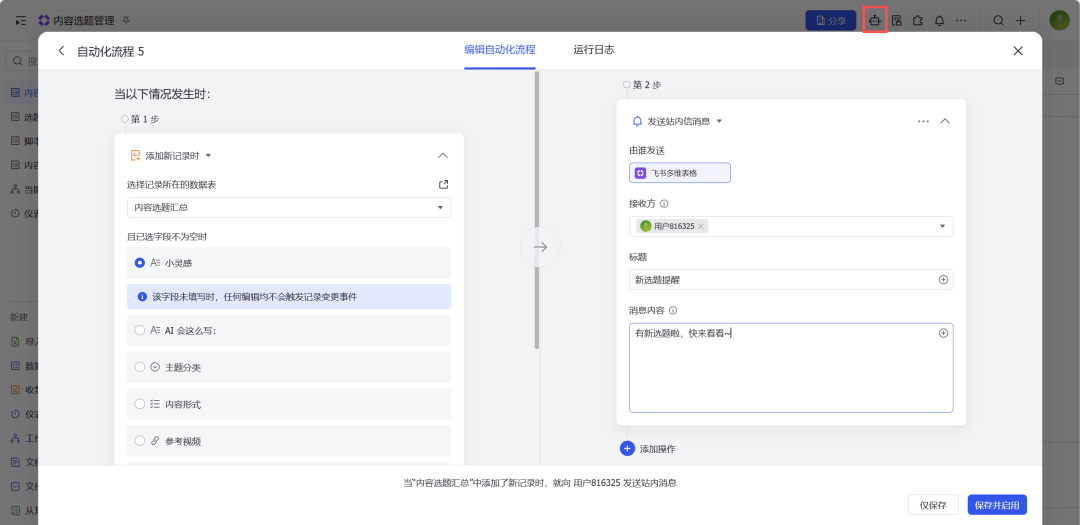
Of course, we can also set scheduled tasks, such as automatically summarizing the day's work content at 5 p.m. every day.
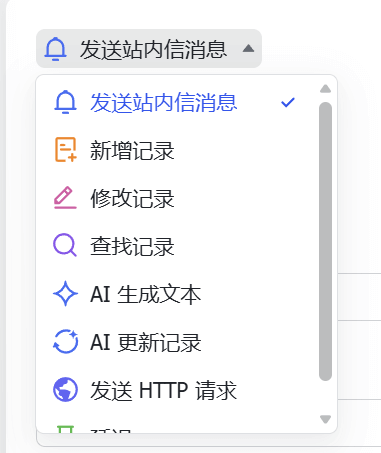
Both trigger conditions and post-trigger actions support customization, so there is a lot of room for exploration.
04. Some sharing
Feishu Base is indeed very powerful, and what I talked about in this article is only the tip of the iceberg of its capabilities. Many details and ways to use it have not yet been expanded on, but if this article can help you get started smoothly and know what Feishu Base can do and how to start using it, then it was worth writing.
Once you really get hands-on with it, you will find that it is far more interesting than what is presented in the article. Many trivial tasks that we thought only we could do ourselves can be quietly completed automatically by Feishu Base.
We do not need to become experts, nor do we need to learn code. We only need to treat using Feishu Base as a new work habit.Structure information, systematize matters, and the resulting change is efficiency.
In the past, to do structured data management, we had to know advanced Excel functions or build a simple database.
Base reduces the task of building a database to the click level. Fields, inter-table links, and data relationships are all completed visually.
For ordinary people, this is a dimensional strike.
AI workflows are no longer just a feature to play around with; they will become standard for all knowledge work.
The future of work will most likely look like this: humans handle direction, AI handles execution.
Original link:Feishu Bitable Nanny-Level Tutorial: 3 Steps to Get Started with the AI Workflow Powerhouse