
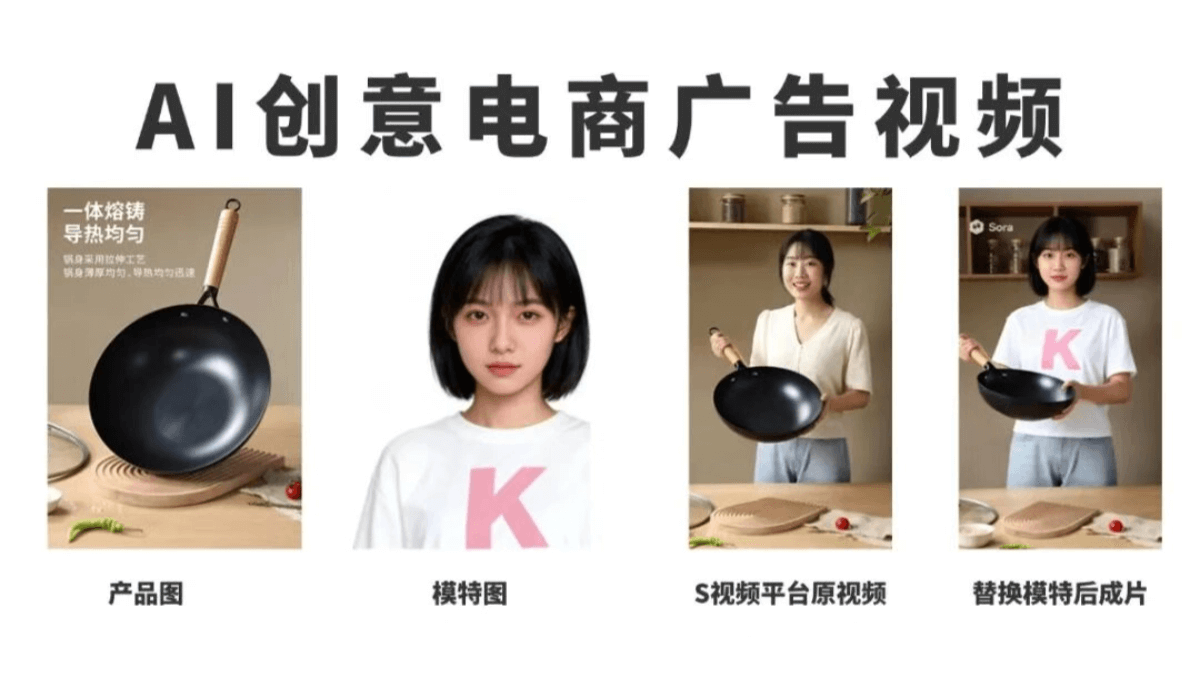
Recently I discovered an absolutely brilliant AI creative advertising production idea.
These past two days I tried Sora 2, and was amazed by its advertising creativity! Input a segment of ad copy or a rough idea, and in less than a few minutes, it can automatically generate a complete video with voiceover, camera movement, and transitions.
However, there are still some small issues—Sora 2 does not support uploading real photos of people. If you want to make the video a little longer, character consistency cannot be guaranteed.
The method K-jie is sharing today can perfectly solve the "character inconsistency" problem:
The whole process only takes 2 steps:
1. Use product photos and a prompt, throw them to Sora 2to generate a video;
2. Use Wan2.2 Animate to replace the person in the video, ensuring consistency from beginning to end;
Next, let's try it out together in practice.
01. AI Advertising Short Film
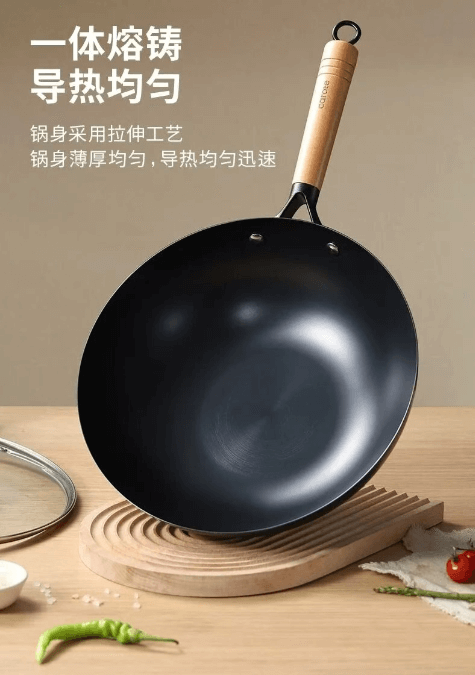
We upload product images and use Sora 2 to generate some advertising clips.
Prompt: UGC advertising video. No text overlay. A girl holds the iron wok in the image and talks with the audience. Use Chinese voiceover throughout.
Segmented content can use different emphases. For example, the first segment focuses on materials, the second segment focuses on experience, and the third segment focuses on benefits... This way, when the videos are combined, the content is more comprehensive.
02. Replace the Person in the Storyboard
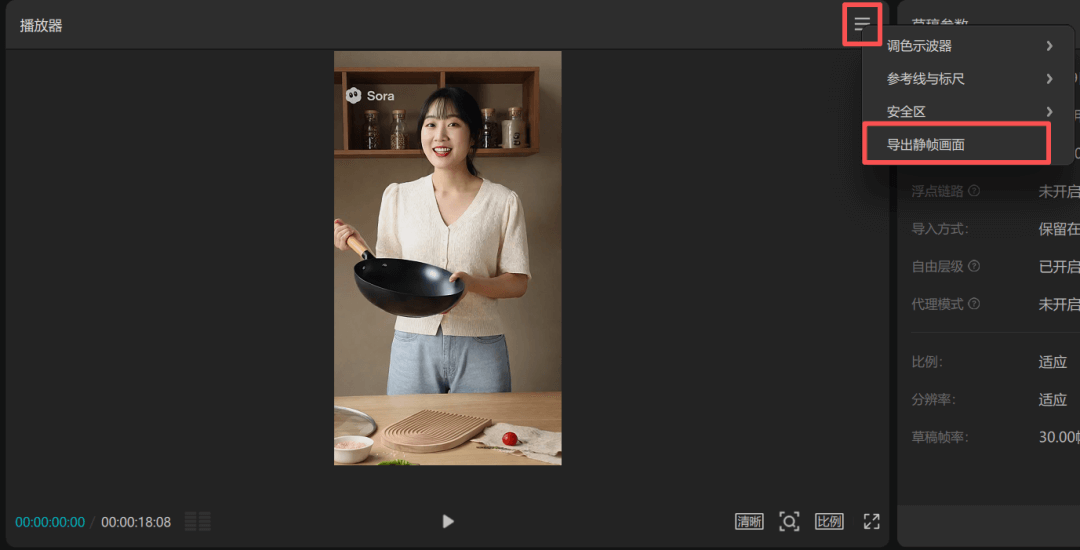
We import the video into CapCut, select the first frame where the person appears, and export a still frame.
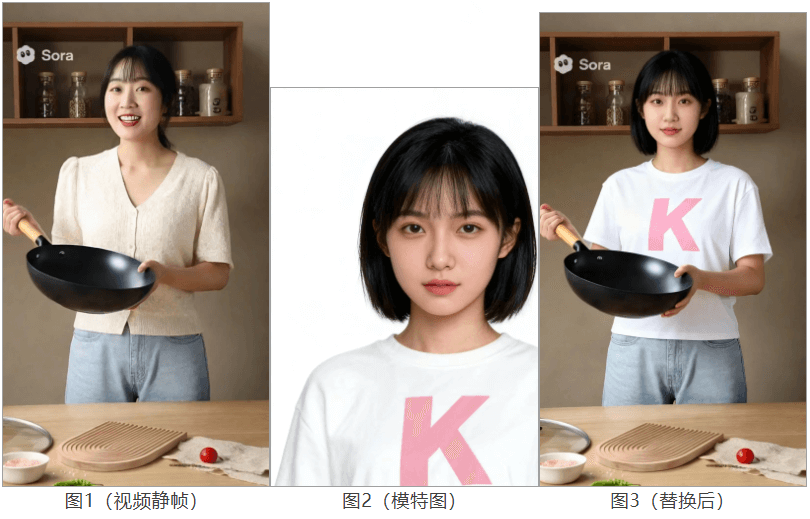
When replacing the person in the video, the effect will be better if the uploaded model image and the person in the first frame of the video have similar proportions.
Each time the person switches to a new scene, we need to export the still frame of the first frame and first replace the person in the image.
Upload the video still frame and the model image together to Jimeng to get the scene image after replacement.
Prompt: Replace the girl's face, hairstyle, and clothes in image 1 with those in image 2 (air bangs, short sleeves), without changing the girl's pose in image 1.
Open the Tongyi Wanxiang official website and select [Digital Human] [Character Replacement]. Upload the original video and the image with the replaced person, then click generate.
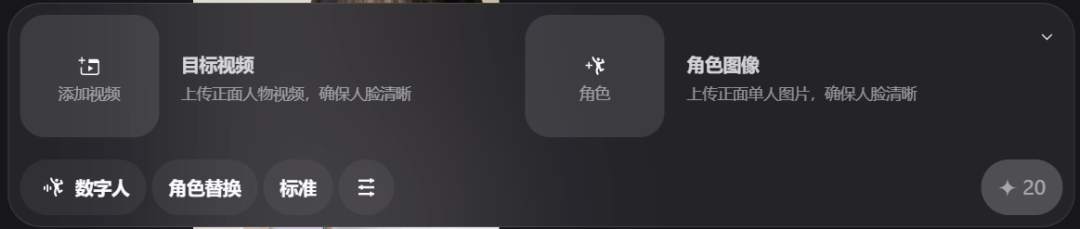
Then we get the replaced video clip. Aside from the change in the person's appearance, the scene and the person's actions are basically consistent with the original video:
After replacing the person in all video materials, just splice and export them in CapCut. Let's take a look at the final result together:
03. Some Sharing
Although Sora 2 has strong realism, and script design, camera movement, and transitions are all quite good, using Wan 2.2 Animate makes up for the shortcoming in character consistency. One person can achieve the effect of a professional advertising promotional film at almost zero cost.
The use cases for Sora 2 will also be greatly expanded, moving from abstract fun and light entertainment toward real advertising, promotional films, and even short drama creation.
This is also a key step for AI video tools moving from toys to productivity. In the future, advertising agencies, MCN institutions, and even film and television production will increasingly rely on this kind of technology for efficiency gains and cost reduction, rather than staying at proof of concept.
Original link:Viral AI Product Promotion Video Idea Revealed: Solve the Sora Character Consistency Problem in 2 Steps