
I wonder if any of you have come across posts like this—
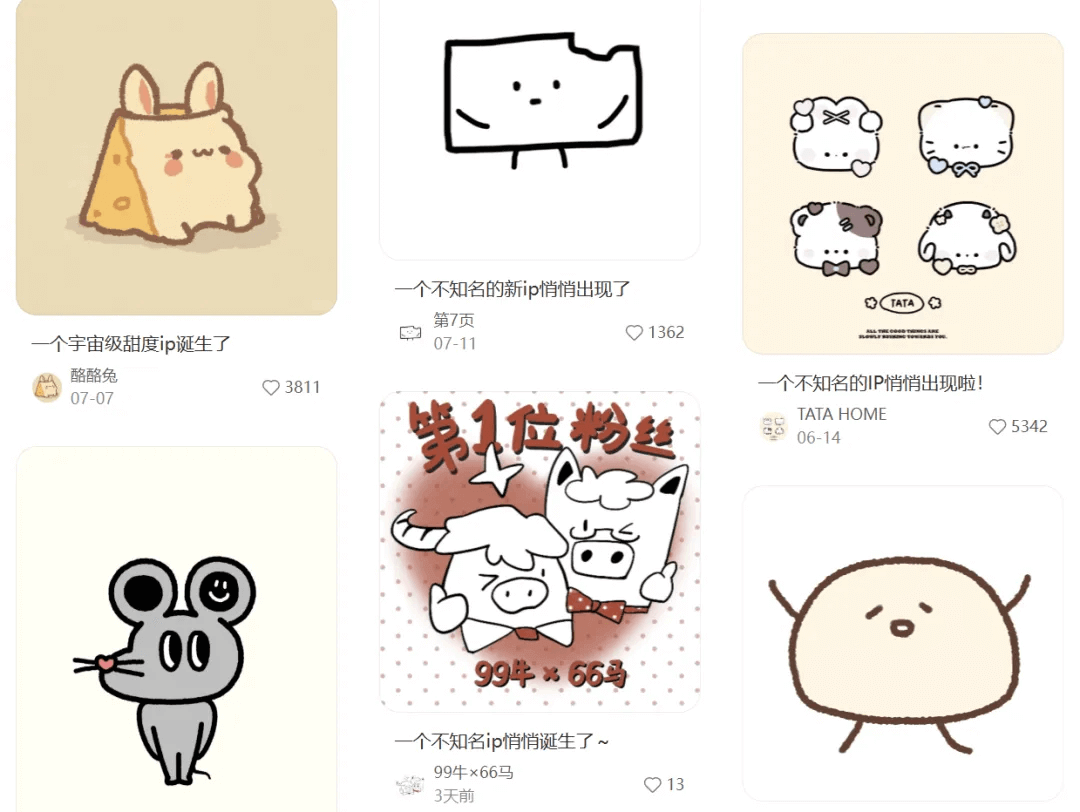
These unknown cute IPs all have pretty good traffic. When I wanted to try designing one myself with AI, I got stuck at the step of writing prompts...
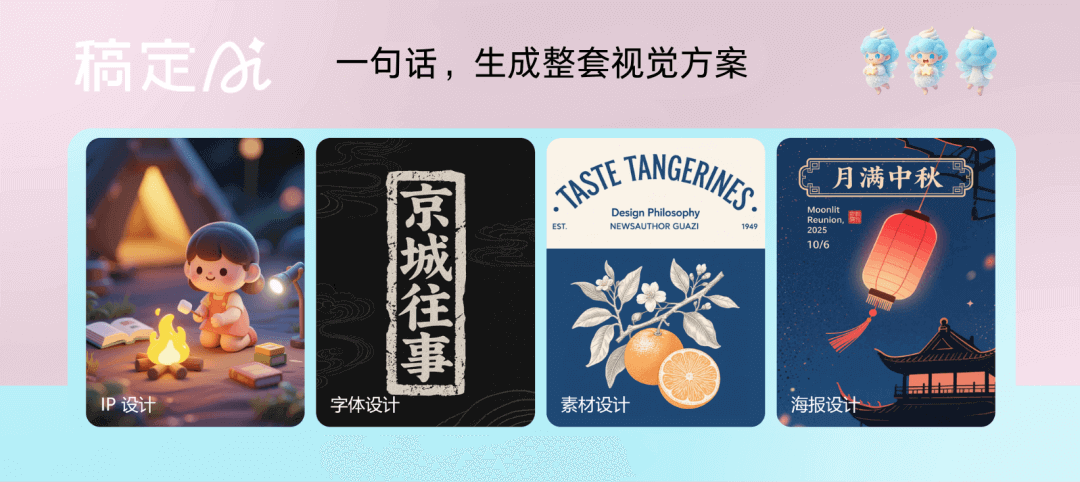
Until I triedGaoding AI, I discovered design could be this smooth! For posters, IP design, and more, it can precisely grasp your needs, produce images efficiently, and maintain visual consistency!
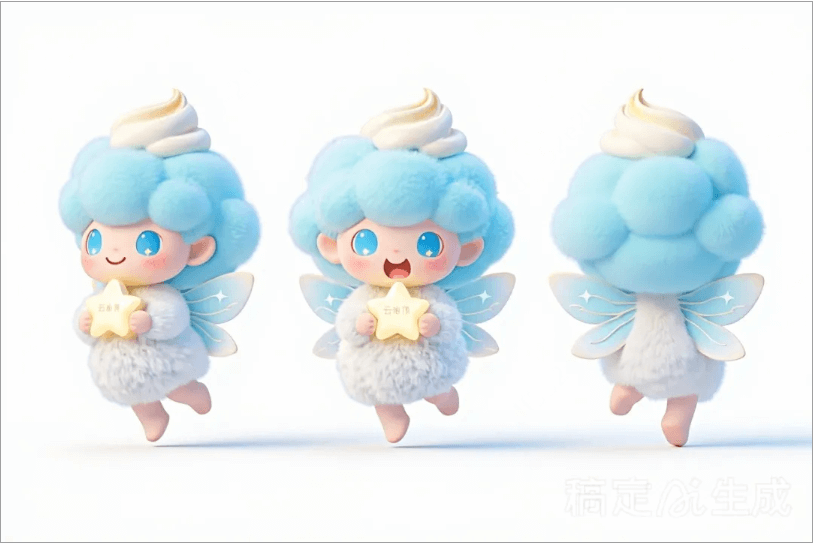
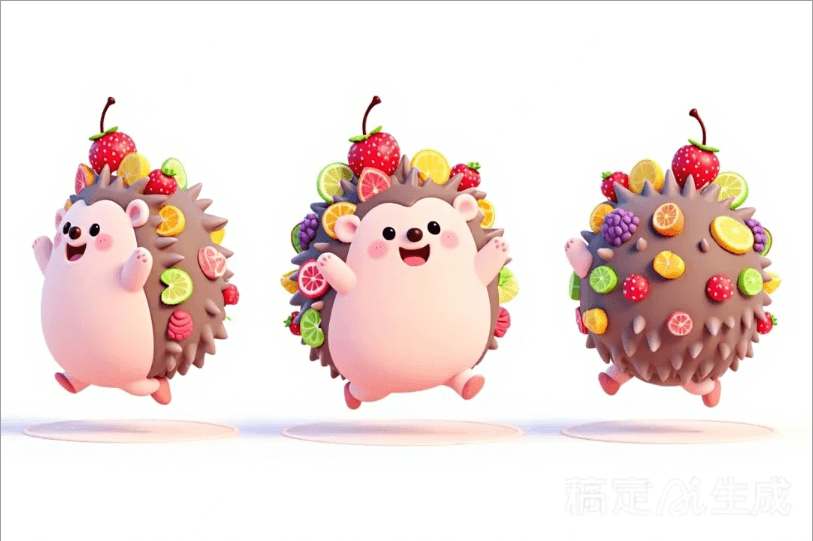
Before introducing it to everyone, let's take a look at the IP character I designed~
01. Chat-based creation, a design Agent that understands you better
When we open the official website, the first thing that appears isGaoding AI'sCreative Plaza。
Official website:https://www.gaoding.art/
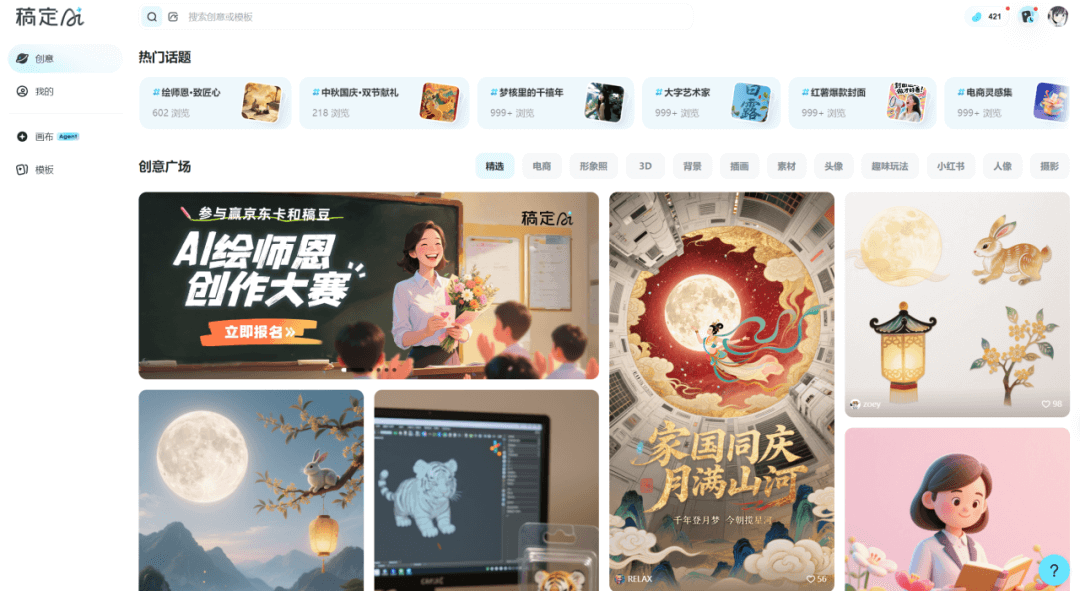
Here, we can see all kinds of creative inspiration uploaded by users. Just clickMake the Sameand you can get the prompt for one-click creation.
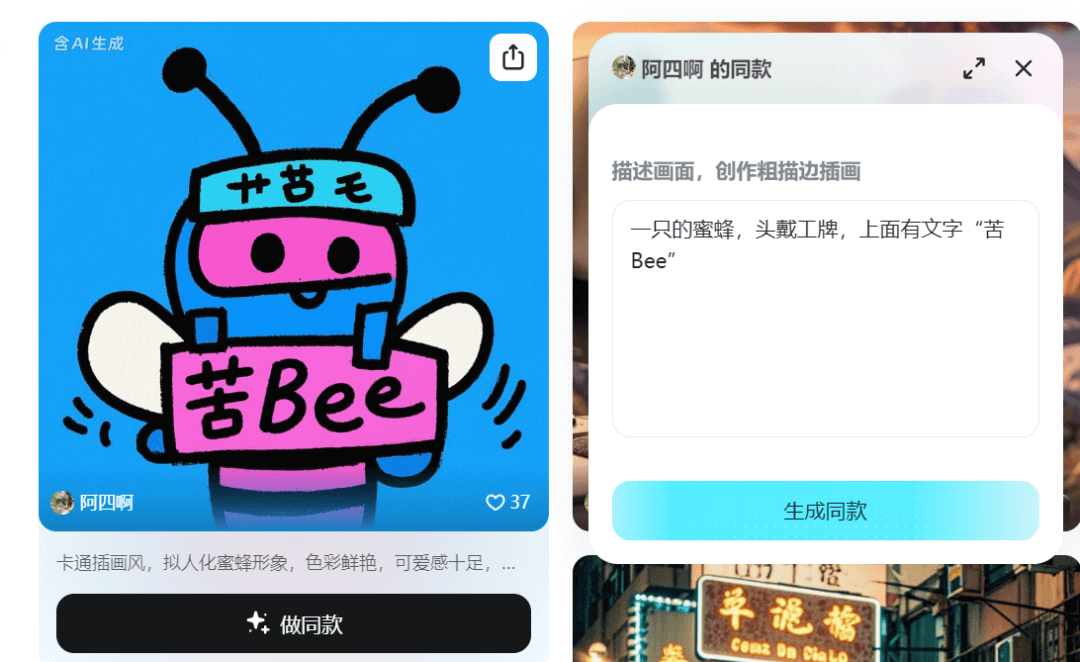
Next, we choose the canvas. Here we can select a skill.
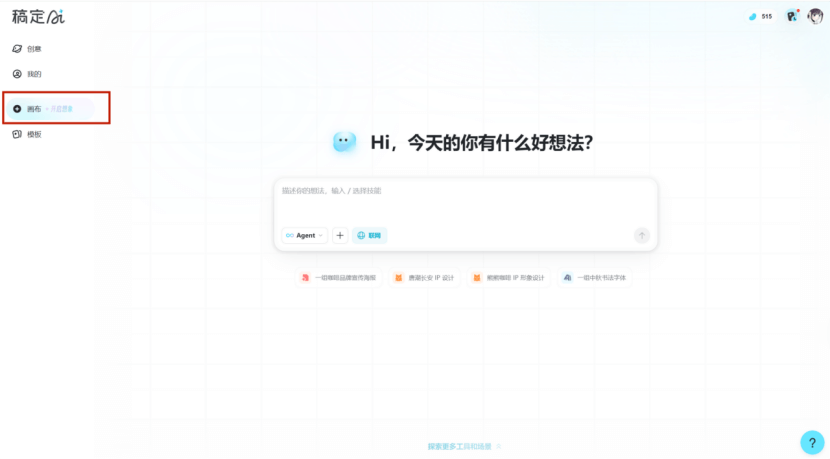
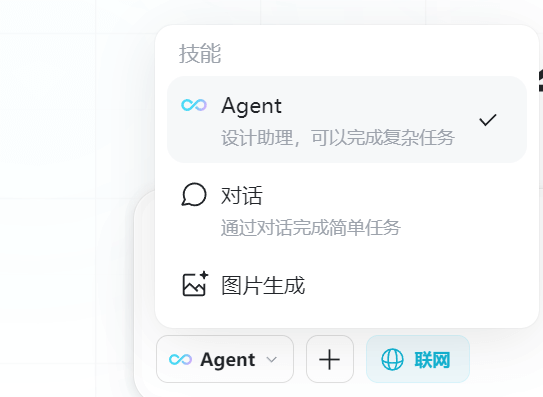
Among them, based on K's testing, Agent mode is more suitable for handling complex, comprehensive design needs, and can help us spark creative inspiration.
For example, I entered prompts in the two modes respectively:
Prompt: Generate a Mid-Autumn Festival poster promotional image, Chinese ink painting style, the jade rabbit should have snowy white fluffy fur texture, osmanthus with light yellow blending, background with a full moon and auspicious cloud patterns.
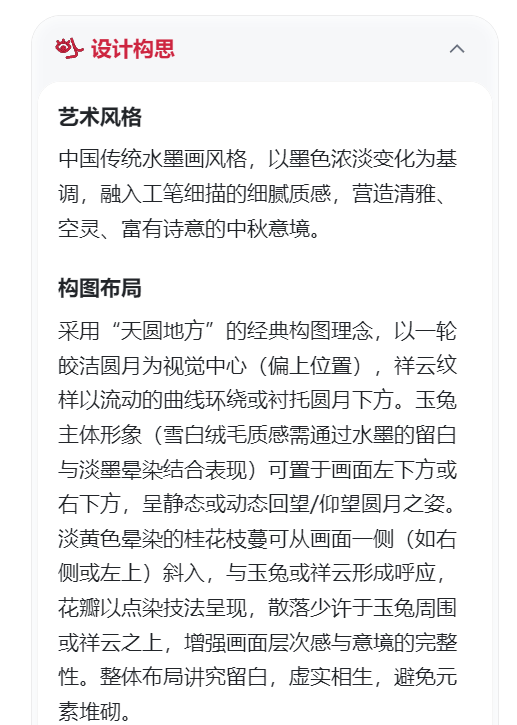
In Agent mode, it first carries out task planning. After understanding our needs, it conducts design conception, from artistic style to color matching, all well-reasoned, and it even thinks out the copywriting design for us.
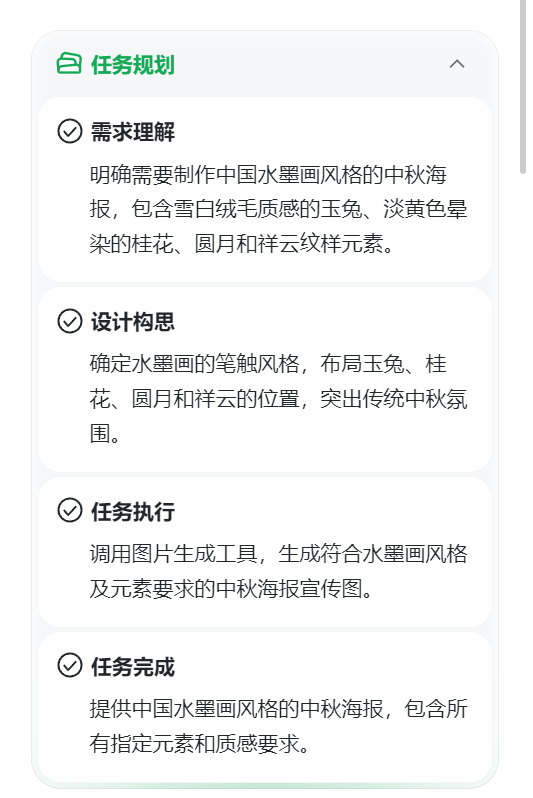
No kidding! Gaoding AI really understands Guofeng aesthetics. For example, here it considered things like "adopting the classic composition concept of 'round heaven and square earth'" and "using calligraphy fonts that combine strength and roundedness, such as running script or Wei stele variants," and so on.
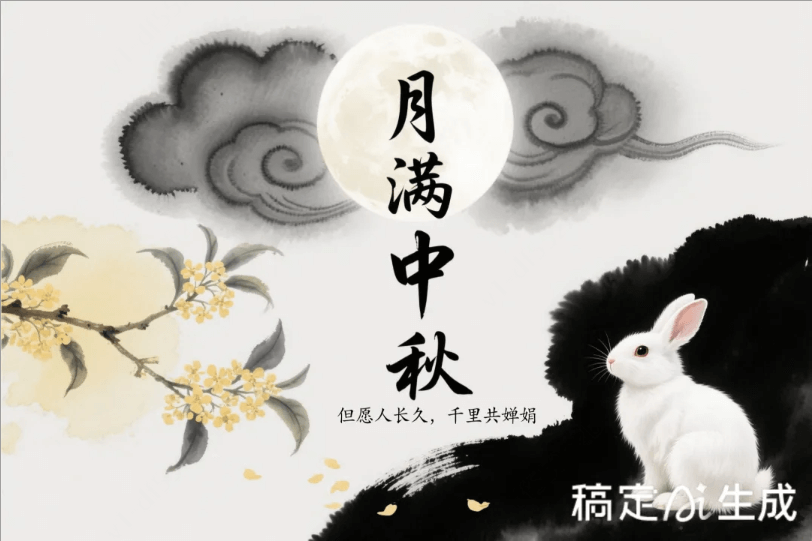
After generating the image, K felt that the fluffy-textured rabbit did not quite match the ink painting style, so K asked it to create the same poster in 3D cartoon style, and it generated it for me very quickly.
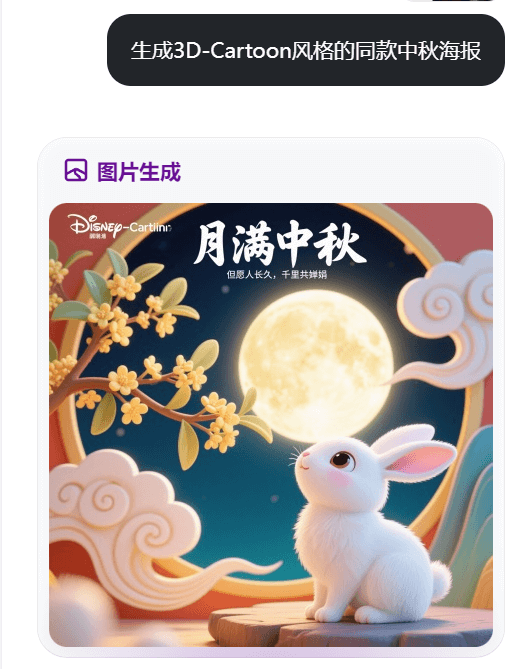
The chat mode directly generated an image for us. It is more suitable for simple, single creation instructions, and can also meet users' more basic creation needs.
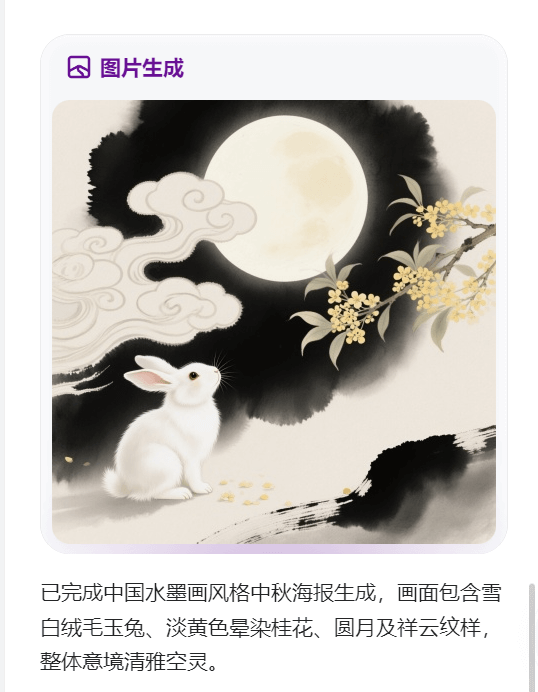
When I used to tinker with AI tools, I was always worn out by prompts. But Gaoding AI is like a thoughtful partner, with no barriers to communication, and it can alsopresent a complete visual solution。
For example, I want to use a magpie as the IP character to design a set of Qixi Festival promotional materials, including posters, invitations, and social media graphics. I switch to Agent mode and tell Gaoding AI:
Prompt: Design an IP character with a magpie as the main subject, 3D cute style, add Qixi elements. The plan includes the IP key visual, IP three-view, and emoji pack.
Before long, along with knowledge retrieval, the complete plan was all generated.
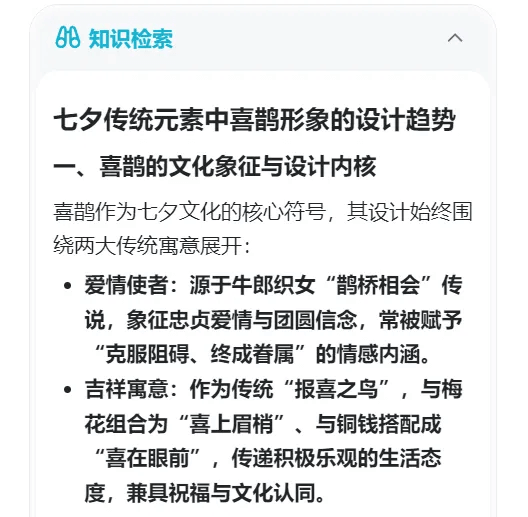
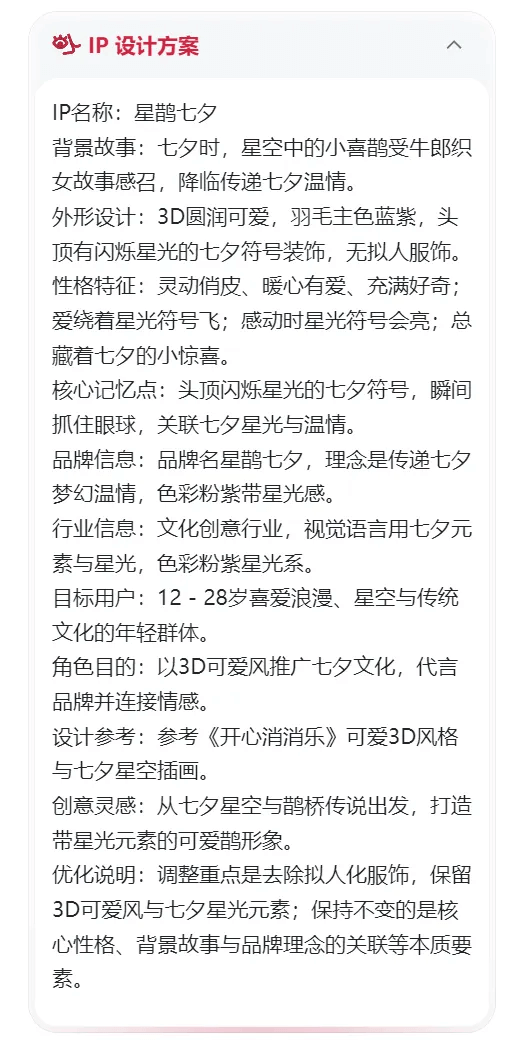
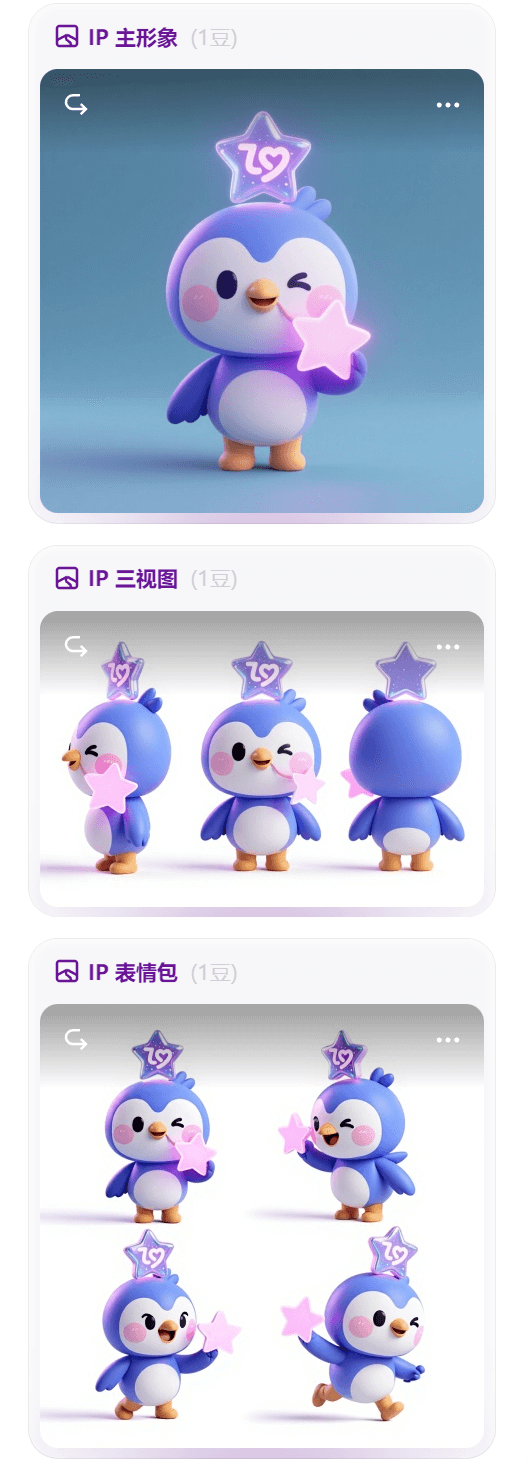
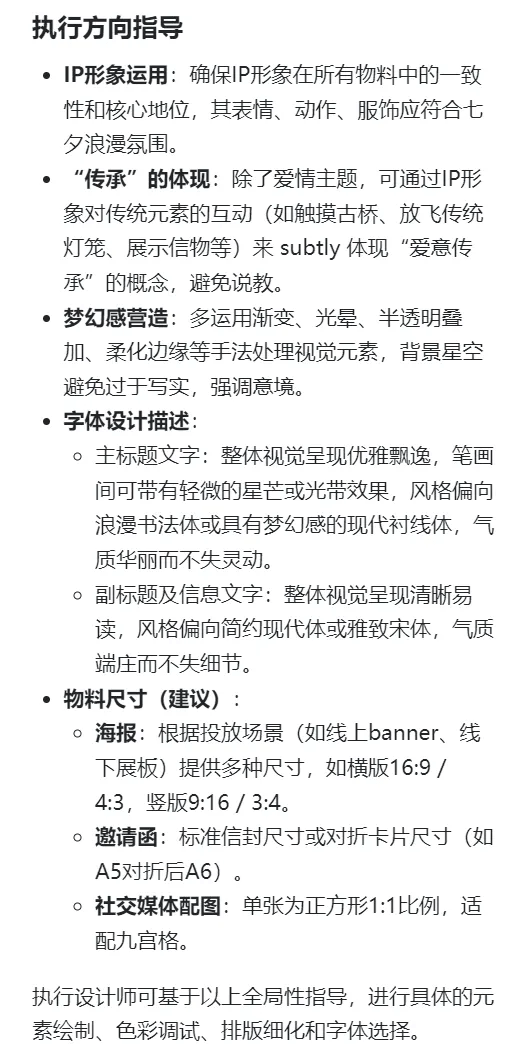
On this basis, I entered the following prompt. This time, in addition to task planning and design plan, Gaoding AI also provided execution direction guidance.
Prompt: Based on this IP character, design a set of Qixi Festival promotional materials, including posters, invitations, and social media graphics. With "Romantic Qixi, Inheriting Love" as the core theme, dreamy style.
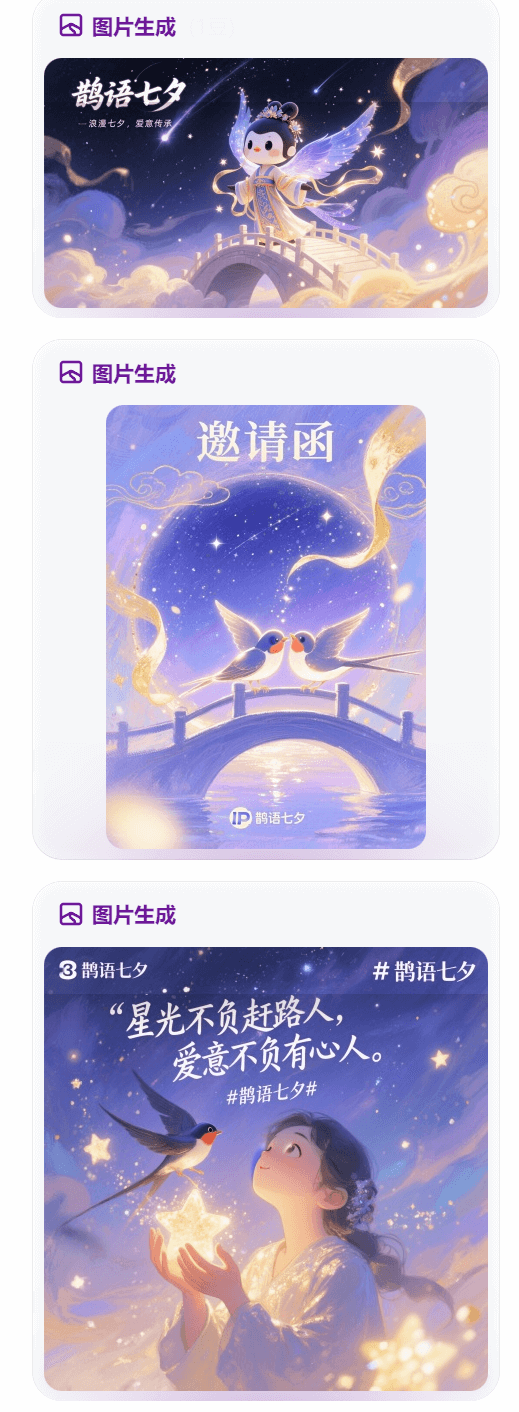
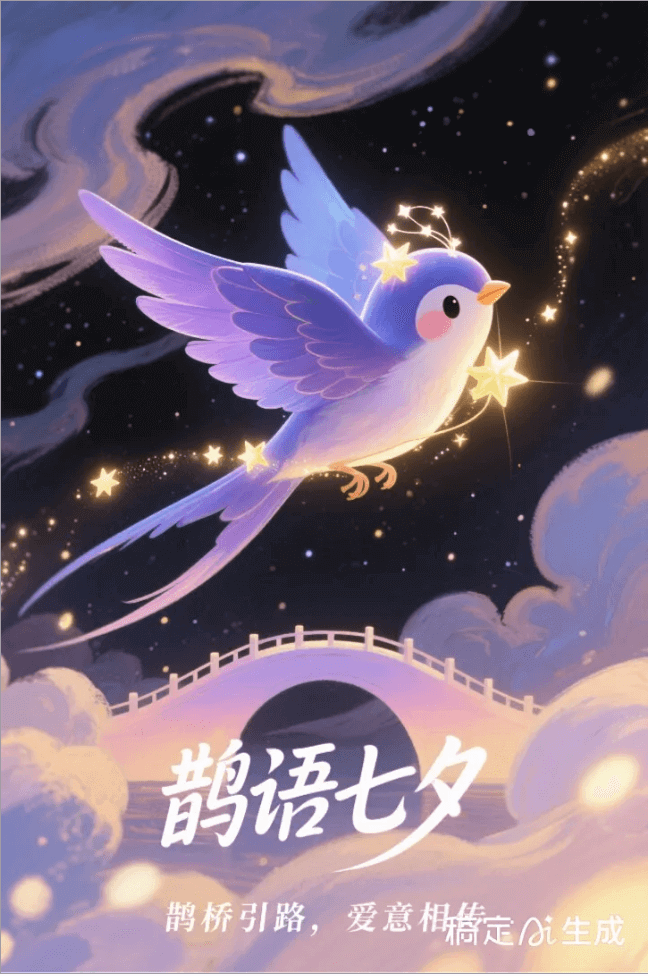
What surprised me even more was thatit can also precisely grasp vague instructions. Just like here, I felt the accompanying images were not strongly related to the IP character, so I told it, "Make the accompanying images fit the IP character better," and it immediately made changes for me.
02. One-stop image editing, switch tools to history
Based on the materials generated for me by Gaoding AI, Sister K wanted to adjust some details of the invitation.
Normally, we would need to export the image to another photo-editing software, but with Gaoding AI, Sister K found that she could directly make adjustments based on the image it generated.
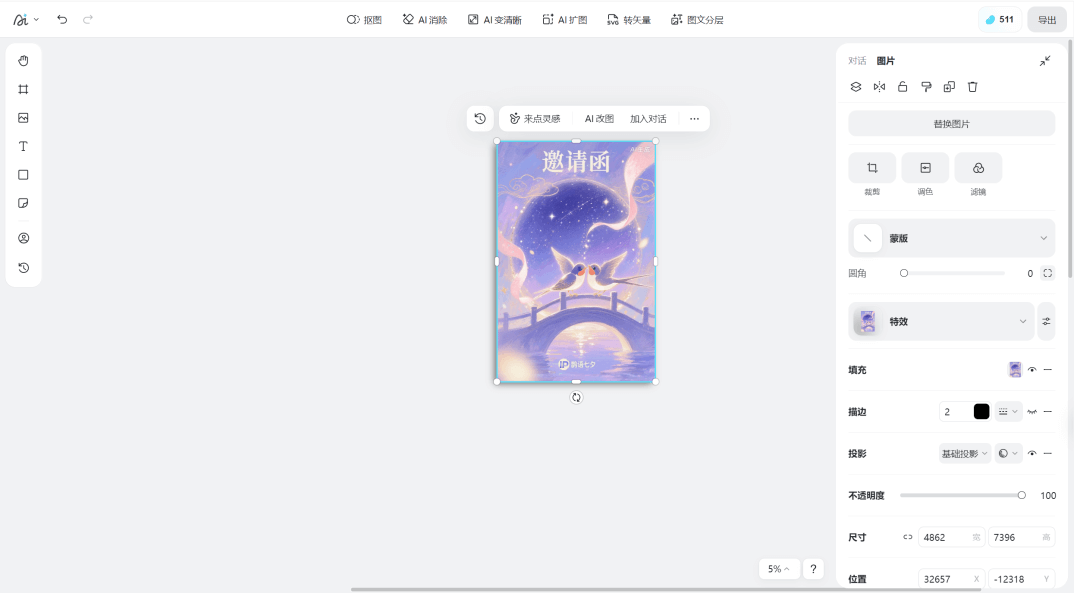
Beyond basic design editing, we can also use AI image editing. Select the image, click AI image editing at the top, then enter what you want to change in the input field, and very quickly I got the image I wanted.
Prompt: Replace the floating ribbon with light pink.
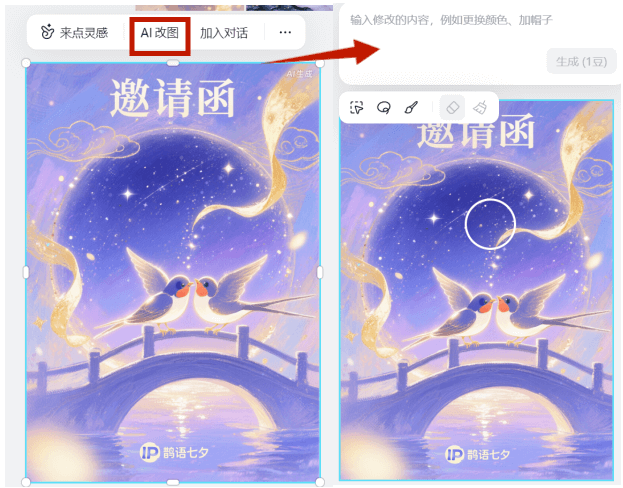
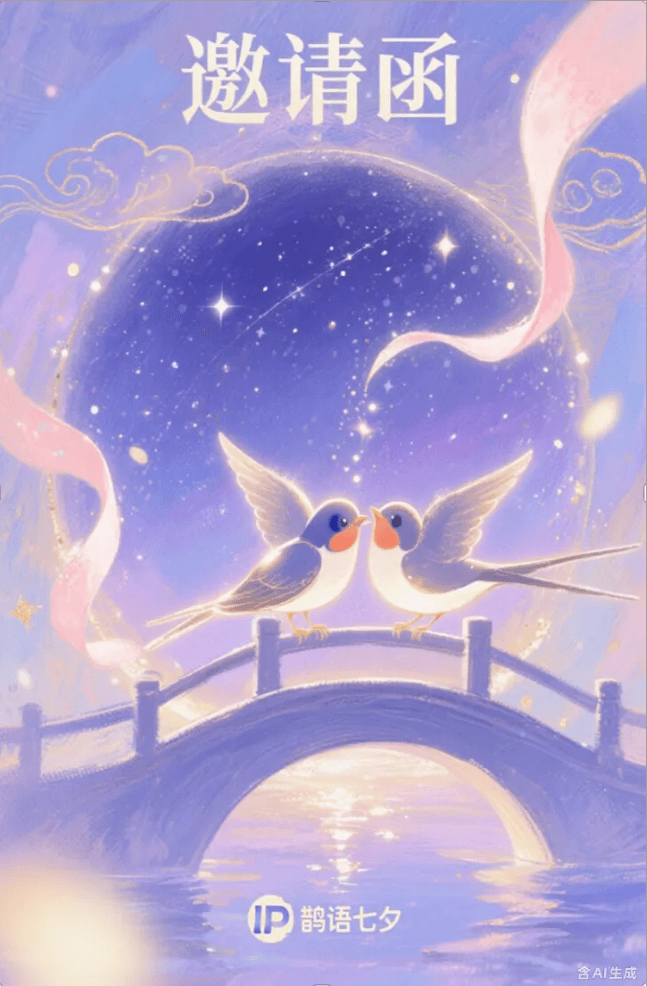
After editing, Sister K wanted to try other styles, but racked her brains and could not come up with a prompt, and then discovered that Gaoding AI would alsoprovide inspiration!
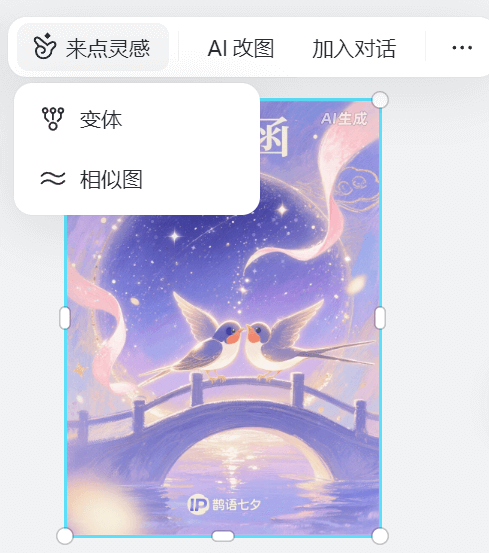
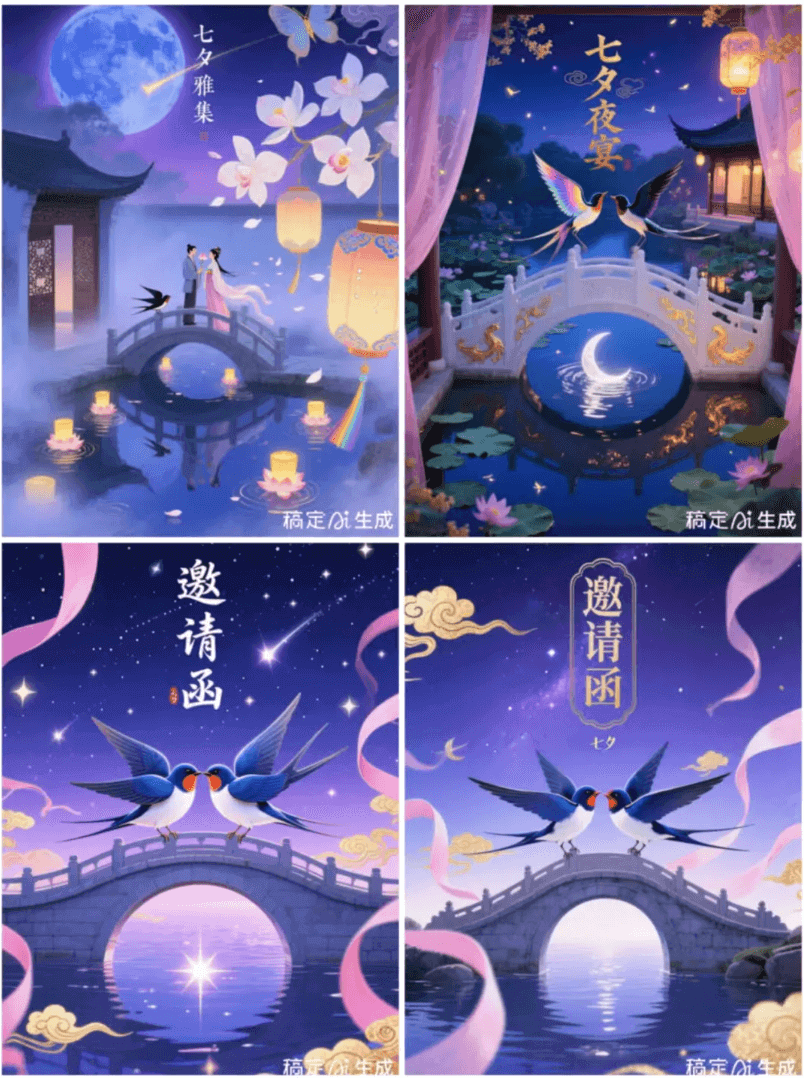
After clicking Get Inspired, it gave me two options, and Sister K tried each one:
Variation(the image above) will expand on the basis of the original image;
Similar image(the image below) basically retains the style of the original image, with style changes.
03. Some sharing
After using Gaoding AI, I truly felt what "dimensional strike in creation" means! The operation is simple and easy to get started with, intelligent copy instantly produces ideas, and the features are impressively practical.
Although sometimes it takes several generations to achieve the expected result, the flaws do not outweigh the merits. It really can max out my creative efficiency and quickly bring ideas to life!
This also made me realize that AI is reshaping the ecosystem of the design industry. The "thresholds" that used to be built up by experience and time are gradually being broken down by intelligent tools.
In the future, creators who understand AI collaboration and can quickly integrate technology and creativity will be more competitive. The industry may give rise to a new "AI + creativity" working model, allowing creativity to truly grow without constraints.
Sister K has also secured a special benefit for everyone here:
Scan the code to follow and reply to the comment:[I want to experience Gaoding AI]Gaoding AI invitation code × 20 limited qualifications, will be given out randomly~
Original link:Give up unorthodox methods, use Gaoding AI to make posters and IP designs for free and unlimited!