
What is Ruyi AI Stick
AI Stick is the AI desktop assistant "Ruyi" launched by Lenovo Group. Integrating artificial intelligence technology, AI Stick can be connected to a variety of devices, such as computers, phones, etc. AI Stick is equipped withDoubao large model, providing functions such as AI search, AI writing, and AI chat. Users can directly get knowledge answers in the chat interface without switching between multiple applications.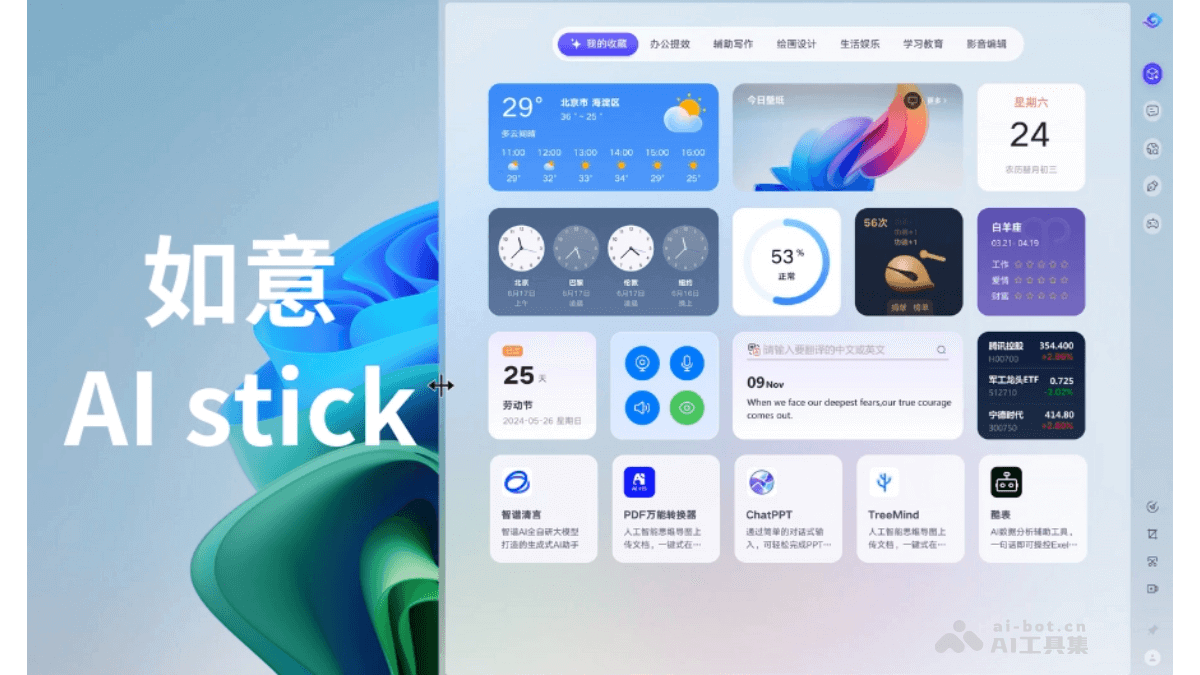
Main functions of Ruyi AI Stick
- AI Search: Ruyi's AI search function is more precise and efficient, helping users quickly locate the information they need.
- AI Writing: Supports writing in-depth articles, personal blogs, and quickly generating marketing copy and professional email templates, etc.
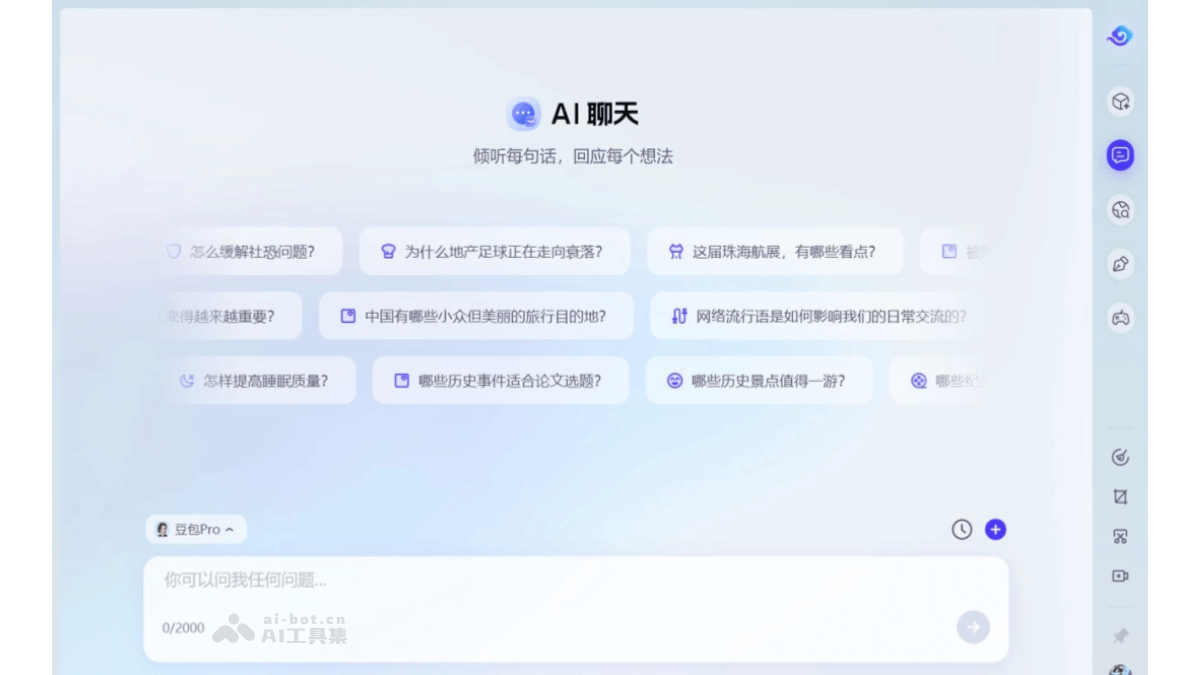
- AI Chat: Integrates the AI chat technology of the Doubao general model pro, meeting users' needs in various scenarios such as office work, study, and leisure and entertainment. Users do not need to repeatedly jump and switch between multiple applications or websites; they can directly get knowledge answers in multiple fields in the chat interface of the Ruyi assistant.
- New interface and new interaction: Ruyi provides a spacious and bright new interface. The window width can be dragged at will, allowing free layout to create a personalized space. A new sidebar navigation bar has been added, which can be called when needed and hidden when not in use, and provides do not disturb settings.
- AI Space: Ruyi AI Space integrates nearly a hundred intelligent services. From daily office work to life and entertainment, various convenient tools are within reach, making life more efficient and convenient.
- Private AI consultant: Ruyi's AI chat function serves as a private AI consultant. Whether for professional knowledge answers or daily casual chat for relief, it can accurately understand user needs and provide warm companionship.
How to use Ruyi AI Stick
- Start Ruyi AI Stick:
- Visit LenovoPC Manager official websiteto download and install the latest version.
- Open Lenovo PC Manager and find the "Toolbox" option. In the toolbox, select "AI Stick" (Ruyi) and click to open it with one click.
- Interface and interaction:
- Ruyi provides a new interface and new interaction method. The interface is spacious and bright, and the window width can be dragged and adjusted according to personal preference, allowing free layout to create a personalized space.
- A new sidebar navigation bar has been added, which can be called when in use and hidden when not in use, and provides do not disturb settings.
- Use AI functions:
- AI Search: Provides a precise and efficient search experience, quickly locating the information users need.
- AI Writing: Supports writing in-depth articles, personal blogs, and quickly generating marketing copy and professional email templates. Simply enter keywords, and the AI writing engine will deeply understand the user's intent and generate reference content.
- AI Chat: Integrates the intelligent chat technology of the Doubao general model pro, meeting users' needs in various scenarios such as office work, study, leisure and entertainment. Users can directly get knowledge answers in multiple fields in the chat interface of the Ruyi assistant.
- AI Space: AI Space integrates nearly a hundred intelligent services. From daily office work to life and entertainment, various convenient tools are within reach, making life more efficient and convenient.
- Mini Game Park: Outside of work, you should also enjoy life! A curated selection of massive high-quality mini-games, no cumbersome downloads required, play with one click
- Personalized Settings: Click the avatar in the sidebar to enter the settings center: you can set the sidebar position to the left or right, and set a shortcut key to summon Ruyi; in the "Convenient Summon" option, you can choose "Summon All" to enjoy comprehensive services, or "Summon Sidebar Only" to keep things simple, and when you need it, just swipe the mouse to summon it.
Application Scenarios of Ruyi AI Stick
- Search: Ruyi's AI search function is more precise and efficient, providing users with a convenient information retrieval experience.
- Writing: Supports writing in-depth articles and personal blogs, quickly generating marketing copy, professional email templates, etc., meeting diverse writing needs.
- Office Automation: Ruyi AI Stick can help users quickly produce high-quality text content. Whether writing articles or creating email templates, Ruyi can provide intelligent suggestions and support, greatly improving work efficiency and creative quality.
- Personalized Experience: Ruyi AI Stick provides a new interface and new interactions. Users can freely lay out window widths according to personal preferences, creating a personalized desktop space.